Small
Up to 50 players
Seeding and smaller matches.
- 4 cores
- 8 GB RAM
- 30 GB disk
$26.00 /mo
Billed monthly
Choose how the next layer is picked, warn teamkillers automatically, and keep a record of every match.
$32.00/mo Standard plan, up to 80 players. Billed monthly
Plans
3 Squad server hosting plans, sized by players online at once. Pay for longer and the monthly price drops.
Up to 50 players
Seeding and smaller matches.
$26.00 /mo
Billed monthly
Up to 80 players
Full matches.
$32.00 /mo
Billed monthly
Up to 100 players
A full server, up to the game's own limit.
$42.00 /mo
Billed monthly
Squad itself allows up to 100 players on one server. Every plan includes the ArthOS panel and DDoS protection. Need more? Set any number yourself with a custom build. Game servers can be refunded within 3 days. Dedicated servers are not refundable.
By continuing you agree to the Terms of Service and Privacy Policy.
Custom build
A custom build starts at 1 core, 1 GB of RAM and 10 GB of disk for $9.25/mo, and goes up to 16 cores, 64 GB and 500 GB. Plans are sized for a number of players; a custom build is sized by you.
$7.00 per IP per month. Optional. Limited availability, confirmed at checkout.
Your build
$32.00/mo
Billed monthly
By continuing you agree to the Terms of Service and Privacy Policy.
Not sure which plan? Try Squad free for 3 days on a full server. No card needed.
Start a free trialIn ArthOS
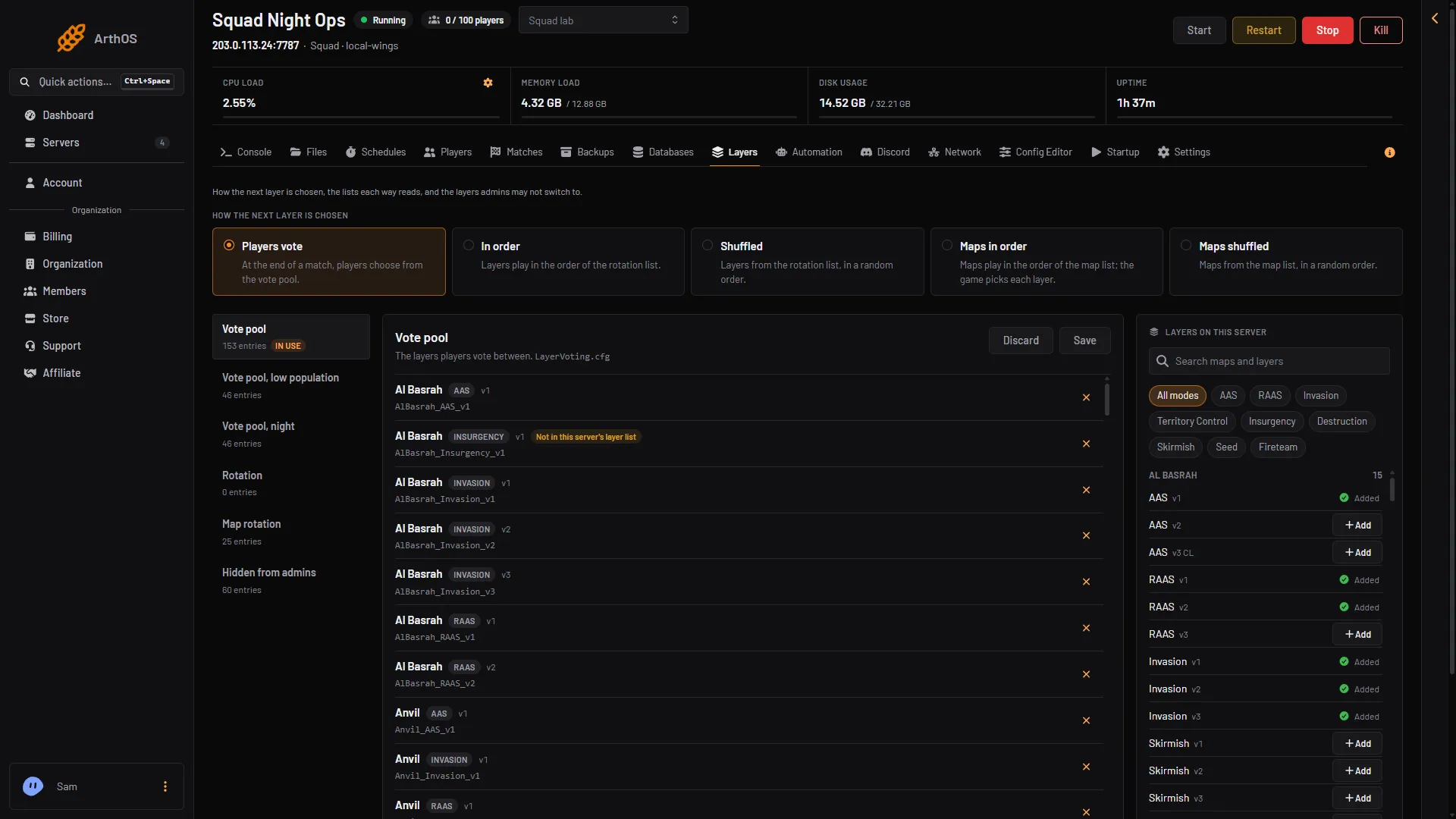
Layers
Choose how the next layer is chosen, build your rotation and vote pool, and filter layers by their tags. Set which layers admins may not switch to.
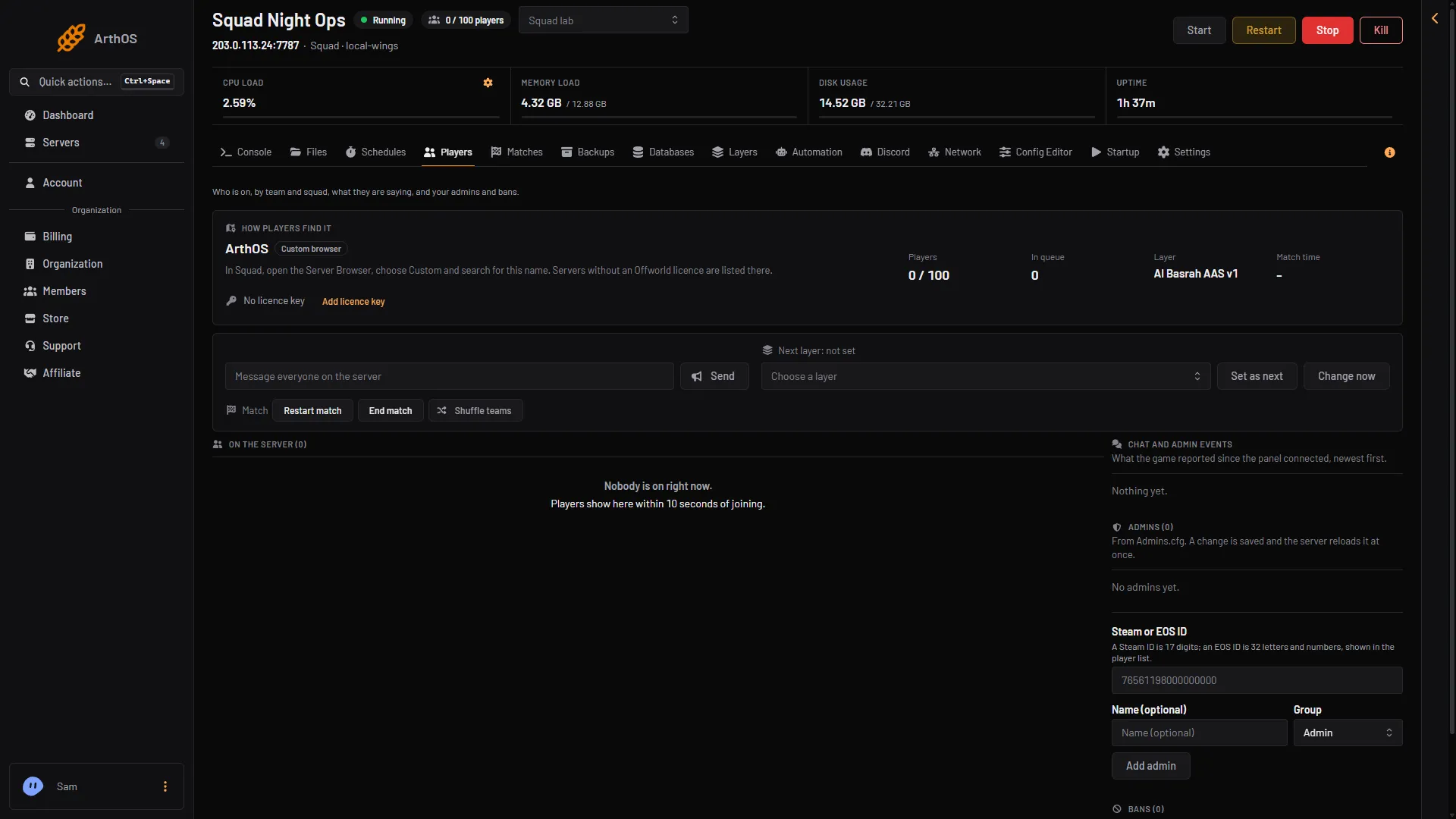
Players
See who is on by team and squad, message everyone, and warn, kick or ban a player. Your licence key goes on the same page.
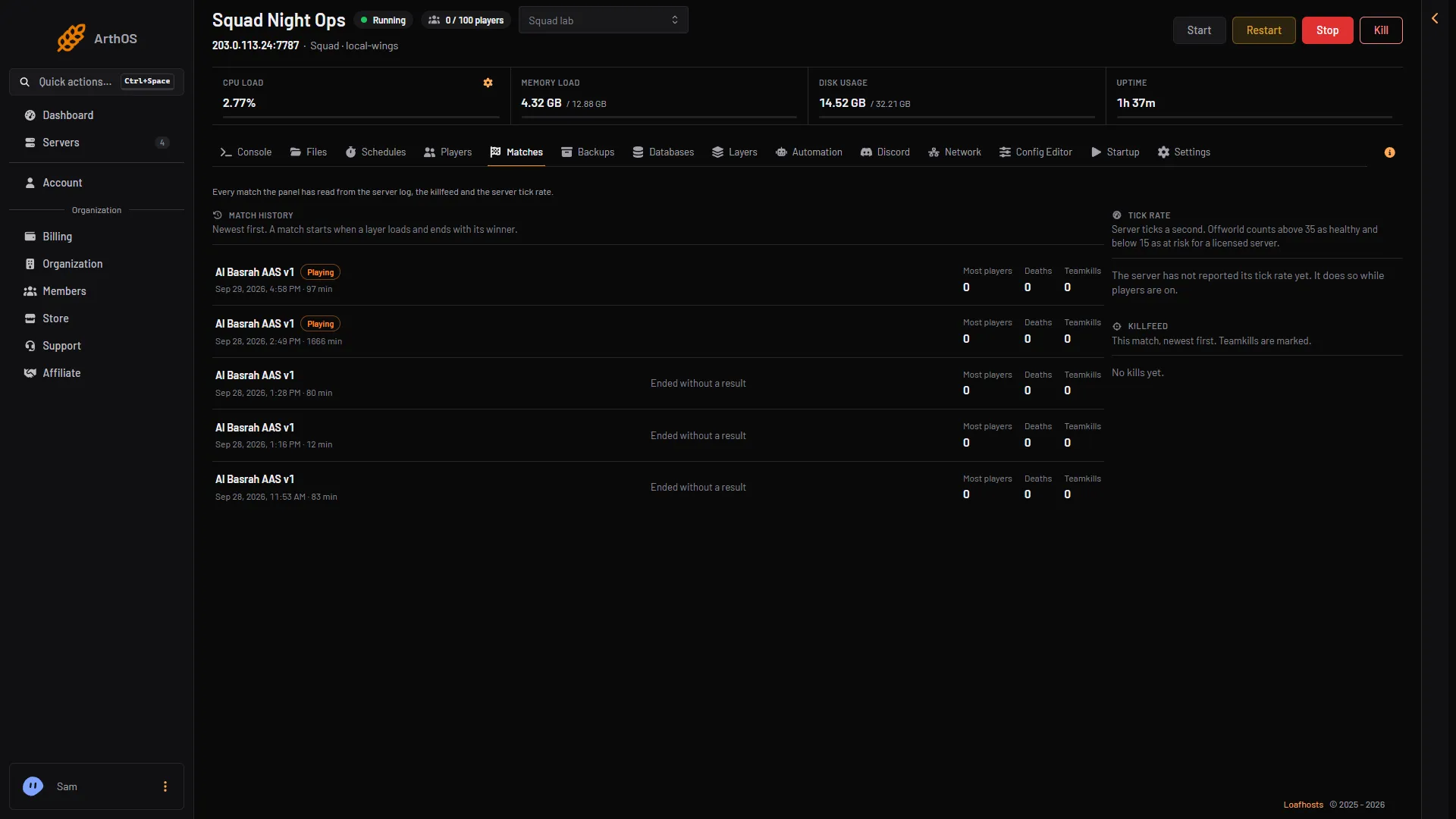
Matches
The match history lists every match the panel has read from the server log, with the most players, deaths and teamkills.
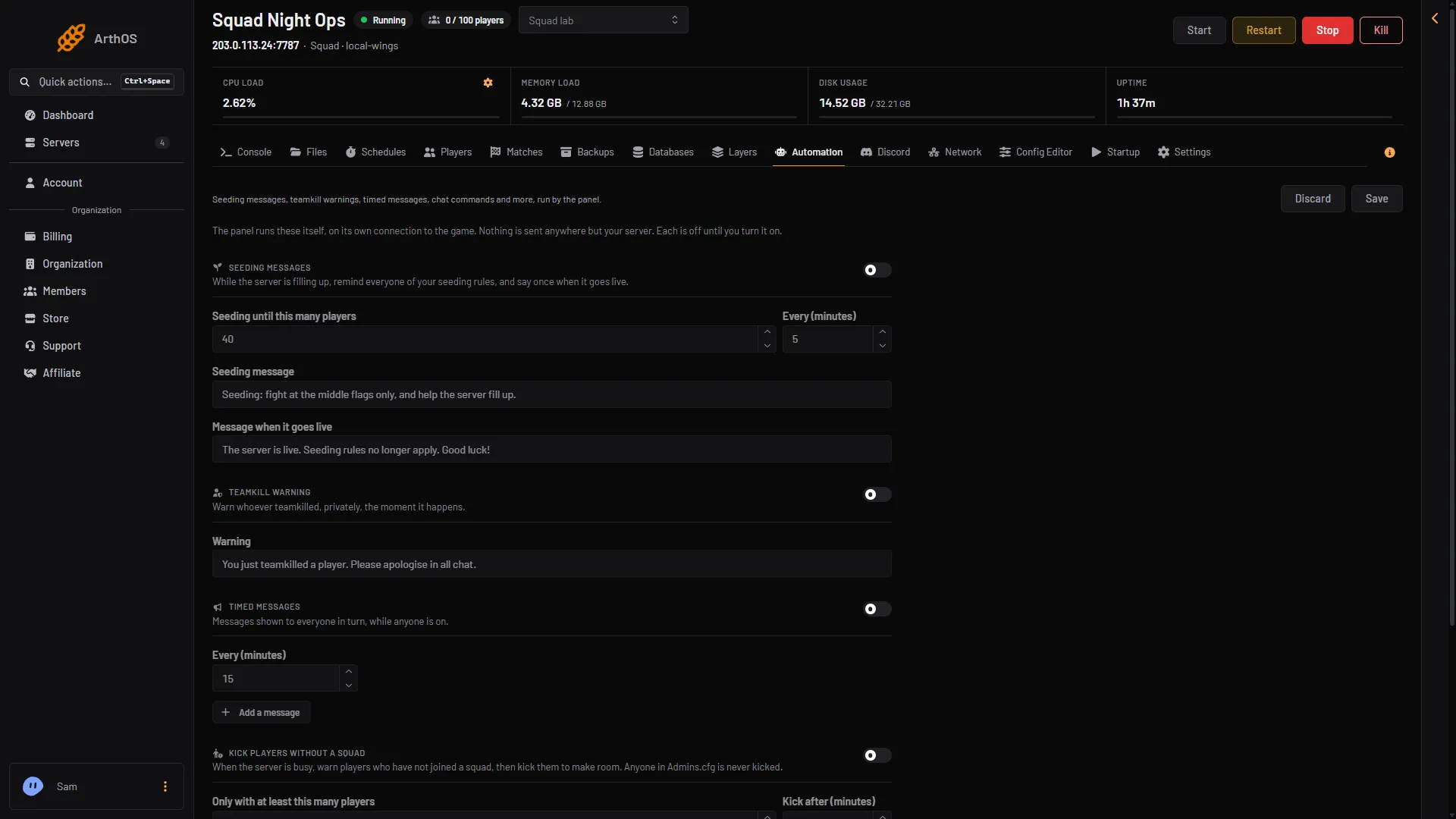
Automation
Warn whoever teamkilled, privately, the moment it happens, and give players chat commands. Each automation is off until you turn it on.
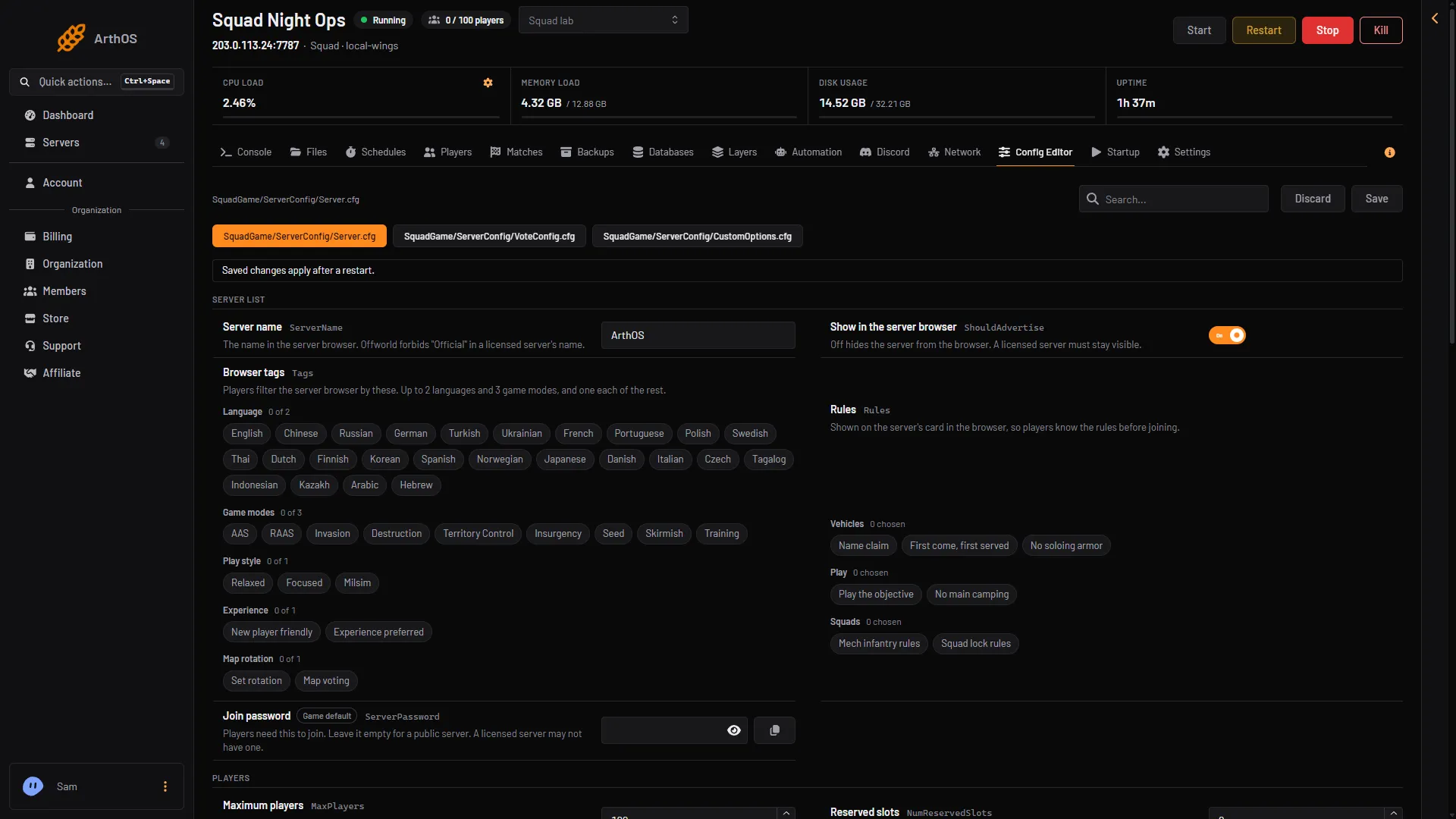
Config editor
Squad's server config opens in the config editor as labelled settings.
Included with every server
Squad FAQ
Not covered here? Ask us from the Support page in the panel. Contact support
Yes. The Layers page sets how the next layer is chosen, holds your rotation and vote pool, and filters layers by their tags.
Yes. Turn on the teamkill warning in Automation and whoever teamkilled is warned privately, the moment it happens.
There is a licence key field in the panel, on the Players page.
Yes. Matches lists every match the panel has read from the server log, with players, deaths and teamkills.
Squad itself allows up to 100 players on one server. Small is sized for up to 50, Standard for up to 80 and Full for the full 100.
Game servers can be refunded within 3 days. Dedicated servers are not refundable.
See the Terms of Service
Pick a plan or set your own size, choose a region and check out. The panel sets your Squad server up after checkout, and you run it from ArthOS in your browser, no ticket needed.
In New York, Dallas, Los Angeles, Frankfurt and Sydney. You choose the region when you order, and the home page measures your ping to each one.
Yes. Every Squad server is protected from the first packet, on every plan. It is never an add-on.
Yes. Start a free trial and you get a Squad server on 6 cores, 8 GB memory and 50 GB storage for 3 days, with no card. Keep it after and the first month is 50% off.
$32.00/mo Standard plan, up to 80 players. Billed monthly