

















How to, step by step.
One task per guide: how to do it in the ArthOS panel, and by hand where there is a way. Pick a game, or search all 1372.
Terraria
All 127 Terraria guides-
 Basics
Change the Terraria server player limit
Set the Terraria max players on the Startup page, from 1 to 255. A new server starts at its plan's size of 8, 16 or 32. The change applies at the next start. -
Ban a player on your Terraria server
Ban a Terraria player from the Players page: Vanilla and tModLoader ban the name and address; TShock bans by account, game id and address. - Worlds and server software
Make a new Terraria world on your server
Fill in Name, Size, Difficulty, World evil and Seed on the World page, then press Make this world. The server makes it at its next start. - tModLoader mods
A 1.4.5 world will not open on tModLoader: the fix
A world saved by Terraria 1.4.5 cannot open on tModLoader stable, which runs 1.4.4. Make a new world for it, or play the world on Vanilla or TShock. - Server settings
Terraria Config Editor: server settings and locked rows
A tour of the Terraria Config Editor: the Server settings file, TShock and mod files, the Passwords source, and the locked rows in Set by Loafhosts. - Fixes
Cannot connect to my Terraria server: a checklist
Cannot join your Terraria server? Check that it runs, then the address and port on the Players page, the password, the version, and tModLoader for a modded one.
Space Engineers
All 123 Space Engineers guides-
 Basics
Can Xbox and PlayStation players join my server?
Console players cannot join a Loafhosts Space Engineers server: it runs on Steam networking with console compatibility off. PC players on Steam can join. - Players and admins
Give an item to a player on a Space Engineers server
Open a player's box button, press Give an item, pick from the game's own list, set how many and press the button. Here is what it refuses and why. - Map, planets and inventories
Delete a ship or station on a Space Engineers server
Delete a ship or station from the Map page: open its dialog, press Delete, then Delete for good. It leaves the world at once. The game's Entity List can too. - Worlds and backups
Download your Space Engineers server world
Save the world first, then on Files open Instance/Saves, Archive the world's folder and download it, or use SFTP. Put it in your own Saves folder to play it. - Workshop mods
Add a Workshop collection to a Space Engineers server
Paste a Steam Workshop collection link into Add by link or ID, press Look up, and every mod in it is added to your list, up to 200. Then apply the list. - Server and world settings
Change inventory size on a Space Engineers server
Set Inventory size and Container inventory size on a Space Engineers server: 1 is realistic, higher holds more. Lowering the number later cuts items.
Arma 3
All 109 Arma 3 guides-
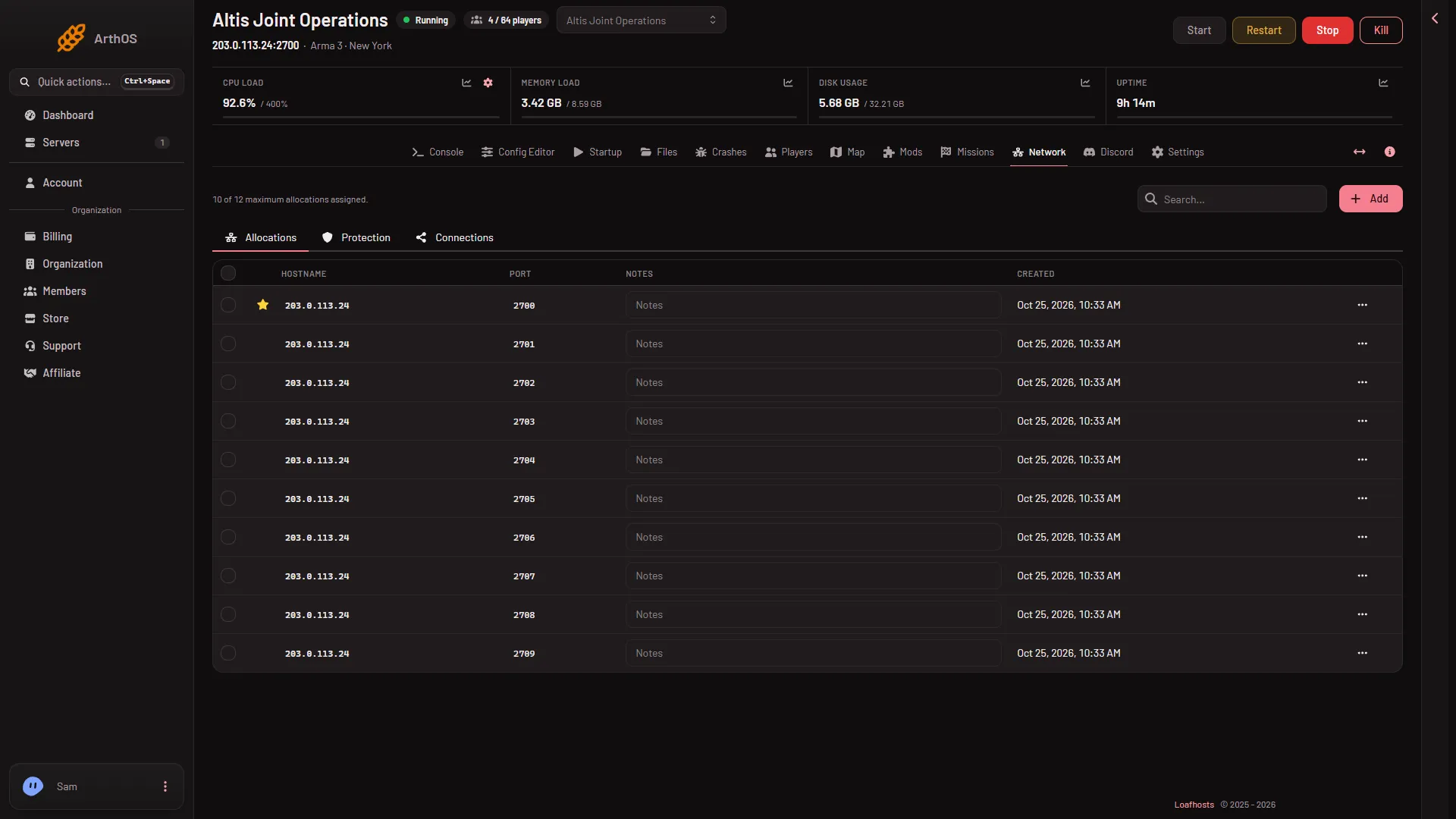
Arma 3 server ports: what each of the ten is for
An Arma 3 server on Loafhosts holds a block of ten UDP ports: game, Steam query, Steam, voice, BattlEye and RCon. See what each does and which players use. -
 Players and BattlEye
Arma 3 admin login: use #login with the admin password
Become admin on your Arma 3 server: join, press / to open chat and type #login with the Admin Password. Find or set that password under Passwords. - Missions
Add a mission to your Arma 3 rotation
Add missions to the rotation on the Missions page, put them in order, pick a difficulty and press Save. The server plays the new rotation from its next start. -
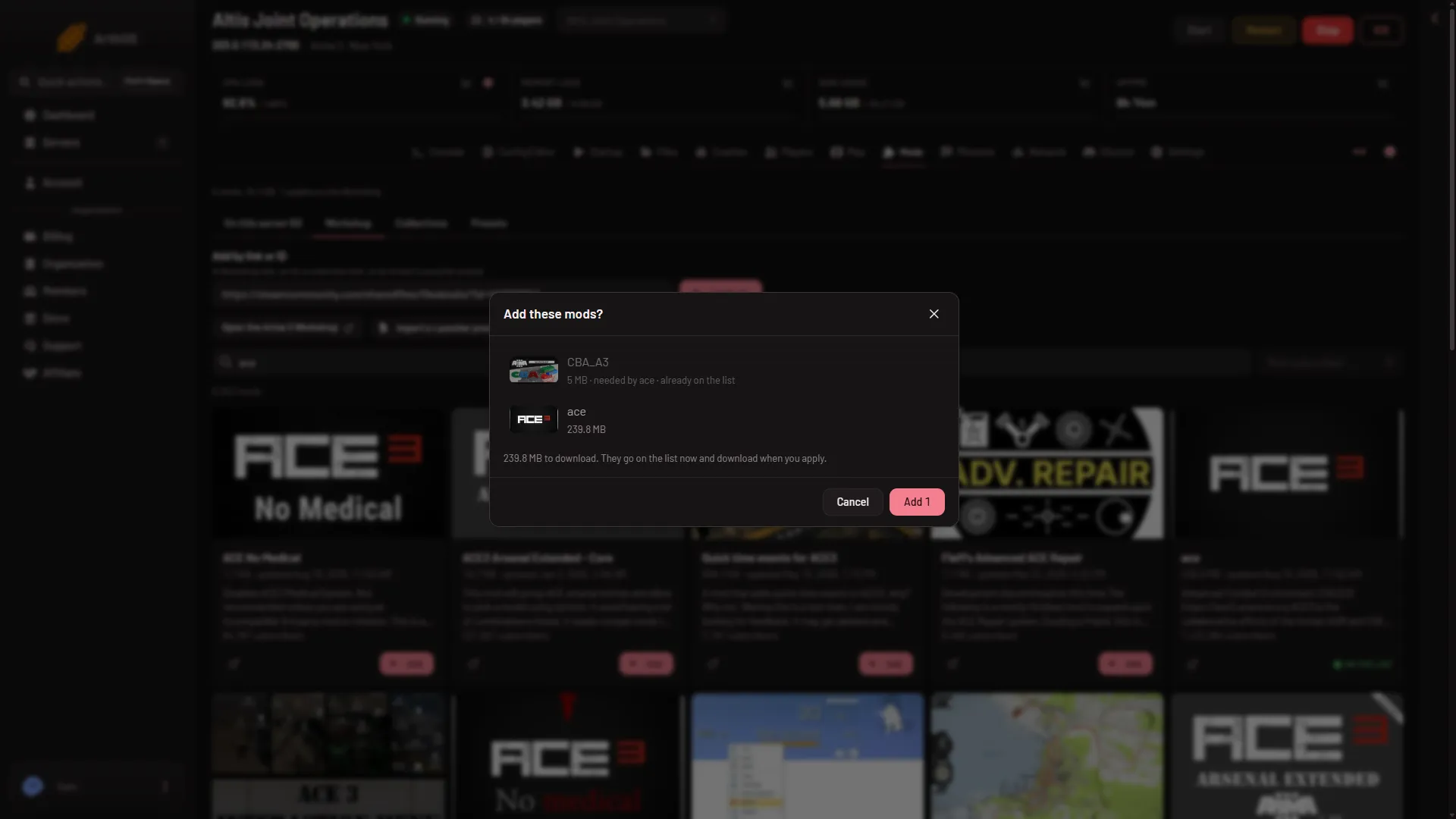
Add an Arma 3 mod by Workshop link or ID
Paste a Steam Workshop link, a mod ID or a collection link into Add by link or ID, choose Look up, and the mod joins your Arma 3 server's list. - server.cfg and settings
Arma 3 Config Editor: server.cfg and basic.cfg settings
Change Arma 3 server settings in the Config Editor: pick server.cfg or basic.cfg, search, edit cards, Save, then Restart now. Locked fields explained. - Fixes
Arma 3 'Client not responding' kick: causes and fixes
Players dropped from your Arma 3 server with Client not responding? Check the Largest packet setting in basic.cfg, then the ping, loss and desync limits.
Conan Exiles
All 109 Conan Exiles guides-
 Basics
Change the Conan Exiles player limit
Change how many players can be on your Conan Exiles server at once: set Players on the Startup page, 1 to 70. It applies at the next start, not at once. - Players, clans and the map
Ban a player on your Conan Exiles server
Ban a player on your Conan Exiles server from the Players page with a reason. The server must be running, and a ban of someone who is not on can be refused. - World and backups
Conan Exiles World page: world, backups, Siptah, mods
A tour of the World page for a Conan Exiles server: the world file, the game's backups, the Isle of Siptah switch and the web addresses mods ask for. - Mods
Change the Conan Exiles mod load order
The Mods list is the load order, top first. Drag a row or type its number, then press Apply. Apply writes the new order into modlist.txt. - Server settings
Change XP and harvest rates on a Conan Exiles server
Raise or lower Conan Exiles XP and gathering with the Player XP multipliers and Harvest Amount Multiplier. All default to 1 and are saved to the running game. - Fixes
Conan Exiles Make Me Admin not working: fix
Make Me Admin fails on your Conan Exiles server? Use the Admin password under Passwords, not the join password, and restart the server after a change.
Minecraft
All 104 Minecraft guides-
 Server basics
Change your Minecraft server version or software
Switch a server to another Minecraft version or to Paper, Purpur, Fabric, Forge, NeoForge or Vanilla. The panel backs up first and warns about older worlds. -
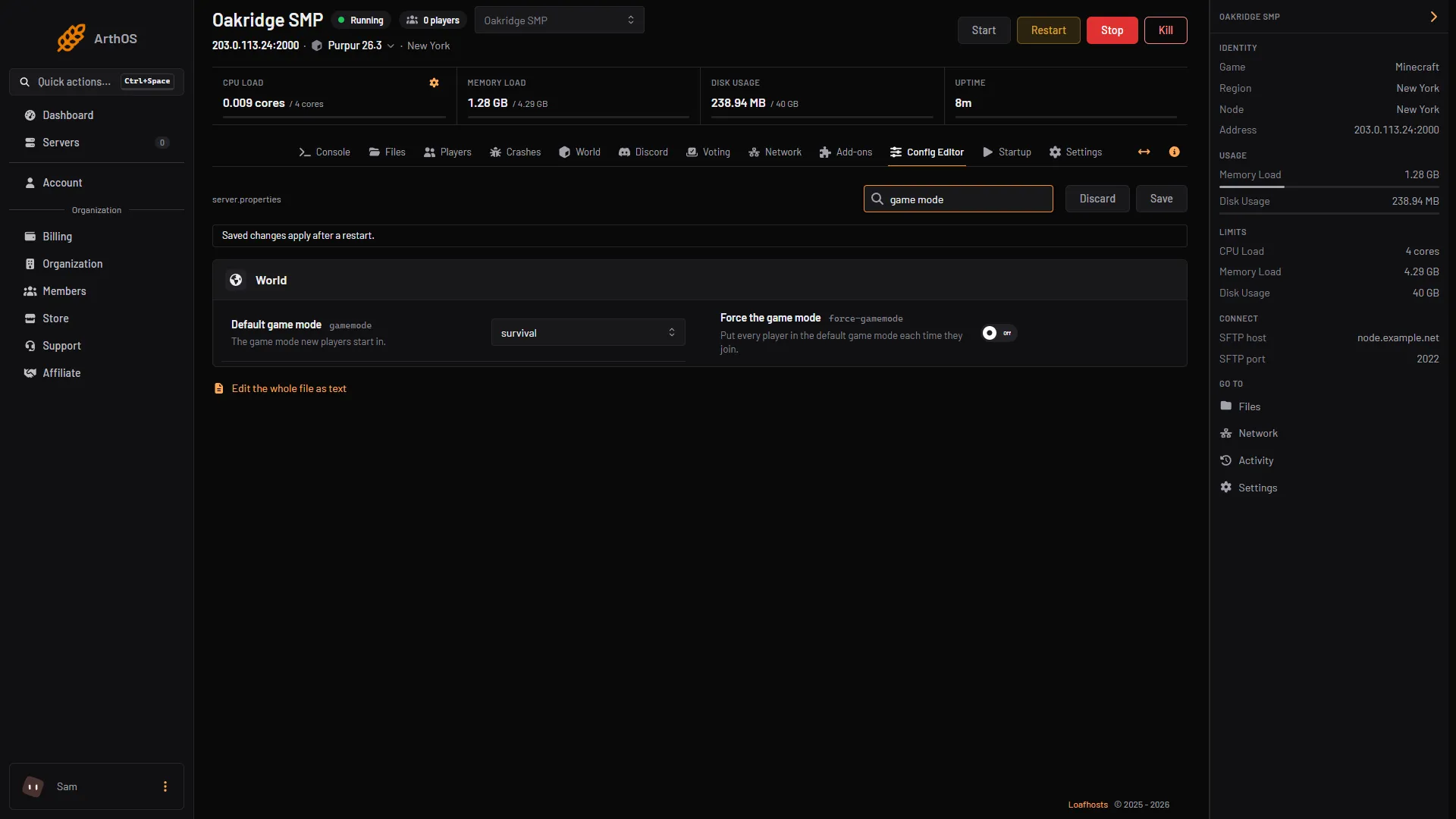
Change the default game mode on a Minecraft server
Set Default game mode in the Config Editor, turn on Force the game mode, or use /gamemode for one player. Hardcore is a separate setting. - Players and permissions
Change, move or add items in a player's inventory
Click an item on a player's page to rename it, change enchantments, lore or wear, move it, remove it, or put a new item in an empty slot, online or offline. -
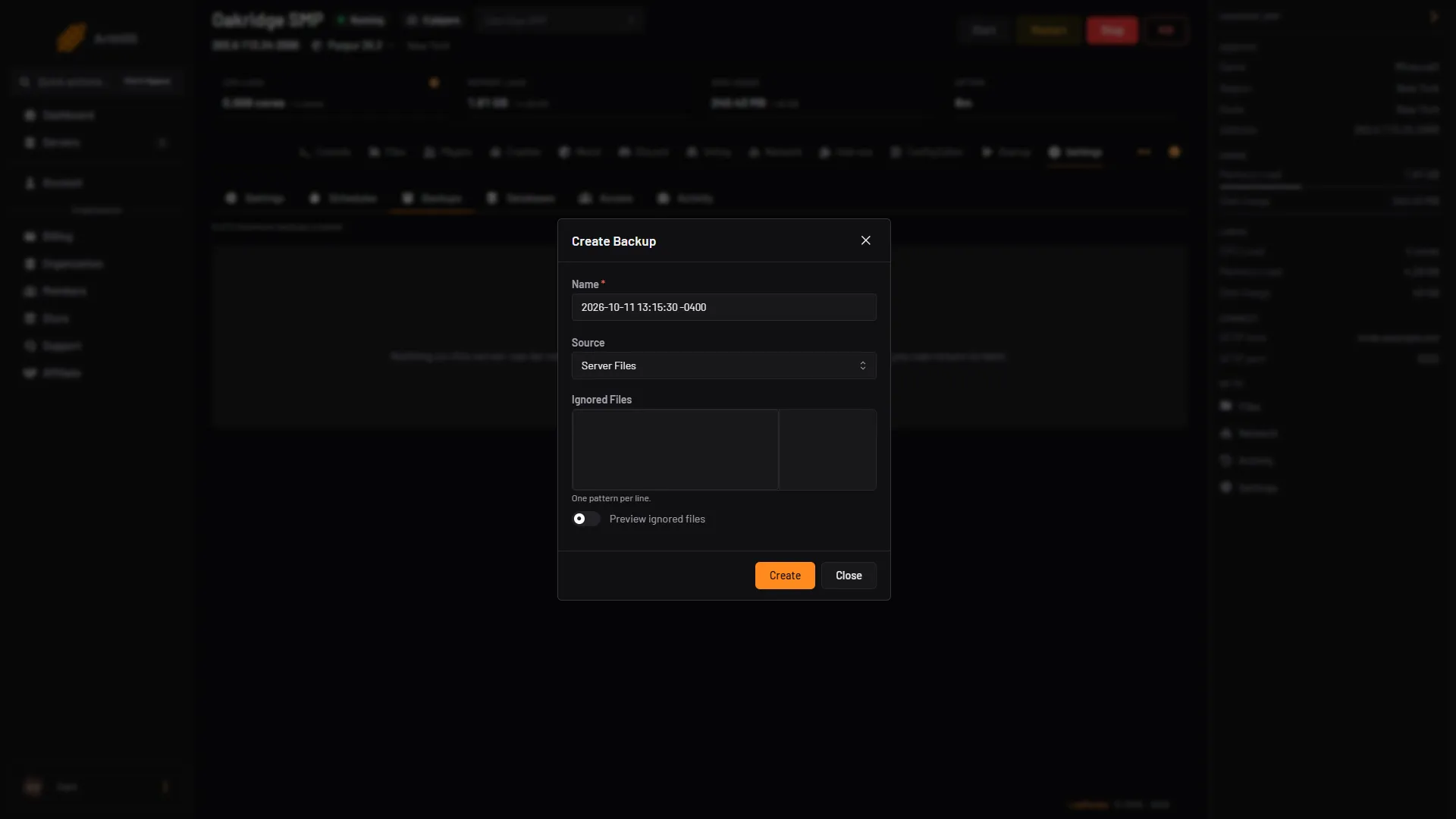
Back up and restore a Minecraft server
Make a backup in Settings, run one every day with a schedule, lock the one you must keep, and restore it. By hand, use save-off, save-all flush, then save-on. - Plugins
EssentialsX on Minecraft 26.3: no build yet, what to do
EssentialsX has no 26.3 build as of 8 November 2026. Its 26.1.2 build may still work but can cause bugs or lag. How to install it safely and set up homes. - Mods and modpacks
Install a mod on your Minecraft server
Mods need a Fabric, Forge or NeoForge server on the same Minecraft version. Install one from the Add-ons page or upload the jar, then restart.
Factorio
All 97 Factorio guides-
 Basics
Change your Factorio server name
Change the Factorio server name on the Startup page. It is written into the game's settings at each start, so restart to apply it. A hand edit does not stay. - Players and admins
Factorio admin commands: kick, ban, promote, whitelist
The admin commands a Factorio server understands, who may use them, and how the Players page does the same job without typing. Includes /config and /players. - Saves, versions and worlds
Back up and restore a Factorio server world
Back up a Factorio world, see when the panel does it for you, and restore a backup. Covers new world backups, schedules and the backup limit. - Mods and Space Age
Change Factorio mod settings on a server
Change a mod's settings on a Factorio server from the Mods page. Startup settings apply at the next start; Map and Per player ones are for new worlds. - Server settings
Factorio /c and /sc commands: achievements are lost
The first /c or /sc Lua command on a Factorio save ends Steam achievements on it for good. How the repeat prompt works and how to stop it happening by mistake. - Fixes
Cannot connect to my Factorio server: fixes
Cannot join a Factorio server? Check it is running, the address, the game version, mods, the join password, the whitelist and bans. Each fix is here.
Palworld
All 92 Palworld guides-
 Basics
How to connect to a Palworld server on PC, Xbox and PS5
Join a Palworld server: on PC and Mac type the address in Join Multiplayer Game, on Xbox and PS5 find the server by name in Community Servers. - Players and the map
Find a Palworld player ID (user ID and player ID)
Palworld uses two ids per player: a user id such as steam_ and a SteamID64, and a 32-character player id. See where to copy each one. - Worlds and backups
Move a Palworld co-op save to a dedicated server
Copy your co-op world to a Loafhosts Palworld server: upload the folder, choose Play this world, start. Bases come along; players get new characters. - Server mods
Install Palworld server mods from the Steam Workshop
Add a Palworld Workshop mod to your server: search or paste a link, add what it needs, press Apply, then read the row to see if the game set it up. - Game and server settings
Change the Palworld experience rate (ExpRate)
Set the Palworld experience rate with ExpRate: default 1, 2 is twice as much. Change it in the Config Editor and restart the server to apply it. - Fixes
Palworld everyone starts a new character: why
Palworld players start with new characters? It happens after a co-op move, a mods switch, hardcore or a new world. Find which one it is and how to avoid it.
Arma Reforger
All 81 Arma Reforger guides-
 Basics
Set up an Arma Reforger dedicated server from scratch
Set up an Arma Reforger dedicated server: order one on Loafhosts or install it by hand, set the name, passwords and scenario, start it, and get players in. - Maps and scenarios
Arma Reforger scenario IDs: full list and how to set one
Every official Arma Reforger scenario ID from Bohemia, copied exactly, and how to set game.scenarioId in the Config Editor or in config.json by hand. - Mods
How to install Arma Reforger mods on your server
Add Workshop mods to an Arma Reforger server from the panel's Mods page, or by editing the mods array in config.json. Restart to apply the change. - config.json
Arma Reforger config.json explained, block by block
What every block of the Arma Reforger server config.json does: ports, game, gameProperties, operating, a2s and rcon, and which keys the panel handles for you. - Admin and moderation
Add admins to your Arma Reforger server with config.json
Put a player's identity ID in the admins list of config.json, set the admin password, then log in with #login. A server takes up to 30 admin IDs. - Persistence, logs and performance
Arma Reforger persistence: save games, wipe and restore
Keep your Arma Reforger world between restarts: turn persistence on, set how often it saves, roll back with a backup, wipe a world, fix saves that stop.
Valheim
All 77 Valheim guides-
 Basics
Change your Valheim server name
Change the Valheim server name in the Config Editor. It shows in the server list and applies at the next start. The world name is a different setting. - Players and panel tools
Ban and kick players on a Valheim server
Kick or ban a Valheim player from the Players page, lift a ban, or ban an id for someone who is not on. By hand: bannedlist.txt and the F5 console. - Mods
How players install the mods of a Valheim server
Players get the server's Valheim mods with a mod manager, at the versions in the Installed list, or with a profile code. Xbox and Game Pass cannot use mods. - World and server settings
Change difficulty on an existing Valheim world
A played world keeps the modifiers it started with. Change them on the World page and tick Clear the world's own modifiers first. - Fixes
Cannot connect to a Valheim server: causes and fixes
Fix a Valheim join failure: wrong password, server full at 10 players, other version, banned or not permitted, crossplay not connecting. Read the Lately list. - Basics
Connect to a Valheim server
Join a Valheim server with Join game, Add server, the address from the Players page and the password. Xbox and Game Pass players use the join code.
Project Zomboid
All 69 Project Zomboid guides-
 Basics
Change your Project Zomboid server name
Players see the Config Editor's Server name. The Startup Server Name is the save name: changing it starts a new world. Restart to show a new name. - Players and admin
Ban and kick players on a Project Zomboid server
Kick or ban a Project Zomboid player from the Players page, ban a SteamID, and unban from the Bans list. By hand: kickuser, banuser, banid, unbanuser. - Mods and maps
Add a custom map mod to a Project Zomboid server
Add the map mod on the Mods page and apply. The panel reads the maps inside it, writes the Map line and keeps Muldraugh, KY last. - Server and sandbox settings
Change loot amounts and loot respawn in Project Zomboid
Set how much of each item type spawns and make looted containers refill in Project Zomboid Build 42, using the Config Editor. Takes effect after a restart. - Fixes
Fix Project Zomboid server lag and desync
What makes a Project Zomboid server lag or desync, from player count and memory to mods and zombie settings, and where to look before you change anything. - Basics
Connect a Project Zomboid server to Discord
Show your Project Zomboid server in a Discord channel, post its events there, and bridge in-game chat to Discord with the game's own bot setting.
Rust
All 66 Rust guides-
 Basics
Choose your Rust map size and seed
Pick a Rust world size from 1000 to 6000 and a seed, preview the map first, or load a custom map by URL. A new size or seed makes a new world. -
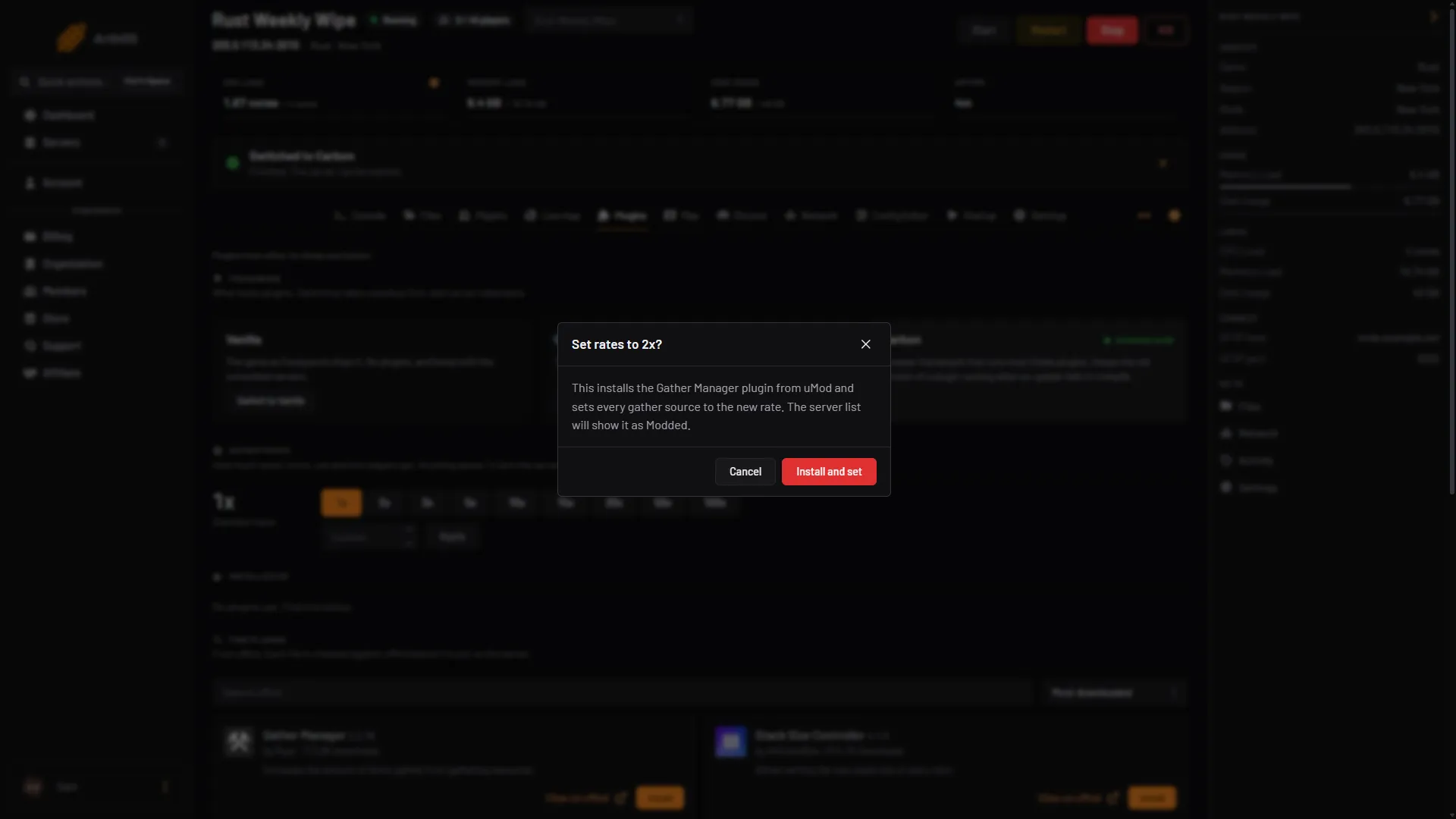
Change gather rates on your Rust server
Vanilla Rust cannot change gather rates, so a plugin does it. Use the panel's Gather rates buttons, or install Gather Manager and run gather.rate. - Plugins
Add /home and /tpr to your Rust server
Install NTeleportation so players can set homes and send teleport requests. Grant the permissions, then change cooldowns, daily limits and VIP limits. - Admin
Ban and kick players on a Rust server
Kick with kick, ban with banid and a Steam ID, lift it with unban, then run server.writecfg. The panel Players page does the same with a click. - Fixes
Find out why your Rust server stopped: the Crashes tab
Open Crashes to see every start of your Rust server and how it ended: stopped normally, crashed, out of memory or stuck, with the exit code. - Gameplay
Where to get a red keycard in Rust: the monuments
Finish the blue keycard puzzle at Airfield, Arctic Research Base, Missile Silo, Power Plant, Train Yard or Water Treatment. Also where to use it.
Satisfactory
All 66 Satisfactory guides-
 Basics
Change the Satisfactory max players
Set how many players can join your Satisfactory server with Players on Startup. A new server starts at its plan's count. It applies at the next start. - Players and the map
Kick or ban a Satisfactory player: what you can do
Satisfactory has no ban list and the panel has no kick button. To keep someone out, change the join password. Here is how, and what it does. - Saves and blueprints
Load a Satisfactory save on your server
Load an older Satisfactory save or autosave from the Saves page. The game in play is saved first, players go back to the menu, then they join again. - Mods
How players install the mods of a Satisfactory server
Players join a modded Satisfactory server with the same mods: get the Satisfactory Mod Manager, add the For players list, then join. Steam and Epic work. - Server settings
Satisfactory Config Editor: Engine.ini settings
The Satisfactory Config Editor edits Engine.ini in groups: Saves, Players and Upload to players. Save only while stopped. Other options are on Server. - Fixes
Satisfactory Encryption token missing: how to fix it
Encryption token missing means the player joined without the Server Manager. Add the server in the Server Manager and press Join Game there.
7 Days to Die
All 63 7 Days to Die guides-
 Basics
7 Days to Die backups and saves: where they are
Your 7 Days to Die world is in data/Saves. Make backups in Settings, Backups, save by hand with saveworld first, and download a save in Files. - Players and admin
7 Days to Die console commands for server owners
The 7 Days to Die server commands owners use most: kick, ban, whitelist, admin, give, teleport, settime and more, with usage and where to type them. - Mods
7 Days to Die mod manager: add, order and remove mods
Use the Mods page to install, turn off, reorder and remove 7 Days to Die mods from a GitHub link or an uploaded archive, and read what each status chip means. - Server and world settings
7 Days to Die Config Editor: edit server settings
The Config Editor edits your 7 Days to Die server's settings file as a form: groups, search, locked rows and Save. Changes apply at the next start. - Fixes
7 Days to Die blood moon lag on a server
Blood moon nights are the heaviest on a 7 Days to Die server. Lower Blood Moon Count and Zombies at once, and watch the log's FPS line during the horde. - Basics
7 Days to Die server requirements: memory and CPU
What decides how much memory and CPU a 7 Days to Die server needs: players, world size, zombies, view distance and mods. Install size is about 17.7 GB.
DayZ
All 58 DayZ guides-
 Basics
Change the map on your DayZ server
Pick Chernarus, Livonia or Sakhal in the Config Editor's Map (mission) row, save and restart. Each map keeps its own world, so switching back is safe. - Mods
DayZ Expansion mod: required mods and Workshop IDs
DayZ Expansion needs CF 1559212036, Dabs Framework 2545327648, Expansion Bundle 2572331007 and Licensed 2116157322. Add them on the Mods page. - Config
DayZ cfggameplay.json: what it controls and how to use it
cfggameplay.json changes stamina, base building, night light, the map and the hit indicator without mods. Turn it on in the Config Editor, then edit the file. - Admin and fixes
Back up and restore a DayZ server
Make a backup of your DayZ server in the panel, keep some on a timer, and restore one. A restore stops the server and puts the files back as they were. - Basics
Change the max players on your DayZ server
Set Max Players on the Startup page, save and restart. It is a cap, not extra power: more players need more memory and a faster processor. - Mods
DayZ mod keys and signatures (.bikey) explained
A DayZ server needs each mod's .bikey in its keys folder while Verify Signatures is on. Applying on the Mods page copies the keys of every mod on the list.
VEIN
All 58 VEIN guides-
 Basics
Change the VEIN max players
Set how many players can join your VEIN server on the Startup page. The default is 16. It applies at the next start, and more players need more memory. - Players and admins
Ban and kick players on a VEIN server
Ban a VEIN player from the Players page and they cannot join from the next start. To remove someone who is on now, kick them in the admin menu. - The world and saves
Reset your VEIN world and start a new one
Start a fresh VEIN world: stop the server, back up, rename Server.vns in Files so it stays as a copy, then start. Settings and admin lists stay. - Game rules and settings
VEIN Config Editor: Game.ini and Engine.ini settings
Change VEIN settings in the Config Editor: Server settings (Game.ini) and Game rules (Engine.ini). Save with the server stopped; they apply at the next start. - Fixes
VEIN cannot connect to server: causes and fixes
Cannot join your VEIN server? Check the join password, game version, whitelist, bans, player limit and whether the server is up or listed yet. - Basics
Connect to your VEIN server from the game
Join a VEIN server by its name in the server browser, type the join password, or add its address to Steam favourites. Same game version needed.
Squad
All 41 Squad guides-
 Basics
Change your Squad server name
Change the Squad server name in the Config Editor. The name is what players search for in the server browser. Restart to apply it. - Layers and rotation
Change the layer on your Squad server
Pick a layer on the Players page, then choose Set as next or Change now. Change now ends the match at once. RCON commands can also set factions. - Admin and moderation
Ban and kick players on a Squad server
Open the Players page, choose Kick or Ban from the player's menu, add a reason and a ban length. Lift a ban with Unban, or edit Bans.cfg by hand. - Mods and fixes
Squad server not showing in the server browser
An unlicensed Squad server is under Custom, not the main tab. Also check Show in the server browser, a missing update, the server name quotes and tag filters. - Basics
Connect to a Squad server
Find a Squad server in the in-game Server Browser: use the Custom tab for unlicensed servers, search by name, and enter the password if it has one. - Layers and rotation
Set a layer rotation on your Squad server
Choose In order or Shuffled on the Layers page, build the Rotation list, and press Save. The mode change applies at the next restart.
Enshrouded
All 32 Enshrouded guides-
 Basics
Back up and restore an Enshrouded world
The world lives in the savegame folder. Take a panel backup of it, restore one, or copy the world files out with Files or SFTP. - Players and groups
Change player permissions on an Enshrouded server
An Enshrouded server has four groups: Admin, Friend, Guest and Visitor. The password a player types picks their group. Here is how to set what each may do. - Settings
Enshrouded chat not working: turn on text and voice chat
Text chat and voice chat are off on a new Enshrouded server. Turn them on in the Config Editor, pick voice range, then restart the server. - Fixes
Cannot join an Enshrouded server
Cannot join your Enshrouded server? Check the group password, a full server or reserved slots, a game newer than the server, and a ban. - Basics
Change Enshrouded server player slots
Set how many players can join your Enshrouded server, from 1 to 16, with Player slots on the Startup page. Restart to apply it. - Players and groups
Enshrouded admin password: what it does and how to set it
Players who join an Enshrouded server with the Admin password can kick and ban from the Social tab. Find, change and protect that password here.
- Add admins to your Arma Reforger server with config.json Put a player's identity ID in the admins list of config.json, set the admin password, then log in with #login. A server takes up to 30 admin IDs.
- Arma Reforger config.json explained, block by block What every block of the Arma Reforger server config.json does: ports, game, gameProperties, operating, a2s and rcon, and which keys the panel handles for you.
- Arma Reforger persistence: save games, wipe and restore Keep your Arma Reforger world between restarts: turn persistence on, set how often it saves, roll back with a backup, wipe a world, fix saves that stop.
- Arma Reforger scenario IDs: full list and how to set one Every official Arma Reforger scenario ID from Bohemia, copied exactly, and how to set game.scenarioId in the Config Editor or in config.json by hand.
- How to install Arma Reforger mods on your server Add Workshop mods to an Arma Reforger server from the panel's Mods page, or by editing the mods array in config.json. Restart to apply the change.
- Set up an Arma Reforger dedicated server from scratch Set up an Arma Reforger dedicated server: order one on Loafhosts or install it by hand, set the name, passwords and scenario, start it, and get players in.
- Arma Reforger Conflict server settings you can change The Conflict settings Bohemia documents for dedicated servers: control points, supplies, vehicle ranks, XP, time and faction limits, set in config.json.
- Connect to an Arma Reforger server: browser and IP Join an Arma Reforger server by searching its name in the server browser, or by IP and port on PC. What a server needs for Xbox and PlayStation players to join.
- Find an Arma Reforger mod ID (GUID) for your server A Reforger mod ID is a 16-character code. Read it from the ID line on the mod's Workshop page or the ArthOS Mods page, then use it in config.json.
- Find an Arma Reforger player's ID (Bohemia ID, UID) The Reforger ID is the identity ID that admin and ban lists use. Find yours in the game, and read other players' IDs from the server log.
- How to back up your Arma Reforger server and its saves Back up an Arma Reforger server: which files matter (config.json and the save folder), how to make and restore a backup in the panel, and by hand.
- Arma Reforger mod load order, presets and folders Reorder your Arma Reforger server's mods, group them in folders, and save the list as a collection to reuse on another server from the ArthOS Mods page.
- Arma Reforger server admin commands and how to use them Log in as admin with #login, then use #kick, #ban, #restart and #shutdown. What each command does, who may use it, and what the panel adds.
- Change your Arma Reforger server name in the panel Change the name players see in the Arma Reforger server browser: edit game.name in the Config Editor or in config.json, up to 100 characters, then restart.
- Find your Arma Reforger server logs and how to read them Reforger writes one log folder per start inside the profile folder. Open console.log, error.log and script.log in Files, or read each start in Crashes.
- Ban and kick players on an Arma Reforger server (#ban) Log in as admin, run #players, then #kick with the player number or #ban create with their identity ID. Lift a ban with #ban remove.
- Set a join password on your Arma Reforger game server Set a join password so only people you tell can join your Arma Reforger server, and know how it differs from the admin password. Panel and config.json.
- Where Arma Reforger mods are stored and how to move them Arma Reforger mods are in the addons folder under Documents, My Games, ArmaReforger. Add -addonDownloadDir in Steam to move them to another drive.
- Why your Arma Reforger server crashed and how to fix it Open the Crashes tab to see how each start ended and why. If no mod is named, the Troubleshoot tab searches your mod list for the one to blame.
- Arma Reforger RCON: enable it and send admin commands Set an RCON password and permission, restart, then connect any BattlEye RCon tool over UDP to run #kick, #ban and #players. The panel has no console for it.
- Change the max players on your Arma Reforger server Set game.maxPlayers on your Arma Reforger server, 1 to 128, in the Config Editor or config.json, and see what holds a busy server back before the cap.
- Find the mod that stops your Arma Reforger server Read the last start, see which mod the log points at, and let the troubleshooter search your mod list for the mod, or pair of mods, to blame.
- See your Arma Reforger server stats, kills and FPS Players, CPU and memory show in the panel. Server FPS, kills and deaths by side come from the Server Admin Tools mod. Here is where each one lives.
- Arma Reforger Discord killfeed and alerts: what works The ArthOS panel has no Discord killfeed. It does post a live player count and start, stop, crash and backup alerts. Here is how to set both up.
- Restart your Arma Reforger server, now or on a schedule Restart an Arma Reforger server from the panel in one click, or set a daily restart with a schedule. What a restart does to players, saves and mods.
- Tune Arma Reforger server FPS, view distance and AI Cap server FPS, lower the network view distance and limit AI in the ArthOS panel, with the ranges Bohemia documents and what each setting costs.
- Fix Arma Reforger thermal profile log spam on a server Reforger 1.8 filled modded server logs with thermal profile errors. Bohemia fixed it in 1.8.0.13. If you still see it, use the workaround mod.
- 7 Days to Die backups and saves: where they are Your 7 Days to Die world is in data/Saves. Make backups in Settings, Backups, save by hand with saveworld first, and download a save in Files.
- 7 Days to Die blood moon lag on a server Blood moon nights are the heaviest on a 7 Days to Die server. Lower Blood Moon Count and Zombies at once, and watch the log's FPS line during the horde.
- 7 Days to Die Config Editor: edit server settings The Config Editor edits your 7 Days to Die server's settings file as a form: groups, search, locked rows and Save. Changes apply at the next start.
- 7 Days to Die console commands for server owners The 7 Days to Die server commands owners use most: kick, ban, whitelist, admin, give, teleport, settime and more, with usage and where to type them.
- 7 Days to Die difficulty settings in V3.3 V3.3 has no single difficulty setting. Set the damage, headshot and zombie speed rules on the World rules page, with every value and default listed.
- 7 Days to Die mod manager: add, order and remove mods Use the Mods page to install, turn off, reorder and remove 7 Days to Die mods from a GitHub link or an uploaded archive, and read what each status chip means.
- 7 Days to Die mods: which ones do players need too? XML-only mods reach players when they join. Mods with assets or code go on every player's game too, and code mods need EAC off.
- 7 Days to Die server crashed: read the Crashes page Your 7 Days to Die server stopped? The Crashes page reads its last ten starts, says how each ended and names mod, memory, port and save problems.
- 7 Days to Die server not showing in Join a Game Your 7 Days to Die server is not in the server list? Wait for it to finish loading, check Listed is Public, check the list filters and the version.
- 7 Days to Die server requirements: memory and CPU What decides how much memory and CPU a 7 Days to Die server needs: players, world size, zombies, view distance and mods. Install size is about 17.7 GB.
- 7 Days to Die serverconfig.xml explained What serverconfig.xml holds in 7 Days to Die V3.3: the settings people change and their defaults, what moved to World rules, and how to edit it by hand.
- 7 Days to Die teleport command and Teleport button Use Teleport on the Players page or teleportplayer in the Console to send an online player to another player or to coordinates. Map click also works.
- 7 Days to Die whitelist: allow only chosen players Add a player to the 7 Days to Die whitelist and only listed players and admins can join. Use the Players page or whitelist add, and learn how to turn it off.
- 7 Days to Die World rules: change difficulty, XP and more Use the World rules page to change every rule of a 7 Days to Die V3.3 server, filter the ones you changed, copy a rules code, and restart to apply.
- A 1.4.5 world will not open on tModLoader: the fix A world saved by Terraria 1.4.5 cannot open on tModLoader stable, which runs 1.4.4. Make a new world for it, or play the world on Vanilla or TShock.
- Add /home and /tpr to your Rust server Install NTeleportation so players can set homes and send teleport requests. Grant the permissions, then change cooldowns, daily limits and VIP limits.
- Add a custom map mod to a Project Zomboid server Add the map mod on the Mods page and apply. The panel reads the maps inside it, writes the Map line and keeps Muldraugh, KY last.
- Add a mission to your Arma 3 rotation Add missions to the rotation on the Missions page, put them in order, pick a difficulty and press Save. The server plays the new rotation from its next start.
- Add a Workshop collection to a Space Engineers server Paste a Steam Workshop collection link into Add by link or ID, press Look up, and every mod in it is added to your list, up to 200. Then apply the list.
- Add an Arma 3 mod by Workshop link or ID Paste a Steam Workshop link, a mod ID or a collection link into Add by link or ID, choose Look up, and the mod joins your Arma 3 server's list.
- Add an Arma Reforger mod by ID and choose its dependencies Paste a 16-character mod ID or Workshop link into Add by ID, then choose whether a mod's dependencies go on the list or the game downloads them at each start.
- Add kits to your Rust server with the Kits plugin Install Rust Kits by k1lly0u, give yourself the admin permission, make a kit in game with a cooldown and permission, and set kits players get on respawn.
- Add Steam Workshop mods to a Space Engineers server Add Workshop mods from the Mods page: search or paste a link or ID, press Look up, add them, then Apply and restart. The game downloads them at the start.
- Add Workshop mods and maps to a Project Zomboid server Open the Mods page, add a Workshop item from the Workshop tab or by link or ID, then Apply and restart. By hand: three lines in the server ini.
- Arma 3 'Client not responding' kick: causes and fixes Players dropped from your Arma 3 server with Client not responding? Check the Largest packet setting in basic.cfg, then the ping, loss and desync limits.
- Arma 3 admin login: use #login with the admin password Become admin on your Arma 3 server: join, press / to open chat and type #login with the Admin Password. Find or set that password under Passwords.
- Arma 3 Antistasi save: where it is and how to copy it Antistasi and KP Liberation keep progress in the server's profile. Use Copy aside on the Missions page to keep a copy, up to ten, and find the save file.
- Arma 3 cannot connect to the server: what to check A player cannot join your Arma 3 server? Check it runs, the address, game version, mods and keys, join password, bans, a full server and the lock.
- Arma 3 client mods and server only mods: what players need Players too means every player must load the mod. Server only means it stays on the server. Set it on each Arma 3 mod row, then apply the change.
- Arma 3 Config Editor: server.cfg and basic.cfg settings Change Arma 3 server settings in the Config Editor: pick server.cfg or basic.cfg, search, edit cards, Save, then Restart now. Locked fields explained.
- Arma 3 Creator DLC server files: turn them on Run a Creator DLC map or its content on your Arma 3 server: turn on Creator DLC Server Files, restart, add the DLC folder. Players must own the DLC.
- Arma 3 desync and lag: fix a slow server Players rubber-banding or desyncing on your Arma 3 server? Check server FPS on the Map page, then AI, mods, script errors, headless clients and network limits.
- Arma 3 make someone admin from the Players page Make a player an Arma 3 server admin from the Players page. Open the row menu and choose Make admin. They log in with #login, no password, after a restart.
- Arma 3 maxPacketSize: the largest packet setting Find and change the largest network packet an Arma 3 server sends. The panel advises 1300 or less, the game's own default is 1400. Applies at the next start.
- Arma 3 missing addons error: fix it on your server Your Arma 3 mission needs content the server does not load. The log names the addon: add its mod on the Mods page, or turn on Creator DLC server files.
- Arma 3 Missions page: rotation, switches and saves A tour of the Missions page on your Arma 3 server: the mission list, the rotation, three switches and campaign saves, and when each change applies.
- Arma 3 mod download failed: left off, waiting A Workshop mod that failed to download stays on your list, marked waiting. Read the reason on the Mods page, fix it, and press Apply again to retry.
- Arma 3 mod load order: put mods in the right order The Arma 3 mod list is the load order: each mod loads after the ones above it. Drag a row or type its number, then apply. Needed mods go first.
- Arma 3 Mods page: what each tab does A tour of the Arma 3 Mods page: the list in load order, Workshop, Collections and Presets, plus the bar that applies your changes to the server.
- Arma 3 Players page: a tour of every section What each part of the Arma 3 Players page does: the join address, who is online, kicks and bans, admins, the mission controls and who played lately.
- Arma 3 server logs: where the RPT files are Your Arma 3 server writes one RPT log per start in serverprofile/rpt. Find the newest, download it and learn which lines matter and which are normal.
- Arma 3 server not showing in the server browser Your Arma 3 server runs but is not in the server browser. Join with Direct Connect, then check it is ready, its name, its Steam query port and the game build.
- Arma 3 server out of memory: find it and fix it Your Arma 3 server stopped and the Crashes page says it ran out of memory? Confirm it, remove mods you do not need, or move to a plan with more memory.
- Arma 3 server ports: what each of the ten is for An Arma 3 server on Loafhosts holds a block of ten UDP ports: game, Steam query, Steam, voice, BattlEye and RCon. See what each does and which players use.
- Arma 3 server: see who is online The Players page lists everyone on your Arma 3 server with name, GUID, ping, side, group and vehicle. Here is what each part of a row means.
- Arma 3 wrong signature for file: players kicked Players kicked with wrong signature for file? Their mods do not match the server's. Update the mods on the server and on their side, and check the keys.
- Arma Reforger mod failed to load: causes and fixes A mod that fails to load can stop the server. Read the Crashes and Mods tabs, then fix an outdated, missing, undownloadable or delisted mod.
- Arma Reforger scenario rotation: a playlist of missions Build a playlist of Arma Reforger scenarios in the Rotation tab, pick how it moves on (match end, timer or by hand), and see what a crash does.
- Arma Reforger server not showing in the server browser Find why your Arma Reforger server is missing from the browser: visibility off, still starting, wrong version, a crash, or the query port blocked.
- Back up and restore a DayZ server Make a backup of your DayZ server in the panel, keep some on a timer, and restore one. A restore stops the server and puts the files back as they were.
- Back up and restore a Factorio server world Back up a Factorio world, see when the panel does it for you, and restore a backup. Covers new world backups, schedules and the backup limit.
- Back up and restore a Minecraft server Make a backup in Settings, run one every day with a schedule, lock the one you must keep, and restore it. By hand, use save-off, save-all flush, then save-on.
- Back up and restore an Enshrouded world The world lives in the savegame folder. Take a panel backup of it, restore one, or copy the world files out with Files or SFTP.
- Ban a player by GUID or Steam ID on Arma 3 Ban someone who is not on your Arma 3 server: type their 32-character BattlEye GUID or 17-digit Steam ID in the Bans card, pick a length, and choose Ban.
- Ban a player on your Conan Exiles server Ban a player on your Conan Exiles server from the Players page with a reason. The server must be running, and a ban of someone who is not on can be refused.
- Ban a player on your Terraria server Ban a Terraria player from the Players page: Vanilla and tModLoader ban the name and address; TShock bans by account, game id and address.
- Ban and kick players on a 7 Days to Die server Kick or ban a 7 Days to Die player from the Players page, set how long a ban lasts, ban an offline player and lift a ban. By hand: kick, ban add, ban remove.
- Ban and kick players on a DayZ server Open the Players page to kick or ban a player, or ban a BattlEye GUID or IPv4 address. Remove a ban from the same page. By hand: BattlEye RCon.
- Ban and kick players on a Project Zomboid server Kick or ban a Project Zomboid player from the Players page, ban a SteamID, and unban from the Bans list. By hand: kickuser, banuser, banid, unbanuser.
- Ban and kick players on a Rust server Kick with kick, ban with banid and a Steam ID, lift it with unban, then run server.writecfg. The panel Players page does the same with a click.
- Ban and kick players on a Squad server Open the Players page, choose Kick or Ban from the player's menu, add a reason and a ban length. Lift a ban with Unban, or edit Bans.cfg by hand.
- Ban and kick players on a Valheim server Kick or ban a Valheim player from the Players page, lift a ban, or ban an id for someone who is not on. By hand: bannedlist.txt and the F5 console.
- Ban and kick players on a VEIN server Ban a VEIN player from the Players page and they cannot join from the next start. To remove someone who is on now, kick them in the admin menu.
- Can Xbox and PlayStation players join my server? Console players cannot join a Loafhosts Space Engineers server: it runs on Steam networking with console compatibility off. PC players on Steam can join.
- Can't join your Space Engineers server: fixes Players cannot join your Space Engineers server? Check standby, Experimental mode, game version, join password, full slots, bans and Steam group only.
- Cannot connect to a Valheim server: causes and fixes Fix a Valheim join failure: wrong password, server full at 10 players, other version, banned or not permitted, crossplay not connecting. Read the Lately list.
- Cannot connect to my Factorio server: fixes Cannot join a Factorio server? Check it is running, the address, the game version, mods, the join password, the whitelist and bans. Each fix is here.
- Cannot connect to my Terraria server: a checklist Cannot join your Terraria server? Check that it runs, then the address and port on the Players page, the password, the version, and tModLoader for a modded one.
- Cannot join an Enshrouded server Cannot join your Enshrouded server? Check the group password, a full server or reserved slots, a game newer than the server, and a ban.
- Change blood moon settings on a 7 Days to Die server Set how often blood moons come, how many zombies attack and how fast they run on a 7 Days to Die server, from the World rules page, with each default.
- Change difficulty on an existing Valheim world A played world keeps the modifiers it started with. Change them on the World page and tick Clear the world's own modifiers first.
- Change Enshrouded server player slots Set how many players can join your Enshrouded server, from 1 to 16, with Player slots on the Startup page. Restart to apply it.
- Change Factorio mod settings on a server Change a mod's settings on a Factorio server from the Mods page. Startup settings apply at the next start; Map and Per player ones are for new worlds.
- Change gather rates on your Rust server Vanilla Rust cannot change gather rates, so a plugin does it. Use the panel's Gather rates buttons, or install Gather Manager and run gather.rate.
- Change inventory size on a Space Engineers server Set Inventory size and Container inventory size on a Space Engineers server: 1 is realistic, higher holds more. Lowering the number later cuts items.
- Change item stack sizes on a Rust server Install Stack Size Controller from the Plugins page and set stack multipliers in its config. Checked in October 2026: version 4.1.3 did not load on Carbon.
- Change loot amounts and loot respawn in Project Zomboid Set how much of each item type spawns and make looted containers refill in Project Zomboid Build 42, using the Config Editor. Takes effect after a restart.
- Change loot settings on a 7 Days to Die server Change loot abundance, how fast containers refill and the loot stage on a 7 Days to Die server from the World rules page, with every value and default.
- Change player permissions on an Enshrouded server An Enshrouded server has four groups: Admin, Friend, Guest and Visitor. The password a player types picks their group. Here is how to set what each may do.
- Change the Conan Exiles mod load order The Mods list is the load order, top first. Drag a row or type its number, then press Apply. Apply writes the new order into modlist.txt.
- Change the Conan Exiles player limit Change how many players can be on your Conan Exiles server at once: set Players on the Startup page, 1 to 70. It applies at the next start, not at once.
- Change the day length on a 7 Days to Die server Set 24 Day Cycle and Day Light Length to make days longer or shorter on a 7 Days to Die server, and use settime to set the time of day right now.
- Change the default game mode on a Minecraft server Set Default game mode in the Config Editor, turn on Force the game mode, or use /gamemode for one player. Hardcore is a separate setting.
- Change the layer on your Squad server Pick a layer on the Players page, then choose Set as next or Change now. Change now ends the match at once. RCON commands can also set factions.
- Change the map on your DayZ server Pick Chernarus, Livonia or Sakhal in the Config Editor's Map (mission) row, save and restart. Each map keeps its own world, so switching back is safe.
- Change the max players on a 7 Days to Die server Set the 7 Days to Die max players in the Config Editor: 1 to 100, starting at your plan's count. Also reserved slots, admin slots and the crossplay cap.
- Change the max players on a Minecraft server Open the Config Editor, change Maximum players in the Players group, save and restart. A new server starts at its plan's count. What the number costs.
- Change the max players on a Space Engineers server Set the player limit of a Space Engineers server on the Startup page, Players, from 1 to 64. It wins over the world's own limit and applies at the next start.
- Change the max players on your DayZ server Set Max Players on the Startup page, save and restart. It is a cap, not extra power: more players need more memory and a faster processor.
- Change the mission on your Arma 3 server now Play another mission right away: open Players, choose Play another mission, pick a mission and difficulty, then Play it now. The rotation is not changed.
- Change the mod load order on a Space Engineers server Reorder mods on your Space Engineers server: drag a row or type its number on the Mods page, then apply. Which end of the list wins was not checked.
- Change the Palworld experience rate (ExpRate) Set the Palworld experience rate with ExpRate: default 1, 2 is twice as much. Change it in the Config Editor and restart the server to apply it.
- Change the PCU limit on a Space Engineers server Set the PCU limit (TotalPCU) on a Space Engineers server: what PCU is, why Block limits must not be None, how it is shared, and the Experimental mode catch.
- Change the Satisfactory max players Set how many players can join your Satisfactory server with Players on Startup. A new server starts at its plan's count. It applies at the next start.
- Change the scenario on an Arma Reforger server Pick a new mission in the Config Editor Scenario row, restart, and know what happens to your save. Covers modded scenarios and playing several in turn.
- Change the Terraria server player limit Set the Terraria max players on the Startup page, from 1 to 255. A new server starts at its plan's size of 8, 16 or 32. The change applies at the next start.
- Change the VEIN max players Set how many players can join your VEIN server on the Startup page. The default is 16. It applies at the next start, and more players need more memory.
- Change the XP multiplier on a 7 Days to Die server Set the XP Multiplier, skill points and death penalty on a 7 Days to Die server from the World rules page, and give one player XP with givexp.
- Change XP and harvest rates on a Conan Exiles server Raise or lower Conan Exiles XP and gathering with the Player XP multipliers and Harvest Amount Multiplier. All default to 1 and are saved to the running game.
- Change your 7 Days to Die server name Change the 7 Days to Die server name, description, website, region and language in the Config Editor, then restart. The Save name is a different setting.
- Change your Conan Exiles server name Change the name players see in the Conan Exiles server list: set Server name on the Startup page, up to 60 characters, and restart so the game writes it.
- Change your DayZ server name Change the DayZ server name on the Startup page, save, and restart. The name is rewritten from Startup at every start, so editing serverDZ.cfg does not stick.
- Change your Enshrouded server name Change the name players see in the Enshrouded server list: set Server name on the Startup page, save, and restart the server.
- Change your Factorio server name Change the Factorio server name on the Startup page. It is written into the game's settings at each start, so restart to apply it. A hand edit does not stay.
- Change your Minecraft server version or software Switch a server to another Minecraft version or to Paper, Purpur, Fabric, Forge, NeoForge or Vanilla. The panel backs up first and warns about older worlds.
- Change your Project Zomboid server name Players see the Config Editor's Server name. The Startup Server Name is the save name: changing it starts a new world. Restart to show a new name.
- Change your Space Engineers server name The name in the game's server list is Startup, Server name, up to 64 characters, written at every start. Rename Server in Settings renames it in the panel only.
- Change your Squad server name Change the Squad server name in the Config Editor. The name is what players search for in the server browser. Restart to apply it.
- Change your Valheim server name Change the Valheim server name in the Config Editor. It shows in the server list and applies at the next start. The world name is a different setting.
- Change zombie settings on a Project Zomboid server Open the sandbox file in the Config Editor and change the Zombie lore group: speed, strength, toughness, memory, sight and hearing. Restart to apply.
- Change zombie speed and settings on 7 Days to Die Set zombie speed, ferals, smell, digging and spawn density on a 7 Days to Die server from the World rules page, plus the Zombies at once limit.
- Change, move or add items in a player's inventory Click an item on a player's page to rename it, change enchantments, lore or wear, move it, remove it, or put a new item in an empty slot, online or offline.
- Choose your Rust map size and seed Pick a Rust world size from 1000 to 6000 and a seed, preview the map first, or load a custom map by URL. A new size or seed makes a new world.
- Claim a Satisfactory server, and reset the claim A Satisfactory server belongs to whoever claims it first. A Loafhosts server claims itself at its first start. See the Claim card and how to reset it.
- Clear old Arma Reforger mods to free disk space Choose Clear old mods on the Mods page to delete mod folders no listed mod needs and free disk space. It is permanent and does not use the Trash.
- Conan Exiles building decay and abandonment settings Turn building decay on or off on a Conan Exiles server with Disable Building Abandonment, then tune the decay timers. The switch needs a restart.
- Conan Exiles Config Editor: change server settings A tour of the Conan Exiles Config Editor: Passwords, Server settings, Engine and Game, with search, groups, the Changed mark and Advanced.
- Conan Exiles day and night length settings Change how long day, night, dawn and dusk last on a Conan Exiles server with four multipliers in the Config Editor. See the hours each covers and how they mix.
- Conan Exiles join password: set, change or remove it Set, change or remove the join password on a Conan Exiles server: use Passwords in the Config Editor. Empty means open to all. It applies at the next start.
- Conan Exiles Legacy mods do not load on Enhanced A Workshop mod made for the old Conan Exiles never loads on an Enhanced server. The panel refuses it when you add it. Find an Enhanced version instead.
- Conan Exiles Make Me Admin not working: fix Make Me Admin fails on your Conan Exiles server? Use the Admin password under Passwords, not the join password, and restart the server after a change.
- Conan Exiles mod web requests: allow a mod's address Conan Exiles mods cannot reach the internet until you approve each address. Decide Waiting, Allowed or Refused on the World page. It applies at next start.
- Conan Exiles Mods page: a tour The Mods page lists the mods on your Conan Exiles server, finds more on the Steam Workshop, and applies changes in one step. Here is what each part does.
- Conan Exiles Players page: a tour of every card What each card on the Conan Exiles Players page does: who is on, characters, clans, whitelist, bans, add by id, message of the day, and what needs it running.
- Conan Exiles Players page: the game is not answering The Players page says the game is not answering the panel yet. Wait half a minute after the start. If it stays, check the password and the command limit.
- Conan Exiles server hosting setup: the first hour Start a Conan Exiles server on Loafhosts, wait for the first start, join with Direct Connect, then become admin with the Admin password and Make Me Admin.
- Conan Exiles server map: players, obelisks, last known The Map page draws your Conan Exiles server's lands with players, obelisks and vaults, read every 10 seconds. Learn the land switch and last known places.
- Conan Exiles server memory requirements: why 12 GB A Conan Exiles server used about 10 GB with nobody on and the Isle of Siptah loaded, about 5.3 GB without it. See why Loafhosts plans start at 12 GB.
- Conan Exiles server passwords: join, admin, console A Conan Exiles server has three passwords: Join, Admin and Remote console. See who uses each, where to change them, the rules, and when a change applies.
- Conan Exiles server ports: game, query and RCON A Conan Exiles server on Loafhosts uses four ports: two UDP game ports, a UDP Steam query port and a TCP RCON port. See where to read them.
- Conan Exiles server ran out of memory: how to fix it The Conan Exiles server was stopped for memory or exit code 137. Leave the Isle of Siptah out, remove mods or move to a bigger plan, then start again.
- Conan Exiles server will not start: read Crashes Read the Crashes page of a Conan Exiles server: what Failed to start and Crashed mean, the line that proves it is up, and the fix for each finding.
- Conan Exiles server: players cannot connect Players cannot join your Conan Exiles server? Check the server is up, the address, the join password, a full server, the game version, mods and the whitelist.
- Conan Exiles settings not saving: why and how to fix A Conan Exiles setting will not save in the Config Editor? Engine and Game need a stopped server, and Server settings needs a server that has finished starting.
- Conan Exiles Update on start: why players cannot join Update on start checks Steam for a new Conan Exiles server build at every start. Keep it on, or players who updated their game cannot join the server.
- Conan Exiles whitelist: add, remove and turn it on Use the Conan Exiles whitelist: add players, remove them and turn on Only whitelisted players. It works offline too, and the game reads it at start.
- Conan Exiles whitelist: let only chosen players join Turn on Only whitelisted players on the Players page and everyone off the list is kept out. Add yourself and your players before you switch it on.
- Conan Exiles World page: world, backups, Siptah, mods A tour of the World page for a Conan Exiles server: the world file, the game's backups, the Isle of Siptah switch and the web addresses mods ask for.
- Conan Exiles: a mod is not loading on the server Find out why a Conan Exiles mod does not load: read the row note on the Mods page, check the Crashes finding, and take off mods made for the old game.
- Conan Exiles: change settings without a restart Server settings you save while Conan Exiles runs are sent to the running game. Six need a restart. What the save messages mean.
- Conan Exiles: leave out the Isle of Siptah to save memory The Isle of Siptah takes about 5 GB of a Conan Exiles server's memory, even empty. Leave it out on the World page if nobody sails there.
- Conan Exiles: put back a world backup Put back an earlier Conan Exiles world from the game's own backups on the World page. Stop the server first. Your current world is set aside, so you can undo.
- Conan Exiles: remove a mod from your server Take a mod off a Conan Exiles server: press its remove button on the Mods page, then Apply. The server restarts and stops loading the mod.
- Conan Exiles: update the mods on your server Update Conan Exiles mods from the Mods page: look for the Update chip, press Update all, then Apply. Players on a newer mod cannot join an older server.
- Connect a Project Zomboid server to Discord Show your Project Zomboid server in a Discord channel, post its events there, and bridge in-game chat to Discord with the game's own bot setting.
- Connect to a 7 Days to Die server Join your 7 Days to Die server: search by name in Join a Game, or use Connect to IP with the address from the Joining card. Needs the same game version.
- Connect to a Factorio server by address Copy the address from the Join card on the Players page, then use Multiplayer and Connect to address in Factorio. Same game version and same mods are needed.
- Connect to a Minecraft server on Java and Bedrock Copy the address and port from the server header, then add it in Multiplayer on Java or in Play, Servers on Bedrock. Use the same version as the server.
- Connect to a Project Zomboid server Join a Project Zomboid server from the game: Join, add the address and game port, make your account, enter the join password, and let mods download.
- Connect to a Rust server Join a Rust server by searching the in-game server browser, or press F1 and type client.connect with the server's address and game port.
- Connect to a Satisfactory server (Server Manager) Join a Satisfactory dedicated server from the game: open Server Manager, Add Server, enter the address from the panel, then Join Game. Not a direct join.
- Connect to a Squad server Find a Squad server in the in-game Server Browser: use the Custom tab for unlicensed servers, search by name, and enter the password if it has one.
- Connect to a Valheim server Join a Valheim server with Join game, Add server, the address from the Players page and the password. Xbox and Game Pass players use the join code.
- Connect to an Enshrouded server Open Join, turn on Show dedicated server, pick the server by name and type a group password. If it is not listed, add the address in Steam.
- Connect to your VEIN server from the game Join a VEIN server by its name in the server browser, type the join password, or add its address to Steam favourites. Same game version needed.
- Creative mode on a Space Engineers server Switch a Space Engineers server between Survival and Creative, allow copy and paste and the spectator camera, and see what admins keep either way.
- DayZ admin password, #login and what admins can do Set the Admin Password under Passwords, then type #login in chat. Bohemia lists no chat commands, so kick, ban and lock from the Players page.
- DayZ cfggameplay.json: what it controls and how to use it cfggameplay.json changes stamina, base building, night light, the map and the hit indicator without mods. Turn it on in the Config Editor, then edit the file.
- DayZ Config Editor: change serverDZ.cfg in the panel The Config Editor shows serverDZ.cfg as a form. Rows the panel writes at start are locked. Change a row, choose Save, then restart the server.
- DayZ day length and night speed: Time Multiplier A Time Multiplier of 12 makes a DayZ day last 2 hours, the default. Night Multiplier changes only the night. Set both on Startup, start time in Config Editor.
- DayZ Expansion mod: required mods and Workshop IDs DayZ Expansion needs CF 1559212036, Dabs Framework 2545327648, Expansion Bundle 2572331007 and Licensed 2116157322. Add them on the Mods page.
- DayZ mod keys and signatures (.bikey) explained A DayZ server needs each mod's .bikey in its keys folder while Verify Signatures is on. Applying on the Mods page copies the keys of every mod on the list.
- DayZ server not showing in the server list: fixes A DayZ server missing from the list may still be starting, answering on the wrong query port, or hidden by a filter. Check these, and join by address.
- DayZ server stopped: read the Crashes tab Your DayZ server stopped? Crashes lists each start and how it ended: normal stop, crash, out of memory or stuck, with the exit code and what to try.
- DayZ serverDZ.cfg explained, key by key What each main serverDZ.cfg key does, its allowed values, how the file is written, and which keys the panel rewrites from Startup at every start.
- Delete a ship or station on a Space Engineers server Delete a ship or station from the Map page: open its dialog, press Delete, then Delete for good. It leaves the world at once. The game's Entity List can too.
- Download your Factorio server save Download the Factorio server world as a zip: save a copy on the World page, then use Download on the file in Files, and open it in single player.
- Download your Space Engineers server world Save the world first, then on Files open Instance/Saves, Archive the world's folder and download it, or use SFTP. Put it in your own Saves folder to play it.
- Edit DayZ loot with types.xml types.xml sets how much of each item spawns in DayZ. Find the file, learn what nominal, min and lifetime mean, and edit it safely with the server stopped.
- Edit server.properties on your Minecraft server The Config Editor shows every server.properties setting as a labelled field. Change one, save, restart. Here are the settings people change most.
- Enshrouded admin password: what it does and how to set it Players who join an Enshrouded server with the Admin password can kick and ban from the Social tab. Find, change and protect that password here.
- Enshrouded chat not working: turn on text and voice chat Text chat and voice chat are off on a new Enshrouded server. Turn them on in the Config Editor, pick voice range, then restart the server.
- Enshrouded difficulty settings: Default, Relaxed, Hard An Enshrouded server has five difficulty choices: Default, Relaxed, Hard, Survival and Custom. Set it in the Config Editor, then restart.
- Enshrouded server not showing in the server list If your Enshrouded server is missing from Join, turn on Show dedicated server, wait for it to finish starting, or add its address to Steam Favorites.
- EssentialsX on Minecraft 26.3: no build yet, what to do EssentialsX has no 26.3 build as of 8 November 2026. Its 26.1.2 build may still work but can cause bugs or lag. How to install it safely and set up homes.
- Factorio /c and /sc commands: achievements are lost The first /c or /sc Lua command on a Factorio save ends Steam achievements on it for good. How the repeat prompt works and how to stop it happening by mistake.
- Factorio admin commands: kick, ban, promote, whitelist The admin commands a Factorio server understands, who may use them, and how the Players page does the same job without typing. Includes /config and /players.
- Factorio autosave interval and number of autosaves Set how often a Factorio server autosaves and how many it keeps, with Autosave every and Autosaves kept in the Config Editor. Find the autosave files.
- Factorio Config Editor: server and new world settings The Config Editor holds your Factorio server's settings, new world rules and passwords. Most server settings apply at once, a few wait for a restart.
- Factorio enemy settings: nests, evolution and expansion Change Factorio's enemy nests, evolution and expansion for a new world in the Config Editor, or turn the biters peaceful. Only a newly made world uses them.
- Factorio live game details: what they do, and the cost Live game details show where players are and what is built, and let you give items or move players. They end Steam achievements on that world for good.
- Factorio mod download refused: fix the account A Factorio mod install fails because factorio.com refused the download. Set the server's factorio.com username and token, and check the account owns the game.
- Factorio mod for another game version stops the start A Factorio mod made for another game version stops the server before it starts. See which mod it is on the Crashes and Mods pages, then update or turn it off.
- Factorio mod portal account for server mod downloads A Factorio server downloads mods with its own factorio.com account: set the username on Startup and the token under Passwords, not the password.
- Factorio RCON port and password Find and change the RCON password and port of your Factorio server. The password is under Passwords in the Config Editor and applies at the next start.
- Factorio resource settings: ore, coal, oil and richness Set how often, how big and how rich iron, copper, coal, stone, uranium and crude oil are in a new Factorio world, in the Config Editor. New worlds only.
- Factorio saves and autosaves on your server See every Factorio save on your server, which one runs now and which are autosaves, on the World page. Learn when saves are written and where they live.
- Factorio server crashed: how to read the Crashes page Your Factorio server stopped or will not start? The Crashes page lists each start, how it ended and what went wrong, with a fix for each known cause.
- Factorio server files: what each file and folder is Where a Factorio server keeps its saves, mods, logs, settings and player lists, and which files you can edit and which the panel rewrites.
- Factorio server game version: stable, experimental See which Factorio version the server has and which runs next, choose Stable, Experimental or one version, and why players need the same version to join.
- Factorio server in Discord: status and event posts Keep a Discord message up to date with your Factorio server: who is on, Space Age, mods. Also post when it starts, stops, crashes or finishes a backup.
- Factorio server lag: how to find the cause Players lag on your Factorio server? Check memory on the Console, the Crashes page and players joining first, then mods and upload. Change one thing at a time.
- Factorio server logs: where they are and how to read them Find the Factorio game log and the console log in Files, learn which file holds what, and download one. Crashes reads the same files for you.
- Factorio server map: ground, builds and players The Map page draws each planet's ground and, with live game details on, what is built, train stops and where players are. What it shows and what it does not.
- Factorio server max players: set the player limit Set how many players can be on your Factorio server at once. Use Most players in the Config Editor, 0 means no limit, admins can always join. Applies at once.
- Factorio server mods: the Mods page explained What the Mods page shows: Wube's own mods, installed mods, the four tabs, and why a mod change only takes effect when the server next starts.
- Factorio server not showing in Browse public games A new Factorio server is not in the public list until it has your factorio.com username, token and Listed publicly on. Players can join by address meanwhile.
- Factorio server settings not saving or reverting A Factorio setting that comes back at every start or does nothing after saving. Name, username, token and join password are set elsewhere; nine wait for a start
- Factorio server standby and wake link Let an empty Factorio server stop by itself and start again from the Start button or a wake link your players open. Nothing is deleted when it sleeps.
- Factorio server will not load a save: fixes A Factorio save that will not load usually comes from a newer game version, a missing mod or the wrong save name. Read Crashes, then fix each cause.
- Factorio server-settings.json: where it is, what applies Find server-settings.json in Files, see the four values Loafhosts rewrites at every start, and learn which edits apply at once and which wait for a restart.
- Factorio server: pause the game when nobody is on Pause when nobody is on makes a Factorio server wait while no one is connected. Turn it on or off in the Config Editor. It applies at the next start.
- Factorio server: save the world now Save a Factorio server's world on demand: Save now on the Players page, or Save a copy now on the World page. Do it before a backup or a risky change.
- Factorio settings that only apply to a new world Resource, enemy, research and map size settings in the Config Editor are read only when Factorio makes a world. See which ones and why edits change nothing now.
- Factorio Space Age on a server: turn it on or off Turn Space Age on or off on the Mods page. It brings Quality, Elevated rails and Recycler, and players need the expansion to join while it is on.
- Factorio token and username: where they go Your factorio.com username goes on Startup and its token under Passwords in the Config Editor. Never the account password. Used for listing and mod downloads.
- Factorio version mismatch: players need the same version Players cannot join a Factorio server on another version. Read the server's version on the World page, then match it or switch the server to Stable.
- Factorio World page: saves, version and new worlds The World page on your Factorio server shows the factory now, your saves, the game version and a form for new worlds. What each part does.
- Factorio: a mod could not load, server will not start The server stopped before it loaded because a mod is for another game version or misses a dependency. Find the mod in Crashes, then fix it on the Mods page.
- Factorio: a mod crashed the server, how to fix it The Crashes page says a mod crashed your Factorio server. Read which mod it names, turn it off or update it on the Mods page, and start the server again.
- Factorio: the server ran out of memory The Crashes page says your Factorio server ran out of memory or used all of it. What it means, how to turn off a mod you do not need, and when to go bigger.
- Factorio: the world is newer than the game A save made by a newer Factorio cannot load in an older one. Pick the newer version on the World page, or run an older save, and start the server again.
- Factorio: who can use console commands on a server Choose who may type Lua commands on your Factorio server: admins only, everyone or nobody. The first command ends Steam achievements on that world for good.
- Find a Palworld player ID (user ID and player ID) Palworld uses two ids per player: a user id such as steam_ and a SteamID64, and a 32-character player id. See where to copy each one.
- Find a Valheim player ID (Steam ID) A Valheim player ID is Steam_ then a 17-digit Steam ID. Find it in the F2 panel, on the Players page, or in the server log.
- Find an item anywhere in a Space Engineers world Search the whole world for an item on the Inventories page: type two letters, see the biggest stacks first, and open the block that holds it.
- Find and read the 7 Days to Die server log Where the 7 Days to Die server log files are, how to watch the Console live, which error lines are normal, and how to download a log from Files.
- Find and read your DayZ server logs DayZ writes its logs to the profiles folder, one set per start: the RPT server log, the ADM admin log, script and error logs. Open them in Files.
- Find and use a Valheim world seed Read your server's world seed on the World page. To play a chosen seed, make the world in your own game and upload it to the server.
- Find Conan Exiles mods on the Workshop Search the Steam Workshop from your server's Mods page. Results are only mods made for Conan Exiles Enhanced. Sort the list and add a mod with one click.
- Find or change the Satisfactory admin password The admin password lets you sign in as admin in the Server Manager. Show it or make a new one on the Server page, and keep it away from players.
- Find out why your Minecraft server crashed Open the Crashes tab, pick the newest crash report or log and read the detected cause. Then fix the plugin, the memory, the Java version or the world.
- Find out why your Rust server stopped: the Crashes tab Open Crashes to see every start of your Rust server and how it ended: stopped normally, crashed, out of memory or stuck, with the exit code.
- Find your Conan Exiles server address and port Your Conan Exiles server address is on the Players page, in the Joining card. The Network page lists the hostname and every port the server uses.
- Fix 7 Days to Die cannot connect to server Players cannot join your 7 Days to Die server? Check that it runs, the version, address, password, whitelist, a full server, bans, mods and crossplay.
- Fix 7 Days to Die mod errors on a server A mod could not be loaded, or its changes did not apply. Read the Mods page chips and the log lines, fix ModInfo.xml, or turn mods off half at a time.
- Fix 7 Days to Die server lag Fix lag on a 7 Days to Die server: lower Zombies at once and Most view distance, turn off Distant buildings, and read the log's FPS line to see the cause.
- Fix 7 Days to Die version mismatch on a server A 7 Days to Die player cannot join because the game versions differ. Find the server version, then update the server or put the player on the same version.
- Fix DayZ server lag Lag on a DayZ server is a low server FPS. Measure it first, then check the plan's CPU, the performance settings, infected and loot counts, and your mods.
- Fix Minecraft server lag and check TPS Check TPS and MSPT with spark, then lower view and simulation distance, tame entities and farms, pregenerate chunks and watch memory.
- Fix Project Zomboid server lag and desync What makes a Project Zomboid server lag or desync, from player count and memory to mods and zombie settings, and where to look before you change anything.
- Fix the DayZ mod mismatch and signature kick Kicked from a modded DayZ server for a mod mismatch or missing signature? Match the mod versions, keep each mod's .bikey in keys, then restart.
- Geyser and Floodgate: setup, the dot in names, fixes Bedrock names start with a dot because of the Floodgate username-prefix setting. Also the key settings, account linking, slow skins and join fixes.
- Give a player an item on a Project Zomboid server Open the Players page, pick Give item, search the list and send it to an online player. By hand: the additem command and where to find item ids.
- Give an item to a player on a Space Engineers server Open a player's box button, press Give an item, pick from the game's own list, set how many and press the button. Here is what it refuses and why.
- Give items to a player on a 7 Days to Die server Give a 7 Days to Die player any item from the Players page: search the list, pick a count and quality. It drops at their feet and vanishes after a minute.
- Give items to a player on a Factorio server Give a player belts, plates or modules from the Players page: turn on live game details, pick the item, set how many. What a full inventory does.
- Give items to a player on a Valheim server Give a Valheim player any item from the game's own list with its picture. Pick the amount and quality; the items drop at the player's feet.
- Give players your Arma 3 server's mods as a preset Download your server's mod list as a preset. Players drag the file onto the Arma 3 Launcher and load exactly the mods your server runs.
- Grant plugin permissions on a Rust server Give a player or a group a plugin permission with oxide.grant, add players to groups, revoke or check them. Includes the Carbon commands.
- How players get the mods on a tModLoader server Players join a tModLoader server with tModLoader, and it downloads the server's mods as they join. Here is what to tell them and what to check first.
- How players install the mods of a Satisfactory server Players join a modded Satisfactory server with the same mods: get the Satisfactory Mod Manager, add the For players list, then join. Steam and Epic work.
- How players install the mods of a Valheim server Players get the server's Valheim mods with a mod manager, at the versions in the Installed list, or with a profile code. Xbox and Game Pass cannot use mods.
- How to add a datapack to a Minecraft server Install it from Add-ons, Data packs, or put it in the datapacks folder of your world, then restart. Check with /datapack list. Java servers only.
- How to add admins to your Squad server Add a Squad admin from the Players page with their Steam or EOS ID and a group. The running server reloads Admins.cfg at once.
- How to ban a player from your Arma 3 server Ban a player on your Arma 3 server from the Players page: choose Ban, add a reason, pick a length from 1 hour to for good. Bans go by BattlEye GUID.
- How to ban a player on a Space Engineers server Ban a Space Engineers player by SteamID64 on the Players page: Ban from a row, or Add to Bans. A ban covers every world on the server.
- How to become admin on a Palworld server Become admin in Palworld: press Enter, type /AdminPassword and the server's admin password. See what admin allows, and what the panel does without it.
- How to change difficulty on a Minecraft server Set Difficulty in the Config Editor and restart, or type difficulty hard in the Console to change it now. A command alone is lost at restart.
- How to connect to a Palworld server on PC, Xbox and PS5 Join a Palworld server: on PC and Mac type the address in Join Multiplayer Game, on Xbox and PS5 find the server by name in Community Servers.
- How to host a tModLoader server with Workshop mods Switch a Terraria server to tModLoader on the World page, pick a 1.4.4 world, add Steam Workshop mods, and have players join with tModLoader. Step by step.
- How to install a modpack on a Valheim server Install a Valheim modpack from the Mods page: choose Modpacks under Add a mod, check the full package list before it installs, and give players the same pack.
- How to install an Arma 3 Workshop mod on your server Install an Arma 3 Steam Workshop mod: find it on the Workshop tab, add it, then apply and restart. The panel downloads it and copies the keys for you.
- How to install mods on a 7 Days to Die server Find a mod for V3.3, upload its archive or paste its GitHub link on the Mods page, restart, and check the Loaded chip. Or copy the folder into Mods by hand.
- How to install mods on a Valheim server Install a Valheim mod from the Mods page: search, read the mod, choose Install, check the list of packages, then look for the Loaded chip after the restart.
- How to join a Conan Exiles server Join a Conan Exiles Enhanced server with Direct Connect and the server's address, or search for its name, then type the join password if there is one.
- How to join a DayZ server: Launcher or Direct Connect Search the server name in the DayZ Launcher Servers tab, or use Direct Connect with the IP and game port. Also the -connect and -port launch options.
- How to join a Space Engineers server Join your Loafhosts Space Engineers server: copy the address from the Players page, use Join Game, then the Servers tab or Direct Connect.
- How to join a Terraria server Join a Terraria server with Multiplayer, Join via IP, the address and port from the Players page, then the password if asked. tModLoader needs tModLoader.
- How to join your Arma 3 server Get the address from the Joining band, open the Arma 3 Launcher, use Servers and Direct Connect, and type the join password. Same branch and mods needed.
- How to kick a player from your Arma 3 server Kick a player from your Arma 3 server on the Players page: choose Kick, add a reason if you like, confirm. A kick is not a ban, so they can rejoin at once.
- How to kick a player on a Space Engineers server Kick a player from your Space Engineers server on the Players page: open Actions for their name, choose Kick, add a reason if you like. They can join again.
- How to kick and ban players on a Palworld server Kick or ban a Palworld player from the panel Players page, the Map, the Console or in game. Ban someone who is offline by id. Bans take effect at once.
- How to make a Palworld PvP server Turn on PvP on a Palworld dedicated server with three settings, see what it changes, and apply Pocketpair's recommended PvP settings. Applies at the next start.
- How to make yourself admin on a Conan Exiles server Find your Conan Exiles Admin password under Passwords in the Config Editor, then use Make Me Admin in the game's Server Settings and type it in.
- How to op and deop a player in Minecraft (remove op) Type op and a player's name in the console to make them an operator, deop to remove it. Levels 1 to 4 decide what they can do. Includes ArthOS panel steps.
- How to play a Zeus mission on your Arma 3 server Start an Arma 3 Zeus scenario from the Missions list: add it to the rotation, or use Play another mission to start it now. No upload needed.
- How to protect spawn in Minecraft with WorldGuard Select spawn with the WorldEdit wand and run /rg define spawn: only owners and members can build there. Then add pvp and mob-spawning flags.
- How to put ACE3 on your Arma 3 server Add the ACE3 modpack to your Arma 3 server from the Presets tab, apply it, and give players the same mods. CBA, the mod ACE3 needs, comes with it.
- How to read the Conan Exiles crash log Read the Crashes page for a Conan Exiles server: each start, how it ended, the game version, the findings, the last lines and the engine crash report.
- How to restart a Palworld server safely Restart a Palworld server from the panel without losing progress. The panel saves first. Warn players with a countdown, or set a daily restart schedule.
- How to restart your Valheim server Restart a Valheim server from the panel with one button, or on a timer with a schedule. The game saves the world first. Warn players before you do.
- How to see who is online on a Minecraft server Type list in the server console, or /list in game chat, to see who is online. In the ArthOS panel the header and the Players page show the count and names.
- How to set a Palworld server password (join password) Set or remove the join password on your Palworld server in the Config Editor. Use letters, digits, - and _. It applies at the next start.
- How to set up a Palworld server, from order to first join Set up a Palworld server on Loafhosts: what a new server starts with, how to name it, add a join password, become admin and invite friends on every platform.
- How to teleport players in Project Zomboid (server) Send a player to another player or to map coordinates from the Players page, or click a spot on the Map. By hand: teleportplayer and teleportto.
- How to teleport players in Valheim (dedicated server) Send a Valheim player to a spot you click on the map, or to another player. With the panel tools, it happens the moment you choose.
- How to unban someone in Minecraft (pardon command) Type pardon and the player's name in the server console, or pardon-ip and the address. In the ArthOS panel, open the Banned chip on the Players page.
- How to update a Palworld server A Palworld server on Loafhosts updates itself at every start. See your build on the World page and restart with a warning when a new version is out.
- How to update Valheim mods on your server A mod with a newer version shows an out chip on the Mods page. Update one mod or all of them. The server stops, updates and starts again by itself.
- How to update your Valheim server A Loafhosts Valheim server checks Steam for a newer build every time it starts, so a restart updates it. Players need the same version. Back up first.
- Install a mod on your Minecraft server Mods need a Fabric, Forge or NeoForge server on the same Minecraft version. Install one from the Add-ons page or upload the jar, then restart.
- Install a modpack on your Minecraft server Pick a modpack when you order, or later from Add-ons. The panel installs the loader, Minecraft version and Java it needs, and checks every file.
- Install DayZ Workshop mods on your server Add DayZ Workshop mods on the Mods page: paste links or IDs, or import a DayZ Launcher list, then Apply and restart. No Steam login needed.
- Install Factorio mods on a server with dependencies Search the mod portal on the Mods page, press Install, and the panel downloads the mod with everything it needs, then restarts the server.
- Install LuckPerms and set up ranks on Minecraft Install LuckPerms from Add-ons, make groups with lp creategroup, give them permissions and add players. Includes the web editor and ArthOS panel steps.
- Install Oxide or Carbon on your Rust server Pick a plugin framework for Rust, Oxide or Carbon, install it from the Plugins page, and switch between them later without losing your plugins.
- Install Palworld server mods from the Steam Workshop Add a Palworld Workshop mod to your server: search or paste a link, add what it needs, press Apply, then read the row to see if the game set it up.
- Install plugins on your Minecraft server Plugins need Paper or Purpur. Install one from the Add-ons page in a few clicks, or upload the jar by hand, then restart the server to load it.
- Install Satisfactory mods on your server Add mods to a Satisfactory server from the Mods page: search ficsit.app, check what gets installed, confirm, then look for Loaded. Players need the same mods.
- Install tModLoader mods on your server Add Steam Workshop mods to a tModLoader server, check the bar of waiting changes, then Apply or Apply and restart. What downloads and what cannot load.
- Install uMod plugins on your Rust server Add, update, configure and remove uMod plugins on a Rust server with Oxide or Carbon. Drop the .cs file in the plugins folder, or use the Plugins page.
- Install Workshop mods on a Conan Exiles server Add a Steam Workshop mod to your Conan Exiles Enhanced server on the Mods page, then press Apply. See what Apply does: stop, download, write the list, start.
- Install WorldEdit on a Minecraft server Install the Bukkit build of WorldEdit on Paper or Purpur, become an operator, then pick two corners with the wand and use //set, //copy, //paste and //undo.
- Keep an Arma Reforger mod first or last in load order Keep a mod at the top or bottom of the Arma Reforger load order with Keep first or Keep last, so later adds and moves never push it out of place.
- Keep several Arma Reforger configs and switch Keep up to 10 whole config.json files on one Arma Reforger server and switch with Use this on the Config Editor. The change applies at the next start.
- Kick a player from your Conan Exiles server Kick a player off your Conan Exiles server from the Players page: open the row menu, choose Kick, give a reason. The server must run. They can join again.
- Kick a player from your Terraria server Kick a Terraria player from the Players page: open their row menu, choose Kick and confirm. They are disconnected and can join again. Reasons work on TShock.
- Kick and ban players on a Factorio server Kick a Factorio player so they can rejoin, or ban them by factorio.com username with a reason. Use the Players page: no console commands needed.
- Kick and ban players on an Enshrouded server Join with the Admin password, open the Social tab and kick or ban a player. The panel lists bans and lets you lift one while the server is stopped.
- Kick and warn Arma Reforger players from the panel Open Admin Tools, find the player under Online now and press Kick or Warn. Both need the server running with its remote console on.
- Kick or ban a player on a Minecraft server: Players tab Open Players, click the player and choose Kick or Ban, or type kick Alex or ban Alex griefing. A kick lets them rejoin; a ban lasts until pardoned or it ends.
- Kick or ban a Satisfactory player: what you can do Satisfactory has no ban list and the panel has no kick button. To keep someone out, change the join password. Here is how, and what it does.
- Land claim settings on a 7 Days to Die server What a land claim block protects on 7 Days to Die, and how to change claim size, count, expiry and hardness in the Config Editor. Defaults included.
- Let Bedrock players join a Java Minecraft server Add Geyser and Floodgate so Bedrock players on phones, tablets and Windows join your Java server on the same address. One switch in the panel.
- Let Xbox and PlayStation players join your Reforger server Check Crossplay with consoles is on in the Config Editor, restart, and Xbox and PlayStation players can find your Arma Reforger server by name.
- Link Minecraft chat to Discord with DiscordSRV Install DiscordSRV, make a Discord bot, paste its token and a channel ID into plugins/DiscordSRV/config.yml and restart. Chat then flows both ways.
- List your Factorio server in the public list A new Factorio server is unlisted. Add your factorio.com username and token, then turn on Listed publicly. Without them the game stays unlisted.
- Load a Factorio autosave on your server Go back to a Factorio autosave: pick it on the World page with Run this from the next start, then restart. Your current world stays as a save.
- Load a Satisfactory save on your server Load an older Satisfactory save or autosave from the Saves page. The game in play is saved first, players go back to the menu, then they join again.
- Load a tModLoader mod pack onto the server Load a mod pack saved in tModLoader onto your Terraria server: upload install.txt and enabled.json, add or replace the list, then press Apply.
- Make a new Terraria world on your server Fill in Name, Size, Difficulty, World evil and Seed on the World page, then press Make this world. The server makes it at its next start.
- Make a random world on a 7 Days to Die server Change a 7 Days to Die server from Navezgane to a new random world with your own seed and size (6, 8 or 10 km). It is made at the next start.
- Make a Rust server PvE Switch on PvE in the Rust Config Editor so players cannot hurt each other. What the built-in mode stops, what it leaves, and when to add the TruePVE plugin.
- Make someone owner or moderator on Rust Give a Steam account admin rights on your Rust server with ownerid or moderatorid. Use the panel Players page, or run the command in the console.
- Make your Rust forced wipe wait for the update Keep the old Rust map up until Facepunch's update and your plugin framework are out, set the longest wait, and take a backup first. All on the Wipes tab.
- Make yourself admin on a 7 Days to Die server Make yourself an admin on your 7 Days to Die server from the Players page, or with the admin add command in the Console. Level 0 runs every command.
- Make yourself admin on a Factorio server Become an admin on your Factorio server from the Players page: Make admin on your row, or Add by name to Admins. Or edit server-adminlist.json by hand.
- Make yourself admin on a Project Zomboid server Join your Project Zomboid server with the admin account from Startup and Passwords. Then make others admin from the Players page or with setaccesslevel.
- Make yourself admin on a Space Engineers server Add your SteamID64 to the Admins list, or use Change rank with the panel tools on. Then press Alt+F10 in the game to open the Admin Screen. Steps for both ways.
- Make yourself admin on a Valheim server Make yourself admin on your Valheim server from the Players page, or add your id to adminlist.txt by hand. Admins can use the game's admin commands.
- Make yourself admin on a VEIN server Add your SteamID64 as a super admin on the Players page, restart once, then press backslash in game to open the admin menu.
- Message everyone and set the time and weather Players tab, Everyone: send chat, a big title or an action bar message to all players, set day or night, clear or rain, and save the world.
- Minecraft difficulty resets after every restart A server loads its difficulty from server.properties at each start, so the /difficulty command is lost on restart. Set it in the file, then check plugins.
- Minecraft server will not connect: fix every message Connection timed out, Connection refused, invalid session, not whitelisted, Outdated client. What each message means and how to fix it.
- Move a Minecraft server from another host Copy your whole server from your old host with the Import from another host card in Settings, over SFTP or FTP. Or download a zip and upload it.
- Move a Palworld co-op save to a dedicated server Copy your co-op world to a Loafhosts Palworld server: upload the folder, choose Play this world, start. Bases come along; players get new characters.
- Move a single-player Satisfactory game to a server Find your .sav file on your PC, upload it on the Saves page, and load it. Your factory then runs on the server for you and your friends.
- Move an existing Arma 3 server onto this host Move an Arma 3 server you run elsewhere: settings into the Config Editor, missions into mpmissions, mods through a Launcher preset, and the campaign save.
- Palworld 1.0 server settings: every setting explained Every PalWorldSettings.ini setting on Palworld 1.0.5 with its default and what it does, how the game reads the file, and sourced preset recipes.
- Palworld admin password: set it and use it in game Where the Palworld admin password is, why it should be 16 characters or more on Loafhosts, the rules for it, and how to use it in game. Never share it.
- Palworld base limits: bases, guild bases, workers Set how many bases a Palworld server, a guild and a base can have. Defaults are 128, 4 and 15; higher values raise server load. Applies after a restart.
- Palworld community server: list your server in the game A Palworld community server is a dedicated server shown in the game's own server list. Turn Listed in Community Servers on or off and set the name players see.
- Palworld Config Editor: change server settings Change Palworld server and game settings in the Config Editor: groups, search, Advanced, edit as text, and what waits for the next restart.
- Palworld crossplay server: Steam, Xbox, PS5 and Mac Steam, Xbox, PS5 and Mac players can join one Palworld server by default. Choose which platforms may join in the Config Editor; it applies at the next start.
- Palworld day and night speed: shorter nights Change how fast day and night pass on your Palworld server with Day speed and Night speed (DayTimeSpeedRate, NightTimeSpeedRate). Both default to 1.
- Palworld death penalty: what you drop when you die Set what players drop on death in Palworld: nothing, items, items and gear, or everything with Pals. Covers drops and lost Pals. Next start.
- Palworld everyone starts a new character: why Palworld players start with new characters? It happens after a co-op move, a mods switch, hardcore or a new world. Find which one it is and how to avoid it.
- Palworld guild settings: size, reset and rejoin Set Palworld guild size, the reset of abandoned guilds and the rejoin wait. The reset deletes bases and base Pals after 72 hours by default, once turned on.
- Palworld hardcore mode on a dedicated server Turn on Palworld hardcore mode: a player who dies cannot return as that character. Set Hardcore, New character after a hardcore death and Pals lost. Next start.
- Palworld live map: see where players are The Map page shows every player on your Palworld server on the game's own map, updated every 5 seconds, with the same coordinates the game shows.
- Palworld max players: change the player limit Set how many players can be on your Palworld server at once, from 1 to 32. Plans start at 8, 16 or 32. The change applies at the next start.
- Palworld mod not loading on your server: fixes A Palworld server mod that does not load is usually missing a helper mod, made for players only, or needs a newer game. Read the row on the Mods page.
- Palworld Players page says the API is off: fix Palworld Players page or Map says the API is off? Set an admin password of 16 or more characters in the Config Editor and restart. The three messages explained.
- Palworld players with mods cannot join: allow mods A player who plays with mods cannot join your Palworld server? When Players may use mods is Off, modded games are refused. Turn it On in the Config Editor.
- Palworld progress lost: why the world went back Palworld world went back to an earlier time? Find out if a stop, a crash or a different world caused it, then put back a newer backup from the World page.
- Palworld save file location on your server Where a Loafhosts Palworld server keeps its worlds, backups, ban list, settings and logs, and how to open them in Files or over SFTP.
- Palworld server commands: the full admin list Every Palworld admin command, what it does and how to use it in game or in the panel Console, plus the panel buttons that do the same jobs.
- Palworld server crashed or keeps crashing (fix) Read the Crashes page of your Palworld server: how each start ended, what the panel found, what to do about out of memory, and how much a crash can lose.
- Palworld server lag: causes and fixes Palworld server lagging? Read Server FPS on the Players page, then lower Pals at bases, items on the ground and view distance, restart daily or go bigger.
- Palworld server mods: how they work Loafhosts runs Palworld Workshop server mods. Learn what Turn on server mods does, what it costs your characters, and why only server-made mods run.
- Palworld server not showing in Community Servers Your Palworld server is missing from the in-game list? Check Listed in Community Servers, that it has finished starting, and the name to search for.
- Palworld server out of memory: causes and fixes Palworld server out of memory? See where the Crashes page shows it, what makes memory grow, and fix it with a daily restart, fewer Pals or a bigger plan.
- Palworld server requirements: memory, CPU and disk What a Palworld server needs: 4 CPU cores, 16 GB of memory recommended, a fast SSD. The Loafhosts sizes, what uses memory, and what to do when it runs out.
- Palworld server: cannot connect or join (fixes) Cannot join your Palworld server? Check that it is running, the address and port, the game version, the passwords, the whitelist, bans and player limit.
- Palworld settings not saving or resetting (fix) A Palworld setting that will not stick? The game rewrites its settings file when it stops. Save in the Config Editor and restart so the change is kept.
- Palworld UE4SS and PalSchema: add what your mods need Most Palworld server mods need UE4SS Experimental (Palworld), and PalSchema mods need PalSchema. Add both from the Workshop tab, apply once, then start.
- Palworld update and server mods: what to do first After a Palworld update, a server mod can stop working until its author updates it. Check the Workshop, drop the mod or pause Update on start, then Update all.
- Palworld version mismatch: players cannot join Players on a different Palworld version cannot join your server. See the version on the World page, update the server with a restart, and update the game.
- Palworld whitelist: only chosen players can join Palworld has no whitelist of its own. The panel keeps one by kicking anyone not on it within seconds. Add yourself first, then switch it on.
- Palworld world backups: the game's own, on the panel Palworld keeps its own backups of your world while it runs. Turn them on in the Config Editor, see them on the World page, and put one back.
- Palworld WorldOption.sav: settings not applying A world with its own WorldOption.sav ignores the Config Editor's Game settings. Choose Use the Config Editor's settings on the World page to fix it.
- Pin a Factorio server to one version, like 2.1.24 Keep a Factorio server on one version number such as 2.1.24 so it never changes, and what to expect if you go back to an older version than your world.
- Play another world on your Terraria server Pick which Terraria world your server plays. Choose Play this world on the World page, then restart: the server plays one world at a time.
- Player stuck in a wall or ship on Space Engineers Free a player stuck in a wall or a broken ship on your Space Engineers server: send them to the respawn screen from the Players page or the map.
- Programmable block scripts on a Space Engineers server Turn Programmable Block scripts on or off, limit them to Scripters, and fix the game's 'This world has disabled scripts' error on your server.
- Project Zomboid admin commands The Project Zomboid admin commands that matter, with what each does and an example. Type them in chat with a slash, or in the panel Console without one.
- Project Zomboid backups and where the world is saved The world is saved in .cache/Saves/Multiplayer, in a folder named after your server. Make and restore backups in Settings, Backups; the game keeps its own too.
- Project Zomboid cannot connect to server Fix a Project Zomboid join failure: check the address and port, wait for the server to start, then the password, whitelist, player limit, ping and mods.
- Project Zomboid Config Editor: change server settings Open the Config Editor to change your Project Zomboid server ini and sandbox settings, search them and Save. Changes apply after a restart. Spawn files: Files.
- Project Zomboid max players: change the player limit Set Maximum players in the Config Editor, then restart. The game default is 32 and admins are not counted. Above 32 the map can stream poorly.
- Project Zomboid mod load order: set it and fix it The Mods list is your load order. Drag a mod or type a number, sort by what each needs, and Apply: the panel moves any mod that loads before what it needs.
- Project Zomboid sandbox settings and file location Sandbox settings are in the server's _SandboxVars.lua file. Edit them in the Config Editor, restart to apply. Covers zombies, loot, time and more.
- Project Zomboid server crashed: find out why Open the Crashes page to see how each of the last 15 starts ended, what the panel found, and the fix for each finding. Healthy starts log many ERROR lines.
- Project Zomboid server ini settings explained What the main keys in a Project Zomboid server ini do, with their Config Editor label and default, where the file is, and how to change options live.
- Project Zomboid server logs: where they are Project Zomboid server logs live in the .cache/Logs folder: the server log, joins, admin actions, chat and commands. Older starts move to logs_ folders.
- Project Zomboid server not showing in the list A new Project Zomboid server stays out of the in-game list until List in the in-game browser is on. Turn it on, restart, and join by address meanwhile.
- Project Zomboid server out of memory: how to fix it Out of Java memory or stopped for memory: give the server more memory, use fewer heavy mods, lower zombies. The panel caps the Java heap at memory less 2.15 GB.
- Project Zomboid server requirements: RAM, disk, CPU An idle Build 42.21 server used about 2.4 GB of memory and 7.7 GB of disk. Players, mods and zombies add more. Lists three server sizes.
- Project Zomboid sprinters: turn them on or off Set Speed to Sprinters so every zombie runs, or Random with a Sprinter percentage (default 0). Both are in the Zombie lore group. Restart to apply.
- Project Zomboid start date and day length Default day length is 1 hour 30 minutes. The game calendar counts from July 9, 1993 and the start month is July. Change both in the Config Editor.
- Project Zomboid version mismatch with the server A player on one Project Zomboid build cannot join a server on another. Find both builds, then update the server or the player's game so they match.
- Project Zomboid water and electricity shut off settings Set Water shut and Elec shut in the sandbox file, from Instant to Disabled. Defaults are 0 to 30 days for water and 14 to 30 days for power. Restart to apply.
- Project Zomboid Workshop ID and Mod ID: where each goes The Workshop ID is the number at the end of the Steam Workshop link and goes in WorkshopItems. The Mod ID is the id line in mod.info and goes in Mods.
- Project Zomboid workshop item version differs from server Players cannot join when their Workshop mod version differs from the server's. Update the mod on the Mods page and restart, then players update in Steam.
- Project Zomboid XP multiplier: how to change it Raise Global in the Multiplier config group of the sandbox file. 1.00 is normal and 2.00 doubles XP. Also covers per skill rates and Give XP.
- Project Zomboid zombie population and multiplier Set Zombies from Insane to None; the default Normal is a 0.65 population multiplier. Restart to apply. Also covers respawn and migration.
- Put a singleplayer world on your Minecraft server Zip your singleplayer world, upload it in Files, extract it and set World folder to its name. The server must run the same Minecraft version or newer.
- Read the chat and event log on a Factorio server The What happened feed on the Players page shows chat, joins, kicks, bans, admin changes and commands, newest first. The panel keeps 30 days of it.
- Read the Crashes tab on a Space Engineers server The Crashes tab lists each start of your Space Engineers server and how it ended. See what each outcome means and what the findings and last lines tell you.
- Read your Rust wipe history and fix a failed wipe The Wipes tab keeps each wipe's result and every step. Read why one failed or was skipped, what the panel did, and how Roll back puts the old map back.
- Remove a mod from a Factorio server and its leftovers Remove a Factorio mod from the Mods page. The file is deleted at once and the mod stops loading at the next start. Tick the box to remove what only it brought.
- Remove a mod from a Space Engineers server Take a mod off your Space Engineers server's list and apply. Blocks from that mod leave the world, so back up first. Its files stay until you delete them.
- Reset a planet's ground on a Space Engineers server Put one planet's ground back as the game made it on your Space Engineers server. Every hole dug is undone, your grids stay. Stop the server first.
- Reset a Project Zomboid server (wipe the world) Back up, stop the server, delete the world folder in Files for a fresh start, or change the Server Name to keep the old world.
- Reset a Valheim world and start fresh Start a fresh Valheim world with the New world box, or delete the world folder with the server stopped. Back up first. Lists and settings stay.
- Reset or wipe your 7 Days to Die server Start a new 7 Days to Die world with a new Save name on the World rules page, make a new random world, or delete the save folder to wipe everything.
- Reset your VEIN world and start a new one Start a fresh VEIN world: stop the server, back up, rename Server.vns in Files so it stays as a copy, then start. Settings and admin lists stay.
- Restart a 7 Days to Die server and warn players Restart a 7 Days to Die server from the panel, warn players first with a chat message, and set a daily restart schedule. The stop saves the world.
- Restart a Conan Exiles server with a warning to players Restart the Conan Exiles server with a countdown. Players are warned in game at 10, 5 and 1 minutes and at 10 seconds. You can stop the countdown.
- Restart a Factorio server safely Restart a Factorio server from the buttons at the top of the server page: the stop saves the world, the start takes about 4 seconds, and a Kill does not save.
- Restart a Project Zomboid server Restart a Project Zomboid server with the Restart button at the top of the server page. It saves the world first. Warn players, or restart on a schedule.
- Restart a VEIN server, with a warning for players Restart a VEIN server from the panel. Use Restart with a warning on the Players page to give players 1, 5 or 10 minutes, or plain Restart. Both save first.
- Restart your DayZ server on a schedule Set a daily or every-few-hours restart for your DayZ server in Settings, Schedules. A schedule cannot warn players first, so use the Players page.
- Restart your Satisfactory server Restart a Satisfactory server from the panel, which saves first, or set a daily restart. The panel cannot warn players in chat, so tell them yourself.
- Restore a deleted Arma Reforger save or mod folder A file or folder deleted in Files goes to the Trash for 3 days. Open the Trash button, choose Restore, and your save or mod folder comes back where it was.
- Restore a deleted DayZ storage folder or mod folder Deleted storage_1 or a mod folder in Files? It sits in the Trash for 3 days. Open Trash, choose Restore, and see what is gone for good.
- Restore a deleted Minecraft world or plugin file Deleted a world folder or a plugin file in Files? It sits in the Trash for 3 days. Open Trash, choose Restore, and it goes back where it was.
- Restore a deleted Project Zomboid world folder Deleted your Project Zomboid world folder in Files? It is in the Trash for 3 days. Stop the server, press Restore, then start it and play on.
- Restore a deleted Valheim world Deleted a Valheim world in Files? It sits in the Trash for 3 days. Stop the server, open Trash, press Restore, then start the server again.
- Restore a Space Engineers backup: put a world back Put a Space Engineers world back from a backup. Press Put back on the World page to load a saved copy at the next start, or restore a panel backup.
- Restore a Terraria world backup on your server Put back one of the game's own world backups from the World page. Stop the server first. The world as it is now is kept beside the backup.
- Restore deleted Rust save files or a plugin file Deleted a Rust save, player file or plugin file in Files? It sits in the Trash for 3 days. Open the Trash and choose Restore to put it back.
- Roll back a Palworld world after griefing or a crash Stop the server, pick an earlier moment on the World page, Put back, and start. Everything since then is lost for everyone, but the rollback can be undone.
- Roll back griefing with CoreProtect (no 26.3 build yet) CoreProtect has no 26.3 build yet. Its 26.2 build may still work but can cause bugs or lag. How to install it safely, then look up and roll back griefing.
- Rotate map sizes, seeds and custom maps between Rust wipes In the Map part of your Rust wipe plan, keep the same map, take a new seed each wipe, or make a rotation of sizes, seeds and custom maps.
- Rust admin commands for the F1 console Become a Rust admin with ownerid, then use noclip, god, teleport, kick, ban, spawnitem and the other F1 console commands every server owner needs.
- Rust forced wipe day: what it wipes and what to do Rust forces a map wipe on the first Thursday of each month. What it wipes, how the Wipes tab waits for the update, and what to do by hand.
- Rust plugins not loading after an update After a monthly Rust update, plugins fail when the framework or the plugin is for the old game build. Restart, update plugins, and read the compiler message.
- Rust server not showing in the server list: fixes Your Rust server runs but players cannot find it. Check that it finished starting, the query port, browser tags, the Modded list, region and the list filters.
- Rust server.cfg explained and the Config Editor server.cfg holds your Rust gameplay settings and is read when the server starts. Edit it in the panel Config Editor or by hand, then restart to apply.
- Rust wipe: reset blueprints, clans and plugin data Choose what each Rust wipe resets on the Wipes tab: blueprints never, at forced wipes or every wipe, clans and contacts, and plugin data files.
- Satisfactory Config Editor: Engine.ini settings The Satisfactory Config Editor edits Engine.ini in groups: Saves, Players and Upload to players. Save only while stopped. Other options are on Server.
- Satisfactory creative mode on a server Turn on creative mode on your Satisfactory server from the Server page. Confirm the warning: the save stays creative for good and achievements go off.
- Satisfactory Encryption token missing: how to fix it Encryption token missing means the player joined without the Server Manager. Add the server in the Server Manager and press Join Game there.
- Satisfactory mod manager: add and manage server mods Use the Mods page to add Satisfactory mods from ficsit.app, turn them off, remove them and tell players what they need. What each chip means is explained.
- Satisfactory mod not loading: find it and fix it A Satisfactory server mod not loading? Read the Not loaded yet chip and what SML said, update or turn off the mod, or let the panel find the culprit.
- Satisfactory progress went back: why and how to get it A Satisfactory crash loses up to the last autosave, five minutes by default. Load a newer autosave, and use Save now and Save when a player leaves.
- Satisfactory save file location: PC and server On a PC, Satisfactory saves are in %LOCALAPPDATA% under FactoryGame/Saved/SaveGames. On a server: .config/Epic/FactoryGame/Saved/SaveGames/server.
- Satisfactory save will not load: how to fix it A Satisfactory save that will not load is usually from a newer game version, or made with mods. Load an older autosave on the Saves page to get playing again.
- Satisfactory server and game on different versions Players cannot join a Satisfactory server on another game version or branch. Restart so the server updates, and put everyone on stable or on experimental.
- Satisfactory server commands: what works and where The panel Console takes no commands for Satisfactory. Run admin actions in the Server Manager, or use the Saves and Server pages for save, load and rename.
- Satisfactory server crashed: read the Crashes page The Crashes page lists each start of your Satisfactory server, how it ended and why. See what each finding means, the fix, and what to send support.
- Satisfactory server lag: causes and fixes A laggy Satisfactory server is usually a big factory, many players or a busy link. Read the tick rate on the Server page, then restart or lower network quality.
- Satisfactory Server Manager: add a server and sign in Add your server in the game's Server Manager, join it, and sign in as admin. See what an admin can change there and where the panel does the same.
- Satisfactory server map: see your factory and players The Map page draws your factory from the newest save on the game's own map. See players, vehicles and storage, and press Refresh now to save and redraw.
- Satisfactory server not showing in the Server Manager A Satisfactory server is not in any public list. Add it by hand in the Server Manager with its address and port, with the server running and a game loaded.
- Satisfactory server options: autosave, pause, restart Satisfactory Server page options: pause when empty, autosave interval, daily restart, network quality, weather, seasonal events and gameplay data.
- Satisfactory server requirements: memory, CPU, disk A Satisfactory server needs 8 GB of memory (16 GB for big saves), a fast single core and about 3 GB of disk. The Tick rate shows if yours keeps up.
- Satisfactory server: cannot connect, causes and fixes Cannot join your Satisfactory server? Check the Server Manager, a loaded game, the join password, game version, mods, the player limit, Standby and the ports.
- Save a copy of your Factorio world on the server Save a copy of the running Factorio world under another name on the World page, before a risky change. Learn the name rules and how to go back to it.
- Schedule automatic wipes on your Rust server Set a wipe plan on the Wipes tab: monthly, every two weeks, weekly or every few days. The panel warns players, wipes and starts the new map on time.
- Search the tModLoader Workshop for server mods Use the Workshop tab on the Mods page to search tModLoader mods, sort by Most subscribed or Trending, and add results to your Terraria server's list.
- See a Minecraft player's statistics and play time Open a player's page, choose Statistics, and read kills, blocks mined, distance and time played. Search the full list of what the game counts for that player.
- See a player's inventory and ender chest in the panel Open a player's page on the Players tab to see what they carry and keep in their ender chest, live if they are online, from the last save if not.
- See a Space Engineers planet in 3D on your server Open any planet of your Space Engineers world in 3D from the Map page: its ground, air, ores and everything on and around it. Drag to turn, scroll to zoom.
- See players and land claims on a 7 Days to Die map Open the Map page to see your 7 Days to Die world, who is where, zombies, land claims and traders, and send a player to a spot you click.
- See what a player carries on a Space Engineers server Press the box button on a player's row on the Players page to see their items. Live while they are on with the panel tools, else as of the last save.
- See what a player carries on a Terraria server Open What they carry in a player's row menu to see their hotbar, armour, coins and piggy bank, with item pictures. It is read only. Needs TShock or tModLoader.
- See when players are on your Minecraft server, by hour The Players tab, Activity, charts the most players online each hour for 1, 7 or 30 days, so you can pick the best time for restarts and events.
- See which Arma Reforger mods changed at each start The History tab on the Mods page shows what the game updated or downloaded at each start and which mods you added, removed or locked. Check it after a crash.
- See who is online on a Satisfactory server Open the Players page to see who is on a Satisfactory server now, who the save knows, and who joined or left lately. Names come from the game's log.
- See who is online on a Terraria server Open the Players tab to see who is on your Terraria server. Learn how the list is read on each program, and why an empty server is paused.
- See who is online on your Conan Exiles server The On now list on the Conan Exiles Players page shows who is on, as the game lists them. What a row and its tag mean, and why the list can be missing.
- See who is online on your Factorio server The Online list on the Factorio Players page shows who is on now, since when, and how long they have played. It is read from the game every 15 seconds.
- See who is online on your Palworld server The Players page lists who is on your Palworld server with level, ping and buildings. The Map and the console show it too. All need the game's API.
- See your Minecraft world on a map in the panel The World tab has a 2D map that needs no plugin and no extra port. It shows your explored world and marks even when stopped; players show while it runs.
- See your Valheim server's map in the panel Open the Map page to see your Valheim world with biomes, bosses, traders and what players built. With the panel tools, see players live.
- Send a message to everyone on a Palworld server Broadcast a message to every Palworld player: use Message everyone on the Players page, Broadcast in the console, or /Broadcast in game. 200 characters.
- Send a message to everyone on a VEIN server Use Message everyone on the Players page to show a note in the game to all players, and Restart with a warning to count down before a restart.
- Send a message to players on your Terraria server Message everyone on your Terraria server from the Players page, 1 to 200 characters. Messaging one player needs TShock or tModLoader and the panel's tools.
- Set a Factorio server password Set or remove the Factorio join password under Passwords in the Config Editor. A new server has none, so anyone with the address can join. Used at next start.
- Set a layer rotation on your Squad server Choose In order or Shuffled on the Layers page, build the Rotation list, and press Save. The mode change applies at the next restart.
- Set a Minecraft player's health, food and level Press or drag along the hearts and food on a player's page, or press the level and type one. It works offline too. Heal and Feed are on the In the game tab.
- Set a Minecraft server MOTD with colours and two lines The MOTD is the text under your server name in the multiplayer list. Set it in the Config Editor with colour buttons and a preview, or in server.properties.
- Set a password on a 7 Days to Die server Set or remove the Join password on your 7 Days to Die server in the Config Editor, restart, and learn two other ways to keep a server private.
- Set a password on a Project Zomboid server Type a Join password in the Config Editor's Joining group, save and restart. Leave it empty and anyone can join. It is not the admin password.
- Set a password on your DayZ server Put a join password on a DayZ server with Server Password under Passwords. Leave it empty for a public server. The admin password is a different setting.
- Set a password on your Squad server Set or remove the Squad server join password in the Config Editor. A licensed server may not have one. Restart the server to apply it.
- Set an Arma 3 server password (join password) Set a join password on your Arma 3 server under Passwords in the Config Editor: type a Server Password, save, restart. Leave it empty for a public server.
- Set an Enshrouded server password Every Enshrouded group has its own password, and the password a player types decides their group. Change them on the Players page or under Passwords.
- Set or change a Space Engineers server password Set, change or remove the join password of a Space Engineers server on the Config Editor, Passwords page. Letters, digits, dash and underscore, 1 to 64.
- Set or change a Valheim server password Set the Valheim server password in the Config Editor: 5 to 20 characters. A listed server's password cannot be part of the world name or seed.
- Set or change a VEIN server password Change the VEIN join password under Passwords in the Config Editor: letters, numbers, _ and -, up to 32 characters. Empty means none. Applies at next start.
- Set or remove a Satisfactory server password Set a join password on the Server page so only players who know it can join. Remove it to open the server. It applies at once while the game runs.
- Set or remove a Terraria server password Set, change or remove the Terraria join password under Passwords in the Config Editor, not on Startup. Up to 40 characters. It applies at the next start.
- Set the seed and world type on a Minecraft server World seed and World type only apply when a world is created. Set them in the Config Editor, then start a new world. Find your current seed with /seed.
- Set the team size limit on your Rust server Set relationshipmanager.maxteamsize to cap team size. Change it in the panel Config Editor or in server.cfg, then restart the server.
- Set the time of day on a Terraria server Change a Terraria server's time to dawn, noon, dusk or midnight with a button on the Players page, on Vanilla, TShock or tModLoader.
- Set up a 7 Days to Die server Order a 7 Days to Die server, set its name, password and slots, adjust blood moons and mods, then join. A new server is ready in about 30 seconds.
- Set up a DayZ dedicated server from scratch Order, first start, name, passwords, map and how players join: set up a DayZ server on Loafhosts from the first start to the first player in the game.
- Set up a Factorio server, from order to first join A new Factorio server on Loafhosts makes its own world on the first start. Start it, copy the address from the Players page, and join with Connect to address.
- Set up a Minecraft server from scratch Order a Minecraft server, pick Java, Bedrock or both, accept the EULA, start it and give players the address. Panel steps first, the file edits by hand after.
- Set up a Project Zomboid server Start your Project Zomboid server, wait for it to finish starting, set the Startup page and Config Editor, add mods, then join with the server's address.
- Set up a Project Zomboid whitelist Make a Project Zomboid server closed: turn off open accounts in the Config Editor, then add players or allow their SteamIDs on the Players page.
- Set up a Rust server from scratch Set up a Rust dedicated server: order one on Loafhosts or install it with SteamCMD, set the name, map and player limit, start it, and get players in.
- Set up a Satisfactory server, from order to first factory A new Satisfactory server is claimed but has no game loaded. Start a new game on the Saves page, then share the address so friends can join.
- Set up a Squad dedicated server from scratch Start a Squad server, wait for Engine is initialized, name it, set a password, add admins, and learn how players find it with or without a licence.
- Set up a Terraria server, from order to first join A new Terraria server runs the game's own server and makes a world at its first start. Find the address on Players, then join with Multiplayer and Join via IP.
- Set up a TShock server and make yourself owner Switch a Terraria server to TShock on the World page, start it, copy the one-time setup code from Players, join, type /setup and make your owner account.
- Set up a Valheim server from order to first join A new Valheim server is ready about 17 seconds after it starts. Find the password, check the first settings and join the world with the address or join code.
- Set up a whitelist on your DayZ server Turn on Whitelist only in Config Editor and list the allowed players in whitelist.txt. Get each player's 44-character ID from the admin log.
- Set up an Arma 3 server, from first start to first join A new Arma 3 server starts with a random join password and Zeus missions ready. Copy the address from Players, add a mission and mods, then join.
- Set up an Enshrouded server Start your Enshrouded server, wait for the first start to finish, then set its name, player slots and passwords and send players the address.
- Set up BattlEye RCon on your DayZ server The RCON Port is game port +3 and the RCON Password is under Passwords. Use both in any BattlEye RCon tool. The panel's Players page uses the same link.
- Set up Conflict on Everon on your Arma Reforger server Run Conflict on Everon: what the mode is, the scenario ID, how to set it in the Config Editor or config.json, and how players, saves and tuning fit in.
- Set up layer voting on your Squad server Choose Players vote on the Layers page, fill the Vote pool, and tune the vote in the Config Editor: layers to vote on, lengths and Low population.
- Set up safehouses on a Project Zomboid server Turn on player safehouses in the Config Editor, decide who can enter, loot and burn them, and find every claimed safehouse on the server Map.
- Set up seeding on your Squad server Seeding is the quiet time while a Squad server fills up. Turn on seeding messages, put seed layers in the low-population vote, and set the seed rules.
- Set up the whitelist on your Minecraft server Open the Players tab, keep the Whitelist switch on, type a name and choose Add to whitelist. Commands for the console are under By hand.
- Set up VPPAdminTools on your DayZ server Add VPPAdminTools (Workshop ID 1828439124) with CF, put your Steam64 ID in SuperAdmins.txt, set its password, and open it from your keybinds.
- Set your Rust server name and description Change the name, description, website, header image, logo and tags players see in the Rust server browser. Set them on the Startup tab and press Save.
- Share a public map of your Minecraft world Turn on the public map on the World tab and send people a link. No account is needed. You choose who shows, how late, and which dimensions.
- Space Engineers 2 dedicated server: not out yet Space Engineers 2 has no dedicated server yet, Keen says one will come later. Loafhosts servers run Space Engineers, the first game, not Space Engineers 2.
- Space Engineers assembler and refinery speed settings Set Assembler speed, Assembler efficiency and Refinery speed on a Space Engineers server: speed is how fast, efficiency is how many items, and prices follow.
- Space Engineers Config Editor: a tour of every tab The Config Editor holds your Space Engineers join password, server settings and world settings. See what each tab does and when a change applies.
- Space Engineers economy setting: trading and credits Turn the Space Engineers economy on or off in the Config Editor: trading stations, contracts and Space Credits, plus factions, bounties, PCU trading, research.
- Space Engineers Experimental mode on a server What Experimental mode is, why your Space Engineers server is marked experimental, where players turn it on, and why it does not harm saves.
- Space Engineers Inventories page: what ships hold A tour of the Inventories page: every ship and station with its owner and place, a grid's items in all and per block, how full each block is, and dropped bags.
- Space Engineers mod script did not compile: what to do The Mods page says a mod's script did not compile. The mod loaded without its script and is broken. Find which mod, then update it or take it off the list.
- Space Engineers panel tools: what they do What the panel tools add to a Space Engineers server, what still works without them, how to turn them on or off, and why players need Experimental mode.
- Space Engineers planet ores: which ore, how deep Which ores each Space Engineers planet has and how deep the shallowest deposit starts. Platinum is on the Moon, Europa and Titan. Uranium is in asteroids.
- Space Engineers player ranks: Scripter to Admin What each Space Engineers rank can do, Scripter, Moderator, Space Master and Admin, and how to change a player's rank from the Players page.
- Space Engineers Players page: a full tour A tour of the Players page of a Space Engineers server: Join box, who is on with health and oxygen, row actions, event log, Admins, Bans and Reserved slots.
- Space Engineers server lag and low simulation speed Fix Space Engineers server lag: turn on trash removal, lower floating objects, find the heaviest grid, and read the simulation speed on the Players page.
- Space Engineers server makes a new world after restart Your base is gone after a restart because the server loaded a different world. Read the World page notice, then choose the right world with Use this world.
- Space Engineers server map: planets, players and ships A tour of the Map page for your Space Engineers server: planets to scale, trading stations, players and ships, zoom, Map settings and the tools-off view.
- Space Engineers server not showing in the server list Your Space Engineers server is running but players cannot find it: check Steam or EOS, the list filters, the start, Experimental mode, then use Direct Connect.
- Space Engineers server out of memory: what to do Your Space Engineers server crashed out of memory. What the two Crashes findings mean, what uses memory, and how to fix it with clean-up or a bigger plan.
- Space Engineers server setup: the first hour Set up a new Space Engineers server: what it starts with, the first start, how players join, a join password, panel tools, mods and backups.
- Space Engineers trash removal: why ships vanish Set up Space Engineers trash removal in the Config Editor: small grids, distance, absent owners, bodies, dug ground, floating objects, and why ships disappear.
- Space Engineers world settings: every group explained Every World settings group in the Config Editor for a Space Engineers server, what each row does, and why you must stop the server before you save.
- Space Engineers: the world could not be loaded The Crashes tab says the world could not be loaded. A world file, often a planet's .vx2 file, is missing or damaged. Put back a backup or choose another world.
- Squad Config Editor: Server.cfg, votes and seeding The Config Editor edits Server.cfg, VoteConfig.cfg and CustomOptions.cfg as a form. See what each group holds, what is locked, and what other pages edit.
- Squad max players and queue size Set the player limit and queue on a Squad server. Startup Maximum players caps the Config Editor limit. Queue size 0 is off, -1 is no limit.
- Squad RCON port and password Find your Squad RCON port on Startup, set the RCON password under Passwords in the Config Editor, and why not to edit Rcon.cfg by hand.
- Squad reserved slots: keep seats for chosen players Set Reserved slots in the Config Editor, then give players the reserve access level in Admins.cfg so they can join a full Squad server.
- Squad server license: what it is and how to add it A Squad licence from Offworld lists your server in the main browser tab. Learn the rules, how to apply, and where to paste the key in the panel.
- Squad server not showing in the server browser An unlicensed Squad server is under Custom, not the main tab. Also check Show in the server browser, a missing update, the server name quotes and tag filters.
- Start a Blood Moon or invasion on a Terraria server Start a Blood Moon, Eclipse, rain, party or invasion from the Players page, or stop one. It needs TShock or tModLoader and at least one player online.
- Start a new Factorio world on your server Make a new Factorio world from the World page with a preset, a seed or a map exchange string. The server takes a backup first and the old world stays as a save.
- Start a new game on a Satisfactory server A new Satisfactory server has no game loaded. Use New game on the Saves page: pick a session name and a starting area, and players can join.
- Start a new Palworld world on your server Stop the server, choose Start a new world on the World page, and start again. The old world stays on the server and settings carry over.
- Start a new world on a Conan Exiles server Start a new Conan Exiles world from the World page. Stop the server first; the old world is set aside and can be put back. The first stop can take minutes.
- Start a new world on a Space Engineers server On the World page, pick one of the 17 worlds in Start from under New world, name it and press Make it at the next start. Your old world stays on the server.
- Start, stop or restart a Terraria server Start, stop and restart a Terraria server from the panel. Stop saves the world with exit, a restart disconnects players, and Kill skips the save.
- Start, stop or restart your Arma 3 server Use the buttons at the top of the server page to start, stop or restart an Arma 3 server. A stop is a Ctrl+C signal, and players are disconnected.
- Switch a Terraria server from Vanilla to tModLoader Switch a Vanilla Terraria server to tModLoader on the World page. Pick a 1.4.4 world, expect 1.4.5 worlds to be blocked, and switch back any time.
- Switch Factorio worlds: run another save Make your Factorio server run a different save: open the World page, choose Run this from the next start on a row, then restart. The old world stays safe.
- Switch Terraria to TShock or tModLoader Change a Terraria server between Vanilla, TShock and tModLoader on the World page. It applies at the next start, and your worlds stay where they are.
- Switch to another world on a Space Engineers server Press Use this world on the other world's row on the World page, then restart. The server loads it at the next start, with its own mods and settings.
- Teleport a player on a Factorio server Move a player next to a friend or to a spot you click on the map, from the Players page. Needs live game details, and the move happens at once.
- Terraria backups: panel, game and TShock compared A Terraria server has three kinds of backup: the panel's Backups, the game's own world backups and TShock's. Learn what each holds and when to use it.
- Terraria Config Editor: server settings and locked rows A tour of the Terraria Config Editor: the Server settings file, TShock and mod files, the Passwords source, and the locked rows in Set by Loafhosts.
- Terraria Give, heal and events refused: nobody is on Why the panel says nobody is on and the world is paused when you use Give, Heal or an event, and how to run them: join the server, then try again.
- Terraria panel tools not running: what each message means The Players page shows a line about the panel's tools. Here is what each one means: load at next start, key at next restart, older tools, paused.
- Terraria Players page empty or launcher message The Players page is empty, or says the server has not started with the panel's launcher. Restart the server once. The panel's tools load at the next start.
- Terraria Players page: what each part does A tour of the Players tab on a Terraria server: who is on now, what you can do to a player, world actions, past players, joins and chat, and bans.
- Terraria server address and port: where to find them Find your Terraria server's address and port on the Players page or the Network page. It is not 7777, and it uses TCP only. Players type both in Join via IP.
- Terraria server crashed: restart and find the cause The Crashes page says The server crashed. Restart it first. If it fails at the same moment again, take off the last mod or plugin you added.
- Terraria server lag: causes and fixes Fix Terraria server lag. An empty server pausing is normal. For real lag, read the load on the server page, then check your mods, memory and the world size.
- Terraria server paused with nobody on: why An empty Terraria server pauses its world. Time stops and panel actions like Heal or events wait until a player fully connects. How to tell and what to do.
- Terraria server ran out of memory: how to fix it Crashes says the server ran out of memory or used all its memory. Take off mods, move to a plan with more memory, or make a smaller world. Here is the order.
- Terraria server Startup settings explained Every Terraria Startup setting by its panel label: what it does, which ones only matter for a new world, and that all of them apply at the next start.
- Terraria server won't start: read the Crashes page A Terraria server that never starts leaves a reason in its start log. Open Crashes, read the finding, and fix the download, .NET, world, port, disk or memory.
- Terraria special seeds on a server: seed words and numbers Type notthebees, fortheworthy, celebrationmk10, theconstant, notraps, dontdigup or getfixedboi in the Seed field, or 5162020 for Drunk, for a special world.
- Terraria world could not be loaded: put a backup back The server stops with The world could not be loaded. The game will not make a new world over yours. Stop the server and put a backup back on the World page.
- Terraria world seed: what to type in the Seed field Leave the Terraria Seed field empty for a random world, or type a seed of up to 40 characters. It only applies to a new world, made at the next start.
- Terraria world sizes: Small, Medium and Large Terraria worlds come in Small, Medium and Large. See their size in tiles, what a big world asks of the server, and why a size cannot be changed later.
- Terraria: give an item to a player on your server Give a Terraria player any item, 1 to 9,999 at a time, from the Players page. It drops at their feet for them only. Needs TShock or tModLoader and a player on.
- Terraria: You are not using the same version Fix "You are not using the same version as this server" on a Terraria server: match the Vanilla version, let TShock catch up, or match tModLoader's version.
- The Terraria World page: software, worlds, backups A tour of the World tab on a Terraria server: pick Vanilla, TShock or tModLoader, play or delete a world, put back a backup, and make a new world.
- The World page on a Space Engineers server, explained A tour of the World page: which world loads, its planets and backups, making a new world, bringing one in, and when each change takes effect.
- tModLoader Config Editor: serverconfig.txt and mod configs On a tModLoader server the Config Editor edits serverconfig.txt and each mod's config file. See what you can change, what is locked, and when it applies.
- tModLoader mod did not load: find out why The game can turn a mod off at start. The Mods page shows which mod and why: a missing mod it needs, a newer tModLoader, or a file it cannot read.
- tModLoader mod needs another mod: add it A tModLoader mod that says Needs another mod stays off until you add that mod. Press Add on its row, then Apply, and both load at the next start.
- tModLoader Mods page: what each tab does A tour of the Mods page for a tModLoader server: the list, Workshop, Collections and Mod packs tabs, and why Vanilla and TShock servers show a notice instead.
- TShock accounts and groups: change a player's group See who has registered on your TShock server and change their group from the Players page. A new group applies the next time they log in.
- TShock bans: name, account, address and game id A TShock ban can hold a name, account, address and game id, and last for good or until a date. Read the Bans list on the Players page and lift a ban.
- TShock first start: the /setup code and owner account TShock prints a one-time /setup code at its first start. Find it on the Players page, type it in chat, and make your owner account.
- TShock settings in the Config Editor, group by group All 52 TShock settings in the Loafhosts Config Editor by group: Server, Players, Characters, World, Saving, Chat, Database and Advanced, and what each one does.
- TShock will not let players join after a Terraria update After a Terraria update, players cannot join TShock until it has a version for the new game. Check Newest on the World page, then restart or run Vanilla.
- Turn an Arma Reforger mod off without removing it Use Disable on a mod's row in Mods to take it out of config.json but keep it on your list. Choose Enable to put it back in its place. Applies at the next start.
- Turn off Experimental mode on a Space Engineers server Make a Space Engineers server join without Experimental mode: turn off the panel tools and scripts, change Block limits and keep PCU within the game's own.
- Turn on crossplay on a 7 Days to Die server Let console players join your 7 Days to Die server: turn on Crossplay in the Config Editor, keep anti-cheat on, 8 players at most, and no mods.
- Turn on PvP on a Conan Exiles server Turn on PVP Enabled in the Config Editor, then decide if players may also destroy each other's buildings. PVP Enabled needs a restart to apply.
- Turn PVP on or off on a Project Zomboid server Choose whether players can hurt each other, let them opt in with the skull toggle, tune PVP damage, and announce deaths, all from the Config Editor.
- Turn Space Engineers meteorites off, or raise them Set Meteorites to None, Normal, Cataclysm or Cataclysm unreal in the Config Editor of a Space Engineers server. How to change it and when it applies.
- Turn the Isle of Siptah on or off, Conan Exiles Switch the Isle of Siptah on a Conan Exiles server from the World page. Stop first; it applies at the next start. Leaving it out uses much less memory.
- Unban a player on a Conan Exiles server Lift a Conan Exiles ban from the Bans list with Lift. The server must be running, because the game takes the change only while it runs.
- Unban a player on a Factorio server Lift a Factorio ban from the Banned list on the Players page, or from the player's row menu. The player can join again, at once on a running server.
- Unban a player on your Terraria server Lift a Terraria ban from the Bans list on the Players page. TShock needs the server running; the panel says Vanilla and tModLoader apply it at the next start.
- Update a 7 Days to Die server to the latest version Update a 7 Days to Die server by restarting it with Update on start set to 1. Back up first, and check your mods and world rules after a big update.
- Update a Factorio server to the newest version Turn Update at every start on or off so a Factorio server installs the newest version before each start, and what happens if the download is incomplete.
- Update a Project Zomboid server Restart your Project Zomboid server and it checks Steam for a game update when Steam Auto Update is on. Mods update separately. Back up first.
- Update a Terraria server to the newest version Update a Terraria server with Update at start, or keep one version with the Version field. Players need the same version as the server. Restart to apply.
- Update a VEIN server to the latest version A VEIN server updates when it starts, if Update on start is on. Restart it to update. Players must run the same version as the server, or they cannot join.
- Update an Enshrouded server Players on a newer Enshrouded version cannot join until the server updates. Restart the server to update it, or let it update itself when it is empty.
- Update Factorio mods on a server: one or all at once Update one Factorio mod with Update to version, or every mod with Update all, from the Mods page. The server restarts to apply them, so plan for players.
- Update mods on a Project Zomboid server When a Workshop mod updates, players with the new version cannot join until your server has it. Update it on the Mods page, then restart.
- Update your Arma 3 server to the latest version Keep Automatic Updates on and restart the Arma 3 server: it checks for a game update at every start. Players must run the same version to join.
- Update your DayZ server after a game patch After Bohemia patches DayZ, restart the server. With Automatic Updates on it downloads the new server files at start. Update Workshop mods on the Mods page.
- Update your Satisfactory server A Satisfactory server updates when it starts, so a restart installs the newest version. Players must match it. Hold the update if your mods are not ready.
- Update your Space Engineers server to the latest version Keep Update on start on and restart to take a new Space Engineers build. Players on a newer game cannot join an older server. Check the version on Crashes.
- Upload a Factorio single-player save to your server Put your single-player Factorio world on the server: upload the zip to saves in Files, then run it from the World page. Same or older version only.
- Upload a mission to your Arma 3 server Put a mission .pbo file or folder into the mpmissions folder in Files and it shows on the Missions page. Name it name.world, then add it to the rotation.
- Upload a mod to a Factorio server from a .zip file Install a Factorio mod from a .zip on your computer with the Mods page Upload a mod box. The file must be named name_version, such as my-mod_1.2.3.zip.
- Upload a Palworld world to your server Bring a Palworld world from another server or host: stop the server, upload its folder to Pal/Saved/SaveGames/0, then choose Play this world and start.
- Upload a Satisfactory save to your server Upload a .sav from your own game on the Saves page, then Load it. A save from a newer game version than the server cannot be loaded.
- Upload a single player world to an Enshrouded server Moving a single player world to an Enshrouded 1.0 server is not covered by Keen. What the server's world file looks like, and how to try it with a backup.
- Upload a Valheim world to your server Move a world from your own game to your Valheim server: stop the server, upload the world folder to worlds_local, pick it on the World page, then start.
- Upload a VEIN single-player world to your server Move a single-player VEIN world to your server: upload the .vns file in Files, stop the server, then choose Use this world. Your old save is kept as a copy.
- Upload a world to a Conan Exiles server Bring a world from elsewhere to your Conan Exiles server: stop it, rename game_0.db to keep it, upload the new game_0.db in lower case, then start.
- Upload an existing Terraria world to your server Put a .wld file in the worlds folder with Files, then choose Play this world on the World page. A 1.4.5 world will not open on tModLoader.
- Upload or download a Minecraft world Zip your world, upload it in Files, extract it and point World folder at it. To download, select the world folder and choose Download as .zip.
- Upload your own world to a Space Engineers server Zip your world from %AppData%\SpaceEngineers\Saves, upload it to Instance/Saves on Files, Unpack it on the World page, then Use this world. Mods come with it.
- Use ARCL Admin Tools from the Arma Reforger panel Add ARCL Admin Tools to your server, then give staff roles, lift bans and change server tools such as spawn protection from the Admin Tools tab.
- Use the Enshrouded Config Editor Change Enshrouded difficulty, enemies, day length and more in the Config Editor. Edit, save, and the change applies at the next start.
- Use the Project Zomboid server map Open the Map page to see towns, landmarks, safehouses and where each player was at their last save, then send a player to a spot with one click.
- Use the Rust live map to watch and manage players The Live map tab draws your Rust server in 3D with players, events, vehicles and bases, and lets you act on a player from the map. What it can and cannot do.
- Use the Terraria map page on your server The Map tab draws your Terraria world from its save in the game's map colours, opens on spawn, and redraws after the game saves. Drag, use arrows, zoom.
- Valheim Config Editor: server and mod settings Change a Valheim server's name, password and saving in the Config Editor, then each mod's settings file. Saved changes apply at the next start.
- Valheim crossplay not working: fix Not connecting Crossplay says Not connecting? Restart the server. If it keeps failing, turn Crossplay off so Steam players join by the address.
- Valheim crossplay server: Xbox and Game Pass players Turn on crossplay in the Config Editor so Steam, Xbox and Game Pass players can join your Valheim server by join code. It applies at the next start.
- Valheim death penalty settings: what each level loses Set the death penalty on the World page: Casual keeps your gear, Hardcore destroys all items and skills. Table of every level, then restart to apply.
- Valheim max players: the dedicated server limit is 10 A Valheim dedicated server takes 10 players at most and no setting raises it. See where the count shows and what mods that claim more really do.
- Valheim mod config: change mod settings on a server Edit a mod's settings in the Config Editor, or its .cfg file in BepInEx/config, then save and restart. The file only exists after the mod's first start.
- Valheim mod not loading on your server: how to fix it A Valheim mod shows Did not load? Read the reason on the Mods page, install the mods it needs, update the mod, or turn Load mods off to run the plain game.
- Valheim panel tools: what they are and how to turn on A small plugin of the panel's own that runs inside your Valheim server. Players install nothing. Here is what it adds and how to turn it on.
- Valheim password not working: refused or wrong Fix a Valheim server password the game refuses, or one that players cannot get right. Rules for length and the world name, and where to change it.
- Valheim permitted list (whitelist): only chosen players Add a player to the Valheim permitted list and only listed players can join, admins too. Use the Players page or permittedlist.txt. Add yourself first.
- Valheim portal settings: block or allow portals Pick Everything can go through, Not during a boss fight or No portals on the Valheim World page, and see what a portal normally refuses to carry.
- Valheim raid settings: change the raid rate Set Raids to None, Much less, Less, More or Much more in the Difficulty card on the World page, then restart. Normal is a 20% chance every 46 minutes.
- Valheim server console commands for admins Admins use the F5 console in the game: Kick, Ban, Unban and Banned. The server has no console to type in. The panel Players page does the same jobs.
- Valheim server crashed: read the Crashes page Find out why a Valheim server stopped or never started. Read the last ten starts on the Crashes page, the findings and fixes, and what to send support.
- Valheim server lag and desync: causes and fixes Why a Valheim server lags, rubber-bands or desyncs, and what helps: slow area hosts, world saves, crossplay and new ground. Fixes you can apply.
- Valheim server mod manager: install and update mods The Mods page in the ArthOS panel installs Valheim mods and modpacks from Thunderstore and Hexium, updates and removes them, shows what loaded.
- Valheim server not showing in the server list Valheim server missing from the game's list? Check it has finished starting, that listing is on and that versions match. Join by address or join code meanwhile.
- Valheim server progress lost: why and how to get it back Valheim progress went back after a crash? The world saves every 30 minutes and at a stop, so you lose only the time since the last save. Put back a backup.
- Valheim server requirements: memory, CPU and disk The wiki's lowest figures for a Valheim server are 2 GB of memory and 2 GB of disk; plan 4 GB or more of memory. Loafhosts servers used 2.5 to 6 GB of disk.
- Valheim server version mismatch: fix it A player cannot join because their Valheim version differs from the server. See how the panel shows it, then update the server or the player.
- Valheim server-side mods: which mods players need Some Valheim mods run only on the server. Others need every player to install them too. Learn what the Players need it too and Server only chips mean.
- Valheim world backups: settings and putting one back Set how many world backups the game keeps and how far apart, then put one back from the World page. Defaults: 4 kept, 2 hours then 12 hours apart.
- Valheim world could not be loaded: put back a backup Fix a Valheim server that cannot load its world. The save is untouched, so put back a game world backup on the World page, or a panel backup.
- Valheim world manager: switch, add and restore worlds Use the World page to see your Valheim world, play another one, make a new one, and put a backup back. Each change applies at the next server start.
- Valheim world modifiers: presets and difficulty settings Set a Valheim preset, then change Combat, Death penalty, Resources, Raids and Portals on the World page. Learn what a world keeps and when changes apply.
- Vanilla, TShock or tModLoader: which Terraria server Compare the three Terraria servers on Loafhosts: who can join, which game version, mods, accounts and the panel's tools. Pick one on the World page.
- VEIN admin menu: open it and what it can do Admins press backslash in game to open the VEIN admin menu: kick, ban, heal, give items and teleport. The panel cannot do these for you.
- VEIN cannot connect to server: causes and fixes Cannot join your VEIN server? Check the join password, game version, whitelist, bans, player limit and whether the server is up or listed yet.
- VEIN Config Editor: Game.ini and Engine.ini settings Change VEIN settings in the Config Editor: Server settings (Game.ini) and Game rules (Engine.ini). Save with the server stopped; they apply at the next start.
- VEIN day length: change how long day and night last Change the speed of the VEIN game clock, the night speed and the night hours, and choose whether time runs with nobody on, in the Config Editor.
- VEIN game rules: what you can change in Engine.ini A tour of VEIN's Game rules file (Engine.ini): day length, loot, zombies, PvP, saves and more, with each setting's default and the Config Editor label.
- VEIN live map: see where players are now The Map page shows every player on your VEIN server on the game's own map of Champlain Valley, updated every 2 seconds, with a card for each player.
- VEIN loot settings: scarcity, refills and car keys Change how much loot a VEIN server has, how fast containers and items refill, and how often car keys appear, in the Game rules file of the Config Editor.
- VEIN progress lost: get your world back VEIN progress went back? The game autosaves every 5 minutes and the panel saves before stops. Put back a copy from the World page to recover.
- VEIN PvP settings: player damage, raiding, PvE server Set VEIN to PvE or PvP in the Config Editor: Players hurt players, base damage, Raiding, Offline raid protection and car damage, with each default.
- VEIN save cut off: characters missing and how to fix it The World page says a VEIN save was cut off? The game was stopped while it wrote, so characters may be missing. Put a copy of the save back.
- VEIN server and player on different versions Players cannot join a VEIN server on another version. Update the server on restart, pick a hotfix version, or allow other versions for a short time.
- VEIN server crashed: read the Crashes page Open Crashes for your VEIN server: each start and how it ended, what the panel found and how to fix it, the engine's crash report and a cut-off save.
- VEIN server hosting setup guide: order to first join Set up a VEIN server on Loafhosts: what a new server starts with, where to read the join password, how friends join, and how to make yourself admin.
- VEIN server not showing in the server browser A new VEIN server lists itself about 30 seconds after it is ready. If it stays missing, check its name and the browser setting, or try Steam favourites.
- VEIN server requirements: memory, CPU and disk How much memory and disk a VEIN dedicated server uses: 9.5 GB to install, about 3.1 to 3.7 GB with nobody on, 4.5 GB with one player. More players need more.
- VEIN settings not saving: why they reset and how to fix it A VEIN setting went back to normal after a restart? The game rewrites its ini files when it stops. Change settings while the server is stopped.
- VEIN whitelist: let only chosen players join Add a player to the VEIN whitelist and only listed players can join from the next start. Add yourself first. Empty means anyone with the password.
- VEIN World page: the save, copies and game version The VEIN World page shows your save's size and time, saves it now, sets autosave, puts back copies and picks a game version. What needs the server stopped.
- VEIN zombie settings: numbers, health, speed, headshots Change how many zombies a VEIN server has and how tough they are: health, damage, speed, hearing, sight, climbing, headshots and the chance of infection.
- Warn players and rename your Rust server at a wipe Set the in-game warnings before a Rust wipe, put the wipe date in your server name and add the wipe tag to the server list, all on the Wipes tab.
- What a new Arma 3 server does at its first start A new Arma 3 server takes your ordered name, makes random passwords and plays two Zeus sample missions. It is ready at the log line Host identity created.
- What Apply does when you change Arma 3 mods Apply stops your Arma 3 server, downloads the mods, copies their keys and starts it again. If a download fails, the copy the server had stays.
- Where Arma 3 mods are stored on your server Arma 3 mods sit in the server's root folder, one lowercase @ folder per Workshop ID. Their signing keys go in the keys folder. Find both in Files.
- Where is the Factorio server save file? A Factorio server's world is the file saves/world.zip. Find it in Files, see how the World value picks it, and where autosaves and copies go.
- Where to get a red keycard in Rust: the monuments Finish the blue keycard puzzle at Airfield, Arctic Research Base, Missile Silo, Power Plant, Train Yard or Water Treatment. Also where to use it.
- Which Minecraft plugins work on 26.3: what is ready Which plugins have a build for Minecraft 26.3 and which only have 26.2 or older, with their newest versions. CoreProtect and EssentialsX are not ready yet.
- Whitelist on a Factorio server: only chosen players Make a Factorio server whitelist only. Add players by name, turn on Only whitelisted players can join, and keep admins in. All from the Players page.
- Why a Squad server stopped: the Crashes tab Squad server stopped on its own? The Crashes tab lists each start, how it ended, the exit code and whether the machine ended it for memory.
- Why an Enshrouded server stopped: the Crashes tab Enshrouded server stopped? The Crashes tab keeps earlier starts that the game's own log loses, with exit code, memory kills and what to change.
- Why your Arma Reforger server stopped by itself: standby Standby stops an Arma Reforger server nobody has played on for 10 days by default. Nothing is deleted. Press Start or open the wake link to bring it back.
- Why your DayZ server stopped by itself: standby A DayZ server nobody plays on stops itself after 10 days. Find the Standby card, change the wait, and start it again from Start or a wake link.
- Why your Minecraft server stopped by itself: standby A Minecraft server nobody plays on stops after 10 days by default. That is standby, not a crash. Start it again with Start or its wake link.
- Why your Project Zomboid server stopped: standby A Project Zomboid server nobody plays on for 10 days goes into standby. Nothing is deleted. Press Start or use the wake link, or change the wait.
- Why your Rust server stopped by itself: standby A Rust server nobody plays on stops itself after 10 days. See where to change the wait, how to start it again and what the wake link does.
- Why your Valheim server stopped by itself: standby A Valheim server nobody joins for 10 days goes into standby. Nothing is deleted. Start it with Start or the wake link, or change the wait.
- Wipe your DayZ server and understand its save files DayZ saves the world in the storage_1 folder of your mission. Stop the server, back it up, delete that folder, and start for a fresh world.
- Wipe your Rust server and schedule the next wipe Wipe your Rust server from the Wipes tab: pick a schedule, wipe now with a warning and a backup, or delete the files by hand.
- Wipe your Rust server now, with a warning and a backup Press Wipe now on the Wipes tab to wipe a Rust map at once: pick map or map and blueprints, warn players, take a backup first and type the name to confirm.
- 7 Days to Die crafting settings for your server Every Crafting rule of a 7 Days to Die server with its choices and default: crafting time, input, output, scrapping, repair, dew collector and chicken coop.
- 7 Days to Die debug menu and creative menu: dm and cm In game, press F1 and type dm for the debug menu or cm for the creative menu as an admin. Creative mode for everyone is a Config Editor switch.
- 7 Days to Die EAC: how to turn it on or off EAC is on by default. Switch the Anti-cheat row in the Config Editor Technical group, save and restart. Off for mods that run code, on for crossplay.
- 7 Days to Die mod load order: Load first and Load last 7 Days to Die loads mods in the order of their folder names. Use Load first or Load last on the Mods page when one mod must come before another.
- 7 Days to Die permission levels explained Permission levels run from 0 (every command) to 1000 (a normal player). Set one from the Players page or with admin add, and limit a command with cp add.
- 7 Days to Die SandboxCode: get, paste and share The 7 Days to Die SandboxCode holds all your game rules in one short code. See how it is built, paste one on your server, and copy yours to share.
- 7 Days to Die server out of memory: how to fix it The Crashes page shows exit code 137 and Out of memory Yes. See what uses memory in 7 Days to Die, and fix it by raising memory or lowering settings.
- 7 Days to Die server ports: which ones and why A 7 Days to Die server on Loafhosts has five ports in a row. Players type the game port. See them on Network, and the defaults if you host it yourself.
- 7 Days to Die storms, temperature and biome rules Set Storm Frequency, Storm Warning, Temperature Survival and Biome Progression on your 7 Days to Die server, and learn what each one does.
- 7 Days to Die web dashboard and telnet on a server Loafhosts does not offer the 7 Days to Die web dashboard or telnet to owners. Use Console, Players and Map instead. Settings for self-hosters inside.
- Accept the Minecraft EULA on your server A new Minecraft server stops until eula.txt says eula=true. Press Accept EULA in the Console, or change the line yourself in Files. Both steps here.
- ACE Medical for Arma Reforger: mod ID and how to add it ACE Medical Core is Workshop mod 60C4C12DAE90727B. The game downloads ACE Core, which it needs. What changes: unconsciousness, pain and medics.
- Add a Conan Exiles mod by link or ID Paste a Steam Workshop link, a mod ID or a collection link into Add by link or ID on the Mods page. A collection adds every mod in it. Then press Apply.
- Add a player to the Conan Exiles whitelist by ID Add a player to the whitelist by SteamID64 with Add a player by id, or from the On now list. See the whitelist.txt line the game keeps for them.
- Add a resource pack to your Minecraft server Put a direct download link in Resource pack link, add the checksum, and choose whether players must accept it. Config Editor steps and server.properties keys.
- Add a tModLoader mod by Workshop link or ID Paste a tModLoader Workshop link or ID into Add by link or ID, choose Look up, and read the Add these mods? box that shows what each mod needs.
- Add a Workshop collection to a Project Zomboid server Paste a Workshop collection link into Add by link or ID, choose Look up, read the plan, then Add and Apply. Items with no Build 42 version are flagged.
- Add backpacks to a Rust server with Backpacks Install Backpacks for Rust, let players open an extra inventory with /backpack or a key, set its size by permission, and choose what happens on death and wipe.
- Add Bacon Loadout Editor to an Arma Reforger server Bacon Loadout Editor is a Workshop mod for customising the Bacon M4 Block II and URG-I. It has no dependencies. Here is how to add it to your server.
- Add BaseBuildingPlus to your DayZ server BaseBuildingPlus needs the CF mod, its key in keys, and its types.xml entries merged so building parts do not despawn. Here is the full setup.
- Add Game Master Enhanced to an Arma Reforger server Game Master Enhanced adds tools to the Arma Reforger Game Master editor, such as saving scenarios and AI waypoint options. Here is how to add it.
- Add more worlds with Multiverse-Core Multiverse-Core adds extra worlds to a Paper or Purpur server. Create or import a world, teleport between worlds, and what it means for backups.
- Add RHS: Status Quo to an Arma Reforger server Add the RHS: Status Quo mod to your Arma Reforger server: its ID, the two Content Packs it needs, its scenarios and how big the download is for players.
- Add server list tags to your Enshrouded server Tags tell players your server's languages, whether new players are welcome and what it is about. Pick them in the Config Editor and restart.
- Add the Create mod to your Minecraft server Create is a mod, not a modpack. It runs on Forge or NeoForge, and players need it too. Install it from Add-ons, then Mods, or pick a pack built on Create.
- Add the Trader mod to your DayZ server Add the Trader mod, Workshop ID 1590841260, for AI traders, trader cities and safe zones. Copy its Trader config folder to profiles and restart.
- Allow PvP only at certain times in Conan Exiles Switch on Time-Restrict PVP, then set which weekdays allow PvP and the start and end time for each, written as HHMM such as 1800 for 6 pm.
- Arma 3 -autoInit notice: mission parameters are ignored The Missions page says -autoInit is on the start line. It plays the first mission at once and ignores mission parameters. Remove it from Extra Start Parameters.
- Arma 3 3D map: hills, roads, towns and vehicles The Arma 3 3D map shows your world with hills, roads, buildings, towns, player pins and vehicle models. Learn the controls and what hills look like.
- Arma 3 admins who log in without the password Add Steam IDs to the Arma 3 admins list so those players type #login with no password. Add by Steam ID on the Players page; 30 at most; next restart.
- Arma 3 allowedFilePatching: loose files from players Choose who may load loose files on an Arma 3 server: No clients, Headless clients only or Every client. Set it in the Config Editor; it applies at next start.
- Arma 3 basic.cfg explained: the nine network settings What each Arma 3 basic.cfg setting does in the Config Editor: packet size, messages per frame, bandwidth and smoothness, with the ranges and the advice.
- Arma 3 Crashes page: how to read a start Open Crashes to see every start of your Arma 3 server: did it run, crash or fail, and what the panel found in the log. Here is how to read one.
- Arma 3 extra start parameters (-autoInit) Add options such as -autoInit to an Arma 3 server in Extra Start Parameters on Startup. Up to 200 characters, a few allowed symbols, never a password.
- Arma 3 forcedDifficulty: one difficulty for all missions Set forcedDifficulty on an Arma 3 server to Recruit, Regular, Veteran or Custom in the Config Editor. See what Custom reads and how rotation entries fit in.
- Arma 3 headless clients: set them up on your server A headless client runs AI so the server has less to do. Set 0 to 5 under Startup, Headless Clients. The mission must support them, and they use player slots.
- Arma 3 kickDuplicate: kick players with a duplicate ID Check kickDuplicate in the Config Editor: an Arma 3 server then kicks a second player who joins with an ID already in use. It applies at the next start.
- Arma 3 Launcher shows only some of the server's mods If the Arma 3 Launcher shows only part of a long mod list, raise Server browser data size to 4096 or more in the Config Editor, then restart the server.
- Arma 3 live map: world, players, groups, vehicles The Map page shows your Arma 3 world and, with the panel tools on, every player, AI group and vehicle. Learn the layers and place filters.
- Arma 3 lock server: stop new players joining Lock your Arma 3 server so nobody new can join, then let players in again. Use Lock out and Let in under New players on the Players page.
- Arma 3 locked settings: where to change them Some Arma 3 server.cfg fields are locked in the Config Editor: passwords, player limit, headless clients and missions. See why and where to change each.
- Arma 3 map not drawn yet: why the Map page is empty The Arma 3 map is drawn once, from the game itself, when a mission runs with the panel tools on. Turn them on, start a mission, and wait a few minutes.
- Arma 3 map shows no players: panel tools and fixes The Arma 3 map shows players only while the panel tools run a mission on that world. Check the tools card, the restart, the key and the world, in order.
- Arma 3 max ping, desync and packet loss limits Set the Arma 3 limits for ping, desync, packet loss and lost-connection time, and choose which of them kick a player or only write a log line.
- Arma 3 message of the day: set the welcome lines Set the Arma 3 message of the day in the Config Editor: write motd[] as a list in braces, set the seconds between messages, then restart the server.
- Arma 3 Milsim core modpack: what it adds The Milsim core modpack adds ACE3, Task Force Radio, Zeus Enhanced and LAMBS to your Arma 3 server in one step. See what each does and how to add it.
- Arma 3 minidump Steam ID log line is not a crash The SteamInternal_SetMinidumpSteamID line in an Arma 3 server log a few minutes after a start is normal, not a crash. Here is how to check.
- Arma 3 mission difficulty: Recruit, Regular, Veteran Set the difficulty of each Arma 3 mission in the rotation, force one for every mission, or change it for the mission playing now. Recruit to Custom.
- Arma 3 mission not in the Missions list: fixes An uploaded Arma 3 mission is missing from the Missions page when its name has no world, has spaces, or sits in the wrong folder. Name it name.world.
- Arma 3 mission says needs a DLC: what to do A mission row that says needs Apex or a Creator DLC runs on a world players must own. See which worlds need what and how to turn on the server files.
- Arma 3 mod keys and signature checks on your server Arma 3 checks players' mods against .bikey files in the keys folder. The Mods page copies them for you; add one by hand in Files if needed.
- Arma 3 mod needs another mod: add what is missing A row on the Mods page says Needs (name), which is not on the list. Add the missing mod, check the load order, then apply so the server loads both.
- Arma 3 panel tools: turn them on for live players The panel tools show live players on the Arma 3 map and let you help them. Turn them on from the Map page. They load at the next start.
- Arma 3 passwords: join, admin and RCon in one place The Passwords file in the Config Editor holds an Arma 3 server's join, admin and RCon passwords. See what each one is for and when a change takes effect.
- Arma 3 player GUID: find a BattlEye GUID Find an Arma 3 player's BattlEye GUID on the Players page, click it to copy, and learn how it differs from the Steam ID. Bans and kicks use the GUID.
- Arma 3 player limit: change Max Players Change the Arma 3 player limit with Max Players on Startup. It applies at the next start. Headless clients, civilians and spectators count toward it.
- Arma 3 Players page: BattlEye is not answering yet The Players page says BattlEye is not answering. Read the state line, wait for the start to finish, then check BattlEye, the RCon password and the RCon port.
- Arma 3 put a campaign save back (Antistasi, Liberation) Stop the server, then use Put back on a saved copy on the Missions page. It replaces the save in use and loads at the next start. Copy the current save first.
- Arma 3 server files and folders explained What server.cfg, basic.cfg, mpmissions, keys, the @mod folders, serverprofile and battleye hold on an Arma 3 server, and which ones to leave alone.
- Arma 3 server stuck on Starting: what to check An Arma 3 server is ready when the console prints Host identity created. If it never does, read the Crashes start outcome, then check mods, disk and updates.
- Arma 3 server: a mod's extension did not load The Crashes page says a mod's extension did not load. The server runs on Linux and the mod only ships a Windows .dll. Remove the mod or ask for a Linux build.
- Arma 3 server.cfg did not read: find the line and fix it The Crashes page says server.cfg or basic.cfg did not read. It names the file and the line. Fix the mistake in the Config Editor and restart the server.
- Arma 3 server.cfg explained: every setting, card by card All 42 Arma 3 server.cfg settings in the Config Editor, in card order: Server, Joining, Game, Voice, Voting, Network health and Scripting, in plain words.
- Arma 3 standby and wake link: stop an empty server Standby stops your Arma 3 server when nobody has played for a time you choose. The wake link lets your players start it again. Nothing is deleted.
- Arma 3 Startup page: every variable explained Every variable on the Arma 3 Startup page by its label: Max Players, Headless Clients, Automatic Updates, Extra Start Parameters, and where the passwords went.
- Arma 3 unban a player: lift a BattlEye ban Lift a ban on your Arma 3 server from the Players page. Choose Lift on the player's row in the Bans card. It works for ended bans and for good bans.
- Arma 3 verify signatures: Check mod signatures On or Off What Check mod signatures does on an Arma 3 server: On makes players' mods match the server's keys, Off lets anyone join with any mods. How to change it.
- Arma 3 voice chat settings: disableVoN, codec and quality Turn Arma 3 server voice chat off, pick the Opus or Speex codec and set voice quality from 1 to 30 in the Config Editor. Applies at the next start.
- Arma 3 vote settings: voteMissionPlayers and voteThreshold Set how many players must connect before Arma 3 mission voting starts and what share of votes confirms a vote. Use the Voting card in the Config Editor.
- Arma 3 worlds: Altis, Tanoa, Livonia and what each needs The worlds on the Arma 3 Missions page, from Altis and Stratis to Tanoa, Livonia and the Creator DLC maps, and which ones need an expansion or DLC.
- Arma 3 wrong password when joining: which one to use Arma 3 refuses the password? A server has a join password, an admin password and an RCon password. Learn which is which and where to change each.
- Arma 3 Zeus, Warlords and Combat Patrol scenarios Arma 3's own multiplayer scenarios are in the Missions list with a The game's own chip. Find Zeus, Warlords and Combat Patrol and add them to the rotation.
- Arma 3: BattlEye refused the panel's RCon password You changed the RCon password while the server ran, so BattlEye still holds the old one. Restart the server and the Players page works with the new password.
- Arma 3: send a message to all players Send one message to everyone on your Arma 3 server from the Players page. Type up to 120 characters in A message to everyone and choose Send.
- Arma Reforger AI limit and turning AI off Cap the number of AI soldiers on an Arma Reforger server, or turn AI off, in the Config Editor. What each setting does and how to see AI in the stats.
- Arma Reforger Arland scenarios: IDs and how to set one The four official Arma Reforger scenarios on Arland, with their IDs, what each is for, and how to set one in the Config Editor or config.json.
- Arma Reforger Capture and Hold scenario IDs and setup Capture and Hold is a team versus team mode with 8 official scenarios. Copy the ID you want and set it in the Config Editor or in config.json.
- Arma Reforger Combat Ops scenario IDs and how to set one Combat Ops is Arma Reforger's small-team co-op mode. Copy the scenario ID for Arland, Everon or Kolguyev and set it in the panel or in config.json.
- Arma Reforger console mod limit: PS5 25 GB, Xbox 50 GB Console mod storage is 25 GB on PlayStation 5 and 50 GB on Xbox, with downloads limited to about 25 Mbps. Keep your server's mod list small for console players.
- Arma Reforger fast validation: leave it on Fast validation is a server setting that is on by default and must stay on for a public Arma Reforger server. The panel switches it on every start.
- Arma Reforger join queue and slot hold, explained Set how many players can wait in line when your Arma Reforger server is full, and how long a dropped player's slot is held for them.
- Arma Reforger Kolguyev scenarios: IDs and how to set one Run Kolguyev on your Arma Reforger server: the three official multiplayer scenarios there, their IDs, and how to set one in the panel or config.json.
- Arma Reforger server view distance settings Set the view distance, network view distance and grass distance on an Arma Reforger server. Bohemia's ranges, the panel limits and the cost of each.
- Arma Reforger voice chat settings for a server Three server settings control voice chat displays and radios in Arma Reforger. See each key, what it does and how to change it in the ArthOS panel.
- Arma Reforger whitelist: what the game offers Arma Reforger has no whitelist setting in config.json. To control who joins, use a join password or the Admin Tools ban list. Both steps are here.
- Back up a Palworld server: create, lock, download, restore Make a Palworld backup from Settings, Backups, keep one safe with Lock, download it, and restore it. Press Save now first for an up-to-the-second copy.
- Back up a Satisfactory server and restore it Make a Satisfactory backup in Settings, Backups. Press Save now first for an up-to-date copy. Manual and scheduled backups, limits and restoring explained.
- Back up an Arma 3 server: create, lock and export Create a backup of your Arma 3 server, lock it so it is never deleted, export it to Files, and learn what it copies. Campaign saves are kept separately.
- Ban a Conan Exiles player by SteamID64 or user id Ban a Conan Exiles player by id from Add a player by id: a SteamID64 or the user id the game lists. The server must run, and the game may refuse.
- Ban an Arma 3 player after they leave the server A player left before you could ban them? On your Arma 3 server, the Seen lately list keeps names for 90 days so you can still choose Ban.
- Be admin of your Satisfactory server Get the admin password from the Server page and sign in as admin in the Server Manager. See what an admin can do in the game and what the panel does.
- Become invisible as a Rust admin with the Vanish plugin Install Vanish by Whispers88 on your Rust server, give staff vanish.allow, and type /vanish to hide from players. Covers the other permissions and settings.
- Best Minecraft plugins for your server The plugins most Minecraft servers run, grouped by job: permissions, protection, world editing, logging, chat, crossplay, maps and economy.
- Block countries and regions on a Conan Exiles server Switch off whole regions or add two-letter country codes so players from there cannot join your Conan Exiles server. Where the rows are and when they apply.
- BlueMap or Dynmap: a live web map of your world BlueMap and Dynmap show your Minecraft world in a web browser. Which one fits Minecraft 26.3, the extra web port they need, and how to set it up.
- Can you see a Valheim player's inventory on a server? A Valheim server cannot read or change a player's inventory, food or skills, because the game keeps them on the player's PC. See what the panel can show.
- Change air drops on a 7 Days to Die server Turn air drops off, change how often they fall and show or hide their marker on a 7 Days to Die server from World rules. It applies at the next start.
- Change decay and upkeep on a Rust server Set Decay speed and Upkeep in the Rust Config Editor: what 1, 0 and 2 mean, how tool cupboard upkeep works, and the console settings for a gentler server.
- Change enemy spawns on a TShock Terraria server Set how many enemies spawn near each player and how often on a TShock server, with Most enemies near a player and Enemy spawn rate in the Config Editor.
- Change Enshrouded enemy settings Set how many enemies, how hard they hit and how tough bosses are on your Enshrouded server. All in the Enemies group of the Config Editor.
- Change how often a Space Engineers server saves Set the Space Engineers autosave interval in minutes, what the Saving switch and Backups kept do, and how much a crash can lose. Config Editor, world settings.
- Change how often a Valheim server saves Set Save every (minutes) in the Config Editor (the panel accepts 5 to 120). The game saves every 30 minutes by default and when the server stops.
- Change how often a VEIN server autosaves Set VEIN autosave on the World page or in the Config Editor Saves group. Turn it on or off and set how often the game saves. Stop the server first.
- Change the Arma 3 admin password Change your Arma 3 admin password under Passwords in the Config Editor. Save and restart: the panel writes it into server.cfg at every start.
- Change the Arma 3 RCon password (BattlEye) Change the RCon Password of your Arma 3 server under Passwords: letters and digits, 40 at most. Restart so BattlEye uses it. The Players page needs it.
- Change the Conan Exiles admin password Change the Conan Exiles admin password under Passwords in the Config Editor: 6 to 64 letters, digits, dash or underscore, never empty. Applies at next start.
- Change the maximum players on a Rust server Set Maximum players on the Rust Startup page (1 to 500), restart to apply it, and see why a bigger number needs more memory and a faster processor.
- Change the stack size on a 7 Days to Die server Raise or lower how many items fit in one slot with the Stack Size Multiplier world rule, from 25% to 500%. Default 100%. Takes effect at the next restart.
- Change the Terraria server language Server language sets the language of a Terraria server's own messages, such as joins, deaths and events. Players keep their own language. Pick one and restart.
- Change the time of day on an Arma 3 server Move the in-game time forward or back by up to 24 hours for everyone on your Arma 3 server from the Map page. It takes effect at once.
- Change the weather on an Arma 3 server Set Clear, Cloudy, Rain, Storm or Fog for everyone on your Arma 3 server from the Map page. The weather changes over about a minute.
- Change the zombie infection settings in Project Zomboid Set how the Knox virus spreads (Transmission), how fast it kills (Mortality) and how fast the dead rise (Reanimate) in the sandbox file. Restart to apply.
- Change trader and quest settings in 7 Days to Die Set trader hours, prices, protection, vending machines and the daily quest limit on a 7 Days to Die server from World rules. Restart to apply.
- Change what you drop when you die in 7 Days to Die Set Drop On Death, Drop On Quit and the death penalty on a 7 Days to Die server from the World rules page. All the choices and their defaults.
- Change your Palworld server name and description Change the Palworld server name (up to 64 characters) and description (up to 128) in the Config Editor. It shows in Community Servers after a restart.
- Change your Satisfactory server name Rename a Satisfactory server with Rename on the Server page. The game takes the new name at once, with no restart. Startup shows the name read only.
- Change your VEIN server name in the server browser Change the name players see in the VEIN server browser: edit Server list name on the Startup page and restart. The description is a separate setting.
- Check a player's inventory on a 7 Days to Die server See what a 7 Days to Die player carries and wears, plus health, level, perks and kills, in the Character window of the Players page. Read only.
- Check a player's inventory on a Project Zomboid server Open the Players page and choose Character to see what a player carries, wears and holds, plus skills, needs and wounds, even while the server is stopped.
- Check that a Minecraft plugin is safe The ArthOS panel checks every plugin it installs for hidden code and can scan all your plugin files. How to read the result and put back a clean copy.
- Choose Corruption or Crimson for a Terraria server world Only TShock obeys the World evil choice when a Terraria server makes a world. Vanilla and tModLoader pick Corruption or Crimson at random.
- Choose the Satisfactory session that loads at start Set which Satisfactory session the server loads when it starts. Use Load at start on a session, and the newest save of that session loads each time.
- Citizens plugin for Minecraft: create and set up NPCs Make an NPC with /npc create and pick it with /npc select. Skins, paths, click commands, permissions and where to get Citizens for 26.3.
- Conan Exiles AFK kick, login queue and family sharing Find the AFK kick, Enable Login Queue, Disconnection Grace Time and Allow Family Shared Accounts rows in the Config Editor and change them while it runs.
- Conan Exiles Auto-Kill: how long a stop can take Auto-Kill kills a Conan Exiles server that has not stopped in time. A Conan stop can take minutes while it saves, so read the number on the card first.
- Conan Exiles ban list and the blacklist.txt file Where a Conan Exiles server keeps its bans: the Bans card on the Players page and the blacklist.txt file the game reads when the server starts.
- Conan Exiles character details: items, thralls, killer Open a character on the Players page to see a Conan Exiles character's level, clan, items, thralls and pets, building pieces, last place and who killed them.
- Conan Exiles characters list: who has played The Characters card on the Players page lists every character in your Conan Exiles world with level, clan, dead tag and last played, newest 200 first.
- Conan Exiles chat and voice chat settings Turn global chat off, set how far local chat carries, cap message length and change voice chat on a Conan Exiles server, from the Config Editor's Chat group.
- Conan Exiles clan size and clan map markers Set the largest clan a Conan Exiles server allows and turn guild map markers on or off in the Config Editor. Neither is a setting Funcom flags for a restart.
- Conan Exiles clans list: leaders and members See every clan in your Conan Exiles world on the Players page, with its leader and member count. Clans appear under the characters once one exists.
- Conan Exiles crafting, fuel and spoilage settings Change crafting speed, crafting cost, fuel burn time and food spoilage on a Conan Exiles server. Four rows in the Config Editor, saved to the running game.
- Conan Exiles daily restart schedule Restart your Conan Exiles server every day at a set time with a schedule in Settings. It takes a minute or more to stop, and the time is server time.
- Conan Exiles damage, friendly fire and building damage Set how hard players and NPCs hit, how much damage they take, friendly fire and building damage in the Conan Exiles Config Editor, no restart for most.
- Conan Exiles death and corpse settings Choose what is dropped on death, who can loot a corpse, how many corpses stay, and whether logged out characters stay in the world.
- Conan Exiles Engine.ini and Game.ini on the panel The Engine and Game files in the Conan Exiles Config Editor save only while the server is stopped. What they offer, what is locked, and the RCON command limit.
- Conan Exiles Enhanced vs Legacy server: which one runs Loafhosts runs Conan Exiles Enhanced only. The old Legacy server is a different build, and mods made for the old game never load on Enhanced.
- Conan Exiles game backups: when and how many Conan Exiles copies its world at every start and every 5 minutes as game_0_backup files. See how they are named, what they cost in disk, and what they are not.
- Conan Exiles land claim and building rules Change land claim radius, build near points of interest, stability loss and the storage reach for crafting and building in the Config Editor.
- Conan Exiles locked out by the RCON command limit The game refuses the panel's commands for a few minutes after too many in a row. Wait, keep fewer pages open, and leave RCON command limit at 60.
- Conan Exiles maelstrom and Elder Things settings Turn the Isle of Siptah maelstrom off, change how long it lasts and how often it comes, and set Elder Things, siege Elder Things and building damage.
- Conan Exiles map bases and offline players Why your Conan Exiles map shows no bases or logged-out players: they need the private live map permission. How bases are counted and listed.
- Conan Exiles map shows nobody on: what to check The Conan Exiles map says Nobody is on when the server is offline, still loading, on the other land, or really empty. Check each cause in turn.
- Conan Exiles message of the day: set it or clear it Set the Conan Exiles message of the day on the Players page. Players see it when they join. No double quotes allowed, and it can be saved offline.
- Conan Exiles mod collections: save and reuse a mod list Save a Conan Exiles server's mod list as a collection, then add it or replace another server's list with it. Make it public or private, or delete it.
- Conan Exiles mod limit and disk space for mods A Conan Exiles server loads at most 150 mods, and Apply checks the disk before it downloads. What each refusal says and how to make room.
- Conan Exiles modlist.txt: what it holds and who writes it modlist.txt tells a Conan Exiles server which mod paks to load, one full path a line, top first. See where it is, what the panel writes, and hand-listed paks.
- Conan Exiles PvE-Conflict mode setting Where to find the PvE-C switch in the Config Editor, how to set it to 1, and what Funcom says about it. It relies on PVP Enabled.
- Conan Exiles raid hours and building damage settings Limit when players can destroy bases in Conan Exiles: building damage hours per weekday, damage only while owners are online, and no building during raid hours.
- Conan Exiles remote console password refused The panel says the game refused its RCON password. A new Remote console password applies at the next start, so restart the server to use it.
- Conan Exiles server backups and backup schedules Keep a Conan Exiles world longer than the game's own backups: take a panel backup under Settings, Backups, and add a schedule to take them for you.
- Conan Exiles server console: what it shows and hides The Console tab shows the game's live output, with some noise lines hidden. The full log is in Files. Players, bans and messages are on the Players page.
- Conan Exiles server files and folders: where things are Where a Conan Exiles server keeps its world, settings, logs, mod list and Workshop mods in Files, and which files the panel rewrites at every start.
- Conan Exiles server not in the server list Your Conan Exiles server is not in the list? Check it is running, the Steam query port is UDP, and the name. Or join with Direct Connect at once.
- Conan Exiles server out of disk space: what to delete Crashes says The server ran out of disk space? Delete worlds the panel set aside, the game's old backups and mods you do not use, then start the server again.
- Conan Exiles server start and stop times A Conan Exiles server is ready 16 to 25 seconds after its files load, and a stop saves the world first: about 40 seconds played, up to 3 min 43 s on a new one.
- Conan Exiles server takes a long time to stop: why A Conan Exiles stop saves the world first. It takes about 40 seconds on a played world and up to 3 minutes 43 seconds on a new one. Do not kill it.
- Conan Exiles server takes minutes to stop A slow Conan Exiles stop is the game saving its world. Wait for it. Auto-Kill ends a stop that runs out of time, and a kill can lose progress.
- Conan Exiles server: give a friend access Let a friend help run your Conan Exiles server without your login. Make a role on the organization page, give it the server, then give the role to your friend.
- Conan Exiles settings that need a restart Six Conan Exiles server settings are read only at start, such as PVP Enabled and No Ownership. How to spot them and how to apply a change.
- Conan Exiles standby and wake link: stop an empty server Standby stops a Conan Exiles server nobody plays on and saves the world. A wake link lets your players start it again without an account. Nothing is deleted.
- Conan Exiles Startup page: every setting explained What each control on the Conan Exiles Startup page does: Start line, Docker image, name, players, updates, ports, and why passwords moved to the Config Editor.
- Conan Exiles thrall and pet settings Cap thralls and pets, turn thrall decay on or off, set how hard thralls hit players and NPCs, and switch Down but Not Out in the Config Editor.
- Conan Exiles version mismatch: players cannot join Players updated Conan Exiles and cannot join your server? Check that Update on start is on in the Startup page and restart so the server gets the newest build.
- Conan Exiles world file: game_0.db and where it is The Conan Exiles world is one SQLite file, game_0.db, in ConanSandbox/Saved. See what the -wal and -shm files are, why the name is lower case, how to copy it.
- Conan Exiles world will not load after a restore or upload A Conan Exiles world that will not load or starts empty after Put back or an upload: check the game_0.db name, leftover WAL files and the set-aside copy.
- Conan Exiles: a mod asked to reach the internet Crashes says a Conan Exiles mod asked to reach the internet and was refused. It is not a crash: allow or refuse each address on the World page, then restart.
- Conan Exiles: allow or refuse a mod address Use Allow or Refuse on the World page to decide a Conan Exiles mod's web address, or write the ModHttp.ini line yourself. Quote it. Matching is exact.
- Conan Exiles: database disk image is malformed Conan Exiles says the world file could not be read or written. Stop the server, put back one of the game's backups on the World page, and start again.
- Conan Exiles: do not rename mod pak files A renamed Conan Exiles mod pak fails to load. Leave the name Steam gave it. See where the paks are, what the panel keeps, and how to undo a rename.
- Conan Exiles: players need the same mods to join Players need the mods and versions a Conan Exiles server lists. See what the server tells their game to download and what to do when a player is refused.
- Conan Exiles: switch the map to the Isle of Siptah Use the land switch on the Map page to flip between the Exiled Lands and the Isle of Siptah, and see who is on the other land. Siptah must be loaded.
- Conan Exiles: update mods on start Update mods on start downloads a newer version of each mod before Conan Exiles starts. Where it is on the Startup page and how the Mods page shows it.
- Connect an RCON tool to a Rust server Find your Rust server's RCON address, port and password in the panel and connect a web RCON tool. Plus how to change the password and what never to share.
- Copy a Space Engineers world on your server Make a copy of a Space Engineers world from the World page: three-dots menu, Make a copy, Name of the copy. Save first if the server is running.
- DayZ base building settings: damage and placement rules Turn off base and container damage in the Config Editor, or relax placement rules in cfggameplay.json. Both need a restart to apply.
- DayZ Codelock mod: Workshop ID and config file The DayZ Code Lock mod is Workshop ID 1646187754. Add it on the Mods page and apply, then edit CodeLockConfig.json in profiles/CodeLock.
- DayZ connection errors and kick codes, explained What DayZ error codes such as 0x00040031, 0x00020013 and 0x0004007E mean, from Bohemia's own list, and what to change on your server for each one.
- DayZ events.xml explained: helicrashes, vehicles, animals events.xml tells DayZ what spawns outside normal loot: vehicles, animals, infected and helicopter crashes. It is in the db folder of your mission.
- DayZ globals.xml: zombie, animal and cleanup values globals.xml holds DayZ's economy limits: ZombieMaxCount, AnimalMaxCount, cleanup timers, login and logout times, flag refresh. The main values explained.
- DayZ mod load order: what order the server uses The order of your DayZ mods on the Mods page is the load order. Drag a row, type a number, or sort by what each needs, then apply.
- DayZ player spawn points: change where players start cfgplayerspawnpoints.xml sets where new DayZ characters appear. It has fresh, hop and travel sections with lists of positions you can edit.
- DayZ server-side mods (-serverMod) and how to add them Server-side mods run only on the server, so players never download them. Switch a mod to Server only on the Mods page, then Apply and restart.
- DayZ stable or experimental: which your server runs Loafhosts DayZ servers run the stable game, Steam app 223350. Players on the Experimental branch cannot join them. Here is how the two differ.
- DayZ stamina settings: change sprint and stamina limits Change how fast DayZ players run out of stamina with the StaminaData values in cfggameplay.json. Turn the file on, edit the numbers, restart.
- DayZ vehicle spawns: change how many cars spawn Vehicle numbers are set in the Vehicle events of events.xml, positions in cfgeventspawns.xml. Stop the server, raise nominal and max, then restart.
- Delete a Satisfactory save or a whole session Delete one Satisfactory save, or a whole session with all its saves, from the Saves page to free disk space. A backup may still hold the file.
- Delete a set-aside world on a Conan Exiles server Free disk by deleting worlds the panel set aside on the World page. Deleting is for good, and the game's own backups cannot be deleted there.
- Delete a Space Engineers world that does not load Delete a Space Engineers world from the World page. It and its backups go to the trash for 3 days. The world that loads can't be deleted until you pick another.
- Delete a world on your Terraria server Delete a Terraria world you no longer play from the World page. It removes the world, its game backups and its tModLoader data, for good.
- Disable the crosshair on your DayZ server Switch on Disable Crosshair on the Startup page and restart. The crosshair is then hidden for players on your DayZ server at every start.
- Do Build 41 mods work on a Build 42 server? No. Build 41 mods do not load on Build 42. Look for a Build 42 version of each mod, and read the note the Mods page shows for items it cannot load.
- Do Space Engineers mods make a server experimental? Mods alone do not make a Space Engineers server experimental since update 1.206, but a new server already needs it for other reasons. Check the Console.
- Does DayZ loot respawn after a restart? No: a normal restart does not refill DayZ loot, because RestartSpawn defaults to 0. Respawn and cleanup are set in globals.xml and types.xml.
- Does Project Zomboid autosave? How to set the interval Yes. Save the world every (minutes) in the Config Editor sets it; new servers start at 10. At 0 the game saves an area only when players leave it.
- Download a Satisfactory save from your server Download a save from the Saves page row menu or from Files. Use Save now first for an up-to-date copy, then put the file in your game's save folder.
- Download a Valheim world from your server Download your Valheim world folder or a backup folder with Files or SFTP, keep a copy, or play it alone. Stop the server first so the copy is whole.
- Download your tModLoader server's mods as a mod pack Download the mods applied on your Terraria server as a mod pack for your players, then show them where to unzip it and how to turn it on.
- Download your VEIN server save Download your VEIN world from the server: Save now or stop the server, then download Server.vns from Vein/Saved/SaveGames in Files. Copies are there too.
- Draw the map on a Factorio server (stops it a minute) When the Map page says a planet's ground is not drawn yet, choose Draw the map. A running server stops for about a minute and players are disconnected.
- Dropped bags in Space Engineers: what a dead player had The Inventories page lists dropped bags: what a player carried when they died, as of the last save. See what is in one and find an item inside it.
- Edit the TShock message of the day and rules Change the welcome text and rules on a TShock server: edit motd.txt and rules.txt in Files, with placeholders for the map and players.
- Enshrouded custom game settings The Enshrouded server settings under Custom: what each group holds. They only count with Custom, and the panel switches Custom on for you.
- Enshrouded day and night length: how long, how to change Set how long day and night last on your Enshrouded server. Defaults are 30 and 12 minutes. Pick new values in the Config Editor.
- Enshrouded hunger, starving and weapon wear settings Turn hunger and starving on, set how long players stay hungry, make food last longer, or stop weapons breaking. All four are rows in the Config Editor.
- Enshrouded reserved slots Keep room for admins and friends on a full Enshrouded server. Set reserved slots per group, and see why the total cannot pass your player slots.
- Enshrouded resource and experience rates Change mining, plant growth, loot, workshop time, weapon upgrade cost, runes back and experience on your Enshrouded server. Each row takes a number.
- Enshrouded resource servers: find one or host your own A resource server is a public Enshrouded server stocked with materials. How to find one, join without a password, and set up your own.
- Enshrouded server lag: what to check Keen Games say an Enshrouded server needs about 4.4 GB of RAM idle, plus 100 MB a player. Check your plan size and player slots first.
- Enshrouded server logs: where they are and how to read The Enshrouded server writes logs/enshrouded_server.log. Read it in the Console or in Files; only the current run is kept.
- Enshrouded server requirements Keen Games say an Enshrouded server idles near 4.4 GB of memory, adds up to 100 MB per player, and needs 6 to 8 cores. Full figures here.
- Enshrouded world settings: weather, Shroud, fishing Change weather, the Shroud curse, Shroud time, fishing, taming and glider turbulence on your Enshrouded server in the Config Editor.
- Factions on a Space Engineers server: where to see them The Players page lists each player-made faction with its tag, name and members, read from the last save. The tag also shows beside each player's name.
- Factorio mod collections: make one and use one Save your Factorio server's mods as a collection and put the same set on another server in one step. How to make, share and use a collection.
- Factorio mod load order on a server: what controls it Factorio orders mods itself, by what each mod depends on. A Loafhosts server has no manual order: you turn mods on or off, and the game does the rest.
- Factorio mod-list.json: turn mods on or off by hand mod-list.json says which Factorio mods load. Find it in the mods folder, read the format, edit it by hand, and know what a missing file means.
- Factorio mods mismatch when joining a server A player cannot join a Factorio server because a mod is missing or on another version. Compare the Mods page with the player's mods and make them match.
- Factorio network settings: delay, updates and segments What Smallest delay, Network updates a second and the message part sizes do on a Factorio server, their game defaults, and why they wait for a restart.
- Factorio non-blocking saving: why to leave it off Save without pausing is Factorio's non-blocking saving. Wube calls it highly experimental and risky for saves, so leave it off. Where it is.
- Factorio planets: view each planet on the server map See Nauvis, Vulcanus, Gleba, Fulgora and Aquilo on the Map page with the Planet picker, and draw a planet's ground that is not drawn yet.
- Factorio players downloading the map at once Players downloading the map at once sets how many players fetch the map together as they join a Factorio server. Default 5, 0 is no limit. Config Editor.
- Factorio save editor: what to use on a server There is no Factorio save editor on a Loafhosts server. Give items, move players, make a new world or change new-world rules from the panel instead.
- Factorio server console: the ready line and chat Read the Factorio server Console tab: the Starting RCON interface line means ready, panel messages show as server chat, and the full logs are in Files.
- Factorio server password not working: fixes Changed the Factorio join password but players still get in, or are refused? Set it under Passwords in the Config Editor and restart the server.
- Factorio server ports: the game port and RCON A Factorio server on Loafhosts has two ports: a UDP game port that players use, and a TCP RCON port the panel uses. Find both on the Network page.
- Factorio server upload limit (KB/s) explained Upload limit (KB/s) caps how fast a Factorio server sends data to players. 0 means no limit. Where to set it in the Config Editor and when it applies.
- Factorio server: see everyone who has played The Players page keeps a list of every player who has joined your Factorio server, with last seen, time played and joins. Names are kept for 180 days.
- Factorio world presets: what each one changes The nine Factorio map presets you can pick for a new world on your server, from Default to Island, and what each one does to resources, enemies and research.
- Factorio world seed: set it and find it Set a seed for a new Factorio world on your server, or read the seed of the world that runs now. The same seed and settings make the same map.
- Factorio: a player desynced, what to do A desync means one player's game stopped matching the server. They are sent back to rejoin. A mod is the usual cause: find it from Crashes and test without it.
- Factorio: kick idle players after a set time Set Kick idle players after (minutes) to remove players who stand still on your Factorio server. 0 never kicks, the most is 1440. Applies at once.
- Factorio: let returning players join a full server Turn on Returning players skip the limit so players who played your Factorio world before can join even when the server is full. Applies at once.
- Factorio: Only factorio.com accounts, leave it on Only factorio.com accounts makes players sign in with a factorio.com account. Bans and the admin list rely on it, so leave it on. Where to find it.
- Factorio: the world could not be loaded The server stopped because it could not open its save. Run an autosave or another save on the World page, or restore a backup, and start the server again.
- Find a Conan Exiles player's platform id Find a Conan Exiles player's platform id: open their character on the Players page and read the line Platform id. Use it to ban or whitelist by id.
- Find a DayZ player's BattlEye GUID A BattlEye GUID is the 32-character ID DayZ bans work on. Find it on the Players page, click it to copy it, and paste it into the ban form.
- Find a player on the Space Engineers map See where a player is on your Space Engineers server: the On the map list, Follow, and the player card with health and x, y, z position.
- Find a VEIN player's SteamID64 A SteamID64 is 17 digits starting with 7656. Copy it from the Players page for anyone who has played, or from a Steam profile for a new friend.
- Find Squad layer IDs for your server A Squad layer ID like AlBasrah_AAS_v1 is not its display name. Find IDs in the Layers browser, add by ID, or list them with ListLayers.
- Find your Arma 3 server address Your Arma 3 server address is on the Players page, in the Joining band. Choose Copy to get the IP and game port that players type into Direct Connect.
- Find your Space Engineers server's IP address Where your Space Engineers server's address and port are in the panel, how to copy them, and how players use them with Direct Connect in the game.
- Fix "Failed to bind to port" on a Minecraft server The error "FAILED TO BIND TO PORT" means something else holds the server's port. What the ArthOS panel sets for you, how to find the clash, and how to fix it.
- Fix a corrupted chunk on a Minecraft server A damaged chunk can crash a server or fail to load. Find it in the Crashes tab, delete it in the World tab with the server stopped, or restore a backup.
- Fix a Minecraft plugin that will not load A plugin red or missing in the list? Check the loader, the Minecraft version, missing dependencies, duplicate jars and a broken plugin.yml, one by one.
- Fix a Rust custom map that will not load A Rust custom map needs a direct .map download link that is always online. Fix download errors, world mismatch, a freeze while loading, and map size limits.
- Fix a Rust server running out of memory A Rust server's memory use grows with map size and entities. Read Memory Load, check serverinfo, and cut it with a smaller map, a wipe or a bigger plan.
- Fix a Rust wipe that went wrong After a Rust wipe the old map loads, blueprints remain, a wipe fails or is skipped, or the server will not start. Causes and fixes.
- Fix Arma Reforger high ping and desync on a server Players rubber-banding or seeing things pop in on your Arma Reforger server? Check server FPS first, then lower network view distance and AI.
- Fix Arma Reforger mod dependency errors A mod that needs another mod can stop an Arma Reforger server. See what dependencies are, how the panel adds them, and fix a missing or conflicting one.
- Fix EAC disconnects and kicks on a Rust server Easy Anti-Cheat disconnects and kicks in Rust are fixed on the player's PC: start from Steam, repair EAC, verify files. What a server owner can and cannot do.
- Fix lag and low server FPS on a Rust server Read your Rust server's FPS and entity count, then find the cause: old bases, plugins, map size or memory. Safe settings to change in the Config Editor.
- Fix Outdated client and Outdated server in Minecraft Outdated client means the server is newer than your game. Outdated server means your game is newer. Match the versions, or add ViaVersion for newer clients.
- Fix Steam Auth Timeout on a Rust server Steam Auth Timeout means Rust could not finish its Steam login while joining. Player fixes that work most often, and what a server owner can check.
- Fix the DayZ Client not responding kick BattlEye kicks a DayZ player with Client not responding when their connection stalls. What it means, how Loafhosts servers avoid it, and what players check.
- Flying is not enabled on this server: Minecraft fix Switch on Allow flight in the Config Editor, save and restart. It only stops the kick; flight must come from a mod or plugin. When to leave it off.
- Force first person only on an Arma Reforger server Set disableThirdPerson to true in your Arma Reforger server config to force first person for every player. Use the Config Editor or edit config.json by hand.
- Give a player XP on a Project Zomboid server Use Give XP on the Players page: pick a skill, set the XP and send it to an online player. By hand: addxp with the skill ids the game uses.
- Give god mode and buffs on a 7 Days to Die server Give a player the god buff or any other buff on a 7 Days to Die server from the Players page, take one away, or use buffplayer and debuffplayer in the Console.
- Give items in Minecraft: the give command Type give Alex minecraft:diamond 5 in the console. In the ArthOS panel use Give on the player's In the game tab. Item components on 26.x covered.
- Give items to a player on a Rust server Give a player an item on your Rust server from the Players tab, or with inventory.giveto in the console. How to find short names and fix the usual errors.
- Give items to a player on an Arma 3 server Give a rifle, magazines or a medkit to a player on your Arma 3 server from the Map page. Search the game's list, pick 1 to 50, and send it.
- Give items to a ship or station in Space Engineers Put any item into a cargo container or other block on a ship or station from the Inventories page: choose Into, pick the item, set How many, press Give.
- Heal a Valheim player or give them an effect Heal a Valheim player to full or by an amount, or give them a Forsaken power or an effect like Rested, with the panel tools on your server.
- Hide an Arma Reforger server from the server browser Turn off Show in the server browser to make your Arma Reforger server private, then add a join password so only people you tell can get in.
- Hide layers and factions on your Squad server Use the Hidden from admins list for layers, edit ExcludedFactions.cfg and ExcludedLevels.cfg by hand, and leave factions out of a single vote entry.
- Hold a Satisfactory game update while mods catch up When Steam has a newer Satisfactory version, hold the server update so mods can catch up. Players on the new version cannot join until you update.
- How big a Factorio server do you need? Loafhosts Factorio sizes: Small 2 cores and 3 GB for 10 players, Standard 4 GB for 20, Large 4 cores and 6 GB for 40. Big factories and mods need more memory.
- How much memory a Space Engineers server needs An empty Space Engineers server uses 2.0 to 2.6 GB. See what makes it grow, the 6, 8 and 12 GB plan sizes, Keen's minimums and what to do when memory runs out.
- How much memory an Arma Reforger server uses Read your Arma Reforger server's memory in the panel and the log, see what pushes it up, cut the load and move to a plan with more memory when you need it.
- How to delete a Palworld world Delete a Palworld world you no longer play: pick another world first, then use Delete on the World page. Bases, Pals, characters and backups go with it.
- How to download your Palworld world Save the world, then download its folder from Pal/Saved/SaveGames/0 with Files or SFTP. Level.sav, LevelMeta.sav and Players hold your bases and Pals.
- How to find a player UUID on a Minecraft server In the ArthOS panel, open Players and click a name: the UUID is under it and one click copies it. It is also in usercache.json in the main folder.
- How to find a Space Engineers SteamID64 Find a player's SteamID64 for your Space Engineers server: the Players page shows it under every name, or read it from their Steam profile address.
- How to make a faction in Project Zomboid Players make a faction in game from the user panel and can add a four letter tag. Turn factions on or off in the Config Editor; they are on by default.
- How to mute someone in Minecraft on a server Vanilla Minecraft and the ArthOS panel have no mute. Install a moderation plugin, or a player can hide another player's chat for themselves.
- How to read your Minecraft server console Read the Console tab and logs/latest.log. What INFO, WARN and ERROR mean, how to filter and search, and how to find where an error starts.
- How to remove a mod from an Arma 3 server Take a mod off the Arma 3 mod list, then apply. The server stops loading it and removes keys only that mod used. Free its disk space if you wish.
- How to remove an Arma Reforger mod from your server Remove a mod with the bin icon on its row in Mods, or delete it from game.mods in config.json, then restart. Covers mods that need it, old files and saves.
- How to remove or turn off Valheim mods Turn a Valheim mod off to keep it, remove it to delete it, or switch Load mods off to run the plain game. Each change applies at the next start.
- How to save a Palworld world now Choose Save now on the Players page, type Save in the console, or use /Save in game. Do it before a backup, a download or a risky change.
- How to schedule a daily Palworld server restart Restart your Palworld server every day with a schedule: warn players with a Broadcast message, then restart. It saves the world first while the API is on.
- How to stop a Minecraft server without losing progress Press Stop, or type stop in the Console: the server saves, then shuts down. Kill saves nothing. Also covers Restart and the save-all command.
- How to teleport a player on a Minecraft server Run tp with two player names, or a name and x y z, in the Console. In the ArthOS panel use the Teleport boxes on the player's In the game tab.
- How to unban a player on a Palworld server Lift a Palworld ban from the panel Players page, the Map card, the Console or in game. The player can join again at once, with no restart needed.
- How to unban a player on a Space Engineers server Lift a Space Engineers ban from the Players page: press Lift on the Bans list, or Lift the ban under Everyone the world knows. At once with the panel tools.
- How to use Chunky to pregenerate Minecraft chunks Run chunky radius 2000, then chunky start in the console; chunky pause stops it. Covers installing Chunky, the commands and the border.
- Import an Arma 3 Launcher preset into your server Import a preset exported from the Arma 3 Launcher: its Workshop mods join the list with what they need, and local mods are named for you.
- Install a 7 Days to Die overhaul mod on a server An overhaul mod is made for one game version. Pin the server to that version, install the mod on the server and every player, and expect a new world.
- Install Community Framework (CF) on a DayZ server Community Framework, CF, is a Workshop mod many DayZ mods need. Add it on the Mods page and apply. The panel copies its key. Workshop ID 1559212036.
- Install Steam Workshop mods on a Squad server Add Squad Workshop mods on the Mods page: paste a link or ID, Look up, Add, then Apply and restart. The panel downloads them. No upload needed.
- Jobs Reborn: let players earn money from jobs Jobs Reborn pays players money for mining, farming, fishing and more. What it needs (Vault, an economy plugin, CMILib), how to join a job, first settings.
- Keep an Arma 3 mission running when the server is empty Turn on Keep running when everyone leaves on the Missions page so the mission does not end when the last player goes. Save it, then restart the server.
- Kick idle players from a Minecraft server Set Idle kick after (minutes) in the Config Editor to kick players who do nothing for that long. 0 never kicks. What counts as being idle, and the message.
- Kick idle players on a Space Engineers server Set Kick idle players after (minutes) in the World settings of the Config Editor. A whole number from 1 to 1440; 0 never kicks. Stop the server to save it.
- Kick Squad players who are not in a squad Turn on Automation, Kick players without a squad to warn players outside a squad and kick them after a set time. Admins.cfg players are never kicked.
- Kill a player on a Factorio server (and what they keep) Kill a player's character from the Players page. They die as in the game, what they carried stays where they fell, and they respawn. Needs live game details.
- Kill a player on a Terraria server from the panel Use Kill in the player's row menu to end a character at once. What they drop depends on the world's difficulty and their character. Needs TShock or tModLoader.
- Let a friend help run your Palworld server Give a friend panel access to your Palworld server with an organization role, so they can kick, ban and watch the map without ever seeing the admin password.
- Let a friend run your Space Engineers server Give a friend a role on your Space Engineers server. See who has access under Settings, Access, and which permission Players, Map and Inventories need.
- Let only Scripters run scripts on a Space Engineers server Turn on Only Scripters may run scripts in the World settings, then give trusted players the Scripter rank from the Players page (needs the panel tools).
- Let players remove their own buildings with Remover Tool Install Remover Tool on your Rust server, give players removertool.normal, set the /remove command, refund and cooldown, and use the admin remove modes.
- Let players vote to skip the night in Rust Install the Skip Night Vote plugin by k1lly0u on your Rust server. Players type /voteday during the night, and enough votes move the clock to morning.
- List a Valheim server in the server browser Turn Listed in the server browser on and your Valheim server appears in the game's server list. Turn it off and players join by address or join code instead.
- Lock Arma Reforger mod versions on your server Stop a mod update from breaking your save or server: pick a version on each mod, lock all versions on disk at once, or set version in config.json.
- Make admin and take admin away in Factorio Promote a player to Factorio admin or take admin away from the Players page, what each box says, when it applies, and the /promote and /demote commands.
- Make Arma 3 mod files lowercase on a Linux server Linux servers need lowercase mod file names. The Mods page does it for downloads; for hand-uploaded mods turn on Make Mod Files Lowercase.
- Make DayZ nights darker or brighter Darker Nights picks dark or bright nights, and Disable Personal Light removes the light around players. Both are on Startup and apply at each start.
- Make furnaces smelt faster with the Quick Smelt plugin Install Quick Smelt by misticos on your Rust server, set its speed multiplier and the quicksmelt.use permission, and see how it differs from gather rates.
- Make players log in on a TShock server Turn on Account needed to play in the Config Editor so TShock players must register and log in. Plus four related login settings explained.
- mcMMO on your Minecraft server: skills and commands mcMMO adds RPG skills such as mining and swords that level up as players use them. Its price and versions, the main commands, and the XP settings to change.
- Message a player on a Factorio server Send one Factorio player a private message, or tell everyone in the game chat. The text comes from the server. Both are buttons on the Players page.
- Message players and lock your DayZ server On the Players page, send a message to everyone or to one player, and Lock the server so nobody new can join. Unlock it, or restart, to open it again.
- Message players on a Space Engineers server Send a message to everyone or to one player on a Space Engineers server from the Players page. Up to 200 characters, shown in game chat.
- Minecraft color codes and formatting codes Color codes are the section sign plus 0 to 9 or a to f; formatting codes are k, l, m, n, o and r. Hex values, Java and Bedrock, and MOTD use.
- Minecraft gamerule pvp false: turn PvP off on a server Type gamerule pvp false in the Console to turn PvP off, and gamerule pvp true to turn it on. It is a game rule now, not a server.properties line.
- Minecraft Java or Bedrock server: which to order Order Java for plugins, mods and PC players, Bedrock for phones, tablets and Windows Bedrock, or Java + Bedrock to let both join one world.
- Minecraft online-mode: keep it on, and when to turn it off Online mode checks every player against Minecraft accounts. Keep it on, unless a proxy such as Velocity does the check. Why, and how to find the setting.
- Minecraft out of memory: how to fix it Lower view and simulation distance, remove heavy plugins, or move to a plan with more memory. The Crashes tab shows whether memory caused the crash.
- Minecraft plugins vs mods vs data packs: the difference A plugin runs only on the server, so players install nothing. A mod usually needs players to install it too. A data pack is a third kind of file.
- Minecraft server commands owners use most The Java server commands owners use most, the op level each needs, and how to run them from the Console tab or in game chat, with links to how-tos.
- Minecraft view distance and simulation distance Both default to 10 chunks. Change them in the Config Editor, Performance group, then restart. Lower them to cut lag; simulation distance costs more.
- Minecraft world border command: worldborder set Type worldborder set 4000 in the console to keep players within 2,000 blocks of the centre. Also covers centre, damage, warning and the size cap.
- Moderate chat on an Arma Reforger server Bohemia's admin commands have no mute. To stop a player who abuses chat on an Arma Reforger server, kick them, or ban them by identity ID.
- Mods that need other mods on a Space Engineers server A mod can need other mods. The game adds them to your server's list at its next save, so you do not add them. Reference issue log lines were harmless.
- Move a Conan Exiles server from another host Copy a Conan Exiles server's files to Loafhosts over SFTP or FTP with Import from another host. The form, replace or merge, and the lower case world file name.
- Move a Space Engineers world from another host Bring your world from an old host to Loafhosts: copy the world folder into Instance/Saves, or import a whole server folder, then press Use this world.
- Mute a player in Rust chat Rust has a built-in mute for admins. Mute a player from the panel's Players tab or with the mute command, and see what the Better Chat Mute plugin adds.
- Oxygen and airtight rooms on a Space Engineers server Turn Oxygen, Airtight rooms, Health comes back and Radiation on or off for a Space Engineers server, and see which setting needs which.
- Palworld autosave interval and world backups Palworld saves the world every 30 seconds. Change Autosave every (seconds) and World backups in the Config Editor, and see what a longer gap costs in a crash.
- Palworld building limits and building health Limit buildings per player and change building health, damage and wear on a Palworld server. All start at the game's own values and apply after a restart.
- Palworld capture rate: catch Pals more easily Raise or lower the chance of catching wild Pals on your Palworld server with Capture chance (PalCaptureRate). Default 1. Applies at the next start.
- Palworld chat limit, join messages and player list Set how many chat messages a Palworld player can send a minute, switch join and leave messages, show the ESC player list, and show who built a structure.
- Palworld chat log: see joins, chat, kicks and bans See who joined, left, chatted, or was kicked or banned on your Palworld server. The Players page shows this start; older starts are in kept logs.
- Palworld DenyTechnologyList: block technologies Block chosen technologies on a Palworld server with DenyTechnologyList. Find the Technology IDs, edit the settings file as text, write the line, restart.
- Palworld Discord status and event posts Show your Palworld server's status in a Discord channel and post joins, leaves, kicks, bans, starts and crashes with a webhook. Set up on the Discord page.
- Palworld drop, gathering and supply drop rates Change what trees, rocks and enemies give, how heavy items are and how often supply drops fall on a Palworld server. Defaults are 1 and 180 minutes.
- Palworld egg hatching time on your server Change how long a Huge Egg takes to hatch on your Palworld server. The default is 1 hour. Set it in the Config Editor; it applies at the next start.
- Palworld fast travel and start location settings Turn off Palworld fast travel, limit it to bases, let players pick a start point, or make players sleep where they log out. All four apply at the next start.
- Palworld give items command: there is none Palworld has no admin command to give items, Pals or experience. Change Experience, Gathering yield, Enemy drops or Capture chance in the Config Editor.
- Palworld Global Palbox settings: import and export Choose whether players can send Pals to the Global Palbox or bring Pals in from other worlds on your Palworld server. Send is on by default, bring is off.
- Palworld guild or bases disappeared: how to get them back Bases or a whole guild gone on your Palworld server? Reset abandoned guilds deletes them after a quiet spell. Check the setting, then put back a world backup.
- Palworld map places: towers, fast travel, Alpha Pals The Palworld Map page shows the game's own places: islands, fast travel, towers, Alpha Pals, dungeons and ores. Choose which to show and jump to an island.
- Palworld Pal randomizer: shuffle where Pals spawn Turn on the Palworld Pal randomizer to shuffle which wild Pals appear where. Pick a mode, a seed and random levels, then start a new world.
- Palworld performance settings that lower server load Which Palworld settings cost the server most: wild Pals, base workers, bases, dropped items and sync distance. Defaults, where to change them, how to read load.
- Palworld PvP item drops: reward for killing a player Make a Palworld PvP kill drop a special item, set how many drop, and show the item counts on the map. The five settings, where to find them and when they apply.
- Palworld raids and predator Pals: turn them off Turn off Palworld raids and predator Pals in the Config Editor. Both are On by default, change after a restart, and the Advanced camp spawn setting stays Off.
- Palworld RCON and REST API: what works on the panel RCON is off and deprecated on Palworld. The REST API stays inside the server, and the panel uses it for Players, Map and commands. Outside tools cannot connect.
- Palworld respawn time and respawn penalty settings Set how long a Palworld player waits to respawn and how repeat deaths make it longer. Three Advanced settings, with the defaults and Pocketpair's PvP example.
- Palworld server console: live log, filters and commands Read the Palworld game log live, search and filter it, and type admin commands like Broadcast or KickPlayer in the Console page. Includes Stop and Kill.
- Palworld server logs: where they are and how to read them Where a Palworld server's log is kept, how to watch it live in the Console, read it on Crashes and download it from Files. One log per start, newest ten kept.
- Palworld server mods: do players need them too? Some Palworld server mods also have a part for players. The Mods page marks them For players too. Xbox and PlayStation players cannot install mods.
- Palworld server port: which one to use A Loafhosts Palworld server uses one UDP game port, 8211 in Pocketpair's default. Players type the address and that port. No port forwarding needed.
- Palworld standby and the wake link Standby stops a Palworld server nobody plays on, 10 days by default. Players start it again with a wake link. Not used while Reset abandoned guilds is on.
- Palworld voice chat: turn it on and set the distance Turn on voice chat on a Palworld server, then change how far voices carry with the two voice distance settings. Takes effect on restart.
- Palworld world id: find it and choose the world Each Palworld world is a 32-character folder in Pal/Saved/SaveGames/0. DedicatedServerName in GameUserSettings.ini picks which one loads.
- Pause a Project Zomboid server when nobody is online Switch on Pause time when nobody is on (PauseEmpty) to stop the world clock while empty. Standby stops the whole server instead. Needs a restart.
- Pause a Space Engineers server when nobody is on Turn on Pause when nobody is on so the world waits for players, and learn how it differs from Standby, which still stops an empty server after its time.
- Permanent death on a Space Engineers server Turn Permanent death on or off for a Space Engineers server. What it does to players who die, how it counts for Experimental mode, and how to change it.
- Play an older version of 7 Days to Die on your server Set Game version on the Startup page to a branch such as v3.2.0, save, restart, and have players pick the same branch in Steam under Betas.
- Play more than one world on a Valheim server A Valheim server plays one world at a time. Use Play another world on the World page to switch, or start a new world. The old one stays safe on the server.
- Popular Satisfactory server mods on ficsit.app Nineteen popular Satisfactory mods from ficsit.app's most downloaded list, each with what it does and whether it has a server version.
- Popular Valheim server mods Popular Valheim mods from Thunderstore, grouped by what they do, with what each page says and whether players need them too. Install them from the Mods page.
- Post Satisfactory server events to Discord Paste a Discord webhook on the Discord page and the panel posts starts, stops, crashes, tiers unlocked, loaded saves and joins to your channel. No bot needed.
- Project Zomboid access levels and setaccesslevel The levels are user, priority, observer, gm, moderator and admin. Set one with the setaccesslevel command or the Players page. Staff levels cannot be banned.
- Project Zomboid anti-cheat settings Project Zomboid anti-cheat settings explained: game file checks, Steam VAC, ping limit and the ten AntiCheat keys with ban, kick, log and disable modes.
- Project Zomboid chat and voice chat server settings Turn Voice chat and Global chat on or off in the server ini; both are on in a new file. Also covers voice distance, chat streams and radio. Restart to apply.
- Project Zomboid helicopter: when it comes and how to stop Helicopter is Once by default, first visit on day 6 to 9 after the start. Set it to Never in the sandbox file to turn it off, or type chopper to call one.
- Project Zomboid RCON and server console Send commands to your Project Zomboid server from the panel Console. RCON on a Loafhosts server belongs to the panel. By hand: RCONPort and RCONPassword.
- Project Zomboid respawn after death: server settings Turn on Respawn where you died or Respawn in your safehouse in the Config Editor, then restart. Both are off by default. Also covers death messages.
- Project Zomboid server fails after adding mods Read the Crashes page for the mod that broke your Project Zomboid server, follow the fix it gives, and find the culprit by taking mods off half at a time.
- Project Zomboid server ports A Project Zomboid server uses three ports: the game port, the direct connection port next to it, and an RCON port. Find them on the Network page.
- Project Zomboid spawn vehicle command and panel button Use addvehicle with a script like Base.PickUpTruck, or Bring a vehicle on the Players page. The player must be online. Script names are case-sensitive.
- Project Zomboid vehicle settings Turn cars on or off and set how many spawn, how much fuel they hold, how often they are locked and how badly they crash, in the Config Editor.
- Protect builds with GriefPrevention claims GriefPrevention lets players claim land with a golden shovel. How claim blocks work, how to share a claim with trust commands, and how admins manage claims.
- Put a .tmod file on a tModLoader server by hand Upload a .tmod file into tModLoader/Mods with Files. The Mods page lists it as Local folder, and the panel never changes it. Here is how.
- Read the chat and join log on a Space Engineers server With the panel tools on, the Players page lists joins, leaves, chat and panel actions, and the Console tags Join, Leave, Chat and Kick lines.
- Read the chat log of a 7 Days to Die server See everything players wrote on your 7 Days to Die server: the Chat section on the Players page, or the chat lines in the server log, with times in UTC.
- Read the chat logs on a Project Zomboid server See every message players wrote on your Project Zomboid server, private ones too, in the Players page Chat section or in the _chat.txt log files.
- Read the join, leave and chat log on Terraria The Players page lists joins, leaves, chat and refused or kicked lines for this start, newest first. See what each line means and where the raw log is.
- Read the Space Engineers server console The Console tab shows the game's own log with a tag on each line: Steam, World, Mods, Join, Leave, Chat and Kick. See how to read it, show the clock and search.
- Read VEIN server chat and send it to Discord Read Local and Global chat on the Players page, with each speaker's Steam name and character, and send Global chat to a Discord channel with a webhook.
- Record demos on your Squad server Turn on Record demos in the Config Editor, let chosen players record with clientdemos, and know what the demos access levels do and cost in disk space.
- Remove a mod from a tModLoader server Take a mod off the list on the Mods page and choose Apply. The server stops loading it at the next start, and its files stay until you delete them.
- Remove a mod from your Palworld server Take a Palworld server mod off the list on the Mods page, apply, and it stops loading. Its files stay until you delete them. Here is every step.
- Remove an item from a player on a Space Engineers server Press Remove next to an item in a player's list, choose All of it or an amount, and confirm. Removed items are gone from the world for good.
- Remove items from a block in Space Engineers Take items out of a cargo container, refinery or other block from the Inventories page: press Remove on the item line, set All of it or an amount.
- Reserved slots on a Space Engineers server Put a player on Reserved slots so they can join your Space Engineers server even when it is full. Add them by SteamID64 on the Players page.
- Reset a Project Zomboid player's password A player forgot their Project Zomboid password? Set a new one with setpassword in the Console, or remove their account so they make a new one when they join.
- Reset player data on a Minecraft server Stop the server, open the player, choose More, then Reset player data. Inventory, position, stats and advancements start again at their next join.
- Reset the world on your Minecraft server Stop the server, back it up, then give World folder a new name or delete the world folder. The next start builds a fresh world from your seed.
- Respawn settings on a Space Engineers server What Respawn ships, Respawn ship wait, Respawn by themselves, Spawn distance and Spawn with tools do on a Space Engineers server, and how to change them.
- Restart a hung Arma Reforger server automatically The Hang recovery card restarts an Arma Reforger server that is running but hung: what counts as a hang, how often it acts, and how to switch it off.
- Restart a Space Engineers server every day Set a daily restart on a Space Engineers server: a Daily trigger and a Send Power Signal Restart step. Players get no warning, so message them first.
- Restart an Enshrouded server Restart from the Console power buttons, or on a schedule. Everyone on the server is dropped and can rejoin once it is back up.
- Restart the mission on your Arma 3 server Restart the mission, not the server: open Players and choose Restart the mission. It starts over, and progress is lost unless the mission saves it.
- Restart your Minecraft server on a schedule Set up a daily Minecraft restart with chat warnings at 5 minutes, 1 minute and 10 seconds, from the Schedules tab in Settings. Or build your own.
- Restart your Rust server with a warning Give players 1, 5 or 10 minutes of warning in chat before the server restarts, straight from the players page.
- Restart your Squad server, or just the match Restarting the Squad server drops everyone and reloads its files. Restart match and End match keep it running. Which to use, and how to schedule restarts.
- Restore an older Arma Reforger save Go back to an earlier Arma Reforger save point. The panel lists saves but cannot pick one, so restore a backup or move the newer save points aside.
- Run a Chernarus server on DayZ Chernarus is DayZ's original map, mission dayzOffline.chernarusplus. Choose it in the Config Editor's Map (mission) row and restart.
- Run a Livonia server on DayZ Livonia is a 168 km² forest map in the DayZ base game, mission dayzOffline.enoch. Choose it in the Config Editor's Map (mission) row and restart.
- Run a modded scenario on an Arma Reforger server Run a scenario from a Workshop mod: add the mod first, then pick its scenario on the Mods page or paste its ID. Fixes Unable to read the mission header.
- Run a Pixelmon server on Minecraft 1.21.1 Pixelmon adds Pokémon to Minecraft. The newest build is for 1.21.1 on NeoForge. Install the official modpack from Add-ons, Modpacks, and match your players.
- Run a Project Zomboid Build 41 server Set Steam Beta Branch to legacy41 on the Startup page, then reinstall the server from Settings to run Build 41.78 instead of Build 42.
- Run a Sakhal (Frostline) server on DayZ Sakhal is the winter map from the Frostline DLC, mission dayzOffline.sakhal. Pick it in the Config Editor, and read how its lighting works first.
- Run a Vault Hunters server (1.18.2, Forge) Vault Hunters Third Edition is a Forge modpack for Minecraft 1.18.2. Install it from Add-ons, then Modpacks, and make sure players use the same version.
- Run All the Mods 10 on your Minecraft server All the Mods 10 runs on NeoForge for Minecraft 1.21.1. Install it from Add-ons, Modpacks, start a new world, and have players install the same version.
- Run an Arma Reforger Game Master server Set up Game Master on your Arma Reforger server: the scenario ID for Everon, Arland and Kolguyev, what a Game Master can do, and who gets the role.
- Run an Arma Reforger server on the experimental branch Bohemia ships test builds of Arma Reforger as an experimental version. What it is, why the ArthOS panel cannot put a server on it, and what players would need.
- Run an RLCraft server on Minecraft 1.12.2 RLCraft is a Forge modpack for Minecraft 1.12.2. Install it from Add-ons, then Modpacks, give it plenty of memory, and have players use the same version.
- Run Better MC (BMC) on your Minecraft server Better MC comes in editions for different Minecraft versions and loaders. Pick one, install it from Add-ons, Modpacks, and have players use the same edition.
- Run the Satisfactory Experimental branch on a server Choose experimental in Game version on Startup and restart: the server runs the Experimental build. Players need the same branch.
- Run the Valheim public test branch on your server Set Game branch to Public test, enter Iron Gate's test code as the Branch password under Passwords, and restart. Players must match. Back up first.
- Rust clans: how to make a clan and invite players With the Clans plugin a player types /clan create and a tag, then a clan moderator uses /clan invite. Also covers joining, alliances and limits.
- Rust day length: how to change it on a server The console command env.daylength sets how many real minutes one in-game day lasts. There is no night setting; the Time Of Day plugin adds one.
- Rust Discord integration: status, events and chat relay Link Rust to Discord with a status channel, event posts through a webhook, or the Discord Chat plugin for two way chat. What each does and how to set it up.
- Satisfactory admin password not working: how to fix it Sign in as admin fails on your Satisfactory server? Show the password on the Server page, use a changed one, make a new one, or reset the claim last.
- Satisfactory advanced game settings: what each one does What each Satisfactory advanced game setting does, from No build cost and God mode to Starting tier. Saving any of them makes the save creative for good.
- Satisfactory autosave interval and autosaves kept Change how often a Satisfactory server autosaves (300 seconds by default) and how many autosaves it keeps (3 by default). Two settings, two pages.
- Satisfactory crossplay: Steam and Epic on one server Steam and Epic Games Store players join the same Satisfactory dedicated server. Console crossplay (1.2.5.0) works only in games a player hosts.
- Satisfactory daily restart: set an hour for it Set a daily restart hour for your Satisfactory server on the Server page, on the server's own clock, so a big factory starts fresh. Or choose none.
- Satisfactory live map with Ficsit Remote Monitoring Install the Ficsit Remote Monitoring mod to see players, trains, drones and vehicles move on the Map page. Read the warning first: it is open to anyone.
- Satisfactory Mod Loader (SML): what it is and why SML is the loader every Satisfactory mod needs. The panel installs it with your first mod. Players need it too, or they cannot join.
- Satisfactory mod settings in the Config Editor Each Satisfactory mod's settings show in the Config Editor under its file name. The mod writes them at its first start. Save only while the server is stopped.
- Satisfactory network quality: Low, Medium, High, Ultra Network quality sets how much your Satisfactory server sends each player. Lower helps with many players. Learn when to change it and the upload settings.
- Satisfactory seasonal events: turn FICSMAS off FICSMAS is Satisfactory's winter event, from December 1 to January 18. Turn Seasonal events off on the Server page if your server does not want it.
- Satisfactory server blueprints: upload, copy and delete Each Satisfactory session has its own blueprints. Upload a .sbp file, copy it to another session or server, or delete it, all from the Saves page.
- Satisfactory server console: read the live log The Console page shows the Satisfactory server log live. Filter and search it, find the log files, and use Crashes. Typing a command does nothing.
- Satisfactory server files: where everything is Where a Satisfactory server keeps its saves, blueprints, Engine.ini, mods and logs, how to reach them with Files or SFTP, and what never to edit while it runs.
- Satisfactory server logs: where to find and read them Find the Satisfactory server log in Files, read each start on the Crashes page, watch the Console live, and know which red lines are routine and safe.
- Satisfactory server ports (7777, 8888) and what to enter Satisfactory uses game port 7777 (UDP and TCP) and reliable messaging port 8888 (TCP) by default. On Loafhosts players enter only the game port.
- Satisfactory server ran out of memory: how to fix it The Crashes page says the Satisfactory server ran out of memory. Big factories, more players and mods use it up. Raise the server's memory or remove a mod.
- Satisfactory tick rate: read the Tick rate card The Tick rate card shows how fast your Satisfactory server moves the factory on. 30 is full speed. Learn what Now, Lowest and Slow mean and what helps.
- Satisfactory upload per player: raise it for lag Upload per player is how much data a Satisfactory server sends each player a second. Raise it in the Config Editor, with the server stopped, if a factory jumps.
- Satisfactory: pause the server when nobody is on Pause when nobody is on makes the game stop time while your Satisfactory server is empty. Find the switch, when it applies, and how it differs from Standby.
- Save a Satisfactory game now Use Save now on the Saves page to save the Satisfactory game at once, before a big change or a backup. Leave the name empty and it is saved as (session)_panel.
- Save a Terraria server world now Press Save the world now on the Players page to save a Terraria world at once. Also how autosaves, a clean stop and the last player leaving save it.
- Save a tModLoader mod list as a collection Save your server's tModLoader mod list as a private or public collection, then add it to or replace the list on another Terraria server.
- Save a VEIN server now Use Save now on the VEIN World or Players page to write the world to disk at once. The panel also saves before every stop, restart and backup.
- Save and reuse a mod list on Space Engineers servers Keep one Space Engineers server's mod list as a collection on the Mods page, then add it to or replace another server's list. Nothing changes until you apply.
- Save your Arma 3 mod list as a collection Keep your Arma 3 server's mod list as a collection, then add it to another server or replace a list with it. Keep it private or share it with everyone.
- Schedule a daily restart for your Arma 3 server Make a daily restart on your Arma 3 server with Create Schedule: a Daily trigger and a Send Power Signal step. Players get no warning, so tell them by hand.
- Schedule Terraria server restarts and saves Restart a Terraria server every day, or save its world on a timer, from the Schedules tab. A stop saves the world first. Times use the server time zone.
- Search the Steam Workshop for Arma 3 server mods Search the Arma 3 Steam Workshop from your server's Mods page and sort by Most subscribed, Trending, Recently updated or Newest. Add mods in one click.
- See chests and signs on the Terraria map Chests and signs show on the Terraria map only to a role that allows the private map. Turn on Chests or Signs to read what is in them. Views are logged.
- See Palworld bases, guilds and offline players The Palworld Map page lists every base with its guild and Pals, each guild's members, and where offline players last were. It needs a private permission.
- See player IP addresses on a Terraria server A player's address shows on the Players page only to a role that allows it. Learn where it comes from, who sees it, and how to keep addresses private.
- See ships and stations on the Space Engineers map Find every ship and station on the Space Engineers map, read its owner and size on hover, open its dialog and see what it holds. Needs the private map.
- See Squad match history and the killfeed The Matches page lists each match with its winner, most players, deaths and teamkills, and shows the current match's killfeed, all read from the server log.
- See what a VEIN player carries and wears Open a player's card on the VEIN Map page to see their clothes, their bag and how they are. The panel only shows it. Change it in the game's admin menu.
- See which advancements a Minecraft player has made Open a player's page and choose Advancements to see what they have done and when, what is left, and the biomes or items still missing for the long ones.
- See which bosses a Terraria world has beaten The World page lists the bosses and events a world has beaten and shows Hardmode on its row. It reads the world's own file, so the server need not run.
- See who died in VEIN and who killed them The VEIN Players page lists every death with its killer, counts Kills for each player, and can post deaths to Discord. Also where to set permadeath.
- See who has played on your Palworld server Palworld keeps no list of past players. The panel keeps one for 90 days: names used, last time here, bans and the whitelist. You can act from each row.
- See who has played on your Terraria server Others who have played lists players seen in the last 180 days, with last on, time played and sessions. A name is only a name, not proof of who someone is.
- See who is online on a Space Engineers server See who is on your Space Engineers server now. The Players page shows each player's health and ship with the panel tools on, or names and time on without.
- See who is online on your Valheim server Open the Players page to see who is online on your Valheim server, who joined before and what happened lately. The panel reads the server log as players join.
- See who is online on your VEIN server See who is on your VEIN server: the Players page lists everyone online now and everyone who has played, with the live count, read from the game.
- Seed and Skirmish layers for a Squad server Put Seed and Skirmish layers in the low population vote pool so a quiet Squad server offers small layers, then switches back to full layers as it fills.
- Send a message to all players on a Conan Exiles server Use Message everyone on the Players page to send a broadcast that every player on the Conan Exiles server sees in game. The server must be running.
- Send a message to all players on a Project Zomboid server Message everyone on your Project Zomboid server from the Players page or the console, set the welcome message, and send scheduled messages.
- Send a message to players on a 7 Days to Die server Message everyone or one player on a 7 Days to Die server from the Players page, with say and sayplayer, in a schedule, or as rules players accept on joining.
- Send a message to players on a Valheim server Show a message on one Valheim player's screen or on everyone's with the Loafhosts panel tools. Without them a server cannot message players.
- Send broadcast messages on a Squad server Send one message to everyone now, show a list of messages in turn with Timed messages, or rotate lines from ServerMessages.cfg on a set interval.
- Server Admin Tools mod and the Admin Tools tab Add the Server Admin Tools mod to your Arma Reforger server, then use the Admin Tools tab for admins, bans, a join message and chat messages.
- Set a DayZ server description and messages of the day Add a description to the DayZ server browser and welcome messages in chat. Use Description, Messages of the day and Seconds between messages in Config Editor.
- Set a Factorio server description and tags Set the Factorio server Description and Tags in the Config Editor's Server list group. On a running server they apply at once, with no restart. Up to 20 tags.
- Set a Minecraft server icon (64 by 64 PNG) The server icon is a 64 by 64 PNG called server-icon.png in the server's main folder. Upload any picture in the Config Editor and the panel sizes it for you.
- Set a Squad server message of the day (MOTD.cfg) Edit MOTD.cfg in SquadGame/ServerConfig to show players a text box when they join, and use Rules tags to show your rules in the server browser.
- Set a Terraria message of the day Set the Terraria message of the day with the Message of the day field on Startup: one line, up to 120 characters, shown to each player who joins.
- Set always day or always night on a TShock server Hold a TShock Terraria world in daytime or at night with the Time of day setting, and turn on Always Christmas or Always Halloween in the Config Editor.
- Set PvP mode on a TShock Terraria server Choose how PvP works on a TShock server: Players choose, Always on, Always off, or On, teams not allowed. Set it in the Config Editor.
- Set starting items and a spawn point in Project Zomboid Give every new player the same items and send them to one place. Set Starting items and Fixed spawn point in the Config Editor, then restart.
- Set the DayZ login queue and priority list Set the login queue size and how many players log in at once in the Config Editor, and move chosen players to the front with priority.txt.
- Set the first layer on a Squad server Choose which layer a Squad server loads after it starts: set First layer in VoteConfig when players vote, or shuffle the rotation on start.
- Set the idle kick on your Rust server Kick players who stand idle on your Rust server. What Idle kick (minutes), Idle kick mode (0, 1, 2) and Idle kick admins too do, and how to set them.
- Set the maximum server FPS on an Arma Reforger server Limit server FPS on Arma Reforger with the -maxFPS startup parameter. Why Bohemia says to cap it, the 165 limit in the ArthOS panel and the CPU cost.
- Set up a Hardcore Valheim server Choose the Hardcore preset on the World page, clear the world's old modifiers first, and tell your players before the next start.
- Set up a Minecraft Bedrock server Order a Bedrock Dedicated Server, add players to the allow list, find the port and join from a phone, tablet or Windows. Console limits explained.
- Set up Better Chat on your Rust server Install Better Chat by LaserHydra, make chat groups with titles and colours, add players to them, and pair it with Better Chat Mute on a Rust server.
- Set up ChestShop player shops on Minecraft ChestShop turns a sign on a chest into a shop. Install it from SpigotMC, write the sign, make admin shops and add Vault and an economy plugin.
- Set up Raidable Bases on a Rust server Raidable Bases spawns NPC bases players can raid. Install it with Copy Paste, add base files, set how many spawn, and learn the free and paid versions.
- Set up server list voting with VotifierPlus Use the Voting tab to install VotifierPlus, copy the address and token vote sites ask for, send a test vote, and add VotingPlugin for rewards.
- Set up Server Rewards on a Rust server Install Server Rewards for Rust, open the point store with /s, add products, give points by hand, and pay points for playtime with Playtime Tracker.
- Set up TAB: tab list header, footer and prefixes TAB changes the player list that opens with the Tab key: a header and footer, rank prefixes from LuckPerms, and the config files. Install it and set it up.
- Set up the Economics plugin on a Rust server Install Economics for Rust, set the starting balance, give admins the money commands, and wipe balances. It is the money other uMod plugins spend.
- Share one ban list across Arma Reforger servers Arma Reforger has no shared ban list. Each server keeps its own, so copy the bans between servers by hand. Here is the file, the steps and the limits.
- Show a Space Engineers server only to a Steam group Put a Steam group's number in Steam group only on the Config Editor's Server settings tab, and the server is visible only to that group's members.
- Show a Terraria server in Discord Link a Discord channel and the bot keeps one message up to date with your Terraria world, program, who is on, Hardmode, bosses beaten and mods.
- Show spawn, Dungeon and other places on the Terraria map Turn the map's place filters on or off: Spawn, Dungeon, Pylons, altars, Shadow Orbs, Life Crystals, Life Fruit, Plantera's bulbs and more.
- Show your 7 Days to Die server in Discord Link a Discord channel to your 7 Days to Die server: a message with the day, time, next blood moon and who is online, plus event posts.
- Show your Squad server's player count in Discord Link a Discord channel to your Squad server to show its status and player count, and post start, stop, crash and backup events with a webhook.
- Show your Valheim server in Discord Link a Discord channel to your Valheim server. The panel posts one message with the world, day, bosses, who is online, the join code and mods.
- Skip the night on a Valheim server Skip to morning on a Valheim server from the Loafhosts panel with the panel tools, see the game's day and time, and save the world now.
- Space Engineers Admin Screen (Alt+F10) explained Who can open the Space Engineers Admin Screen with Alt+F10, and what is in it: Admin Tools, Entity List, Trash removal, Safe Zones, Weather and Economy.
- Space Engineers auto restart after a crash and on a timer Set Restart after a crash, Restart every (minutes), Save before a timed restart and the watchdog rows, and see how the panel restarts a stopped server.
- Space Engineers block limits: grid, player and type caps Block limits on a Space Engineers server: None turns off every limit including the PCU limit. For everyone together, Per faction and Per player share it.
- Space Engineers blueprints on a server: not mods A blueprint, world or script is not a mod, so the Mods page refuses it. Here is how blueprints work on a server: projectors, admin paste and permissions.
- Space Engineers chat commands for players and admins The chat commands Keen's pages list for Space Engineers: /g, /f, /w, /m, /u, /GPS, and admin ones like /save and /weather. Why /stop is wrong on Loafhosts.
- Space Engineers chat spam protection settings Switch Space Engineers chat spam protection on or off, change its three timers, and choose whether chat is kept in the game's log. Set in the Config Editor.
- Space Engineers floating objects limit and cargo bags Loose items cost a Space Engineers server. Set Most floating objects and Most cargo bags in World settings so older ones are removed past the limit.
- Space Engineers message of the day and description Set the description shown in the game's server list and a message of the day, with a link, that every player sees when they join your server.
- Space Engineers mods and disk space on your server See how much disk your Space Engineers mods use, why Apply can refuse for space, and how to delete mod files the game downloaded that are no longer on the list.
- Space Engineers mods belong to a world, not the server Each Space Engineers world keeps its own mod list. Switch worlds and the mods switch too; a world you bring in brings its mods. See which list you edit.
- Space Engineers premade worlds and their planets The 17 of the game's own worlds that Start from offers for a new world, from Empty World to Star System, with the panel's count of voxel files in each.
- Space Engineers server backups: create, lock, restore Back up a whole Space Engineers server in Settings, Backups: Create, Restore, Lock and Export to Files. Take it after Save now, or with the server stopped.
- Space Engineers server files and folders explained What is in the Files tab of a Space Engineers server: the Instance folder, the config, each world in Saves, mods, logs, and the folders you should leave alone.
- Space Engineers server lost progress after restart Work vanished after a restart or crash? The server went back to its last save. Bring a recent backup back from the World page first, then find why.
- Space Engineers server port: which one and where A Space Engineers server on Loafhosts uses one UDP port for play and the Steam server list. See it on the Network page. You never forward a port.
- Space Engineers server Settings tab: every card What each card on a Space Engineers server's Settings tab does: rename, Auto-Kill, Auto-Start, Standby, Timezone, reinstall, and the Schedules and Backups tabs.
- Space Engineers server standby and the wake link Standby stops a Space Engineers server nobody plays on, after 10 days by default, and saves first. Change the time, set the email and make a wake link.
- Space Engineers server status and events in Discord Show your Space Engineers server in a Discord channel with a live status message, and post starts, stops, crashes and backups with a webhook.
- Space Engineers server stuck on starting A new Space Engineers server can take about 11 minutes longer on its first start. See what it is doing, how to tell it is ready, and what Failed to start means.
- Space Engineers ships and stations disappearing Ships, wrecks or stations vanish from a Space Engineers server. Check Trash removal, the respawn ship rule, the world edge and the map's Delete, then fix it.
- Space Engineers view distance and sync distance What View distance and Sync distance do on a Space Engineers server, why 3000 is the game's own sync value, and how to change both in the Config Editor.
- Space Engineers weather, lightning and day length Turn weather and lightning damage on or off, stop the sun, or set how many minutes a Space Engineers day lasts. All four are World settings.
- Space Engineers welding and grinding speed settings Change welding, grinding, hacking, harvest and walking speed on a Space Engineers server from the Config Editor. What each number does and when it applies.
- Space Engineers world size, asteroids and voxels Set a world edge in km, change asteroid density, stop ground being dug away, and thin out or grow trees on a Space Engineers server.
- Space Engineers: a mod could not be downloaded The Crashes page says a mod could not be downloaded. Find which mod, check it is still public on the Steam Workshop, or take it off the list.
- Space Engineers: how many backups the game keeps Set how many backups a Space Engineers server keeps and how often it autosaves, in World settings. Set Backups kept to 0 and the saved copies are deleted.
- Space Engineers: PCU limit reached, how to fix it Players see PCU limit reached and cannot build. Check Block limits, raise PCU limit in the Config Editor with the server stopped, or let an admin ignore it.
- Space Engineers: server could not connect to Steam The Crashes page says the server could not connect to Steam. Restart the server first. If it happens again, Steam may be down, so ask support.
- Spawn a vehicle next to a player in Arma 3 Put an empty car, tank, helicopter, plane, boat or static weapon beside a player on your Arma 3 server from the Map page. Needs the panel tools.
- Spawn creatures and start a raid on a Valheim server Spawn creatures near a Valheim player or start the game's own raid around them with the Loafhosts panel tools. What raids are and how often they come.
- Split ore across furnace slots with Furnace Splitter Install Furnace Splitter by FastBurst on your Rust server, give players furnacesplitter.use, and ore you load into a furnace spreads across its slots by itself.
- Squad admin permissions and access levels explained What each Squad access level does in Admins.cfg, from kick and ban to changemap and reserve, with example groups you can copy.
- Squad chat commands like !rules and !discord Add chat commands to your Squad server. A player types ! and a word, such as !rules, and gets your reply, privately or shown to everyone.
- Squad licence key not working: causes and fixes Licence key added but the Squad server still sits under Custom? Restart the server, check License.cfg, and meet Offworld's rules.
- Squad map rotation or layer rotation: which to use Layer modes play the exact layers you list. Map modes play your map list and let the game pick each layer. Here is how to choose and set each.
- Squad server browser tags and rules Pick the Tags and Rules for your Squad server in the Config Editor. Tags set which filters list you; Rules show on your server's card. Includes the limits.
- Squad server crashes or won't start after an update After an Offworld update, restart so Update on start can download it. Then check mods built for the old version, new config keys, and the crash logs.
- Squad server lag and low tick rate: causes and checks Read your Squad server's tick rate on the Matches page. Above 35 is healthy. Then check player count, mods, restarts and the plan's CPU and memory.
- Squad server tick rate: what it is and how to check it Tick rate is how many times a second your Squad server updates the game. Set the cap on Startup, read the live number on Matches, and know what lowers it.
- Squad team balance and team changes Control who can change team on your Squad server: allow or block changes, keep teams even, set the player gap, and shuffle or move players by hand.
- Squad teamkill settings: kicks, bans and warnings Choose how many teamkills get a player banned, for how long, and send teamkillers a private warning. Teamkill counts show on the Matches page.
- Start, stop and restart a Space Engineers server What Start, Restart, Stop and Kill do on a Space Engineers server. A stop saves the world, a kill does not. Set Auto-Kill and never use the game's /stop.
- Stay on a VEIN hotfix version, or go back one Ramjet publishes a version for every VEIN hotfix. Pick one on the World page under Game version and the server uses it from the next start. Players must match.
- Steam Family Sharing on a Space Engineers server Steam Family Sharing players is a World setting. The panel says off stops banned players coming back on a borrowed copy. Stop the server to save it.
- Stop a drifting ship on a Space Engineers server Stop a ship that is drifting in space from the Map page with Stop it, and set how long the game waits before it stops far-off grids itself.
- Switch a Minecraft server to Fabric, Forge or NeoForge Open Add-ons, then Versions, pick Fabric, Forge or NeoForge and a version, then press Switch now. Your world stays; plugins stop working.
- Switch between worlds on a Minecraft server Keep several worlds on one server and load one at a time. Change World folder in the Config Editor and restart. A new name makes a new world.
- Switch between worlds on a Palworld server One Palworld server can hold several worlds. Stop it, choose Play this world on the World page, and start it. Each world keeps its own bases and characters.
- Switch your Minecraft server to Paper or Purpur Plugins need Paper or Purpur. Open Add-ons, then Versions, pick Paper or Purpur and a version, and press Switch now. Your world stays.
- Teleport a player in Arma 3 Send a player on your Arma 3 server to a spot you click on the map, or next to another player. It works while a mission plays with the panel tools on.
- Teleport a player on a Rust server Move a Rust player to another player from the panel's player window, or use teleport, teleport2me and teleportpos from the F1 console as an admin.
- Teleport a player on a Space Engineers server Move a player next to another player, or beside a ship or station, on your Space Engineers server. Use the Players page or the map.
- Teleport and spectate on a Palworld server Teleport to a player, bring one to you, or spectate on Palworld: these admin commands work only in the game after /AdminPassword, not in the panel console.
- Terraria banlist.txt: format and editing by hand Terraria's banlist.txt holds each ban as a //name line and an address line. Edit it in Files on Vanilla or tModLoader, then restart the server.
- Terraria cheat protection (secure): turn it on or off Cheat protection is on in a new Terraria server and kicks a player who sends what the game cannot do. Turn it on or off in the Config Editor, then restart.
- Terraria difficulty modes: Classic, Expert, Master Pick Classic, Expert, Master or Journey when you make a Terraria world on your server. The mode is fixed for that world, so a new mode needs a new world.
- Terraria drunk world seed: how to tell it on the server The Terraria drunk world seed is the number 5162020 (from the game wiki). Type it in Seed on a new world, and see how the World page marks a drunk world.
- Terraria incorrect password: find or reset it Players get a wrong password on your Terraria server? Read or reset the join password under Passwords in the Config Editor. TShock can have its own second one.
- Terraria Journey mode on a server and its powers Run a Journey world on your Terraria server and decide who may use Journey powers like freeze time or godmode: Nobody, Nobody (host only) or Every player.
- Terraria Journey powers: who can use each one Set who may use each Journey power on a Terraria server: Nobody, Nobody (host only) or Every player. All 15 powers are in the Config Editor, applied at restart.
- Terraria map not showing: no world, drawing or too large What each state of the Terraria Map page means: no world yet, drawing, could not be drawn and tried again in 10 minutes, or a world file that is too large.
- Terraria map shows no players on Vanilla: how to get them On Vanilla the Map page draws the world but cannot show where players are. Switch the server to TShock or tModLoader on the World page to see them live.
- Terraria NPC updates (npcstream): fix enemy skipping NPC updates sets how often a Terraria server sends enemy positions, from 0 to 60. A lower number is smoother but sends more data. 0 is off. The default is 60.
- Terraria players cannot join or miss a tModLoader mod Player cannot join your tModLoader server or lacks a mod? They need tModLoader, mods download as they join, and a mod left off or out of date blocks them.
- Terraria server console: ready line and commands Use the Terraria server Console tab: when the server is ready, the help, save and exit commands, and which lines the launcher hides or shortens.
- Terraria server files and folders explained What is in the Terraria server's worlds, logs, tshock and tModLoader folders, what serverconfig.txt and banlist.txt do, and which files to leave alone.
- Terraria server logs: where they are and how to read them A Terraria server writes one log per start and keeps about ten, stamped in UTC. Learn to read joins, leaves and chat, and how the Crashes tab reads them.
- Terraria server map: live players and bosses On TShock and tModLoader the Map shows players and bosses with their health, and a card to heal or send a player. Vanilla shows none. Here is how it works.
- Terraria server map: Town NPCs and their homes The Map page marks every Town NPC in your Terraria world with its own map head. An NPC with no house reads Has no home. Here is how to show and read them.
- Terraria server memory and plan sizes What the Small, Standard and Large Terraria plans hold: cores, memory, disk and players. How to read your memory use and what to do when the server runs out.
- Terraria server passwords: where they are kept A Terraria server's join password is under Passwords in the Config Editor, not Startup. See which passwords exist and when a change applies.
- Terraria server port was in use: what to do Crashes says The server's port was in use. Restart the server once. If it happens again, ask support to check the server's port. You open no ports yourself.
- Terraria server roles and permissions Which role may see players, kick and ban, give items, see IPs, open private map data, change startup, restart or delete a world on a Terraria server.
- Terraria server software could not be downloaded The Crashes page says the server software could not be downloaded. Start the server again in a few minutes, or set the version back to latest on the World page.
- Terraria server standby: stop it when nobody plays Standby stops a Terraria server by itself when nobody has played for a while, and a wake link lets players start it again. Nothing is deleted.
- Terraria server stuck on starting: what is normal A Terraria server can take a while to start: downloads, tModLoader's setup, a large new world. Wait for the ready line in the Console, or read the log.
- Terraria server went offline by itself: standby Your Terraria server stopped on its own? Standby stops an empty server after a wait. Nothing was deleted. Start it with the Start button or its wake link.
- Terraria Skyblock seed on a server: Vanilla or TShock Make a Skyblock world on your Terraria server with the seed word skyblock. It needs Terraria 1.4.5, so run Vanilla or TShock, not tModLoader stable.
- Terraria Vanilla server: what you get and what you do not Vanilla is the game's own Terraria server. Players join with the normal game. Kicks, bans, time and messages work. Items and the live map need TShock.
- Terraria world went back: why it looks older, and the fix Your Terraria world looks older than it should. See when it last saved, how the game saves, how a Put back works, and where the newer copy is kept.
- Terraria: call a boss on a player from the panel Call a Terraria boss near a player from the Players page, 1 to 5 at a time. The boss follows its own rules, so some leave by day. Needs TShock or tModLoader.
- Terraria: give a buff to a player for a set time Give a Terraria player a buff for 1 second up to 10 hours from the Players page. Needs TShock or tModLoader, a player on the server and a role that allows it.
- Terraria: heal a player to full health from the panel Heal a Terraria player to full health from the Players page row menu or the Map card. Needs TShock or tModLoader, a player on and a role that allows it.
- Terraria: teleport a player to spawn, a player or a spot Send a Terraria player to the world's spawn, to another player or to a spot you click on the Map. Needs TShock or tModLoader and a player on the server.
- The Arma Reforger A2S query port explained The a2s block in Arma Reforger's config.json sets the Steam query port. What it is for, what the ArthOS panel does with it and why you leave it alone.
- tModLoader .NET could not be set up: how to fix it The Crashes page says tModLoader's .NET could not be set up. Start the server again. If it keeps failing, reinstall the server from Settings; your worlds stay.
- tModLoader big mod list: out of memory, 200 mod limit A big tModLoader mod list can run the server out of memory. See how Crashes shows it, the 200 mod limit, and when to take off mods or use a bigger plan.
- tModLoader client-only mods: players only A mod marked Players only changes the player's own game, so a tModLoader server does not load it. Here is what the chip and the note on the Mods page mean.
- tModLoader enabled.json: what it is and who writes it enabled.json is the list of mods tModLoader loads. The game drops unknown or broken mods from it at every start, and the panel writes it for you.
- tModLoader mod config files in the Config Editor Edit a tModLoader mod's own settings in the Config Editor. Each config file under ModConfigs shows as Mod: Config. Restart the server to load a change.
- Trading stations on the Space Engineers server map See the game's trading stations on your Space Engineers server map: the Places layer, names with faction tags, hiding them, and why Economy must be on to trade.
- TShock autosave and backup settings for Terraria Set how a TShock server saves its world: autosave, save messages, how often it backs up, how long backups last and saving when the last player leaves.
- TShock plugins: where they go and what survives an update Put TShock plugins in the server's ServerPlugins folder in Files. Your plugins stay when TShock updates, and the panel's own tools plugin should stay too.
- TShock server-side characters: open the settings file Find TShock's server-side characters file in the Config Editor, see where Enabled and starting health and mana live, and apply a change.
- TShock spawn protection: set the radius in tiles TShock spawn protection stops most players building near spawn. Turn it on and set its radius in tiles in the Config Editor, then restart the server.
- TShock whitelist: let only some addresses join Turn on Whitelist only in the TShock Config Editor and list the allowed addresses in tshock/whitelist.txt. Everyone else is refused.
- Turn BattlEye on or off on an Arma Reforger server Bohemia's default for BattlEye is on; a new Loafhosts Reforger server starts with it off. Switch it in the ArthOS panel or config.json.
- Turn building stability off on a Rust server Switch off Building stability in the Rust Config Editor so anything can be built in the air. What stability is, who turns it off, and how to restart.
- Turn off hardmode on a TShock Terraria server Stop the Wall of Flesh from starting hardmode on a TShock Terraria server with the Hardmode off setting in the Config Editor. Restart to apply it.
- Turn off or remove Satisfactory mods Turn off a Satisfactory mod to keep its files, or remove it to delete them. Stop the server first. Remove every mod and SML and players can join without mods.
- Turn off or tune voice chat on your DayZ server Switch Disable VoN on to turn off voice chat, or set VoN Quality from 0 to 20 on the Startup page. Both apply when the server restarts.
- Turn off Palworld server mods Turn off server mods on your Palworld server: the standard server is downloaded, mod files are deleted, and the world, settings and passwords stay.
- Turn off pirates, drones and animals on Space Engineers Stop pirate drones, wolves, spiders, cargo ships, encounters and container drops on a Space Engineers server with the Encounters and NPCs settings.
- Turn off spawn protection in Minecraft Set Spawn protection radius to 0 in the Config Editor, save and restart. The default is 16. Operators are not affected. Also how to raise it.
- Turn off third person on your DayZ server Switch on Disable Third Person on the Startup page and restart. Players then use first person only, and the setting is applied again at every start.
- Turn on factorio.com bans on a Factorio server The factorio.com bans switch makes your Factorio server refuse players banned by Wube and report your bans to factorio.com. Set it on Startup, then restart.
- Turn on god mode, invisible and no-clip in Project Zomboid Use God mode, Invisible and No-clip on the Players page, or type godmodplayer, invisibleplayer and noclip as an admin. Each one turns on and off.
- Turn on hardcore mode on a Minecraft server Hardcore means one life: a player who dies becomes a spectator. Switch Hardcore on in the Config Editor before the world is made, or reset the world.
- Turn on instant crafting on a Rust server Switch on Instant crafting in the Rust Config Editor so every item crafts at once, then restart. Or use the Crafting Controller plugin for faster crafting.
- Turn PvP on or off on a 7 Days to Die server Choose who players can hurt on a 7 Days to Die server: no one, allies, strangers or everyone. Also safe zones for new players and trader grounds.
- Turn radiation off on a Rust server Switch off the Radiation row in the Rust Config Editor so monuments stop poisoning players. What changes for rad suits and pills, and how to restart.
- Turn Rust server events on or off Switch Rust world events such as the cargo ship, patrol helicopter and airdrops on or off in the Config Editor, and what Facepunch documents for one event only.
- Turn the Conan Exiles sandstorm on or off Switch the Exiled Lands sandstorm off or on for a Conan Exiles server with one row in the Config Editor. The panel saves it to the running game.
- Turn the Nether or the End back on, or reset it On Minecraft 26.3 the Nether is switched by a game rule, not allow-nether. Turn it on, or reset only the Nether or End by deleting its folder.
- Update a modpack on your Minecraft server Update an installed modpack from Add-ons, Modpacks. The panel backs up first, keeps your world and settings, and players must install the same pack version.
- Update an Arma Reforger server to the latest game version When Bohemia ships an Arma Reforger update, how to bring your server to the same version in the ArthOS panel, check it, and handle mods built for the old one.
- Update Arma 3 Workshop mods on your server Mods with a newer Workshop version show an Update chip. Choose Update on a row or Update all, then apply, or players on the new version cannot join.
- Update Arma Reforger mods on your server How Arma Reforger mods update on a server: they download when it starts. See what changed, restart to update, or lock a version, and back up first.
- Update DayZ mods on your server Update DayZ Workshop mods on the Mods page: choose Update or Update all, then Apply and restart. Players update in the DayZ Launcher and can join again.
- Update mods after a 7 Days to Die game update After a game update some mods stop working. Spot them on the Mods page, install each mod's new archive over the old one, and have players update theirs.
- Update mods on a Space Engineers server The game updates every mod each time your Space Engineers server starts. Restart it to take an update, so players with the newer mod version can join.
- Update Palworld server mods When a Palworld mod has a newer version, its row shows Update. Choose Update or Update all, then Apply. The game sets up the new version at its next start.
- Update Satisfactory mods on a server Update a Satisfactory server mod from its Update chip on the Mods page. The server stops and starts. After a game patch, hold the game update if mods break.
- Update tModLoader mods on your server A mod with the Update chip has a newer Workshop version. Choose Update or Update all, then Apply. Players with the new version cannot join until you do.
- Update tModLoader on a server: latest or pinned Set the tModLoader version on the World page: latest is the monthly stable release, or pin a release such as v2026.09.3.1. Players must match it.
- Upload a mod to your Valheim server Put a Valheim mod .zip from Thunderstore or Hexium on your server from the Mods page, up to 200 MB. A loose .dll is not taken, so use Files for it.
- Upload an Arma 3 mod to your server by hand Upload an @ mod folder in Files, put it on the Mods list and apply. The Mods page shows it as Local folder and never changes or updates it.
- Use a Factorio map exchange string on your server Paste a map exchange string from the game's map generator into the World page to make a new world with the same map settings as a friend's or your own.
- Use Admin Radar on your Rust server Install Admin Radar by nivex to see players, sleepers, stashes and more as an admin. Its /radar command, filters, permissions and why only admins can use it.
- Use command blocks on a Minecraft server Get a command block with /give and place it as an operator in Creative mode. On 26.3 the on and off switch is a game rule, not a server.properties line.
- Use the admin camera on your Squad server Give an admin the cameraman access level, press Shift and P in game to use the free spectator camera, and see camera use in the panel's Players feed.
- Use the Enshrouded live map The Players page can show where each player is on Embervale, with paths and places. Turn it on, follow a player, and choose who may see it.
- Use your own domain for your Minecraft server Add a domain in Network, then Domains, create the A and SRV records the panel lists at your DNS provider, and players join without a port.
- Valheim combat difficulty: enemy damage setting Change the Combat modifier on a Valheim server from Very easy to Very hard. See what each level does to damage and enemy size, and when it starts.
- Valheim devcommands and cheats on a dedicated server The Valheim cheat commands, such as god, fly, spawn and goto, do not work on a dedicated server. The Loafhosts panel tools do much of it.
- Valheim no build cost: how to turn it on for a server Tick No build costs in the Difficulty card on the World page, or pick the Hammer preset, then restart. Also covers hammer mode vs the switch and turning it off.
- Valheim no map server: turn the in-game map off Tick No map on the Valheim World page and players lose the map and minimap in game. Save, then restart: it applies at the next start.
- Valheim passive enemies: stop enemies attacking first Tick Passive enemies on the Valheim World page and enemies do not attack until a player provokes them. It applies at the next start.
- Valheim resources modifier: more or fewer drops Change the Valheim Resources modifier from Much less to Most on the World page to scale drops from creatures and lootable objects. It starts at the next start.
- Valheim save editor: what a server can change There is no save editor in the panel. A Valheim server can change its world: difficulty, the world played, a backup put back. Characters stay on players.
- Valheim server logs: where they are and how to read them Find your Valheim server logs: one file per start in the logs folder, the live Console, and the BepInEx log for mods. See which lines look bad but are routine.
- Valheim server out of memory: causes and how to fix it The Crashes page says Valheim ran out of memory? Raise the server's memory in Billing, or remove a mod you do not need. Learn what fills memory on a server.
- Valheim server ports: the two UDP ports explained A Valheim server uses two UDP ports: the game port and the next one. Read both on the Network page. No port forwarding is needed on Loafhosts.
- ValheimPlus on a Valheim 1.0 server Install ValheimPlus on a Valheim 1.0.20 server from the Mods page, then change its settings in the Config Editor. Players need the mod too.
- Vault plugin for Minecraft 26.3: do you need it? Vault is a bridge that lets economy, permission and chat plugins work together. It does nothing on its own. Which plugins ask for it, and how to install it.
- VEIN base decay and raiding settings Control VEIN base decay and raiding: the utility cabinet settings, offline raid protection and how often a cabinet feeds. Change them in the Config Editor.
- VEIN Discord integration: join posts and game chat Send VEIN joins, leaves, deaths and version changes to Discord, and let the game post its own global chat and admin reports, from one Discord page.
- VEIN experimental branch: switch your server to it Put a VEIN server on the experimental branch from the World page. A copy of the save is kept first, and you can go back to the current version any time.
- VEIN hordes: turn them off or change how often they come Turn VEIN hordes off, or change how often a horde starts and how long it lasts, with three settings in the Game rules file of the Config Editor.
- VEIN hunger, thirst and tiredness multipliers Make VEIN characters get hungry, thirsty and tired slower or faster. Three Config Editor settings, all 1 by default. Stop the server, save, then start it.
- VEIN keep items on death: stop players losing their gear VEIN's Keep items on death is off by default. Turn it on and players keep what they carry when they die. Corpses stay is on by default. Where to set both.
- VEIN permadeath: turn it on and what it does VEIN's Permadeath setting is off by default. When on, a character that dies cannot respawn. Where to find it, related settings, and what to tell players.
- VEIN player stats: steps, kills and damage taken The Players page shows what VEIN counts for each player: Steps, Kills, Damage taken and Items taken, read from the game while the server runs.
- VEIN power and water shutoff: when do they go out VEIN's power goes out after 46 game days and the water after 30, by default. Change both in the Game rules file of the Config Editor and watch the date.
- VEIN save copies: put one back or use an upload See the VEIN save copies the panel keeps before an upload, a put back or a version change, and put one back. Nothing there is deleted by the panel.
- VEIN server description: set what players read Change the description a player sees when they pick your VEIN server in the browser: rules, play style or a message of the day, in the Config Editor.
- VEIN server lag: what slows it down VEIN server lag usually comes from memory, many zombies or other AI, or many players. See which settings to lower and where to watch memory and CPU.
- VEIN server listing: hide it or list it in the browser Hide your VEIN server from the browser with one setting, or keep it listed. Covers admin badges, Valve Anti-Cheat and the server list heartbeat.
- VEIN server logs: where they are and how to read them VEIN writes one log per start: Vein.log for the start now, Vein-backup files for older ones. Read them live in Console or by start on Crashes.
- VEIN server mods: what works and what to use instead VEIN has no server mods yet, and Ramjet lists mod support as far future. Use the Game rules in the Config Editor to change how your server plays.
- VEIN server out of memory: causes and how to fix it The Crashes page says the VEIN server ran out of memory? It needs about 3.5 GB with nobody on and more per player. Raise the server's memory or restart it.
- VEIN server ports: which ones the server uses A VEIN server uses three ports: the game port (UDP), the Steam query port (UDP) and a panel-only port (TCP). Players find the server by name, not by port.
- VEIN XP multiplier: change how fast skills level Set the VEIN Skill XP multiplier in the Config Editor. 1 is normal, higher levels skills faster, lower slower. Stop the server first, then start it again.
- ViaVersion: let newer Minecraft clients join your server ViaVersion lets players on a newer Minecraft version join an older server. What ViaBackwards and ViaRewind add, what none of them can do, and how to install.
- View and edit your Minecraft world in the World tab Open the World tab for a region map, a 3D chunk view, live players and block editing. Back up first, and stop the server for file edits.
- Warn players on a Squad server Warn one Squad player privately from the Players page, send AdminWarn over RCON, or turn on the Teamkill warning to do it for you.
- WCS mods for an Arma Reforger server: what to add WCS means Worst Case Scenario, a family of Arma Reforger Workshop mods. See which parts exist, what each one needs, and how to add them to your server.
- What is BepInEx for Valheim and how does it load mods? BepInEx is the mod loader most Valheim mods need. The ArthOS panel installs it with your first mod; files live in the BepInEx folder, with a log of each start.
- What the Space Engineers map shows without panel tools With the panel tools off, the Space Engineers map still shows planets, trading stations and ships as of the last save, but no players. How to get the rest.
- What was workbench tax in Rust? Removed in 2025 Workbench tax was a scrap surcharge on tech tree unlocks, added in May 2024. Facepunch removed it on 6 November 2025, so no Rust server charges it now.
- What you lose when you die in Enshrouded (server setting) Choose what a player leaves behind when they die: materials only, the whole backpack, or nothing. Set On death in the Config Editor and restart.
- When Space Engineers saves the world on a server The server saves by itself every few minutes, and a normal stop saves too. A kill does not. With the panel tools on, Save now saves on demand.
- Where the files are on a Valheim server Find a Valheim server's worlds, admin and ban lists, logs and BepInEx files in the Files page, and learn which ones are safe to edit while it runs.
- Where VEIN server files are: save, ini files and logs Where everything is on a VEIN server: save, Game.ini, Engine.ini, logs and uploads. Use Files or SFTP, and edit ini files only while stopped.
- Who can use Game Master on an Arma Reforger server Admins always get Game Master. If nobody has it, the first player to join does. Give it to chosen players in the Admin Tools tab by identity ID.
- Wipe an Arma Reforger server and start a fresh world Start your Arma Reforger world from nothing: stop the server, back up, delete the scenario's save folder in Files, then start. The panel cannot delete saves.