

















Open a player’s page in the Players tab and choose Advancements. You see every advancement your server’s version has, in the game’s own tabs, with the date the player did it or “Not yet”. It is read only: the panel shows progress and does not give or take advancements.
Open a player’s advancements
- Open the Players tab and click the player’s name. Their page opens.
- Choose the Advancements tab (1). The number in brackets is how many they have done.
- Pick one of the five tabs above the list.
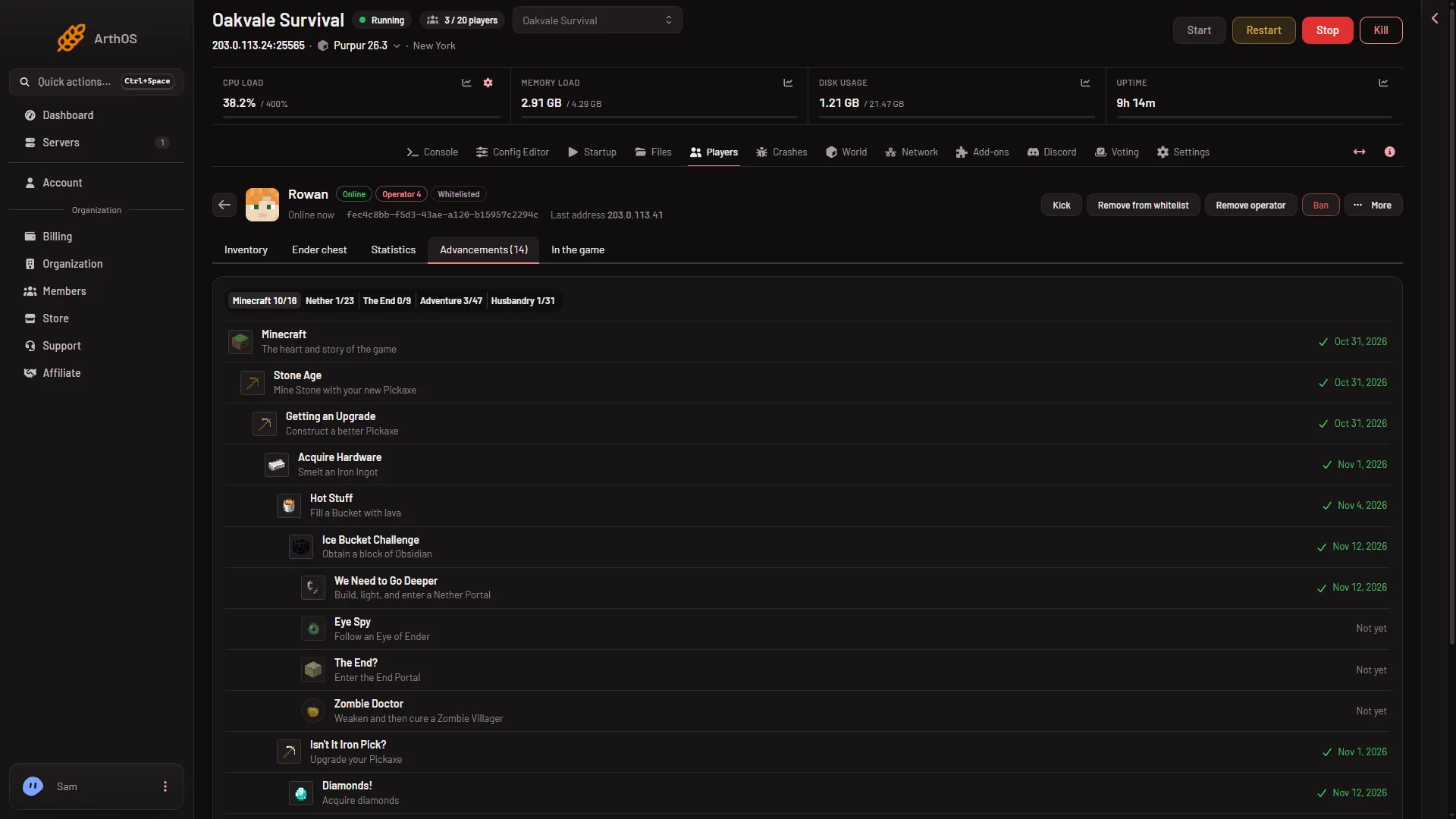
- Advancements tab
The player and dates in the picture are examples.
The five tabs
The tabs are the same ones the game shows: Minecraft, Nether, The End, Adventure and Husbandry. Each shows how many are done out of how many exist, such as “10/16”. The totals come from the version your server runs, so they change when you update.
Read the list
Each advancement sits under the one it follows, and the list is indented to show that. A row shows:
- The icon and the title.
- The description, in the game’s own words for your version.
- At the right, the date it was done, or Done when no date is known, or “Not yet”.
- For an advancement that needs several parts, a count such as “3 of 8”.
See what is still missing
Some advancements need many parts. Adventuring Time needs every biome, for example. These rows have a Criteria button. It opens two lists: “Done” with what the player has finished, and “Still to do” with what is left. Use it to tell a player which biome they have not visited yet.
Where the data lives
Advancements are saved for each world, not for the player alone. The game writes one file per player, named after their UUID, under players/advancements in the world folder on newer versions, and under advancements on older ones. A player who joins a different world starts that world’s advancements from nothing.
Reset player data clears a player’s advancements as well as their inventory and position.
If it does not work
- There is no Advancements tab. The player has no advancement data yet. It appears after their first save.
- A tab shows 0 done. The player has not done any of its advancements yet. The rows still list, each with “Not yet”.
- The page says “Not yet” for something they say they did. They may have done it in another world. Advancements belong to one world.
- You cannot open the Players tab. Your role must be allowed to read players.
The Players tab with advancements is for Minecraft Java servers. More about the game: Minecraft servers.
Sources: minecraft.wiki: Advancement