

















Every player has their own page in the Players tab. Open it and choose Statistics to see what the game has counted for that player: mobs killed, blocks mined, distance travelled, time played and more. It is read only, and it works while the player is online or offline.
Open a player’s statistics
- Open the Players tab. The People list opens first.
- Click the player’s name. Their page opens. To go back, press the round arrow at the top left.
- Choose the Statistics tab (1).
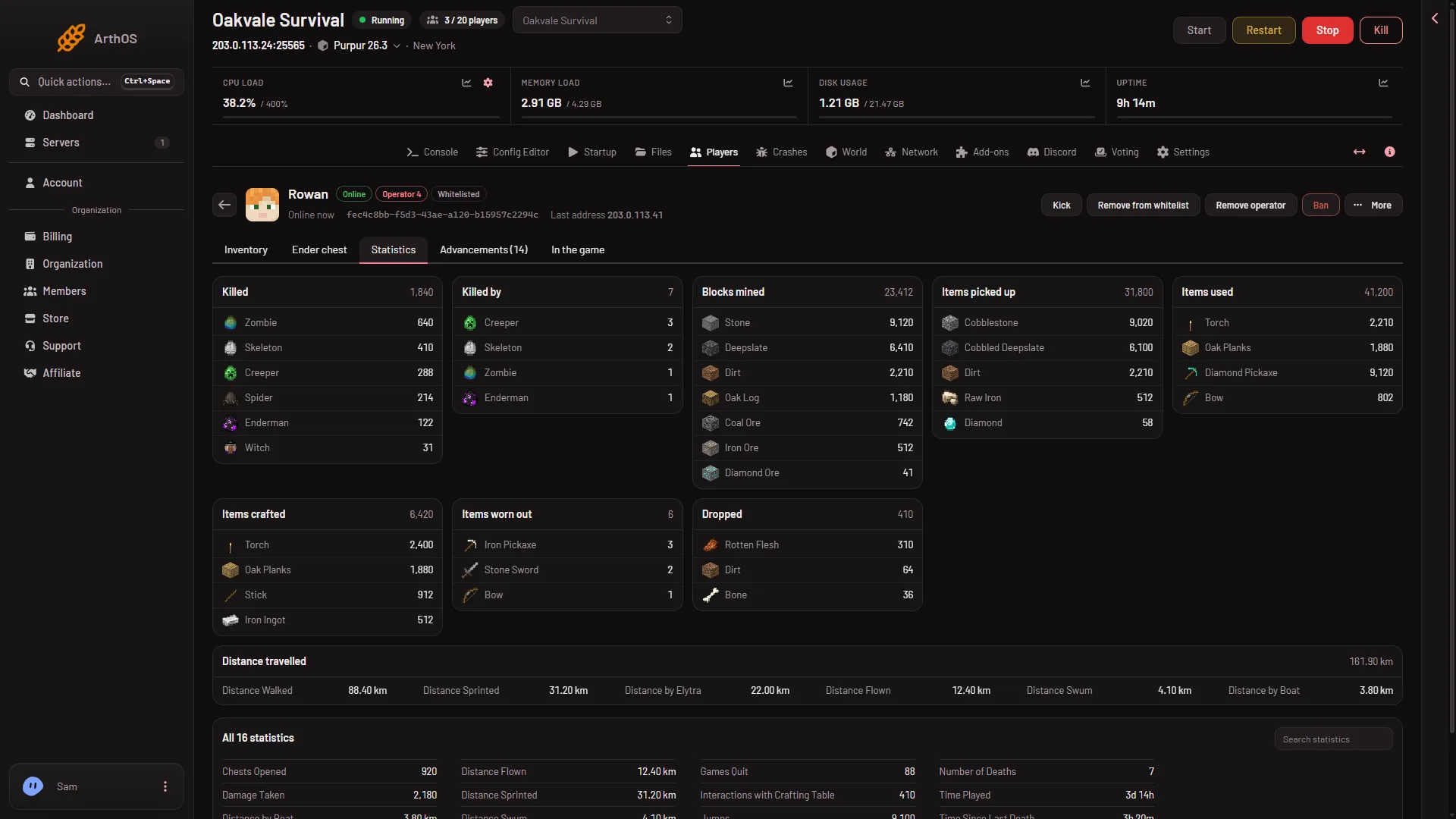
- Statistics tab
- Killed card
- Search statistics
The names and numbers in the picture are examples.
The Statistics tab shows only for a player who has statistics. A name that has never joined has none. Your role must be allowed to read players.
What the cards show
Each card has a title, a total at the right, and the top rows with a picture and a count. A card shows its first 8 rows. A card with more rows has Show all for every row, and Show fewer to fold it back.
- Killed (2): the mobs this player killed.
- Killed by: what killed them.
- Blocks mined: blocks they broke.
- Items picked up, Items used, Items crafted.
- Items worn out: tools and armour that broke.
- Dropped: items they threw out.
- Distance travelled: each way of moving, such as walking, sprinting, swimming, flying, by elytra and by boat, with a total.
Distances are shown as blocks or kilometres, and times as hours and days, the way the game’s own statistics screen shows them.
Find any other statistic
Under the cards is All (count) statistics. It lists every statistic the game keeps for this player. Type in Search statistics (3) to narrow it, for example jump or chests.
Time played and deaths
On the Inventory tab, the list on the right also shows Time played, Deaths, Mobs killed and Distance travelled. The Statistics tab has the longer lists. Killed there is the list of mobs. Mobs killed on the Inventory tab is the game’s own separate counter.
Where the numbers come from
The game writes one file for each player, named after their UUID. Newer versions keep it under players/stats in the world folder, older ones under stats. The game stores distance in centimetres and time in game ticks, and the panel converts them for you.
Statistics exist in Minecraft Java only. Bedrock has no equivalent, so the Players tab of a Bedrock server has no Statistics.
If you reset a player with Reset player data, their statistics start again from nothing.
If it does not work
- There is no Statistics tab. The player has no statistics yet, or the name has never joined. Wait until they have played.
- The page says “No statistics yet.” The player’s file is empty. It fills as they play.
- The numbers look old for a player who is offline. The page shows what the game last saved for them.
- You cannot open the Players tab. Your role must be allowed to read players.
More about the game: Minecraft servers.
Sources: minecraft.wiki: Statistics