

















BattlEye RCon is a remote control link into your DayZ server. It needs a port and a password. On Loafhosts both are already in place: the RCON Port is the game port plus 3, and you choose the RCON Password under Passwords on the Config Editor page. Any tool that speaks BattlEye RCon can then connect with them.
The Players page in the panel uses this same link for its kicks, bans and messages, so if that page works, RCon works.
In the ArthOS panel
- Open the server and go to Startup. Read RCON Port. It is read only. DayZ wants it at the game port plus 3, so a game port of 2302 gives an RCON Port of 2305.
- Open Config Editor, then the Passwords button.
- Type a password in the RCON Password row.
- Choose Save in the bar at the bottom, then restart the server.
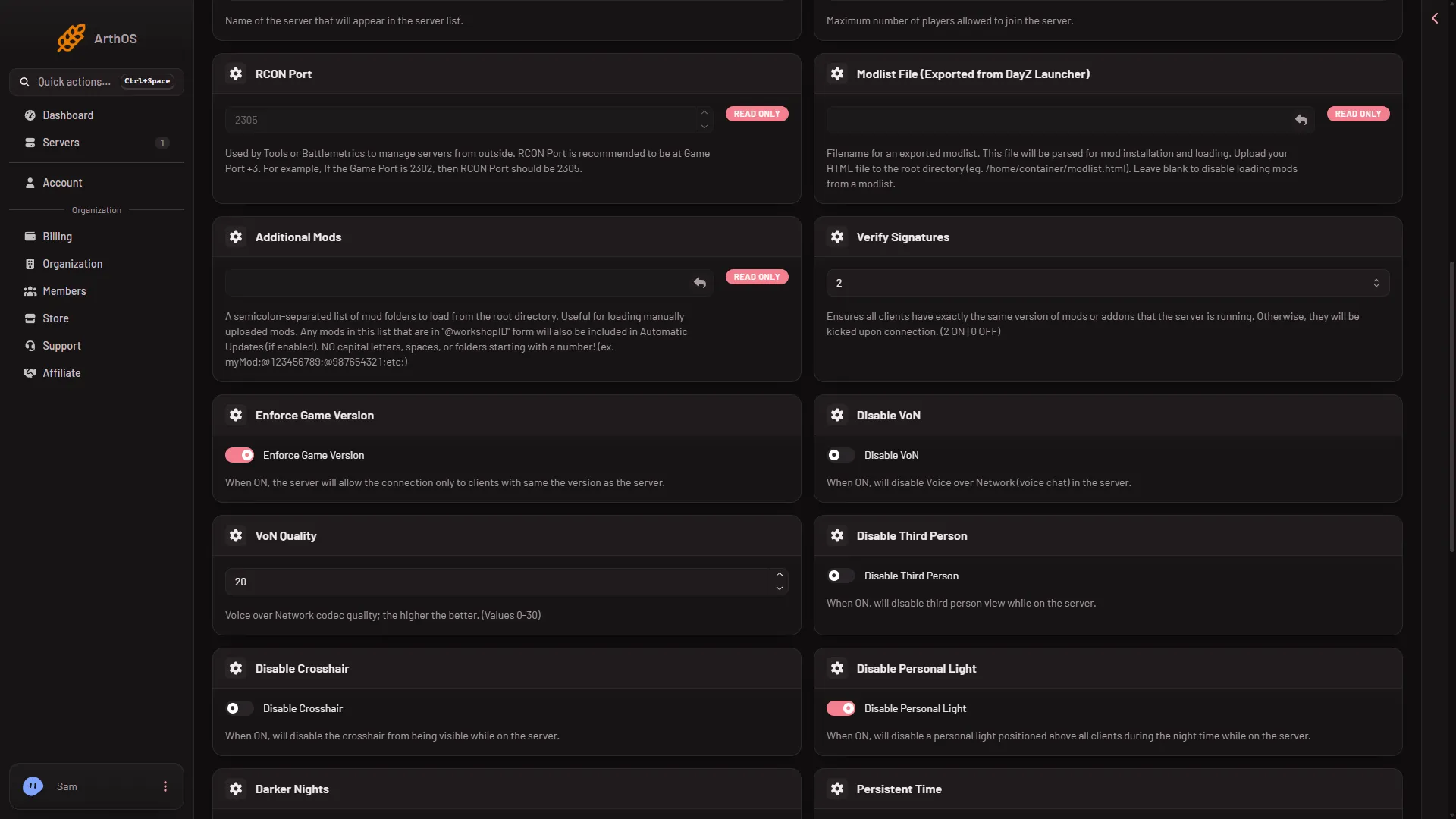
- RCON Port, read only
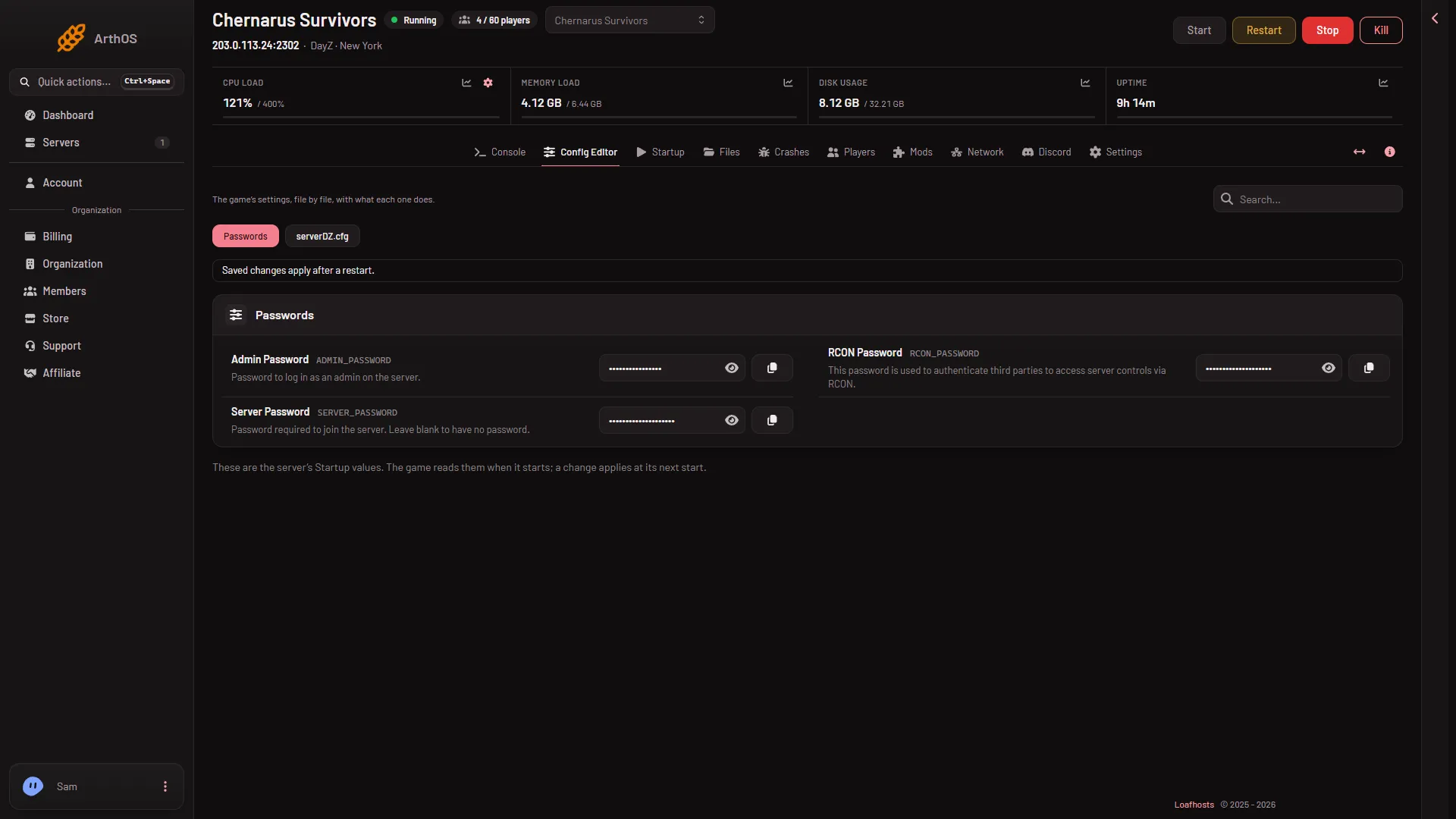
- Type the RCON Password
The RCON Port on Startup is filled in for you. The RCON Password row under Passwords is a masked box with an eye button to show it and a Copy button.
A server ordered from the Loafhosts store starts with a random value in RCON Password, so a new server already has one. Read it or replace it with your own under Passwords.
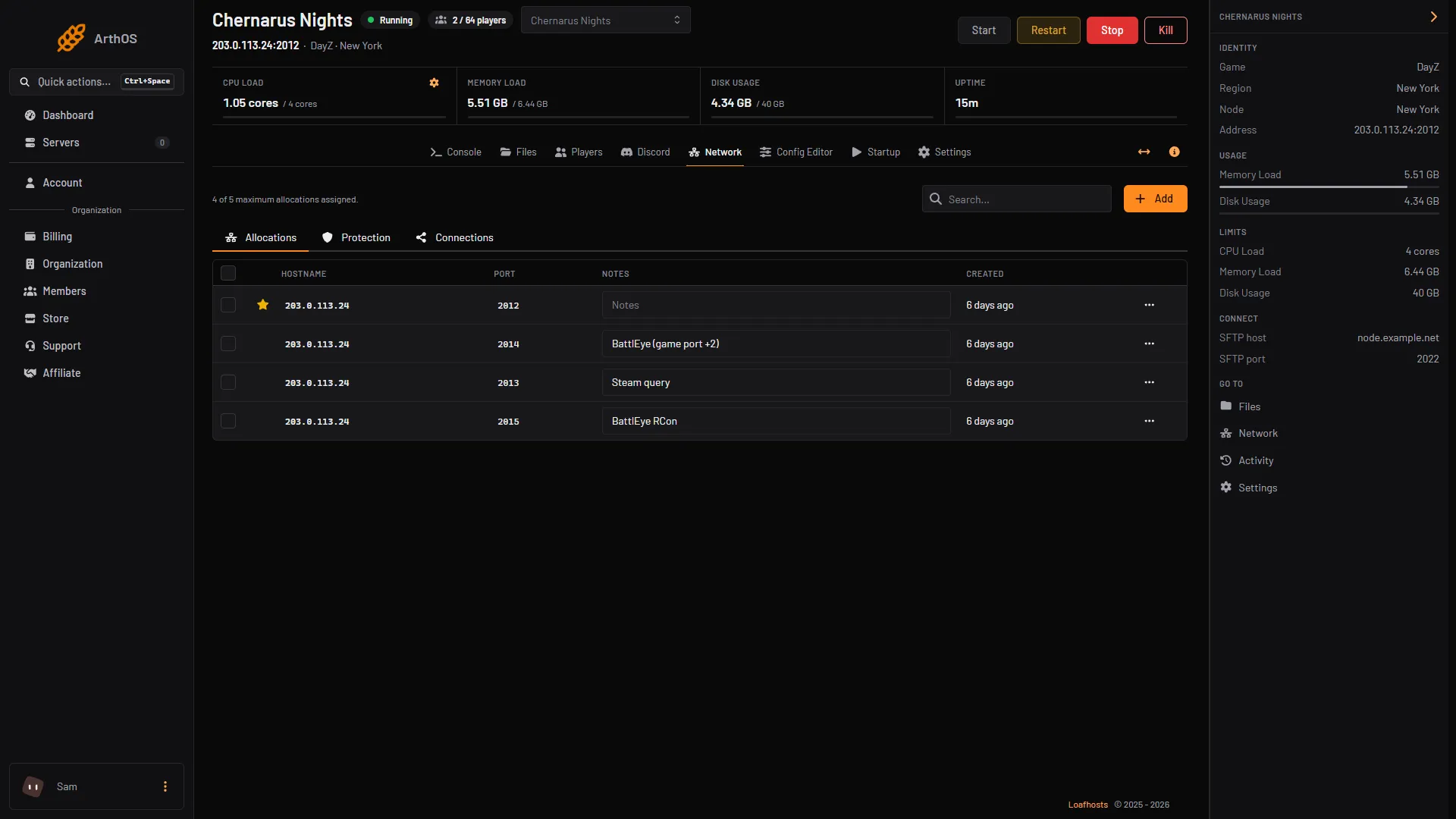
The Network page lists all four ports of the server, so you can check the RCon one there. On a server with game port 2012 it shows 2012 game, 2013 Steam query, 2014 BattlEye and 2015 RCon.
Connect a tool
Use any tool that talks BattlEye RCon. Bohemia names BEC and Dart as examples of such tools. Give the tool:
- the server’s address, which is on the Network page,
- the RCON Port from Startup,
- the RCON Password from Passwords.
BattlEye RCon runs over UDP. A tool that only opens TCP connections will not reach it.
Once connected, BattlEye’s own commands work. The ones you will use most:
playerslists who is on, with their BattlEye GUID and ping.kick <player #> [reason]kicks a player.ban <player #> [minutes] [reason]bans a BattlEye GUID. No time, or 0, is for good.addBan <GUID or IP> [minutes] [reason]bans someone who is not online.banslists bans, andremoveBan <ban #>lifts one.say -1 <message>messages everyone.say <player #> <message>messages one player.adminslists the RCon clients that are connected, so you will see your own tool there.
The player number in kick, ban and say is the number players shows, not the GUID.
By hand
If you host DayZ yourself, RCon is set in battleye/beserver_x64.cfg, in the folder you pass with -BEpath. Two lines are needed:
RConPort 2305
RConPassword yourpassword
BattlEye’s documentation says the port is required and must differ from the game server’s ports. On DayZ use the game port plus 3. Do not use the game port itself or the game port plus 2.
On Loafhosts do not edit this file. The two lines are rewritten at every start (the password from Passwords, the port from Startup), so a hand edit is lost.
If it does not work
- The Players page says the server is not running or RCon is not answering yet. Wait until the Console shows
Mission read., then reload the page. - The panel says BattlEye refused its password. You changed RCON Password after the server started. Restart the server so the game picks up the new one.
- The panel says the server has no RCon password. RCON Password is empty. Set one under Passwords on the Config Editor page and restart.
- Your tool gets no answer at all. An RCon login that gets no reply means RCon is off or the server is not running. Check the server is up, the port is the one on Startup, and nothing on your side blocks UDP.
- Your tool says the password is wrong. Check for a typo. A password changed since the last start is not live yet.
- The panel says DayZ cannot run RCon on that port. The port is the game port or the game port plus 2. On Loafhosts the port is set for you at +3, so this only appears if the server was set up by hand.
Next steps: ban and kick players and message everyone or lock the server. More about the game: DayZ servers.
Sources: battleye.com: Documentation, Bohemia wiki: Server Configuration