

















Every mod has a .bikey file. The server must have it in its keys folder, or players who use that mod are kicked when they join. When you apply your mods on the Mods page, the panel copies the keys of every mod on the list into keys for you. Only a folder that is not on the list needs its key copied by hand.
What the key does
A mod’s files are signed. The signature goes with the mod. The matching public key is a file ending in .bikey, in the mod’s keys folder. When a player joins, the server checks the player’s mod files against the keys it has. A file with no key the server knows is refused, and the player is kicked with a signature error.
This check is on when Verify Signatures is on. Bohemia’s server settings say that for this setting “only 2 is supported”. The panel offers 2 and 0; Bohemia documents only 2. In the panel, 2 is ON.
In the ArthOS panel
Workshop mods
Nothing to do. When you apply on the Mods page, the panel finds every .bikey file in each mod on the list and copies it into the keys folder. After an apply, the page shows Keys: {added} added or updated, {removed} removed. (with the numbers). The server does the same for a mod it downloads itself at a start while Automatic Updates is on. For example, Community Framework adds jacob_mango_v3.bikey. See install Workshop mods.
To see the keys:
- Open Files. The
keysfolder (box 1 in the picture below) is in the top folder of your server. - Open the
keysfolder.
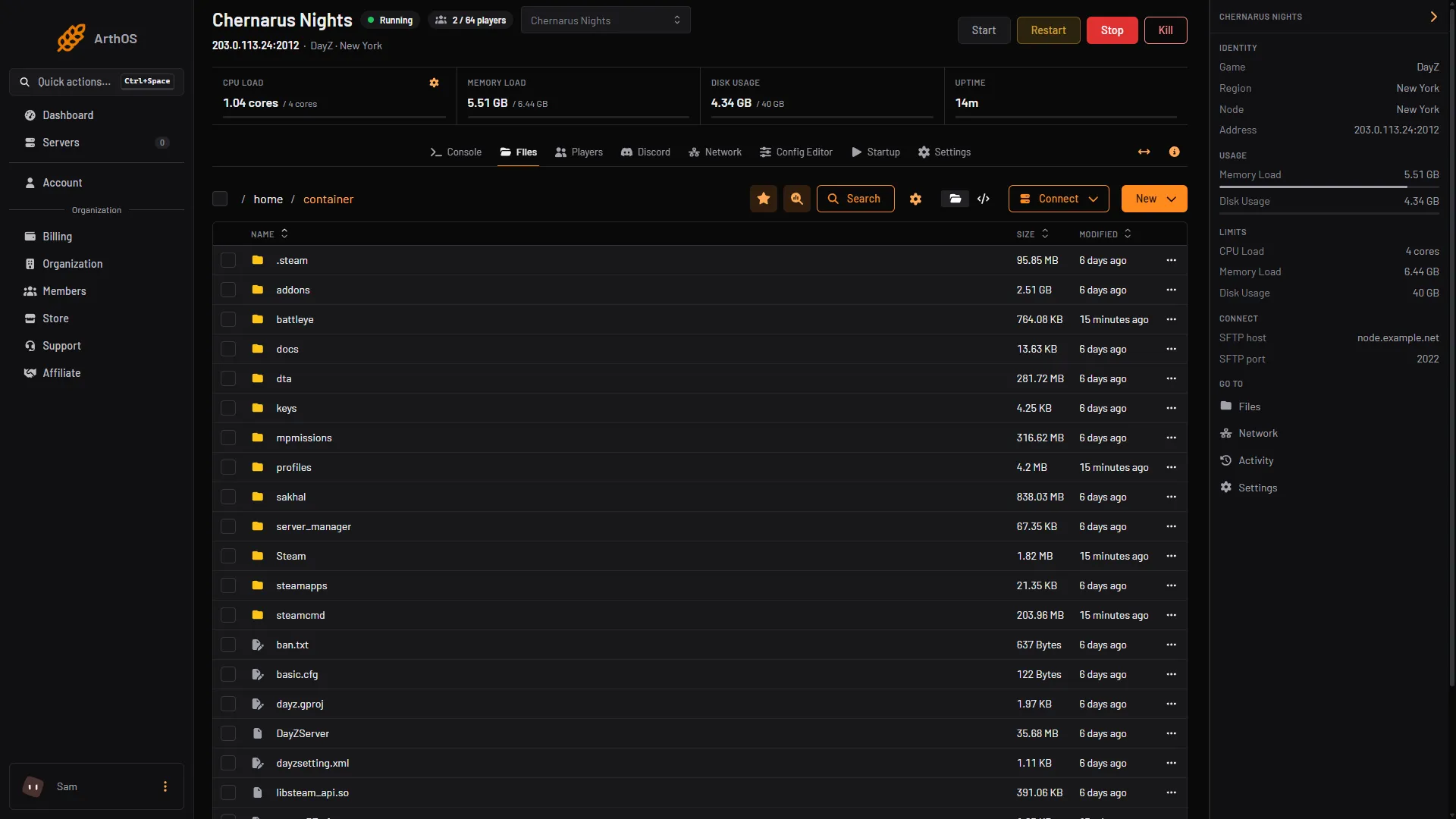
- keys folder
When you take a mod off the list and apply, the panel removes a key only that mod shipped. It never removes dayz.bikey, and never a key that a mod still on the list also ships.
Mods you uploaded
Upload the mod as a folder named @name in the top folder of your server. Then open Mods, find the folder under On the server, not loaded, press Put on the list, and apply. The panel copies its keys like any other mod’s.
For a folder that is not on the list, copy the key by hand:
- Open Files and open the mod’s folder, for example
@mymod. - Open its
keysfolder. Some mods keep the key at another place in the folder, so search for a file ending in.bikey. - Copy the
.bikeyfile into the server’s ownkeysfolder, at the top of your server. - Restart the server from Console.
Verify Signatures
On Startup, Verify Signatures (box 1 in the picture below) has two values: 2 (ON) and 0 (OFF). The panel offers 2 and 0; Bohemia documents only 2. A new server has it on. Leave it on. With it off, the server stops checking files, and a player can join with changed game files. Use 0 only when you test a mod of your own that is not signed yet. Bohemia’s modding page shows verifySignatures = 0; for that case.
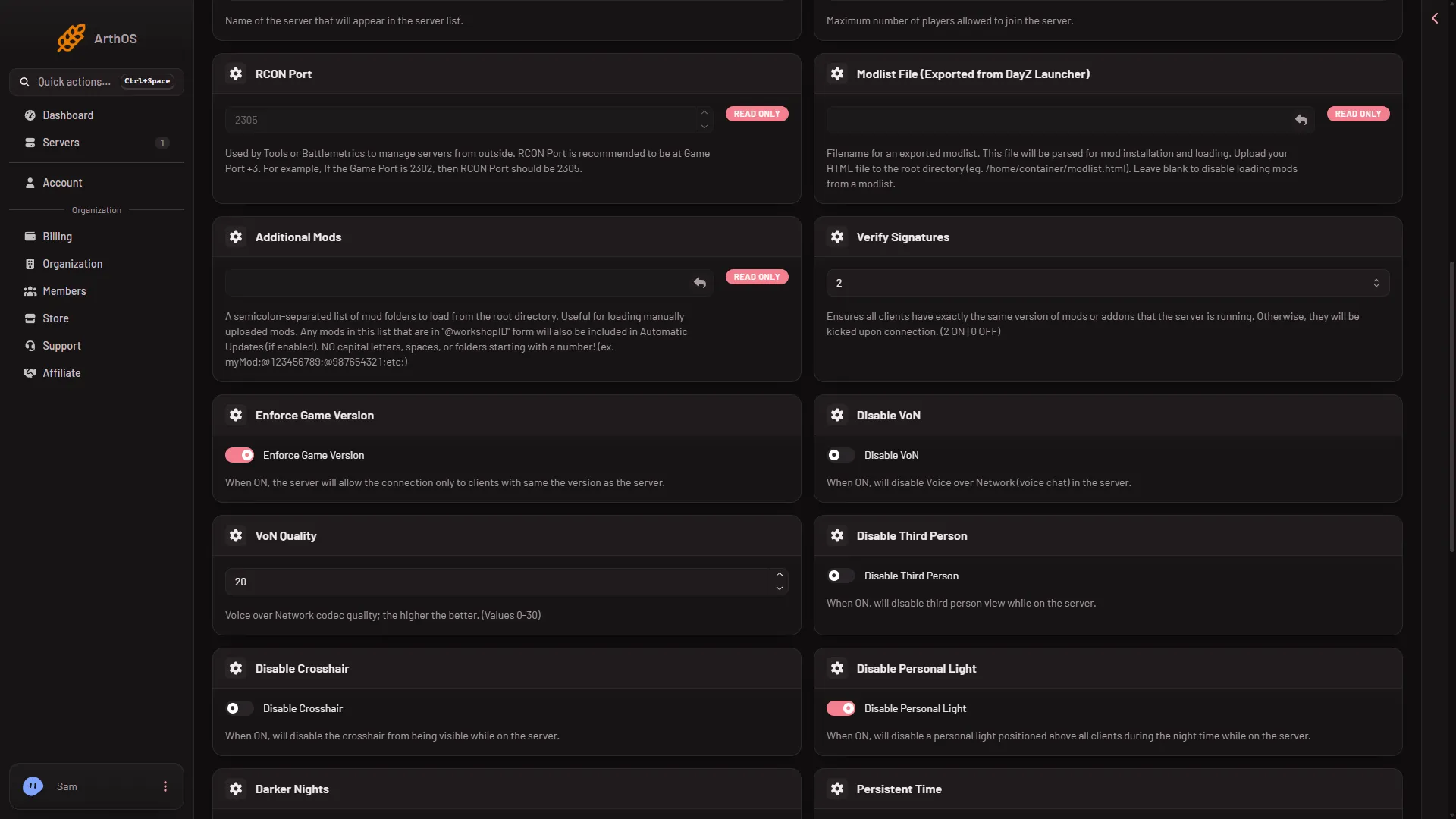
- Verify Signatures
The setting is written to the server’s configuration at every start. Change it on Startup, not in the file.
By hand
- Copy every
.bikeyfile from each mod into thekeysfolder in the server’s top folder. - In
serverDZ.cfg, keep:
verifySignatures = 2;- Restart the server.
If it does not work
- Players are kicked with a signature message. Open the
keysfolder and look for the mod’s.bikey. If it is not there, copy it in and restart. - The key is there and players are still kicked. The player and the server have different versions of the mod. One side updated. See update DayZ mods and mismatched mods kick.
- A mod only runs on the server. Mods set to Server only on the Mods page are not needed by players when Verify Signatures is on. See server-side mods.
Sources: Bohemia wiki: Server Configuration, Bohemia wiki: Modding Basics