

















A server-side mod runs only on the server. Players do not download it and do not need it to join. Add it on the Mods page and switch it to Server only, then apply.
Bohemia describes the -serverMod startup option as loading mods that are “server-side (not broadcasted to clients)”. The panel fills -serverMod= from the mods you switch to Server only.
When to use it
Use it only for a mod whose author says it runs on the server alone. A mod that adds items, buildings or anything players see or use must be on the players’ side as well. That kind stays on Players too, which is the default, as in install Workshop mods.
In the ArthOS panel
- Open Mods. On the Workshop tab, paste the mod’s link or ID in Add by link or ID, choose Look up, then Add. See install Workshop mods for the full walk-through.
- On the On this server tab, find the mod’s row. Switch it from Players too to Server only. The row gets a Server only chip, and the bar says it was moved between players and server only.
- Choose Apply and restart, then confirm.
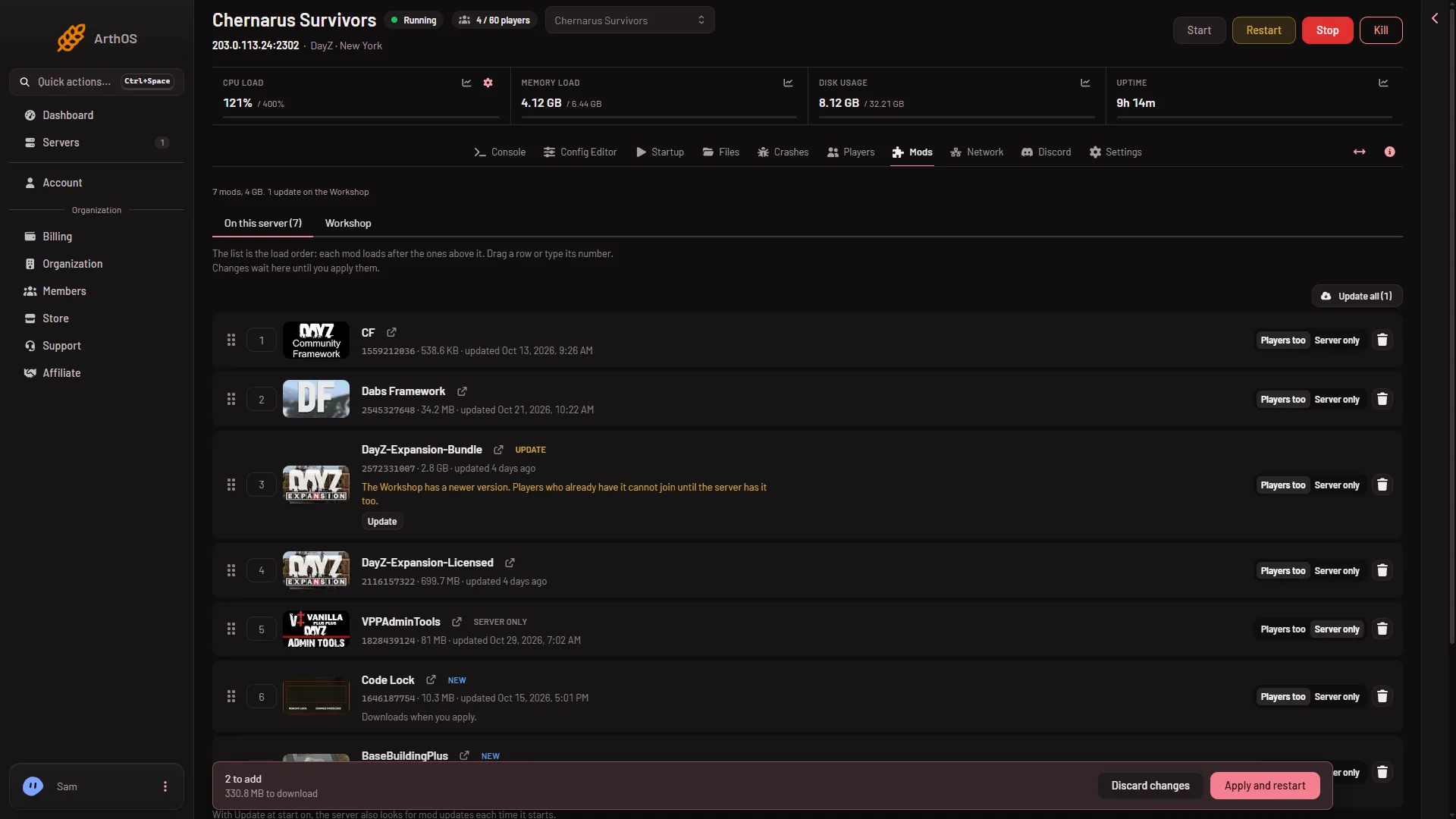
- Apply and restart
[Advanced] Server-Side Only Mods on Startup is read only. The Mods page writes it, and the start line’s -serverMod= is filled from it.
The Mods page downloads and updates a server-only mod like any other. See update DayZ mods.
A folder you uploaded yourself works too. Upload it as @mytool, then open On the server, not loaded on the Mods page, choose Put on the list, switch it to Server only, and apply.
The panel copies a mod’s .bikey files into the keys folder, also for server-side mods. Players do not need them. With Verify Signatures on, a server-side mod is not required by players. See mod keys and signatures.
Both lists keep the order of the page: the Players too mods in -mod= and the Server only mods in -serverMod=. See mod load order.
By hand
Add -serverMod= to the start line, with the mod folders separated by semicolons:
./DayZServer -config=serverDZ.cfg "-mod=@1559212036;" "-serverMod=@123456789;"If it does not work
- The mod does not load. Check the row’s switch on the Mods page, Players too or Server only, and that you pressed Apply and restart. A mod that failed to download stays on the list marked as waiting, and the page says why.
- Players say a mod is missing. The mod needs to run on the players’ side. Switch it back to Players too and apply.
- The mod does not download. The top of the page says Mod changes not applied with the reason. Fix it and apply again. See install Workshop mods.
Sources: Bohemia wiki: Server Configuration