

















Bohemia’s -mod option loads mods in the order you give them. Its server page says the mods are “separated by semi-colons” and that an absolute path and multiple stacked folders are possible. On a Loafhosts DayZ server, the list on the Mods page is that order. Each mod loads after the ones above it.
What the server does
After your first Apply on the Mods page, the start line uses the list as it is shown. The players’ mods go into -mod= and the server-only mods into -serverMod=. Each of the two lists keeps the order it has on the page. Nothing is sorted.
Before the first apply, the server still sorts the list as text by Workshop ID, and the Mods page says so: “This server loads its mods in order of their IDs, whatever order they were listed in. Applying once makes the order on this page the load order.”
If you import a DayZ Launcher list, its mods go on the page in the order of the file.
Community Framework (1559212036) is often first because mods that need it are listed after it. A mod only has to come after the mods it needs.
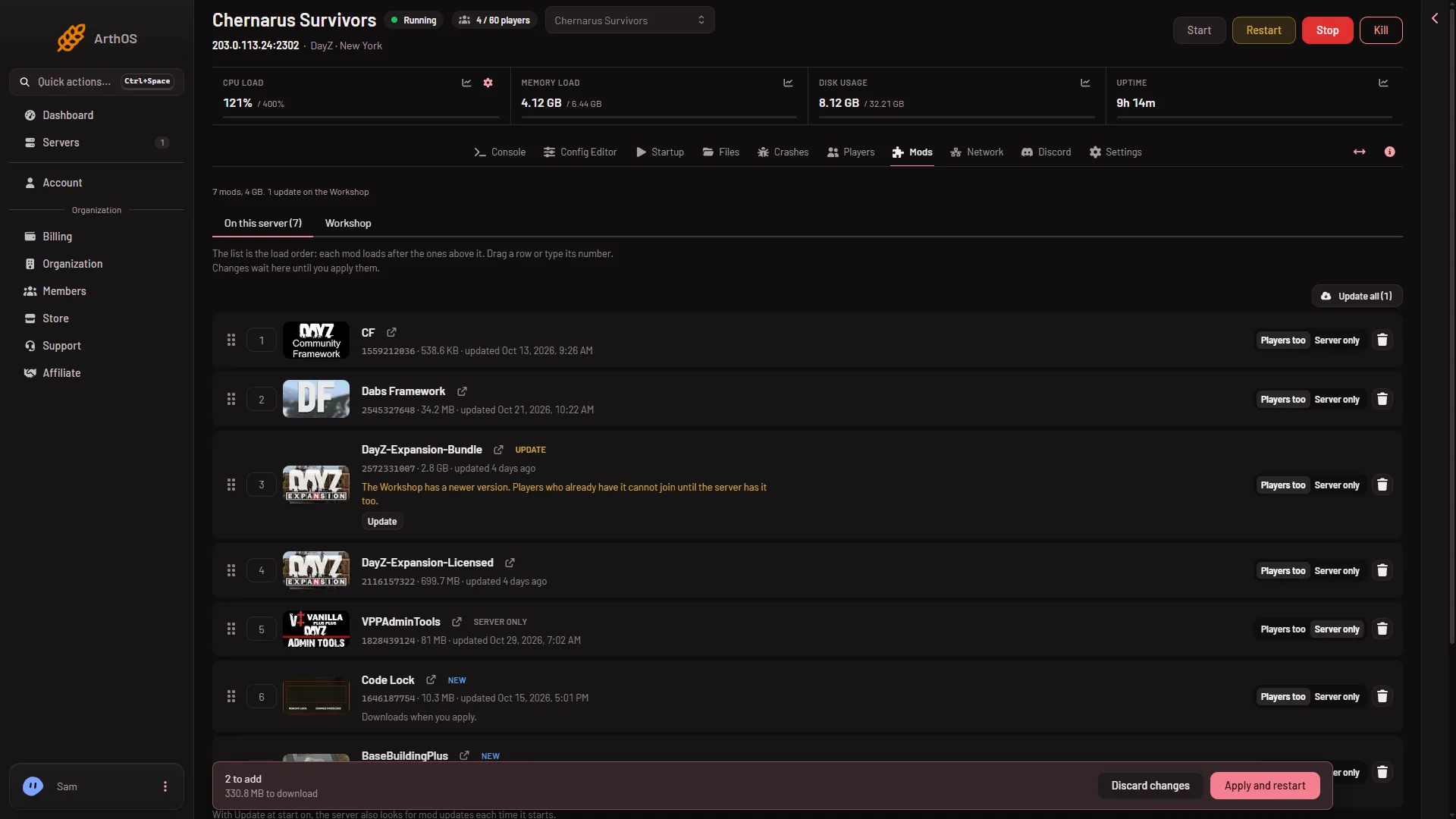
- On this server tab
- Apply and restart
Additional Mods on Startup is read only. The Mods page writes it in the page’s order.
Set the order
- Open Mods and the On this server tab.
- Drag a row by its handle, or type a new number in the box at the left of the row and press Enter. The number is the position, from 1 to the number of mods. Dragging and typing a number are off while the Filter by name or ID box has text in it.
- If a row says “Loads before …, which it needs. Drag it lower, or sort by what each needs.”, choose Sort by what each needs. It moves every mod after the mods it needs and keeps the rest of your order.
- Choose Apply and restart. The bar says
a new orderuntil you do.
A mod you add that another mod needs is placed directly above the first mod that needs it. New mods you asked for go at the end of the list. Nothing already on the list moves.
See the order your server used
- Restart the server from Console.
- Open Files and open the
profilesfolder. - Open the newest
.RPTfile. Its first line is the full start command. The part after-mod=is the list, in the order the game got it.
Most mods work in any order. Some mods say on their Workshop page that they need another mod, a framework or a core mod. Read that page. Load order only matters for a mod that depends on another.
By hand
If you host DayZ yourself, the order in -mod= is the order you type. Put the framework or core mod first, then the mods that need it:
-mod=@1559212036;@1564026768;If it does not work
- A mod fails to load and the log mentions a missing class or addon. The mod may need another mod that is not in your list. The row says “Needs …, which is not on the list.” Choose Add beside it, or read the mod’s Workshop page for required mods.
- The order in the log is not the order on the page. Check that you applied the change, because the order only takes effect after Apply and restart. Also check whether the mod is set to Server only, which puts it in the other list.
- Players are kicked. That is not an order problem. See mismatched mods kick.
Sources: Bohemia wiki: Server Configuration