

















Community Framework, called CF, is a DayZ Workshop mod that other mods build on. Its Workshop ID is 1559212036. If a mod’s page lists CF as a required item, add CF to your server first, then the mod. CF does nothing visible on its own.
What CF is
The Workshop page calls it “a Community framework for DayZ SA”. It says one aim is to fix conflicts between mods that use the same RPC type IDs. An RPC is a message sent between the server and the player. The Workshop page lists Arkensor and Jacob_Mango among its authors.
Other mods name CF as a dependency. The Workshop pages of VPPAdminTools, DayZ Expansion Bundle and DayZ Expansion Core all list it as a required item. Bohemia’s own server guide uses CF as its example mod.
CF has no required items of its own. Its Workshop page does not allow repacking, so always take it from the Workshop.
In the ArthOS panel
- If the server has players and a world you want to keep, stop the server, then take a backup. Open Settings, then Backups.
- Open Mods and choose the Workshop tab.
- In Add by link or ID, paste
1559212036and press Look up, then Add. The order of the list is the load order; see mod load order. - Choose Apply and restart (or Apply while the server is stopped). The panel downloads CF, copies its
.bikeykey file intokeysand starts the server. The first start takes longer. - Watch the Console. The lines start with
[mods], for exampleDownloaded 1559212036 (... bytes), and the server then starts. For the full walk-through, see install DayZ Workshop mods.
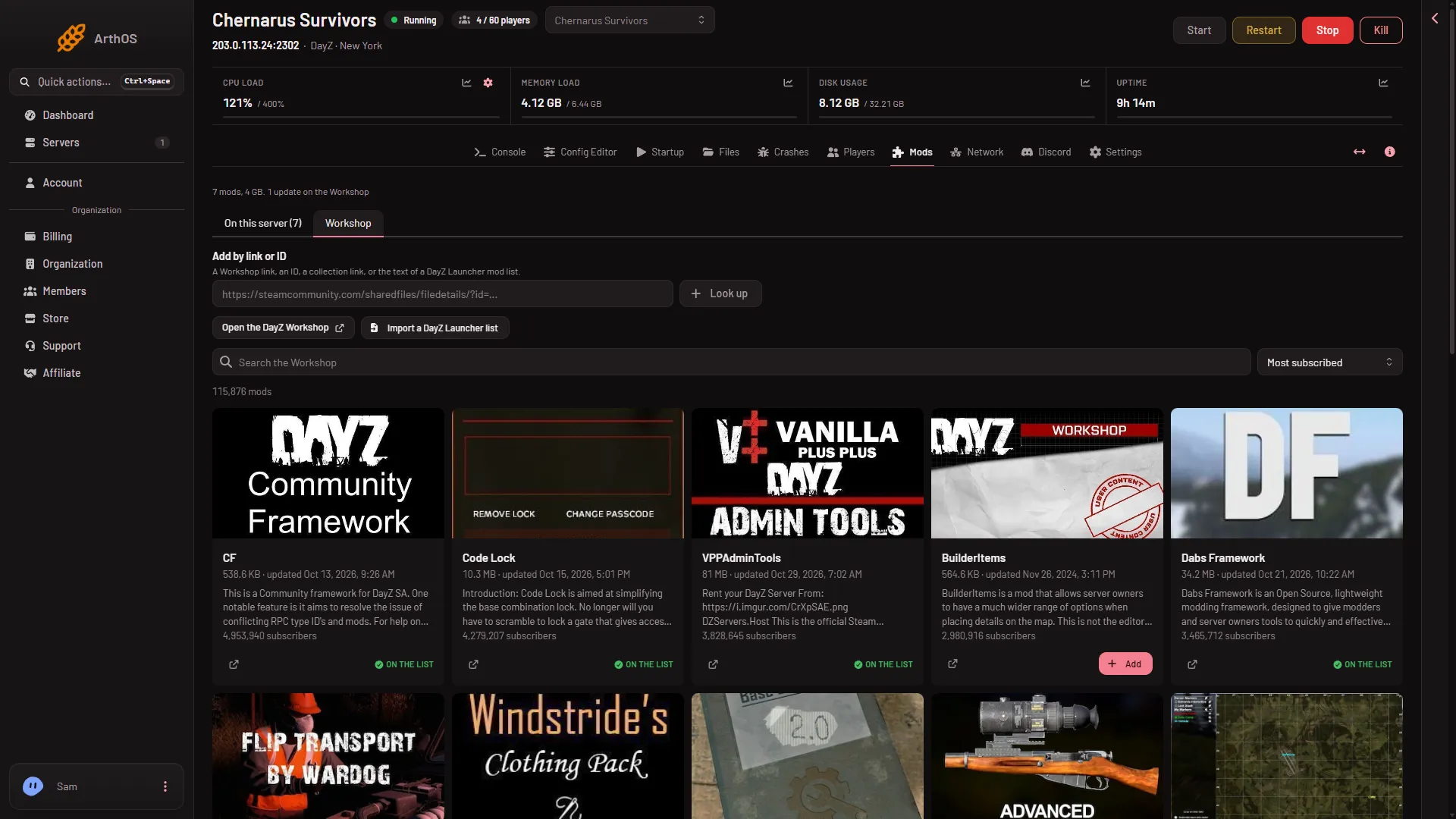
- Paste 1559212036 here
- Look up
After the restart, Files shows a @1559212036 folder in the server’s main folder, and the mod’s key jacob_mango_v3.bikey in keys. The server also starts with -mod=@1559212036;, which is the first line of the newest .RPT file in profiles. You do not need to log in to Steam for this.
CF is a client mod. Every player who joins must have it too, and the same version. If Verify Signatures is on, a mismatched CF kicks the player: see fix the mod mismatch kick.
By hand
- Download
1559212036from the Workshop with SteamCMD or the DayZ launcher. Copy the folder into the server’s main folder as@CF, or keep the Workshop ID as the folder name. - Copy the
.bikeyfiles from the mod’skeysfolder into the server’skeysfolder. - Add CF to the
-mod=startup parameter. The order in-mod=is the load order. Bohemia’s example is"-mod=1559212036;1564026768;". The VPPAdminTools guide uses"-mod=@CF;@VPPAdminTools"and says not to put a;after the last mod. - Start the server.
If it does not work
- Another mod says CF is missing. CF is not on the Mods page list. The row of the mod that needs it says
Needs Community Framework, which is not on the list.with an Add button. Press it, then apply. - Players are kicked for a key or version. The server and the player have different versions, or the key is missing from
keys. See the mismatch guide above. - The server shows “String CORRUPTED - FIX OnStoreLoad()”. The world was saved without CF. Stop the server, delete the
storage_xfolder in the mission folder (in Files it goes to the Trash first), accept the wipe, and start again. - The Console shows no download. Check that you pressed Apply. The strip on the Mods page says what the last apply downloaded, and why any mod failed.
More about the game: DayZ servers.
Sources: steamcommunity.com: Filedetails, Bohemia wiki: Hosting a Linux Server, github.com: Installation & Configuration, steamcommunity.com: Filedetails