

















Order the server, open it, and press Start. The first start downloads the game, so wait until the Console prints Mission read.. Then set the name on Startup and the passwords under Passwords, pick the map in Config Editor, and send your players the address.
Checked on DayZ 1.29. DayZ 1.30 was released on 15 October 2026 with the Badlands expansion.
In the ArthOS panel
- Order a DayZ server and open it from your server list. The panel installs the game files first.
- When the install ends, open Console and press Start if the server is not already starting. The first start takes longer than the next ones.
- Watch the Console. When it prints
Mission read., the server has loaded its map and is ready.
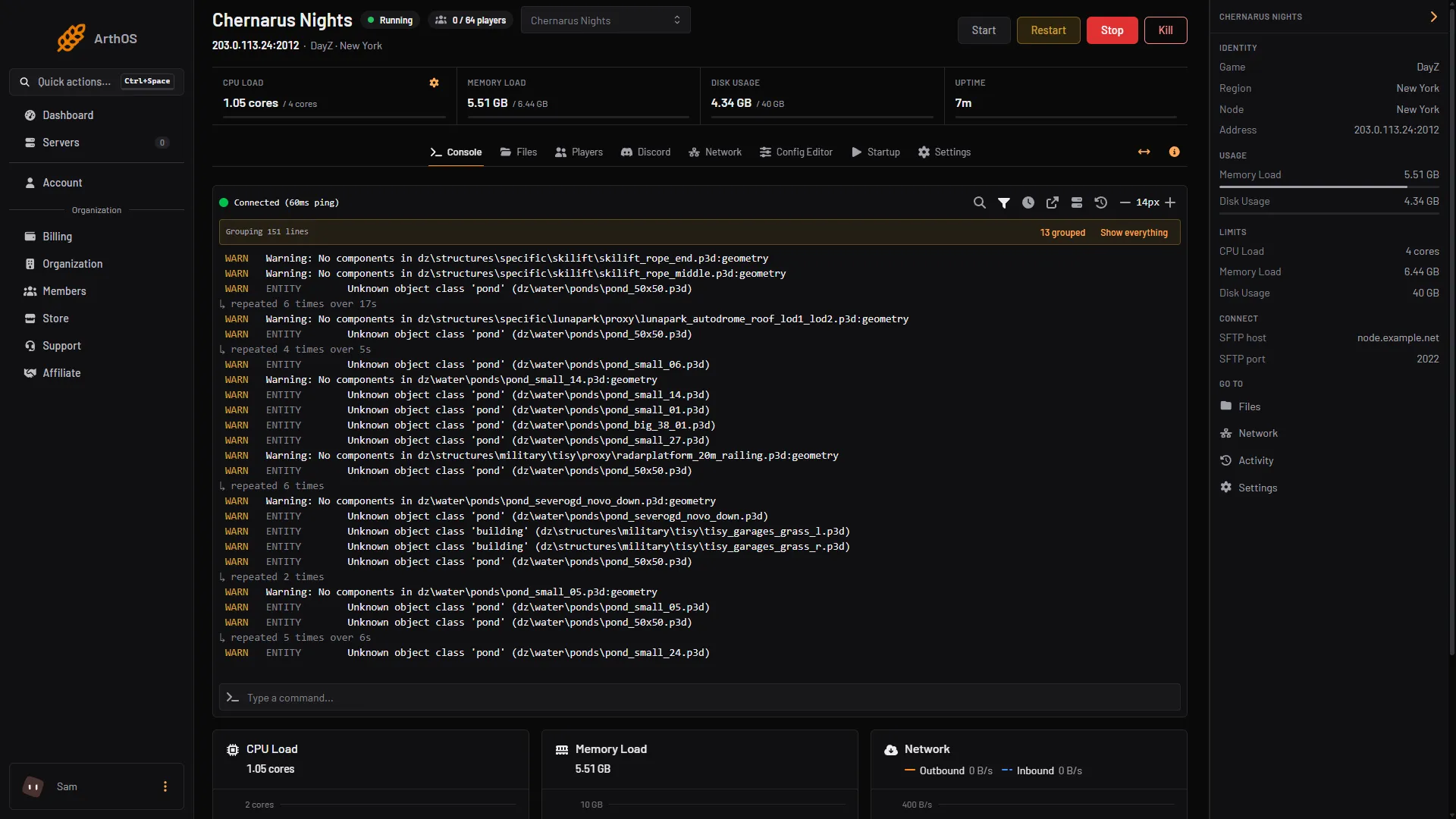
- Address players use
- Start, Restart, Stop
- Open Startup. The settings you change first are cards in the Variables list:
- Server Name (1): the name players search for. See change the server name.
- Max Players (2): how many can be on at once. A new server starts at its plan’s player count: 30, 60 or 100 for Small, Standard and Modded. See change max players. The note above them (3) says the passwords are kept with the other settings now. Its link, Open Passwords on the Config Editor, takes you to them.
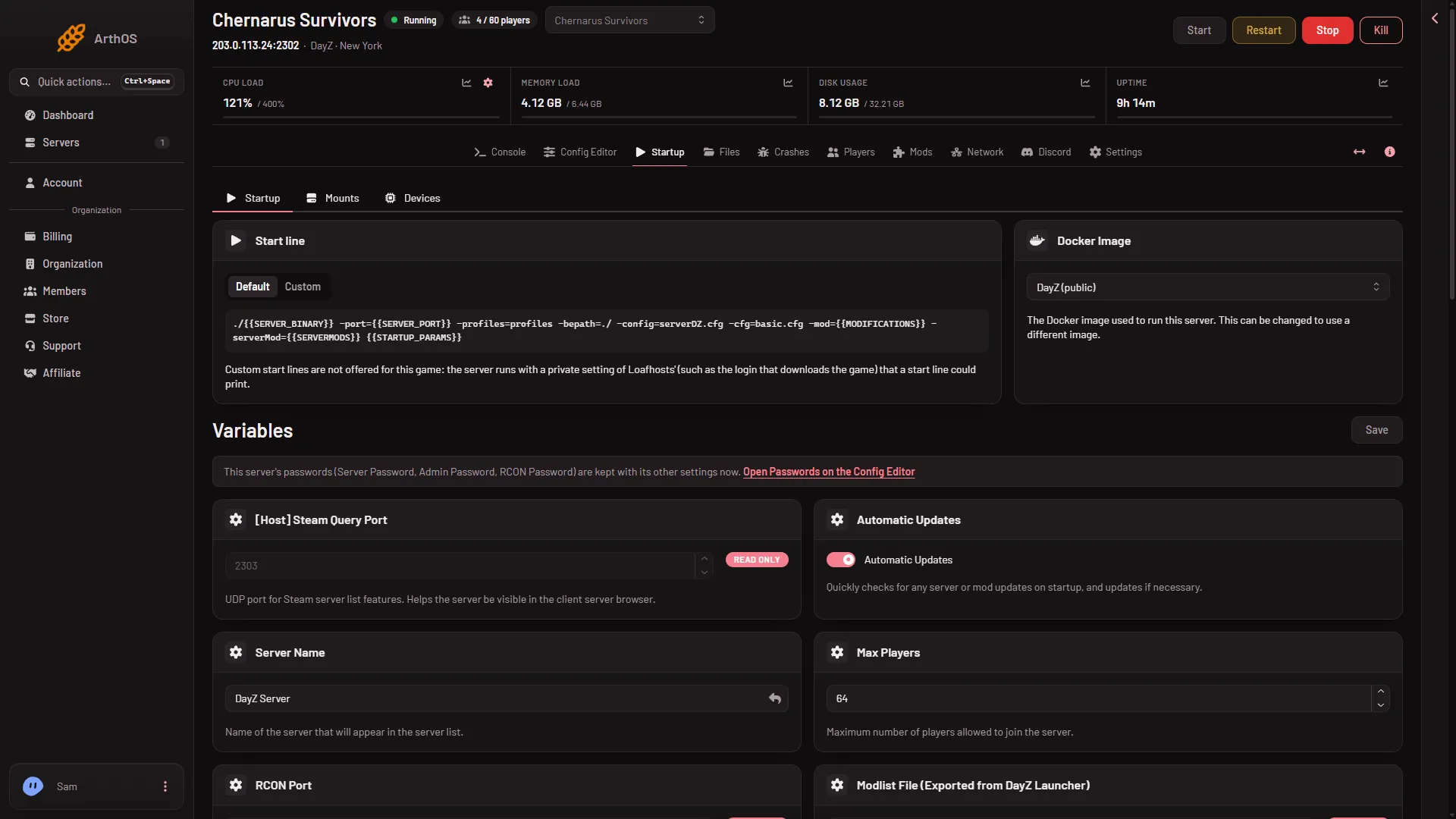
- Server Name
- Max Players
- Passwords moved
-
Choose Save, then restart the server. Then open Config Editor and its Passwords button:
- Server Password (1): a server ordered from the Loafhosts store starts with a random join password, so players need it to join. Empty the box for a public server. See set a password.
- Admin Password (2): the password you type in game to become an admin. It is not the join password. A new server has a random one too.
Choose Save in the bar at the bottom. These four settings are written into
serverDZ.cfgevery time the server starts, so a restart is what applies them.
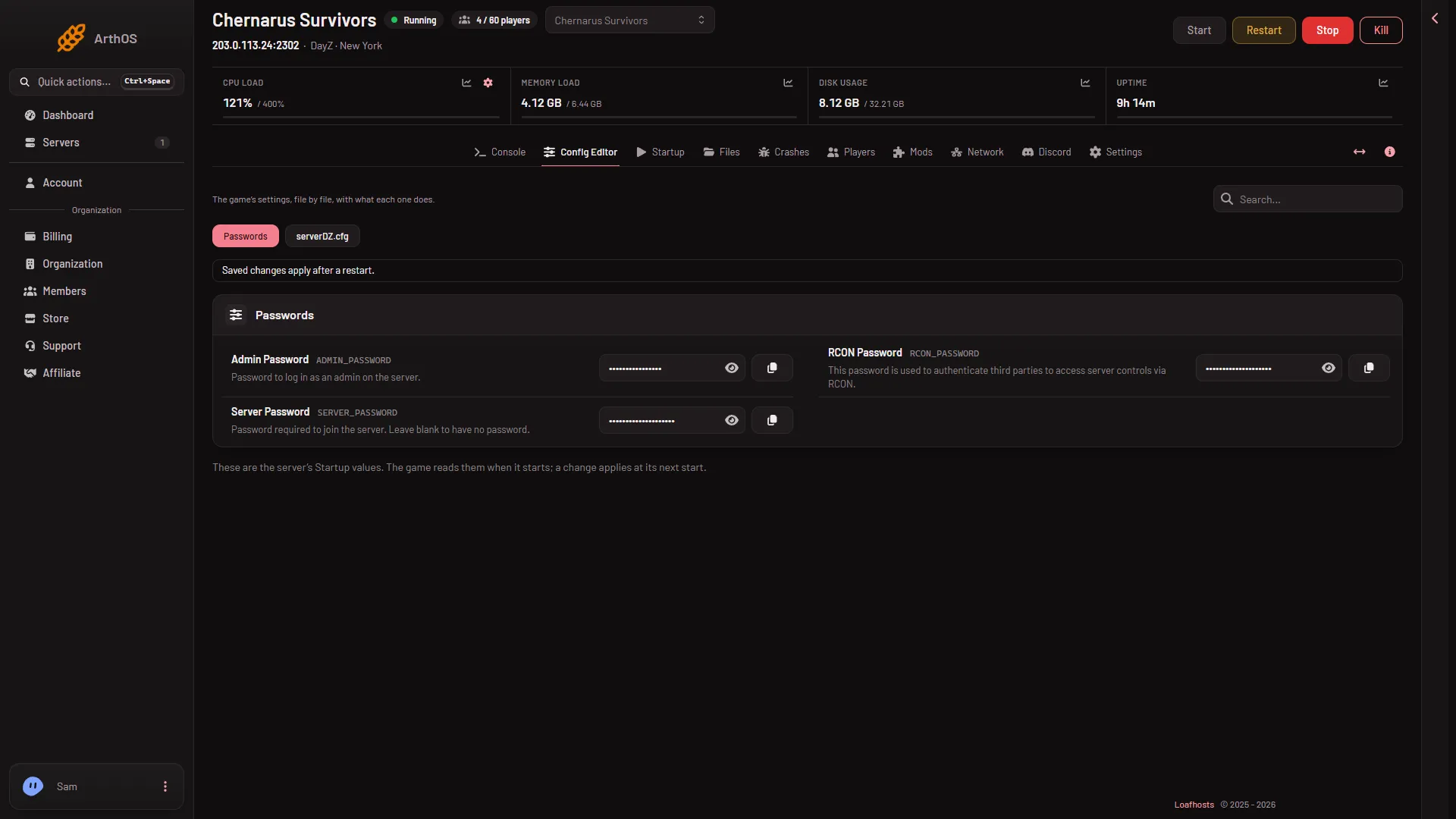
- Server Password
- Admin Password
- Open Config Editor. If it says
serverDZ.cfgdoes not exist yet, start the server once and open it again. Under Server, the Map (mission) row offers Chernarus, Livonia and Sakhal. Pick one, choose Save, and restart. A mission is the DayZ name for a map and its loot rules. Each map keeps its own world and loot settings, and the map you leave stays on disk. See change the map.
The Server name, Join password, Admin password and Maximum players rows in the Config Editor settings are locked, because the panel writes them at every start. Change the name and player limit on Startup, and the two passwords under Passwords.
How players join
The address is under the server name at the top of every server page. It is the IP and the game port, for example 203.0.113.24:2302. Your IP and port will differ, so copy them from the panel. Players can search for the server name in the DayZ Launcher, or type the address in Direct Connect. See connect to a DayZ server.
Mods
Mods are not needed to start. They are added on the Mods page, not on Startup. Add Community Framework and the mods that need it before players build; see Community Framework. For the steps, see install DayZ Workshop mods. Players must have the same mods as the server.
What the server needs
Bohemia, the maker of DayZ, lists 6 GB of RAM and a dual-core 2.4 GHz processor as the requirement for a server. More players and more mods need more than that. If the server runs short, open your server list and use the server’s menu, or open Billing, then Services. Choose Customize. This needs the permission to order and pay. See the DayZ servers page for the plans.
By hand
If you host DayZ yourself, the same settings are in serverDZ.cfg:
hostname = "My DayZ server";
password = "";
passwordAdmin = "a long admin password";
maxPlayers = 60;

class Missions
{
	class DayZ
	{
		template = "dayzOffline.chernarusplus";
	};
};
Bohemia documents each of these in its server configuration page. The map is the template name: dayzOffline.chernarusplus is Chernarus and dayzOffline.enoch is Livonia. Start the server with -config=serverDZ.cfg.
If it does not work
- The Console never prints
Mission read.The first start is still downloading, or the server stopped. Read the last lines of the Console for the reason. See DayZ server logs. - A change on Startup or Passwords did nothing. Choose Save, then restart. The values are only written at the start.
- I edited the name in
serverDZ.cfgand it came back. On Loafhosts the file line is rewritten from Startup at each start. Change the name on Startup. - Players cannot find the server in the list. See DayZ server not showing in the list.
Sources: Bohemia wiki: Server Configuration, Bohemia wiki: Server Requirements, store.steampowered.com: 221100