

















Code Lock is a Workshop mod that gives bases an electronic code lock, so you no longer have to scramble to lock a gate. To run it, add Workshop item 1646187754 on the Mods page, apply, then change its settings in the CodeLock folder that the mod creates inside profiles.
The Workshop page lists no required mods for Code Lock. Its author describes settings for logs, raid times, raid settings and client rate limiting.
The Workshop page shows the mod last updated on 1 November 2024, so read its recent comments before you rely on it with DayZ 1.30, the version since 15 October 2026.
In the ArthOS panel
- Open Mods and choose the Workshop tab.
- In Add by link or ID, paste
1646187754and press Look up, then Add.
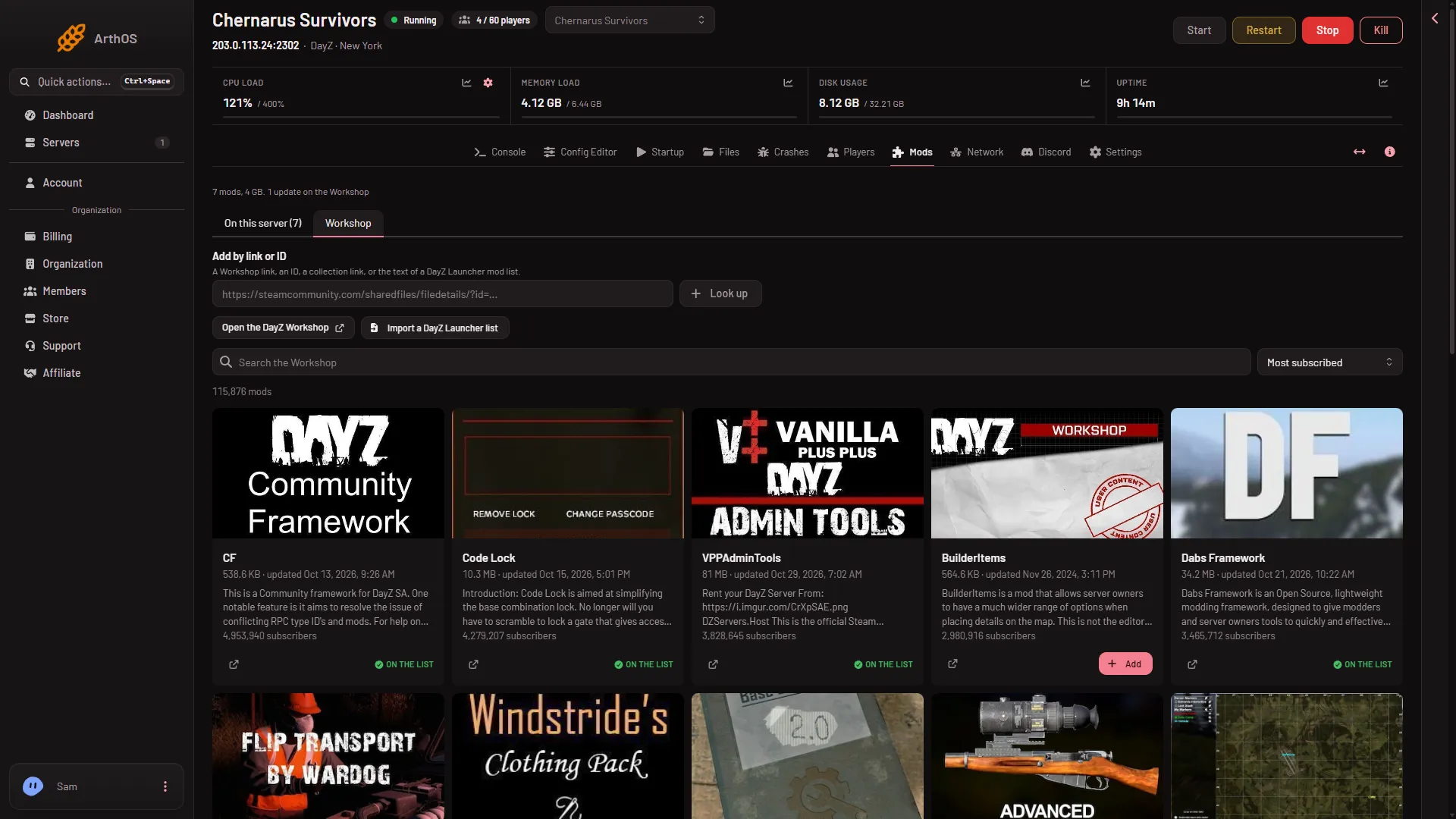
- Paste 1646187754 here
- Look up
- Choose Apply and restart (or Apply while the server is stopped). The panel downloads the mod, makes its
@folder, copies its.bikeyfiles intokeysand starts the server. You do not need a Steam login. The first start takes longer while the mod loads. The order of the list is the load order: see DayZ mod load order. For the full walk-through, see install DayZ Workshop mods. - Join the server with Code Lock also loaded in your game and place a lock on a gate to check it.
Change its settings
The mod’s author says that its config sits inside the server profile folder, in a folder called CodeLock, together with its permissions and logs. On a Loafhosts server the profile folder is profiles. The mod writes the files itself, so start the server once with the mod loaded first.
- Stop the server.
- In Files, open
profiles, thenCodeLock. - Open the config file. MyDayZ’s documentation names it
CodeLockConfig.json, and shows a setting calledm_CanCutLock:1lets players cut a lock off,0does not. - Change the value and save.
- Start the server.
The Config Editor does not edit this file. It only edits serverDZ.cfg.
The other settings, such as raid times, are described by the author only in general terms. Read the file’s own names and values before you change them.
By hand
- Copy the Code Lock folder from the Workshop download into the server root.
- Copy its
.bikeyintokeys. - Add its folder to
-mod=, for example-mod=@CodeLock, with a semicolon between mods. By hand, the order in-mod=is the load order. - Start the server and edit the generated config in
profiles/CodeLock.
If it does not work
- Players are kicked when they join. Their mods do not match yours. See DayZ mismatched mods kick.
- No
CodeLockfolder appears. The mod did not load. Open Mods and check that the mod is on the list and that you pressed Apply. A mod that could not download says why on the page. - The mod does not load after you upload it from Windows. Turn [Repair] Make Mod Files Lowercase on for one start.
- Your edit has no effect. Stop the server before you edit the file, then start it again.
More about the game: DayZ servers.
Sources: steamcommunity.com: Filedetails, steamcommunity.com: 1646187754, mydayz.eu: Code lock