

















An Arma Reforger admin has two tools against a player who abuses chat: kick and ban. Bohemia’s server management page lists no mute command and no chat filter. A kick removes the player, who can then rejoin. A ban keeps them out.
What the admin commands are
Bohemia lists these admin commands: #login, #logout, #roles, #restart, #shutdown, #kick, #ban, #id and #players. None of them mutes a player or clears chat.
Only a logged-in admin can kick or ban. RCON can do it as well, with admin permission. See the RCON guide.
Step by step
- Log in as admin: open chat and type
#login. You need to be on the admins list, or to type the admin password. See add admins. - Type
#players. It lists each player with aplayerId, a number for this session only. - To remove the player for now, type
#kick <playerId>. They can come back. - To keep them out, type
#ban create <id> <seconds> [reason]. Use 3600 for an hour, 86400 for a day and 0 for ever. The reason is optional.
#ban create 123456789 86400 chat abuseUse the player’s identity ID when you can, because a playerId works only while they are connected. See find a player’s ID.
In the ArthOS panel
The panel has a kick button but no mute for Reforger. Both are on the Admin Tools tab.
To remove someone now: open Admin Tools, find the player under Online now and choose Kick. The panel asks you to confirm, and says they can join again straight away. This needs the server running with the remote console on.
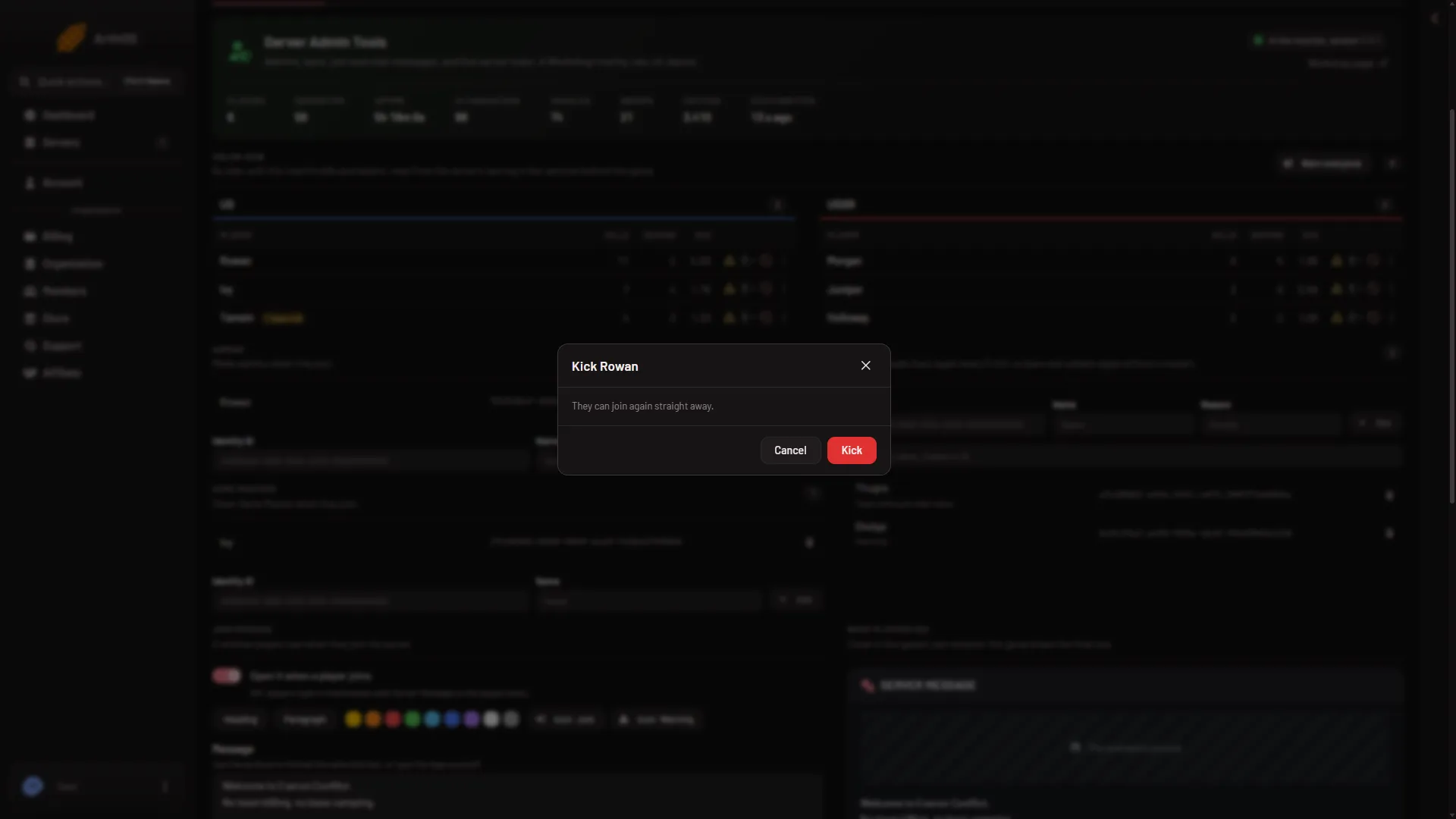
- Kick
To ban, you need the Server Admin Tools mod in the mod list. With no admin tool the tab shows Add an admin tool, where you can add it.
- In Online now, choose Ban (2) on the player’s row, add a Reason (optional) and confirm. The player is removed at once when the remote console is on. There is no Save changes step.
- Or in Bans, fill in Identity ID, Name and Reason, choose Ban, then Save changes.
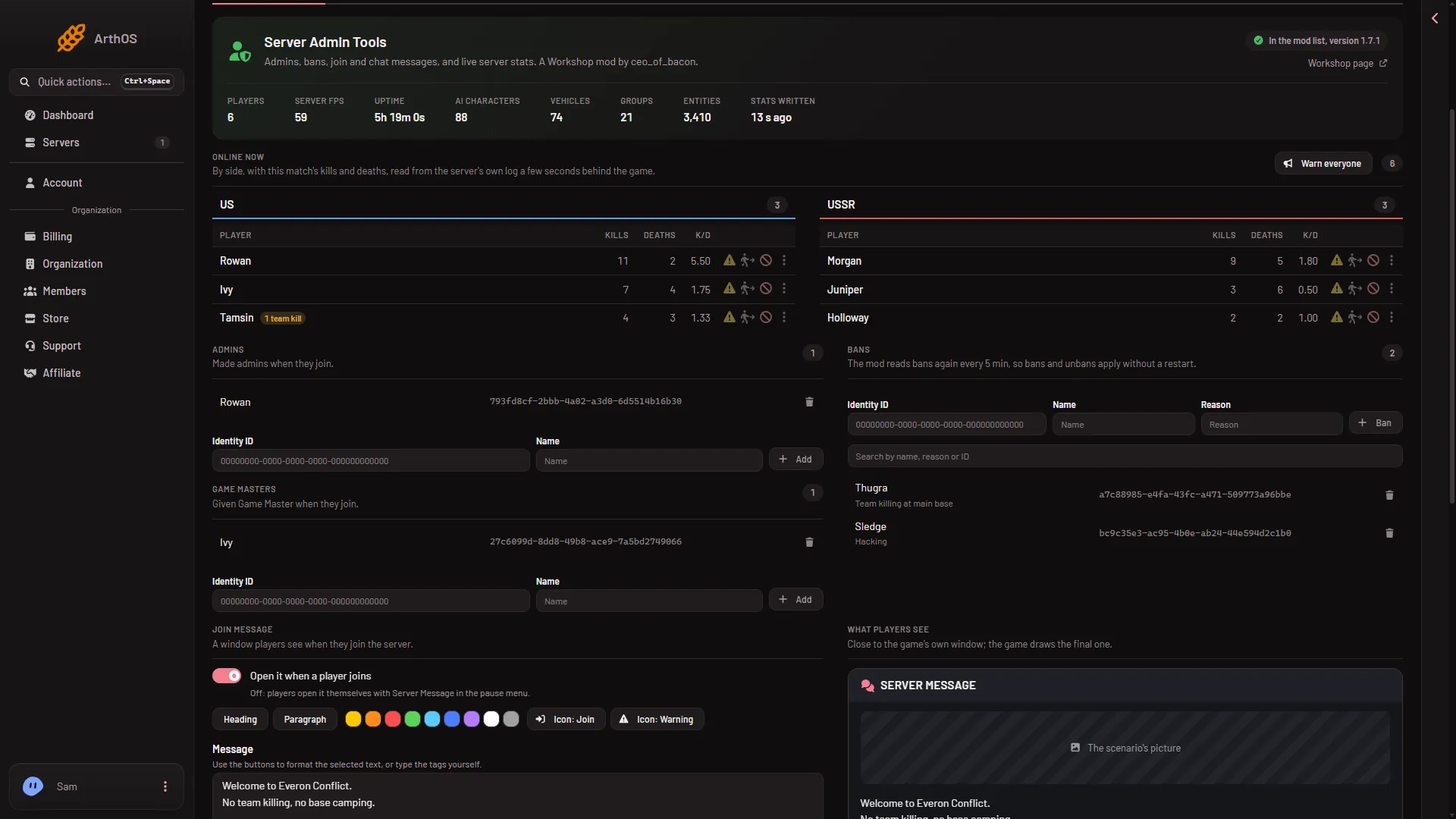
- Kick
- Ban
A ban typed into the Bans card is not instant. The mod reads its ban list again every 5 minutes by default, and an online player is removed then. For someone who must go now, use Ban or Kick in Online now.
Things that are not moderation
The Config Editor has display settings in the Gameplay group: Hide the voice chat display and Hide the nearby talker display. They hide the on-screen talker markers for everyone. They do not stop anyone from talking.
By hand
Everything above is in game or over RCON. There is no setting in config.json for chat.
If it does not work
- Nothing happens when you type a command. You are not logged in. Type
#loginfirst. - The player is back after a kick. That is how
#kickworks. Ban them. - A ban from the Bans card has not removed them. Wait for the 5 minute reload and check you chose Save changes.
- You want a mute. The game’s admin commands do not have one. Not checked on 1.8 as of 12 October 2026: any mod that adds one. Ask the mod’s author before relying on it.
More about the game: Arma Reforger servers.
Sources: Bohemia wiki: Server Management, Bohemia wiki: Server Config, reforger.armaplatform.com: 5AAAC70D754245DD