

















A file you delete in Files is not gone at once. It moves to the Trash and stays there for 3 days at the moment. Open the Trash and choose Restore to put it back where it was. A wipe from the Wipes tab is not in the Trash: use Roll back or a backup (see What does not go to the Trash).
What goes to the Trash
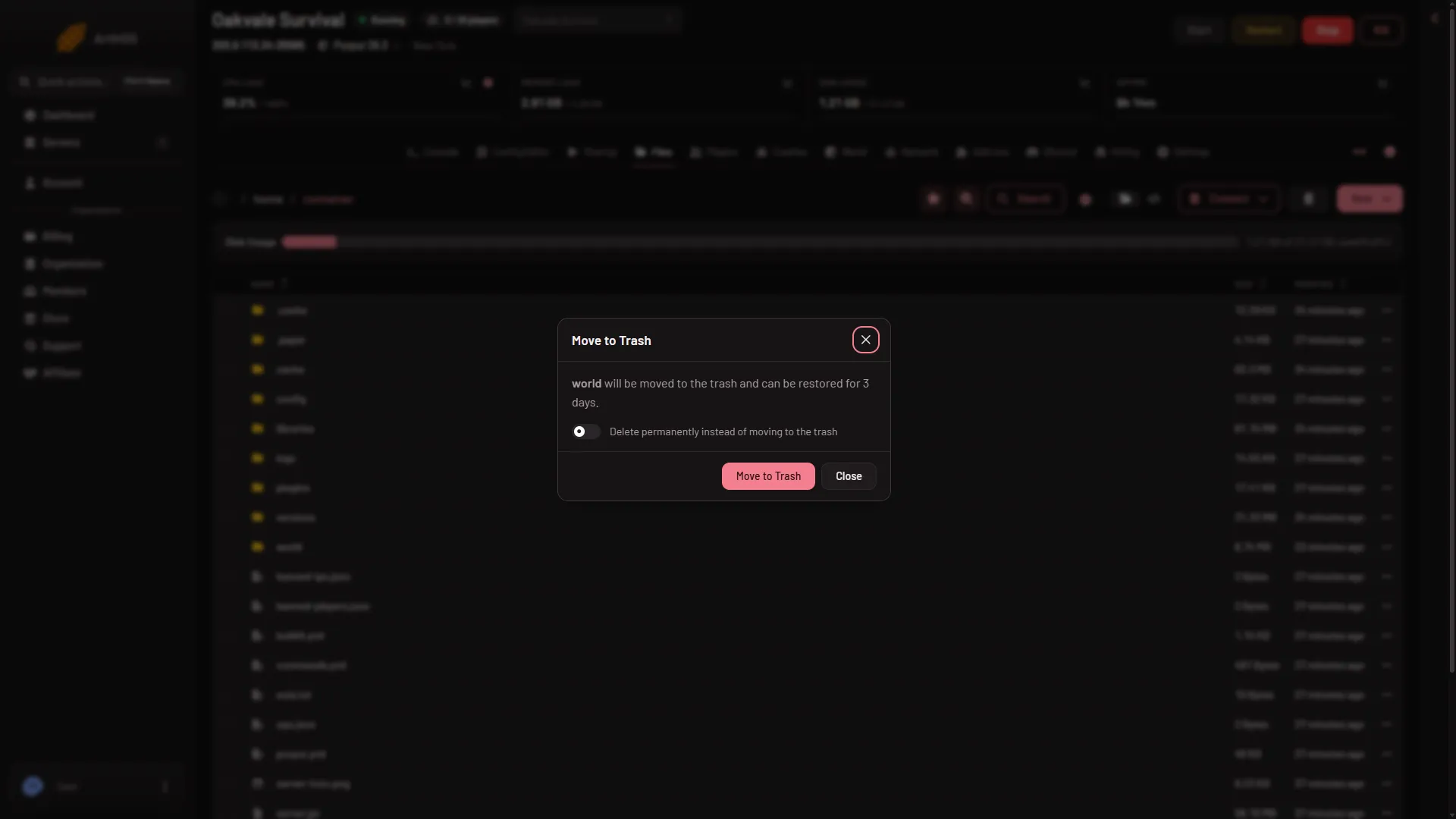
Only a delete you make in Files goes to the Trash. The delete box is titled Move to Trash and says how long the file can be restored. For Rust that usually means:
- The save and its older copies in
server/rust: the.savfile and the.sav.1,.sav.2and so on. The folder is named after the server identity, andrustis the usual one. - The player files in the same folder, the ones that start with
player., and the-walfiles beside them. - A plugin’s data or config file under the
oxideorcarbonfolder.
- Move to Trash
- Kept for 3 days
- Delete permanently instead
This box is the same on every game. The switch Delete permanently instead of moving to the trash skips the Trash. Leave it off.
What does not go to the Trash
These delete for good. The Trash cannot bring them back.
- A wipe made on the Wipes tab, by plan or by Wipe now.
- A plugin’s Remove button on the Plugins tab.
- A Delete Files step in a schedule (in Settings, Schedules), unless its switch Move to the trash is on. The switch is off by default.
- A backup restore with the switch to delete all files first.
The way back for those is a backup, or Roll back. Roll back works only if the wipe took a backup first. That switch is Take a backup before each wipe on the Wipes tab. See fix a Rust wipe that went wrong and wipe your Rust server.
Put a file back
- Stop the server, so the game does not save over the files you put back.
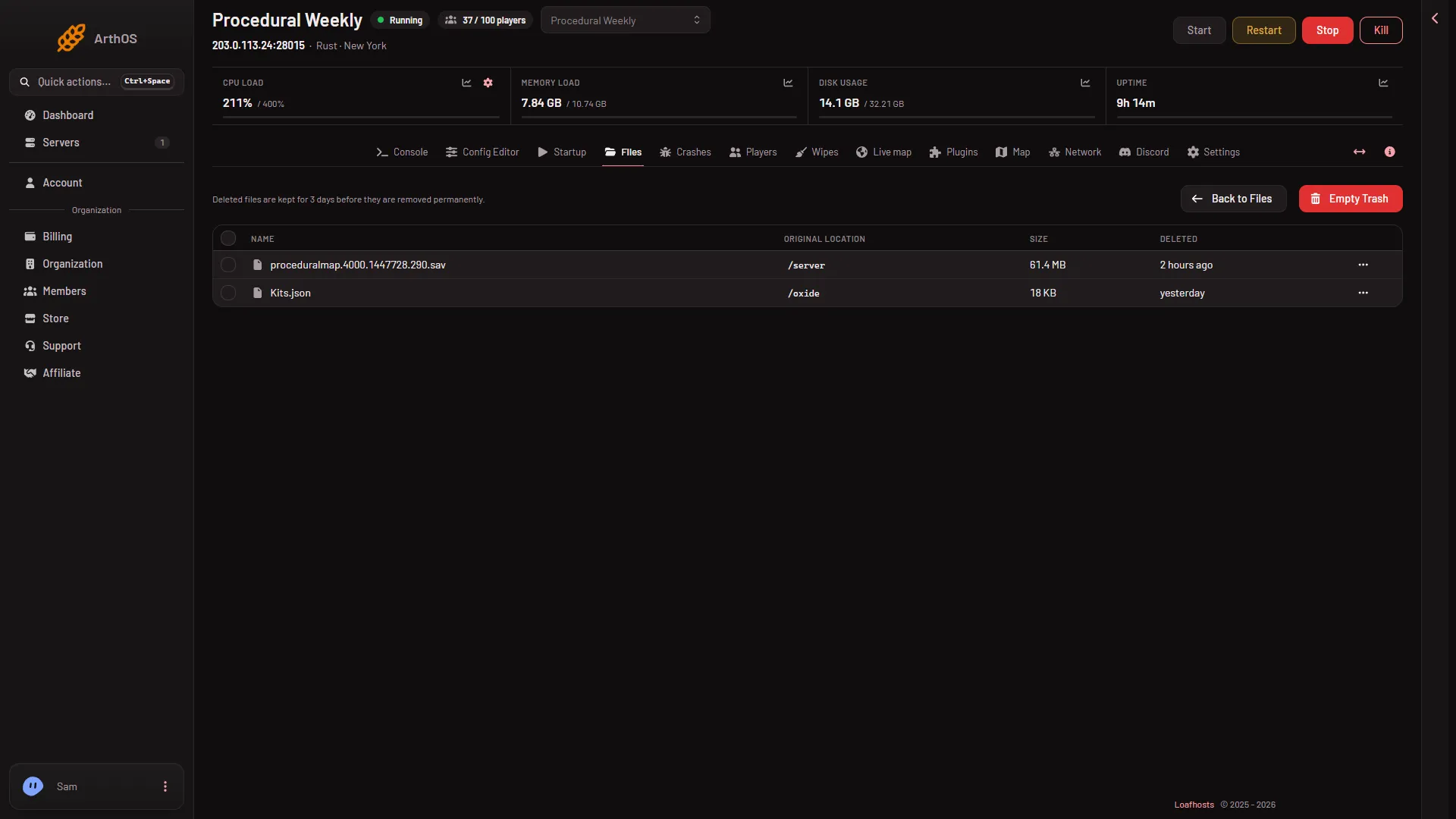
- Open Files and choose the Trash button on the toolbar. It is an icon with no text.
- Find the file. The columns show its name, its Original Location, its size and when it was deleted.
- Open the row menu and choose Restore. The file goes back where it was.
- Start the server.
- How long files are kept
- A deleted file or folder
- Where it was
- Empty Trash
To restore several, tick their boxes and use Restore in the bar that appears. To put a file somewhere else, choose Restore to… and pick a folder.
When the name is taken
If the server already made a new file with that name, the panel opens Resolve Restore Conflicts. Each file has a choice: Skip, Overwrite or Rename. Skip leaves it in the Trash. With Rename, you can type a new name. Skip is the starting choice. The Restore button at the bottom stays grey until you set at least one item to Overwrite or Rename.
How long files stay
The line at the top of the Trash says how long. Files in the Trash still count toward your disk limit until they leave it. Delete Permanently on a row, or Empty Trash, frees the space at once. The panel also clears the oldest entries by itself when the server nears its disk limit.
If it does not work
- There is no Trash button. Your role needs to read files. The Trash also needs to be on for the server.
- The file is not in the list. It was deleted more than 3 days ago, or it was not deleted in Files. See the list above.
- Restore is refused. Restoring needs your role to delete files. A file rule that limits your role also stops it: someone it does not limit has to restore.
- “Nothing could be restored.” Read the toast again and look at the folder. The file may already be back.
More about running Rust on the Rust page.