

















Guides / Rust
Rust server guides.
One task per guide: how to do it in the ArthOS panel, and by hand where there is a way.
Basics
8 guides-
 Basics
Choose your Rust map size and seed
Pick a Rust world size from 1000 to 6000 and a seed, preview the map first, or load a custom map by URL. A new size or seed makes a new world. - Basics
Connect to a Rust server
Join a Rust server by searching the in-game server browser, or press F1 and type client.connect with the server's address and game port. - Basics
Rust forced wipe day: what it wipes and what to do
Rust forces a map wipe on the first Thursday of each month. What it wipes, how the Wipes tab waits for the update, and what to do by hand. - Basics
Set up a Rust server from scratch
Set up a Rust dedicated server: order one on Loafhosts or install it with SteamCMD, set the name, map and player limit, start it, and get players in. - Basics
Set your Rust server name and description
Change the name, description, website, header image, logo and tags players see in the Rust server browser. Set them on the Startup tab and press Save. - Basics
Why your Rust server stopped by itself: standby
A Rust server nobody plays on stops itself after 10 days. See where to change the wait, how to start it again and what the wake link does. - Basics
Wipe your Rust server and schedule the next wipe
Wipe your Rust server from the Wipes tab: pick a schedule, wipe now with a warning and a backup, or delete the files by hand. - Basics
Change the maximum players on a Rust server
Set Maximum players on the Rust Startup page (1 to 500), restart to apply it, and see why a bigger number needs more memory and a faster processor.
server.cfg
11 guides-
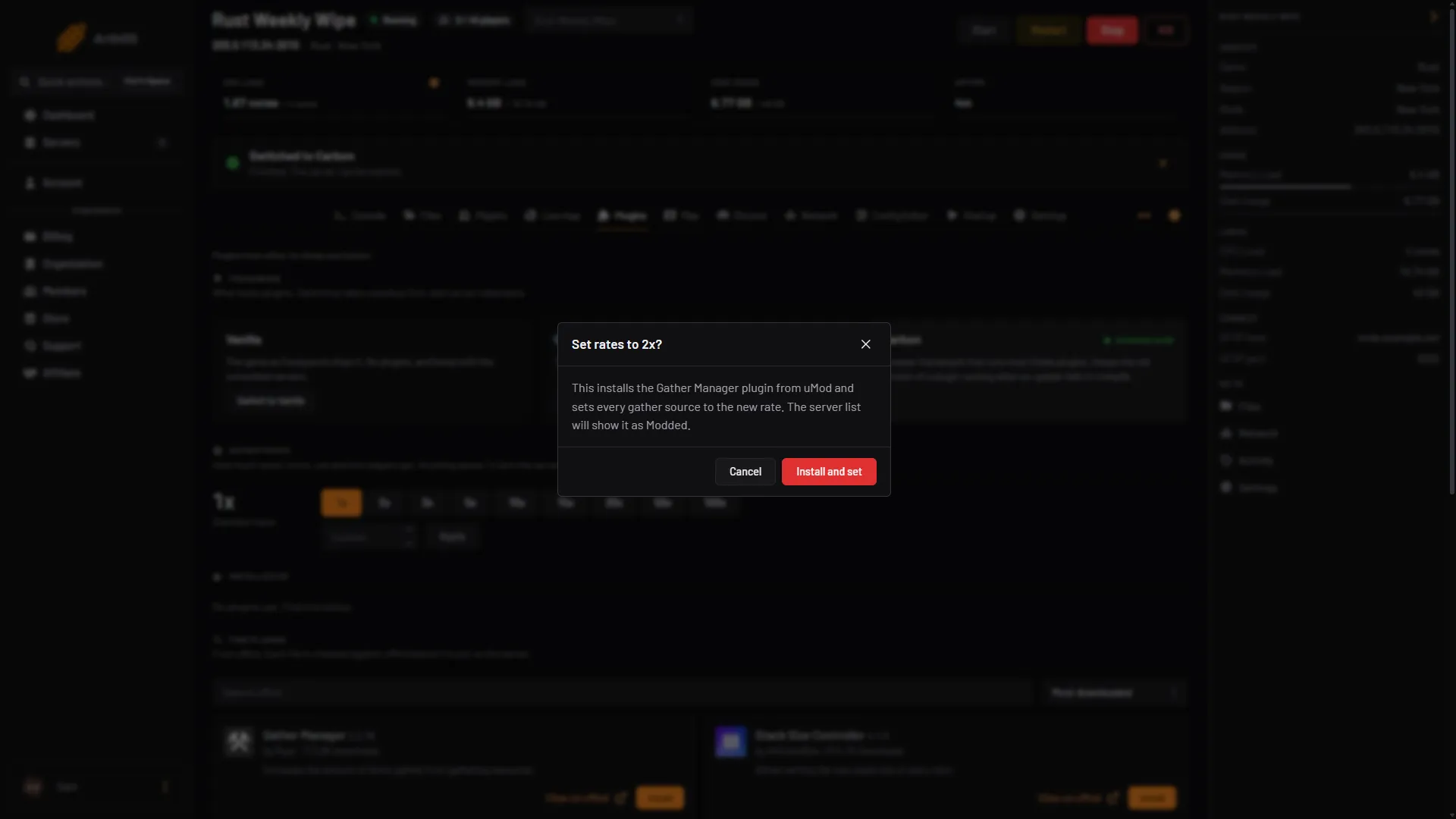
Change gather rates on your Rust server
Vanilla Rust cannot change gather rates, so a plugin does it. Use the panel's Gather rates buttons, or install Gather Manager and run gather.rate. - server.cfg
Make a Rust server PvE
Switch on PvE in the Rust Config Editor so players cannot hurt each other. What the built-in mode stops, what it leaves, and when to add the TruePVE plugin. - server.cfg
Rust server.cfg explained and the Config Editor
server.cfg holds your Rust gameplay settings and is read when the server starts. Edit it in the panel Config Editor or by hand, then restart to apply. - server.cfg
Set the team size limit on your Rust server
Set relationshipmanager.maxteamsize to cap team size. Change it in the panel Config Editor or in server.cfg, then restart the server. - server.cfg
Change decay and upkeep on a Rust server
Set Decay speed and Upkeep in the Rust Config Editor: what 1, 0 and 2 mean, how tool cupboard upkeep works, and the console settings for a gentler server. - server.cfg
Rust day length: how to change it on a server
The console command env.daylength sets how many real minutes one in-game day lasts. There is no night setting; the Time Of Day plugin adds one. - server.cfg
Set the idle kick on your Rust server
Kick players who stand idle on your Rust server. What Idle kick (minutes), Idle kick mode (0, 1, 2) and Idle kick admins too do, and how to set them. - server.cfg
Turn building stability off on a Rust server
Switch off Building stability in the Rust Config Editor so anything can be built in the air. What stability is, who turns it off, and how to restart. - server.cfg
Turn on instant crafting on a Rust server
Switch on Instant crafting in the Rust Config Editor so every item crafts at once, then restart. Or use the Crafting Controller plugin for faster crafting. - server.cfg
Turn radiation off on a Rust server
Switch off the Radiation row in the Rust Config Editor so monuments stop poisoning players. What changes for rad suits and pills, and how to restart. - server.cfg
Turn Rust server events on or off
Switch Rust world events such as the cargo ship, patrol helicopter and airdrops on or off in the Config Editor, and what Facepunch documents for one event only.
Plugins
19 guides- Plugins
Add /home and /tpr to your Rust server
Install NTeleportation so players can set homes and send teleport requests. Grant the permissions, then change cooldowns, daily limits and VIP limits. - Plugins
Add kits to your Rust server with the Kits plugin
Install Rust Kits by k1lly0u, give yourself the admin permission, make a kit in game with a cooldown and permission, and set kits players get on respawn. - Plugins
Change item stack sizes on a Rust server
Install Stack Size Controller from the Plugins page and set stack multipliers in its config. Checked in October 2026: version 4.1.3 did not load on Carbon. - Plugins
Grant plugin permissions on a Rust server
Give a player or a group a plugin permission with oxide.grant, add players to groups, revoke or check them. Includes the Carbon commands. - Plugins
Install Oxide or Carbon on your Rust server
Pick a plugin framework for Rust, Oxide or Carbon, install it from the Plugins page, and switch between them later without losing your plugins. -
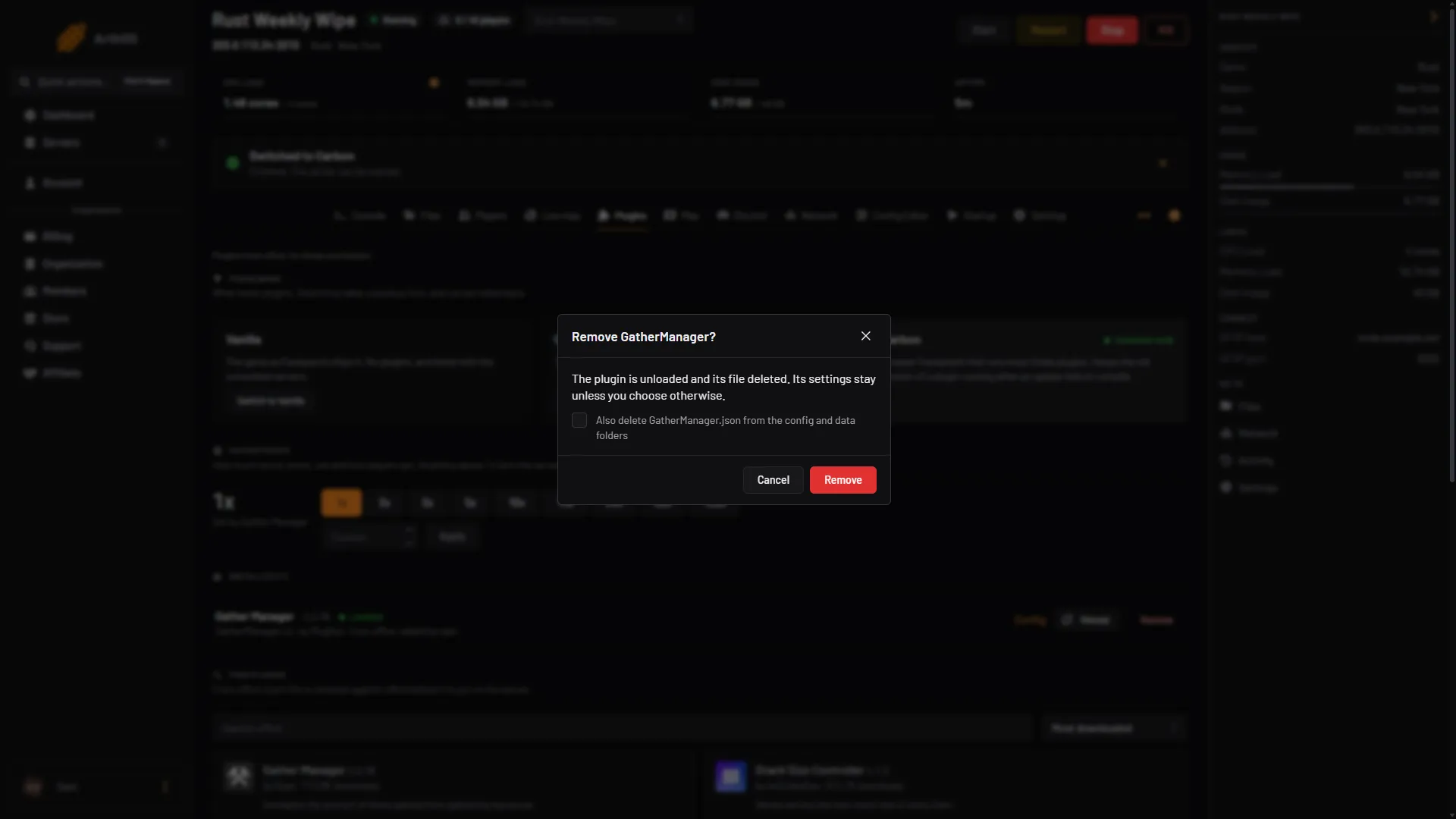
Install uMod plugins on your Rust server
Add, update, configure and remove uMod plugins on a Rust server with Oxide or Carbon. Drop the .cs file in the plugins folder, or use the Plugins page. - Plugins
Add backpacks to a Rust server with Backpacks
Install Backpacks for Rust, let players open an extra inventory with /backpack or a key, set its size by permission, and choose what happens on death and wipe. - Plugins
Become invisible as a Rust admin with the Vanish plugin
Install Vanish by Whispers88 on your Rust server, give staff vanish.allow, and type /vanish to hide from players. Covers the other permissions and settings. - Plugins
Let players remove their own buildings with Remover Tool
Install Remover Tool on your Rust server, give players removertool.normal, set the /remove command, refund and cooldown, and use the admin remove modes. - Plugins
Let players vote to skip the night in Rust
Install the Skip Night Vote plugin by k1lly0u on your Rust server. Players type /voteday during the night, and enough votes move the clock to morning. - Plugins
Make furnaces smelt faster with the Quick Smelt plugin
Install Quick Smelt by misticos on your Rust server, set its speed multiplier and the quicksmelt.use permission, and see how it differs from gather rates. - Plugins
Rust clans: how to make a clan and invite players
With the Clans plugin a player types /clan create and a tag, then a clan moderator uses /clan invite. Also covers joining, alliances and limits. - Plugins
Rust Discord integration: status, events and chat relay
Link Rust to Discord with a status channel, event posts through a webhook, or the Discord Chat plugin for two way chat. What each does and how to set it up. - Plugins
Set up Better Chat on your Rust server
Install Better Chat by LaserHydra, make chat groups with titles and colours, add players to them, and pair it with Better Chat Mute on a Rust server. - Plugins
Set up Raidable Bases on a Rust server
Raidable Bases spawns NPC bases players can raid. Install it with Copy Paste, add base files, set how many spawn, and learn the free and paid versions. - Plugins
Set up Server Rewards on a Rust server
Install Server Rewards for Rust, open the point store with /s, add products, give points by hand, and pay points for playtime with Playtime Tracker. - Plugins
Set up the Economics plugin on a Rust server
Install Economics for Rust, set the starting balance, give admins the money commands, and wipe balances. It is the money other uMod plugins spend. - Plugins
Split ore across furnace slots with Furnace Splitter
Install Furnace Splitter by FastBurst on your Rust server, give players furnacesplitter.use, and ore you load into a furnace spreads across its slots by itself. - Plugins
Use Admin Radar on your Rust server
Install Admin Radar by nivex to see players, sleepers, stashes and more as an admin. Its /radar command, filters, permissions and why only admins can use it.
Admin
15 guides- Admin
Ban and kick players on a Rust server
Kick with kick, ban with banid and a Steam ID, lift it with unban, then run server.writecfg. The panel Players page does the same with a click. - Admin
Make someone owner or moderator on Rust
Give a Steam account admin rights on your Rust server with ownerid or moderatorid. Use the panel Players page, or run the command in the console. - Admin
Make your Rust forced wipe wait for the update
Keep the old Rust map up until Facepunch's update and your plugin framework are out, set the longest wait, and take a backup first. All on the Wipes tab. - Admin
Rotate map sizes, seeds and custom maps between Rust wipes
In the Map part of your Rust wipe plan, keep the same map, take a new seed each wipe, or make a rotation of sizes, seeds and custom maps. - Admin
Rust admin commands for the F1 console
Become a Rust admin with ownerid, then use noclip, god, teleport, kick, ban, spawnitem and the other F1 console commands every server owner needs. - Admin
Rust wipe: reset blueprints, clans and plugin data
Choose what each Rust wipe resets on the Wipes tab: blueprints never, at forced wipes or every wipe, clans and contacts, and plugin data files. - Admin
Schedule automatic wipes on your Rust server
Set a wipe plan on the Wipes tab: monthly, every two weeks, weekly or every few days. The panel warns players, wipes and starts the new map on time. - Admin
Use the Rust live map to watch and manage players
The Live map tab draws your Rust server in 3D with players, events, vehicles and bases, and lets you act on a player from the map. What it can and cannot do. - Admin
Warn players and rename your Rust server at a wipe
Set the in-game warnings before a Rust wipe, put the wipe date in your server name and add the wipe tag to the server list, all on the Wipes tab. - Admin
Wipe your Rust server now, with a warning and a backup
Press Wipe now on the Wipes tab to wipe a Rust map at once: pick map or map and blueprints, warn players, take a backup first and type the name to confirm. -
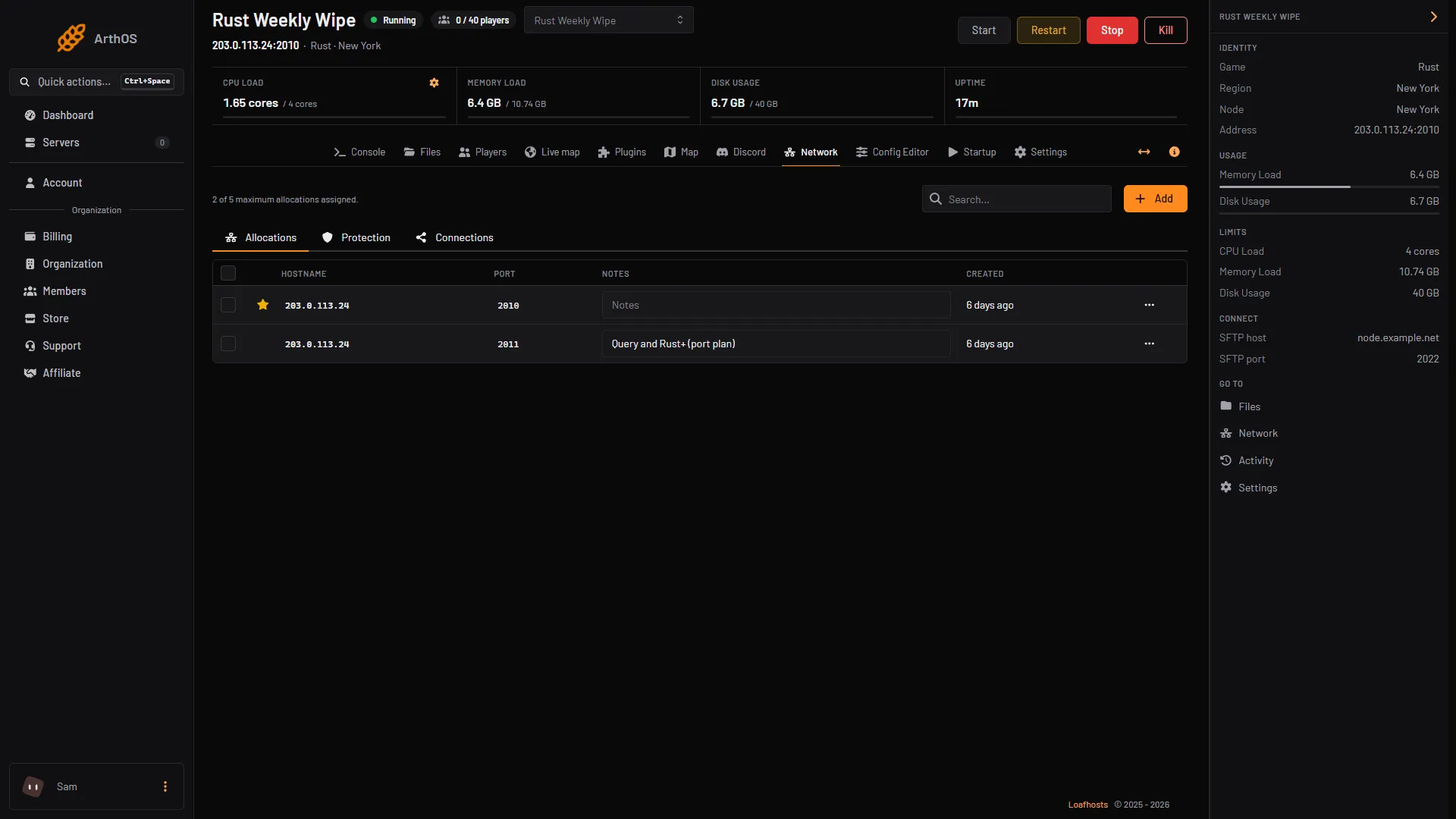
Connect an RCON tool to a Rust server
Find your Rust server's RCON address, port and password in the panel and connect a web RCON tool. Plus how to change the password and what never to share. - Admin
Give items to a player on a Rust server
Give a player an item on your Rust server from the Players tab, or with inventory.giveto in the console. How to find short names and fix the usual errors. - Admin
Mute a player in Rust chat
Rust has a built-in mute for admins. Mute a player from the panel's Players tab or with the mute command, and see what the Better Chat Mute plugin adds. - Admin
Restart your Rust server with a warning
Give players 1, 5 or 10 minutes of warning in chat before the server restarts, straight from the players page. - Admin
Teleport a player on a Rust server
Move a Rust player to another player from the panel's player window, or use teleport, teleport2me and teleportpos from the F1 console as an admin.
Fixes
11 guides- Fixes
Find out why your Rust server stopped: the Crashes tab
Open Crashes to see every start of your Rust server and how it ended: stopped normally, crashed, out of memory or stuck, with the exit code. - Fixes
Read your Rust wipe history and fix a failed wipe
The Wipes tab keeps each wipe's result and every step. Read why one failed or was skipped, what the panel did, and how Roll back puts the old map back. - Fixes
Restore deleted Rust save files or a plugin file
Deleted a Rust save, player file or plugin file in Files? It sits in the Trash for 3 days. Open the Trash and choose Restore to put it back. - Fixes
Rust plugins not loading after an update
After a monthly Rust update, plugins fail when the framework or the plugin is for the old game build. Restart, update plugins, and read the compiler message. - Fixes
Rust server not showing in the server list: fixes
Your Rust server runs but players cannot find it. Check that it finished starting, the query port, browser tags, the Modded list, region and the list filters. - Fixes
Fix a Rust custom map that will not load
A Rust custom map needs a direct .map download link that is always online. Fix download errors, world mismatch, a freeze while loading, and map size limits. - Fixes
Fix a Rust server running out of memory
A Rust server's memory use grows with map size and entities. Read Memory Load, check serverinfo, and cut it with a smaller map, a wipe or a bigger plan. - Fixes
Fix a Rust wipe that went wrong
After a Rust wipe the old map loads, blueprints remain, a wipe fails or is skipped, or the server will not start. Causes and fixes. - Fixes
Fix EAC disconnects and kicks on a Rust server
Easy Anti-Cheat disconnects and kicks in Rust are fixed on the player's PC: start from Steam, repair EAC, verify files. What a server owner can and cannot do. - Fixes
Fix lag and low server FPS on a Rust server
Read your Rust server's FPS and entity count, then find the cause: old bases, plugins, map size or memory. Safe settings to change in the Config Editor. - Fixes
Fix Steam Auth Timeout on a Rust server
Steam Auth Timeout means Rust could not finish its Steam login while joining. Player fixes that work most often, and what a server owner can check.
Gameplay
2 guides- Gameplay
Where to get a red keycard in Rust: the monuments
Finish the blue keycard puzzle at Airfield, Arctic Research Base, Missile Silo, Power Plant, Train Yard or Water Treatment. Also where to use it. - Gameplay
What was workbench tax in Rust? Removed in 2025
Workbench tax was a scrap surcharge on tech tree unlocks, added in May 2024. Facepunch removed it on 6 November 2025, so no Rust server charges it now.
- Add /home and /tpr to your Rust server Install NTeleportation so players can set homes and send teleport requests. Grant the permissions, then change cooldowns, daily limits and VIP limits.
- Add kits to your Rust server with the Kits plugin Install Rust Kits by k1lly0u, give yourself the admin permission, make a kit in game with a cooldown and permission, and set kits players get on respawn.
- Ban and kick players on a Rust server Kick with kick, ban with banid and a Steam ID, lift it with unban, then run server.writecfg. The panel Players page does the same with a click.
- Change gather rates on your Rust server Vanilla Rust cannot change gather rates, so a plugin does it. Use the panel's Gather rates buttons, or install Gather Manager and run gather.rate.
- Change item stack sizes on a Rust server Install Stack Size Controller from the Plugins page and set stack multipliers in its config. Checked in October 2026: version 4.1.3 did not load on Carbon.
- Choose your Rust map size and seed Pick a Rust world size from 1000 to 6000 and a seed, preview the map first, or load a custom map by URL. A new size or seed makes a new world.
- Connect to a Rust server Join a Rust server by searching the in-game server browser, or press F1 and type client.connect with the server's address and game port.
- Find out why your Rust server stopped: the Crashes tab Open Crashes to see every start of your Rust server and how it ended: stopped normally, crashed, out of memory or stuck, with the exit code.
- Grant plugin permissions on a Rust server Give a player or a group a plugin permission with oxide.grant, add players to groups, revoke or check them. Includes the Carbon commands.
- Install Oxide or Carbon on your Rust server Pick a plugin framework for Rust, Oxide or Carbon, install it from the Plugins page, and switch between them later without losing your plugins.
- Install uMod plugins on your Rust server Add, update, configure and remove uMod plugins on a Rust server with Oxide or Carbon. Drop the .cs file in the plugins folder, or use the Plugins page.
- Make a Rust server PvE Switch on PvE in the Rust Config Editor so players cannot hurt each other. What the built-in mode stops, what it leaves, and when to add the TruePVE plugin.
- Make someone owner or moderator on Rust Give a Steam account admin rights on your Rust server with ownerid or moderatorid. Use the panel Players page, or run the command in the console.
- Make your Rust forced wipe wait for the update Keep the old Rust map up until Facepunch's update and your plugin framework are out, set the longest wait, and take a backup first. All on the Wipes tab.
- Read your Rust wipe history and fix a failed wipe The Wipes tab keeps each wipe's result and every step. Read why one failed or was skipped, what the panel did, and how Roll back puts the old map back.
- Restore deleted Rust save files or a plugin file Deleted a Rust save, player file or plugin file in Files? It sits in the Trash for 3 days. Open the Trash and choose Restore to put it back.
- Rotate map sizes, seeds and custom maps between Rust wipes In the Map part of your Rust wipe plan, keep the same map, take a new seed each wipe, or make a rotation of sizes, seeds and custom maps.
- Rust admin commands for the F1 console Become a Rust admin with ownerid, then use noclip, god, teleport, kick, ban, spawnitem and the other F1 console commands every server owner needs.
- Rust forced wipe day: what it wipes and what to do Rust forces a map wipe on the first Thursday of each month. What it wipes, how the Wipes tab waits for the update, and what to do by hand.
- Rust plugins not loading after an update After a monthly Rust update, plugins fail when the framework or the plugin is for the old game build. Restart, update plugins, and read the compiler message.
- Rust server not showing in the server list: fixes Your Rust server runs but players cannot find it. Check that it finished starting, the query port, browser tags, the Modded list, region and the list filters.
- Rust server.cfg explained and the Config Editor server.cfg holds your Rust gameplay settings and is read when the server starts. Edit it in the panel Config Editor or by hand, then restart to apply.
- Rust wipe: reset blueprints, clans and plugin data Choose what each Rust wipe resets on the Wipes tab: blueprints never, at forced wipes or every wipe, clans and contacts, and plugin data files.
- Schedule automatic wipes on your Rust server Set a wipe plan on the Wipes tab: monthly, every two weeks, weekly or every few days. The panel warns players, wipes and starts the new map on time.
- Set the team size limit on your Rust server Set relationshipmanager.maxteamsize to cap team size. Change it in the panel Config Editor or in server.cfg, then restart the server.
- Set up a Rust server from scratch Set up a Rust dedicated server: order one on Loafhosts or install it with SteamCMD, set the name, map and player limit, start it, and get players in.
- Set your Rust server name and description Change the name, description, website, header image, logo and tags players see in the Rust server browser. Set them on the Startup tab and press Save.
- Use the Rust live map to watch and manage players The Live map tab draws your Rust server in 3D with players, events, vehicles and bases, and lets you act on a player from the map. What it can and cannot do.
- Warn players and rename your Rust server at a wipe Set the in-game warnings before a Rust wipe, put the wipe date in your server name and add the wipe tag to the server list, all on the Wipes tab.
- Where to get a red keycard in Rust: the monuments Finish the blue keycard puzzle at Airfield, Arctic Research Base, Missile Silo, Power Plant, Train Yard or Water Treatment. Also where to use it.
- Why your Rust server stopped by itself: standby A Rust server nobody plays on stops itself after 10 days. See where to change the wait, how to start it again and what the wake link does.
- Wipe your Rust server and schedule the next wipe Wipe your Rust server from the Wipes tab: pick a schedule, wipe now with a warning and a backup, or delete the files by hand.
- Wipe your Rust server now, with a warning and a backup Press Wipe now on the Wipes tab to wipe a Rust map at once: pick map or map and blueprints, warn players, take a backup first and type the name to confirm.
- Add backpacks to a Rust server with Backpacks Install Backpacks for Rust, let players open an extra inventory with /backpack or a key, set its size by permission, and choose what happens on death and wipe.
- Become invisible as a Rust admin with the Vanish plugin Install Vanish by Whispers88 on your Rust server, give staff vanish.allow, and type /vanish to hide from players. Covers the other permissions and settings.
- Change decay and upkeep on a Rust server Set Decay speed and Upkeep in the Rust Config Editor: what 1, 0 and 2 mean, how tool cupboard upkeep works, and the console settings for a gentler server.
- Change the maximum players on a Rust server Set Maximum players on the Rust Startup page (1 to 500), restart to apply it, and see why a bigger number needs more memory and a faster processor.
- Connect an RCON tool to a Rust server Find your Rust server's RCON address, port and password in the panel and connect a web RCON tool. Plus how to change the password and what never to share.
- Fix a Rust custom map that will not load A Rust custom map needs a direct .map download link that is always online. Fix download errors, world mismatch, a freeze while loading, and map size limits.
- Fix a Rust server running out of memory A Rust server's memory use grows with map size and entities. Read Memory Load, check serverinfo, and cut it with a smaller map, a wipe or a bigger plan.
- Fix a Rust wipe that went wrong After a Rust wipe the old map loads, blueprints remain, a wipe fails or is skipped, or the server will not start. Causes and fixes.
- Fix EAC disconnects and kicks on a Rust server Easy Anti-Cheat disconnects and kicks in Rust are fixed on the player's PC: start from Steam, repair EAC, verify files. What a server owner can and cannot do.
- Fix lag and low server FPS on a Rust server Read your Rust server's FPS and entity count, then find the cause: old bases, plugins, map size or memory. Safe settings to change in the Config Editor.
- Fix Steam Auth Timeout on a Rust server Steam Auth Timeout means Rust could not finish its Steam login while joining. Player fixes that work most often, and what a server owner can check.
- Give items to a player on a Rust server Give a player an item on your Rust server from the Players tab, or with inventory.giveto in the console. How to find short names and fix the usual errors.
- Let players remove their own buildings with Remover Tool Install Remover Tool on your Rust server, give players removertool.normal, set the /remove command, refund and cooldown, and use the admin remove modes.
- Let players vote to skip the night in Rust Install the Skip Night Vote plugin by k1lly0u on your Rust server. Players type /voteday during the night, and enough votes move the clock to morning.
- Make furnaces smelt faster with the Quick Smelt plugin Install Quick Smelt by misticos on your Rust server, set its speed multiplier and the quicksmelt.use permission, and see how it differs from gather rates.
- Mute a player in Rust chat Rust has a built-in mute for admins. Mute a player from the panel's Players tab or with the mute command, and see what the Better Chat Mute plugin adds.
- Restart your Rust server with a warning Give players 1, 5 or 10 minutes of warning in chat before the server restarts, straight from the players page.
- Rust clans: how to make a clan and invite players With the Clans plugin a player types /clan create and a tag, then a clan moderator uses /clan invite. Also covers joining, alliances and limits.
- Rust day length: how to change it on a server The console command env.daylength sets how many real minutes one in-game day lasts. There is no night setting; the Time Of Day plugin adds one.
- Rust Discord integration: status, events and chat relay Link Rust to Discord with a status channel, event posts through a webhook, or the Discord Chat plugin for two way chat. What each does and how to set it up.
- Set the idle kick on your Rust server Kick players who stand idle on your Rust server. What Idle kick (minutes), Idle kick mode (0, 1, 2) and Idle kick admins too do, and how to set them.
- Set up Better Chat on your Rust server Install Better Chat by LaserHydra, make chat groups with titles and colours, add players to them, and pair it with Better Chat Mute on a Rust server.
- Set up Raidable Bases on a Rust server Raidable Bases spawns NPC bases players can raid. Install it with Copy Paste, add base files, set how many spawn, and learn the free and paid versions.
- Set up Server Rewards on a Rust server Install Server Rewards for Rust, open the point store with /s, add products, give points by hand, and pay points for playtime with Playtime Tracker.
- Set up the Economics plugin on a Rust server Install Economics for Rust, set the starting balance, give admins the money commands, and wipe balances. It is the money other uMod plugins spend.
- Split ore across furnace slots with Furnace Splitter Install Furnace Splitter by FastBurst on your Rust server, give players furnacesplitter.use, and ore you load into a furnace spreads across its slots by itself.
- Teleport a player on a Rust server Move a Rust player to another player from the panel's player window, or use teleport, teleport2me and teleportpos from the F1 console as an admin.
- Turn building stability off on a Rust server Switch off Building stability in the Rust Config Editor so anything can be built in the air. What stability is, who turns it off, and how to restart.
- Turn on instant crafting on a Rust server Switch on Instant crafting in the Rust Config Editor so every item crafts at once, then restart. Or use the Crafting Controller plugin for faster crafting.
- Turn radiation off on a Rust server Switch off the Radiation row in the Rust Config Editor so monuments stop poisoning players. What changes for rad suits and pills, and how to restart.
- Turn Rust server events on or off Switch Rust world events such as the cargo ship, patrol helicopter and airdrops on or off in the Config Editor, and what Facepunch documents for one event only.
- Use Admin Radar on your Rust server Install Admin Radar by nivex to see players, sleepers, stashes and more as an admin. Its /radar command, filters, permissions and why only admins can use it.
- What was workbench tax in Rust? Removed in 2025 Workbench tax was a scrap surcharge on tech tree unlocks, added in May 2024. Facepunch removed it on 6 November 2025, so no Rust server charges it now.