

















A forced wipe is the map wipe that comes with Facepunch’s monthly update, on the first Thursday of the month. Every Rust server gets a new map that day. With a plan that is switched on, on the Wipes tab, the panel runs it for you. If the plan is off or was never saved, the panel does nothing on that day (the band reads Wipes are off), and the game resets the map at the server’s first start after the update.
When it happens
Facepunch releases its update on the first Thursday of each month, and the forced wipe is at 19:00 London time. The updates in 2026 landed on 5 March, 2 April, 7 May, 4 June, 2 July, 6 August, 3 September, 1 October and 5 November.
What it wipes
The update raises the protocol number in the save file’s name, the last number in proceduralmap.<size>.<seed>.<protocol>.sav. Your server cannot use the old .sav, so it makes a new one and the map starts again. That is a map wipe: buildings, loot and deployables go.
The game’s own forced reset does not take blueprints unless Facepunch says so. A panel plan takes them at the forced wipe if Blueprints is At forced wipes or Every wipe. The Monthly, Every two weeks and Every week starters set Blueprints to At forced wipes, so check it before you save. On 6 November 2025 it wiped all blueprints as well, and wrote that it might do so again. The update of 5 November 2026 reworked blueprints: workbenches no longer need blueprint fragments, and blueprint fragments, pages and books are now what players spend on the tech trees. Its post does not announce a blueprint wipe. Read the post for each update before wipe day.
Let the panel do it
On the Wipes tab, save a plan and make sure it is on. Facepunch’s forced wipe is always on the calendar, whichever schedule you pick. The band at the top shows the next wipe (1), Coming up (2) shows it as Facepunch’s forced wipe, and the switch at the top right (3) turns the plan on or off. The panel only runs a wipe while the plan is on. If you turn it on, choose Turn on wipes when the panel asks.
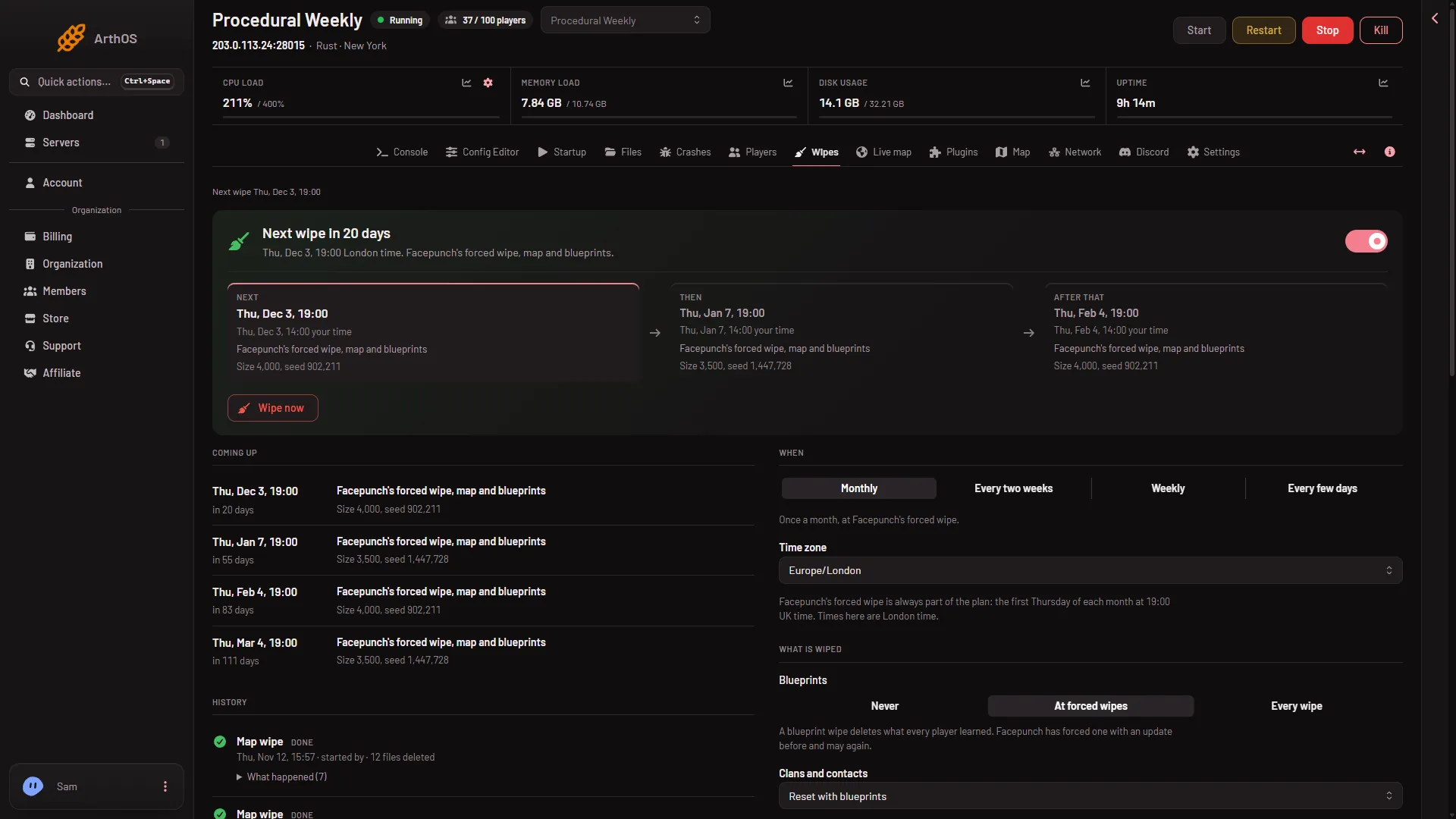
- Next wipe
- Coming up
- Wipes on or off
- Under What is wiped, set Blueprints to Never, At forced wipes or Every wipe. This decides whether the forced wipe also takes blueprints.
- Under Map, choose Same map, New seed or Rotation. A map marked Only at forced wipes in the rotation is used only on this day.
- Under Players, choose the Warn players before marks.
- Under Safety, turn on Take a backup before each wipe (1) if you want the old world kept.
- Leave Wait for Facepunch’s update at the forced wipe (2) on, and set Wait at most (hours) (3) from 1 to 12. The default is 6.
- Choose Save. Saving needs a role that can change startup settings and delete files.
See Rust wipe: reset blueprints, clans and plugin data, warn players and rename your server and make the forced wipe wait for the update for every setting.
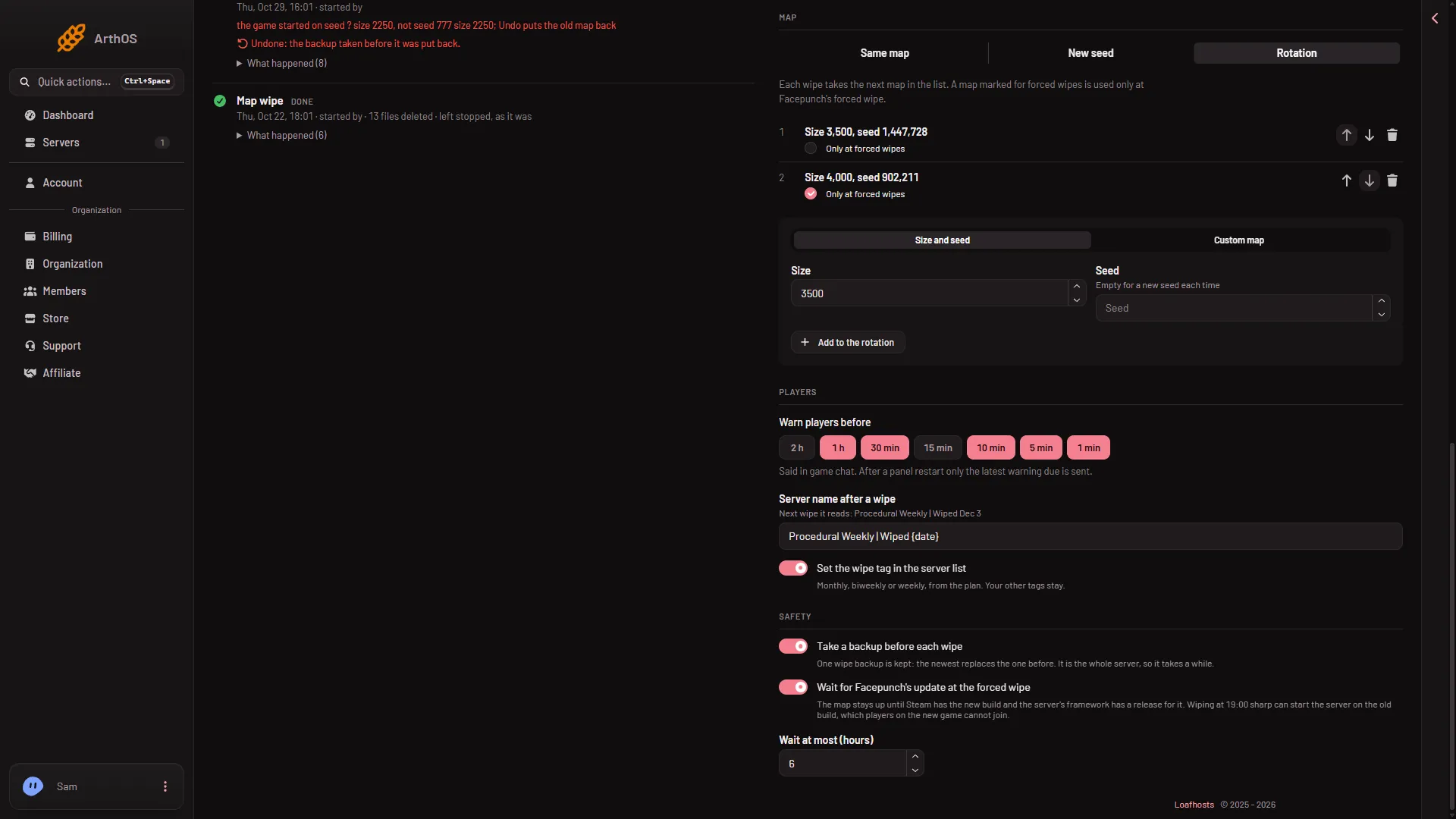
- Backup before each wipe
- Wait for the update
- Wait at most
At 19:00 UK time the panel checks whether Steam has the new build of the server and, with Oxide or Carbon, whether the framework has a release for it. If both are already out, the wipe starts at once. If not:
- The old map keeps running until both are out.
- Every 30 minutes players hear that the wipe is waiting for Facepunch’s update.
- The band says what it is waiting for.
- When both are out, the wipe runs and the server starts on the new build.
- If Wait at most (hours) passes first, the panel wipes without the update and History says why.
With the switch off, the wipe starts at its time like any other, which can start the server on the old build, and players on the new game then cannot join.
Choose Stop waiting in the band to skip a waiting wipe. It asks first and needs a role that can change startup settings and delete files. The server keeps its map, and the game still resets it at the next start after the update.
With no plan, or with the plan off, the band reads Wipes are off and shows “Facepunch’s next forced wipe:” with the date and time.
By hand
- Before wipe day. Tell your players the date and whether blueprints will go. In Settings, on the Backups tab, take a backup of the old world if you want to keep it.
- Warn the server. Tell players in your Discord or with an in-game message before the restart. Restart with a warning shows how.
- Wait until the update is live. Check the news page on Facepunch’s site. The update usually arrives in the afternoon in the United States and evening in Europe. A server restarted before it is out is still on the old build.
- Restart once the update is live. The server downloads the new game build and your framework’s newest build as it starts. Players on the new version cannot join a server that is still on the old one. If you host yourself, update with
steamcmd +force_install_dir <dir> +login anonymous +app_update 258550 validate +quit. - Wait for your framework. With Oxide or Carbon, wait until the framework has a release for the new game build, then restart again if plugins fail to load. Check Rust plugin manager if plugins stopped loading.
- For a blueprint wipe too, stop the server and delete the
player.blueprintsfiles, and their-walfiles, in Files before you start. In Files it goes to the Trash first, where Restore puts it back for 3 days. Wipe your Rust server lists the files. - For a new layout, change Map seed on the Startup tab, and press Save, before the first start. The Map tab can preview a seed first and Use this map saves it.
- Start and check. The new map takes a few minutes to generate. When the console says
Server startup complete, join and look for the server in the list.
If it does not work
- Players cannot join after the update. Their game is newer than your server. Restart the server once the update is live, so it downloads the new build.
- Plugins fail after the update. The framework is behind the game. Wait for its release for the new build, then restart: the server downloads it as it starts.
- The panel did not wipe at 19:00. The plan is off or was never saved. The band then reads Wipes are off.
- The wipe did not run. Open History (1) on the Wipes tab. Each wipe (2) says why. See Fix a Rust wipe that went wrong.
- The server is missing from the list. It can take a few minutes after the first start. See Rust server not showing in the list.
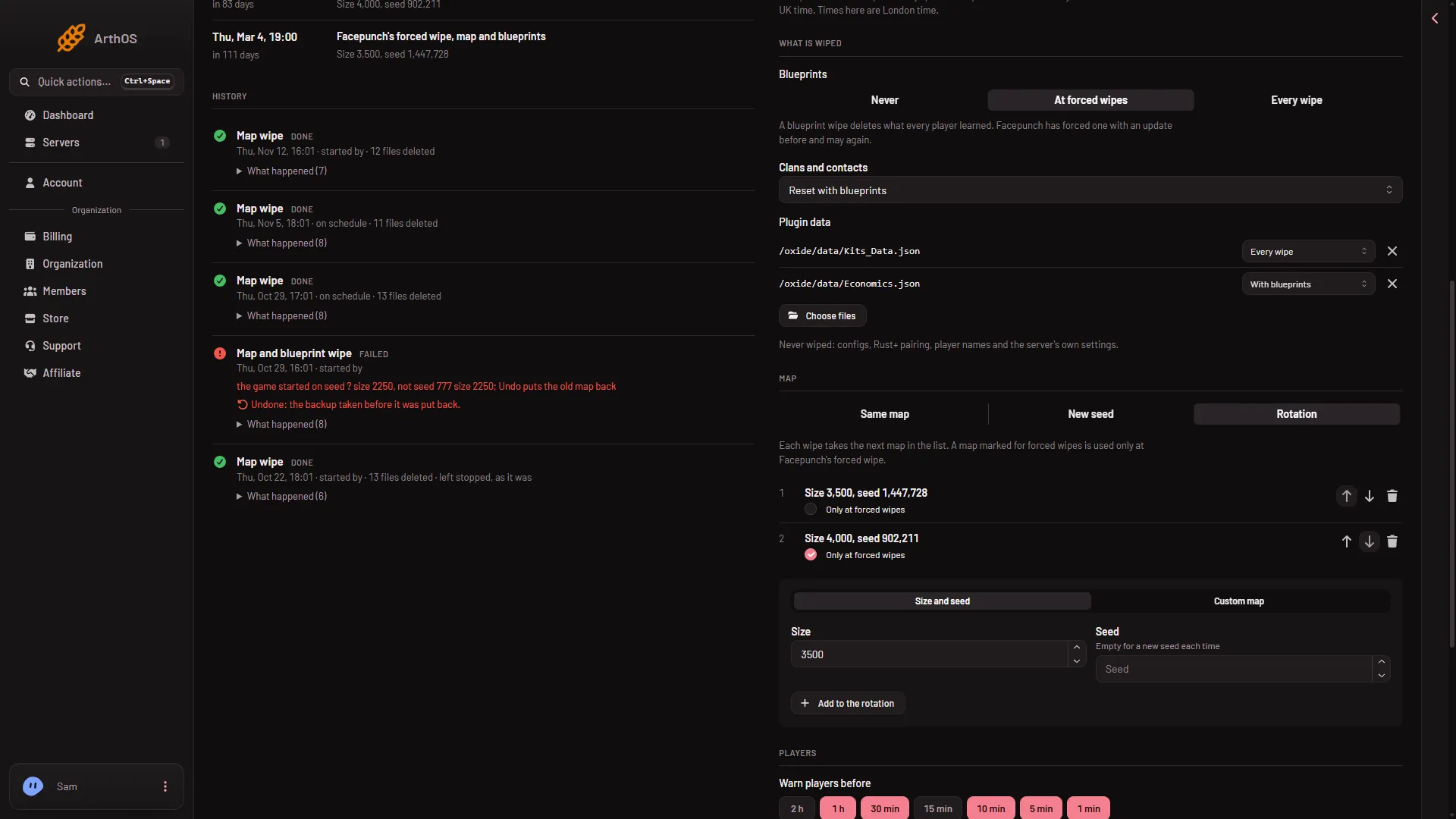
- History
- A wipe
More about running Rust on the Rust page.
Sources: rust.facepunch.com: News, rust.facepunch.com: Pivot or die, rust.facepunch.com: Printed and polished, wiki.facepunch.com: Getting Started w Server, wiki.facepunch.com: Server wipe timer, wiki.facepunch.com: Creating a server