

















Set the password in the Config Editor, under Passwords, in the row Join password. Players type it when they join. Leave the field empty and the server has no password. The new password applies at the next start.
Change the password
- Open the Config Editor tab and choose the Passwords button.
- Find Join password. It is a masked box. Use the eye button to show it.
- Type the new password. Use letters, numbers,
_and-only. It can be up to 32 characters long. - Choose Save in the bar at the bottom of the page.
- Choose Restart at the top right of the server page so the game uses it. If players are on, use Restart with a warning on the Players page instead.
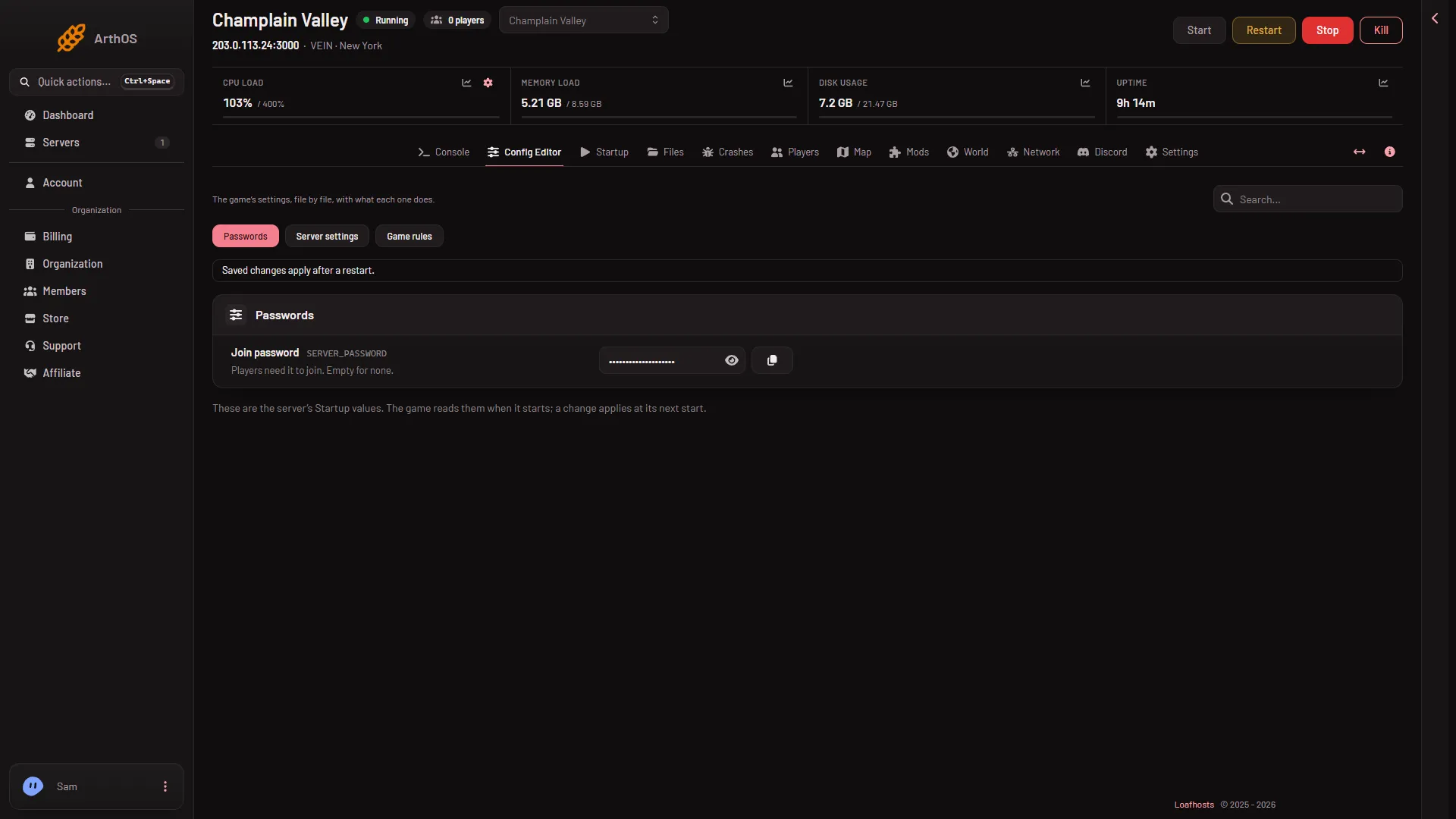
- Passwords
- Join password
- Copy
The game does not read a new password while it runs. After the restart, everyone joins again with the new password.
A new store server has a random password
A VEIN server ordered from the store starts with a random join password. Read it under Passwords in the Config Editor, or set your own. The Players page card Joining says whether a password is set. The Copy button beside the row copies it.
No password
Empty the field and save. After the next start, anyone who finds the server can join. If you want only chosen people to join, a password is not enough: share it and anyone can pass it on. The whitelist is a list of players, and while it has anyone on it, only they can join. Add yourself and your admins first. See the VEIN whitelist.
Not checked on 0.025 as of 27 October 2026: that a whitelisted or banned player is refused in the game.
By hand
In the Game.ini file of the Config Editor the password row is locked. The panel writes it into Game.ini at every start from Passwords, so a hand edit of that line is overwritten. Always change it under Passwords.
If it does not work
- The field says the password is not valid. Only letters, numbers,
_and-are allowed, and at most 32 characters. Spaces are not allowed. - The old password still works. The server has not restarted since you saved.
- A friend is refused after the restart. Send them the new password.
- You cannot edit the field. Your role may not allow changing the server’s startup settings and its files. Both are needed to see and change a password.
More about the game: VEIN servers.