

















Open a player’s page and stay on the Inventory tab. Under the 3D player are Health and Food. Press or drag along the hearts and food to set them. Press the level to type one. It works for a player who is offline too.
Set health, food or level
- Choose the Players tab and click the player’s name.
- On Inventory, find Health and Food under the 3D player, and Level under the hotbar.
- Set the value:
- Health (1) and Food (the row under it). Press a heart or a food icon, or drag along the row. Or use the minus and plus buttons beside the number.
- Level (2). Press the level number, type a new one, then press Enter. Escape cancels.
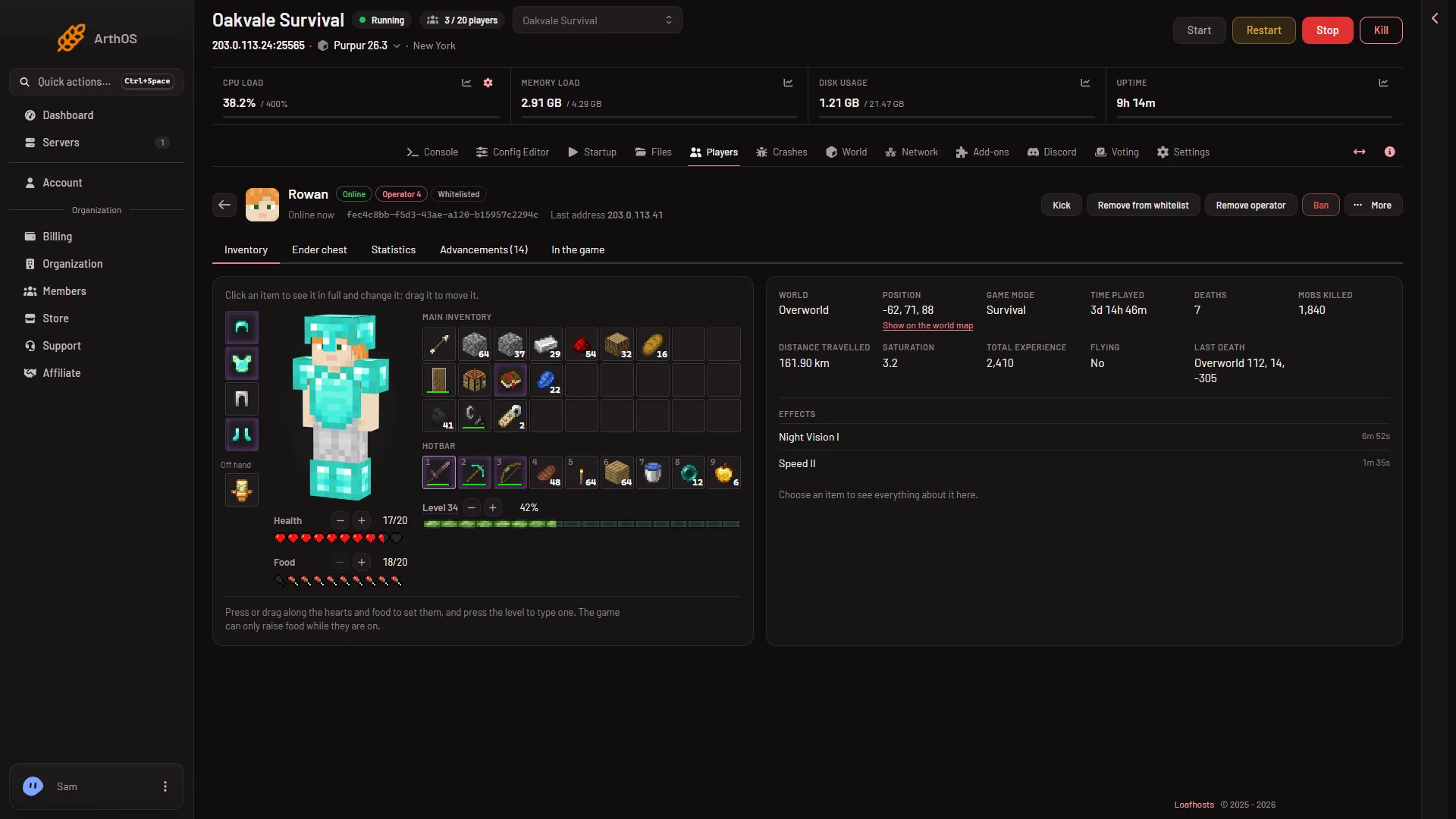
- Health and food
- Level
The panel says what it did, and the value on the page changes to match.
Heal and Feed in one press
Open the In the game tab. In the first card, Heal gives the player full health. Feed fills their food. Next to them are Clear effects, Clear inventory and Kill. Clear inventory and Kill ask first.
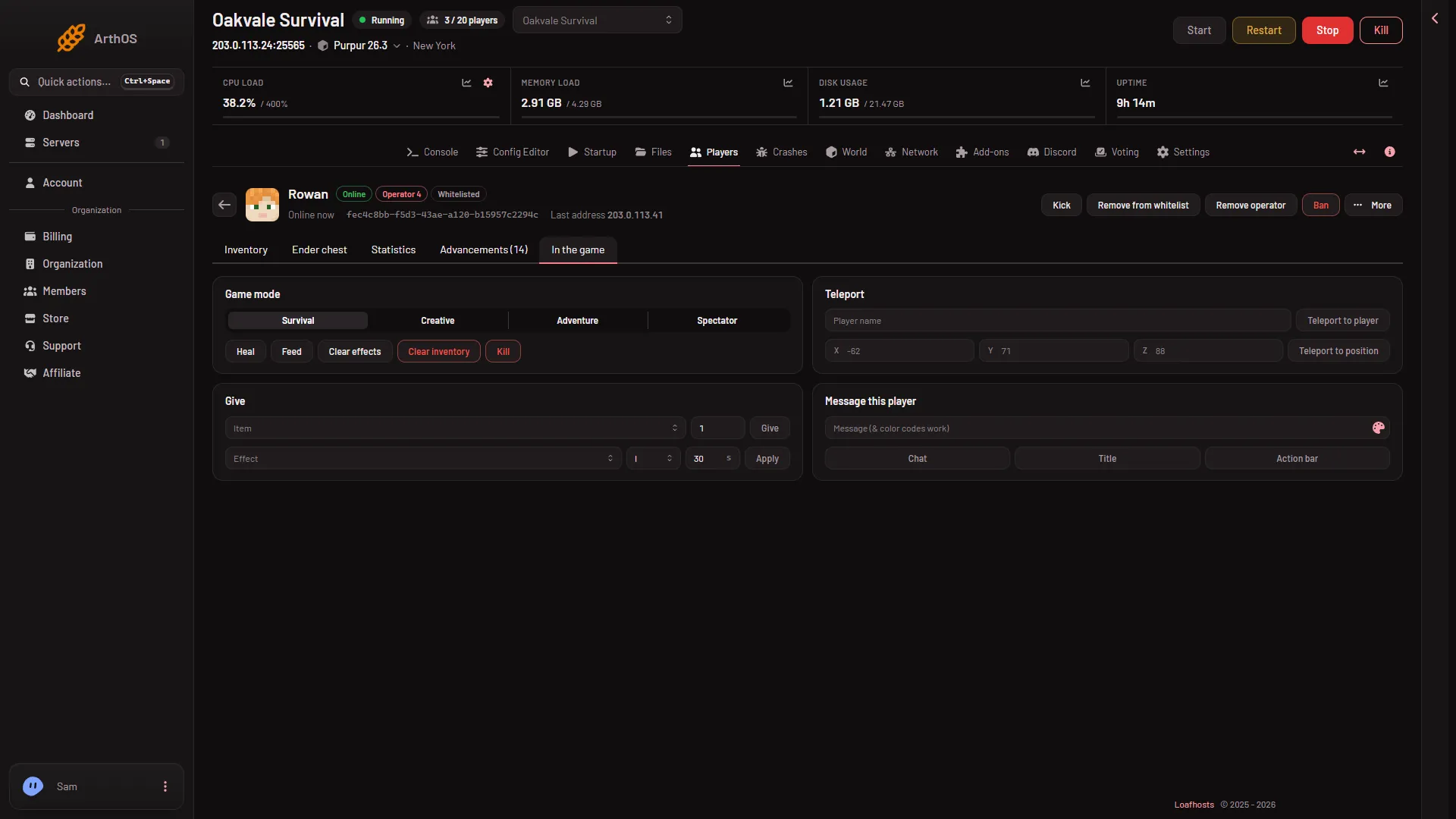
- Game mode
- Heal
These buttons need the player to be online. For an offline player, use the hearts, food and level on Inventory.
Online or offline
- Online. The change goes through the game straight away.
- Offline. The change is written into their save file. They see it when they next join.
- Food while they are on. Under the grids the page says “The game can only raise food while they are on”. The minus button beside Food is greyed for a player who is in the game. For an offline player the number is written into their save file. Lowering an online player’s food is not checked.
What you need to know
- Your role must be allowed to change players in the game. Without it the hearts, food and level cannot be changed.
- The panel allows 60 changes a minute on one server.
- To change items instead, see change items. To look at what they carry, see see a player’s inventory.
If it does not work
- The buttons do nothing. Your role may not allow it, or the server is starting or stopping. Wait until it has finished.
- Food will not go down. While the player is in the game, the game only raises food. Change it while they are offline.
- The panel says this player is not online. Heal and Feed need a player in the game. Use the hearts for an offline one.
More about the game: Minecraft servers. To move them to a place, see teleport a player.