

















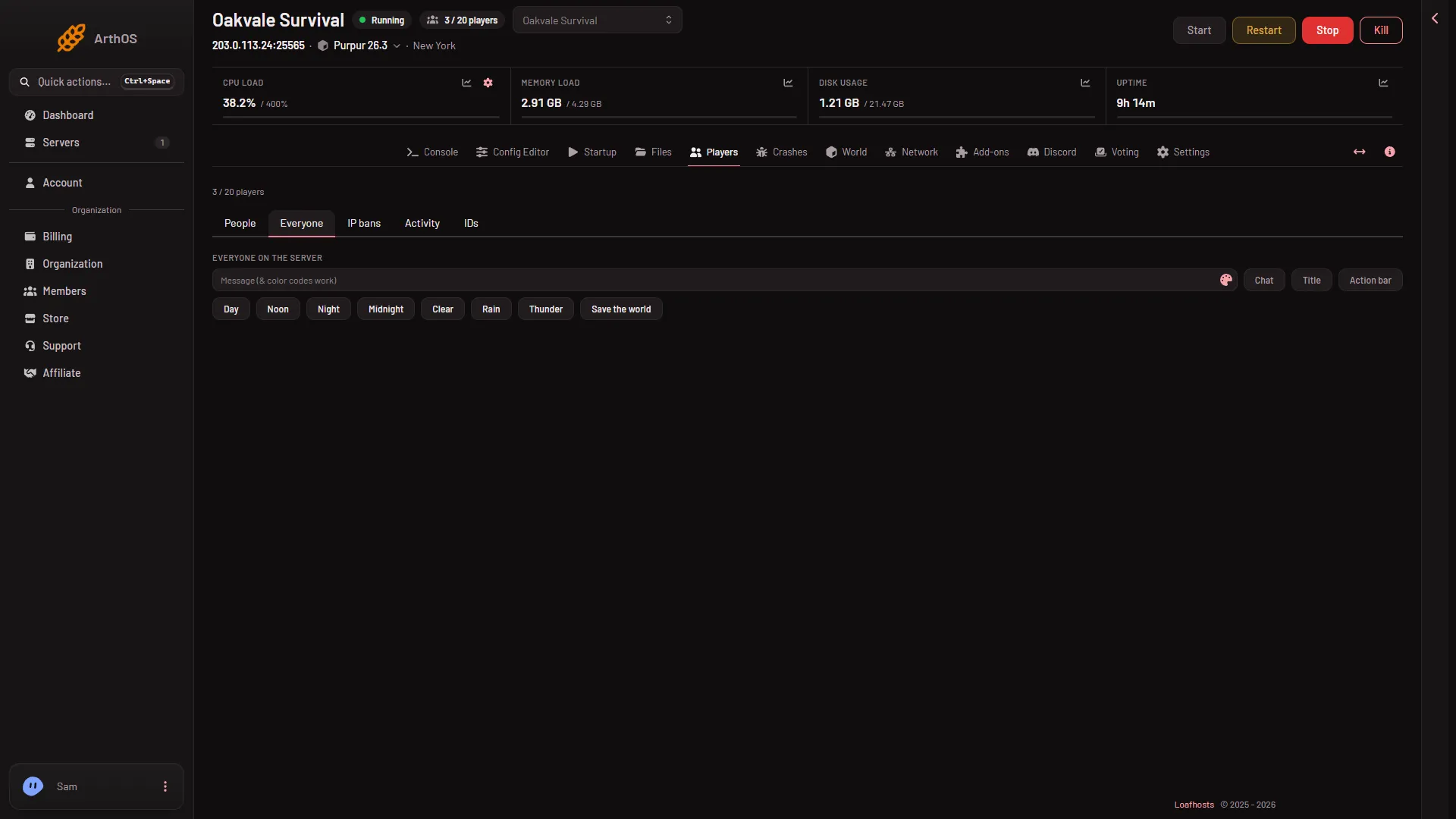
Open the Players tab and choose Everyone. Type a message and press Chat, Title or Action bar to send it to everyone online. The buttons below change the time and the weather. The server must be running.
This is on the Minecraft Java Players page. You do not need the console for this. See Minecraft servers for the game.
Send a message
- Open your server and choose Players.
- Choose the Everyone tab (1).
- Type your text in the message box (2).
- Choose how to send it.
- Everyone tab
- Message
- Chat
- Day
- Clear
- Chat (3) shows it in the chat, like a normal message with no player name.
- Title puts it big in the middle of every screen for a few seconds.
- Action bar puts it in small text above the hotbar.
The panel answers “Sent to the server.” If nobody is online it says “Sent, but nobody is online to see it.”
Colours and formatting
Use & codes in the message. For example &6Welcome makes the word gold. The paint palette button next to the box helps you pick. For the list of codes, see colour codes.
Set the time
Choose one of the time buttons:
- Day (4), Noon, Night and Midnight each set the time of day in the world.
The change is at once. It sets the world’s time, so players who join later see it too.
Set the weather
Choose Clear (5), Rain or Thunder. The game’s own weather timer takes over afterwards, so the weather can change again later.
Save the world
Save the world, beside the weather buttons, asks the game to write the world to disk now. The game also saves by itself every few minutes. The Chunk editor has Refresh now, which also makes the game save, once every 30 seconds. See the Chunk editor guide.
Who can do it
Your role needs permission to act on players in the game. The panel allows 30 of these requests a minute for a server.
If it does not work
- “Start the server to message everyone or change the time and weather.” The server is stopped. Start it first.
- The Everyone tab is missing. Your role needs permission to act on players in the game. Ask the owner.
- Players see the codes, such as
&g. The panel knows0to9,atof,k,l,m,n,o,rand&#with six hex digits. Anything else is sent as you typed it. - A refusal such as “the game did not answer”. The server is busy or still starting. Wait a moment and try again.
For more control, the commands time, weather and say are in the commands guide.